How to Choose the Right Internet Package for Remote Work
Choose an internet package for remote work in Pakistan by checking upload speed, latency, uptime and backup options, not just the headline Mbps figure.

Internet Package for Remote Work: 10 Proven Tips to Choose the Best Plan in Pakistan for 2026
Introduction
Internet package for remote work is not a phrase most people think about until the day their connection drops in the middle of a client call. For Pakistan’s freelancers, developers, designers, virtual assistants and remote employees, the internet is not a utility. It is the office, the meeting room and the payment channel all at once.
That became painfully clear in 2024. During the nationwide slowdown, the Pakistan Software Houses Association estimated losses of up to $300 million, and the Pakistan Freelancers Association said more than 2.3 million freelancers were struggling to deliver work on time. Some freelancers reported losing clients to competitors in other countries within a single week.
Most people choose a package the wrong way. They look at the biggest download number and the lowest monthly price. For remote work, those matter less than upload speed, latency, stability in the evening, how fast faults get fixed, and whether you have a backup when things go wrong.
There is also an ethical side. Remote work attracts scams, from unlicensed ISPs selling cheap “business” connections to fake call centers recruiting young people for fraud. Authorities in Islamabad have raided several such operations. This guide explains what remote work really demands from your connection, compares connection types, gives you 10 practical tips for choosing the right plan, and shows how to stay productive, legal and protected while working online from Pakistan.
What an Internet Package for Remote Work Really Needs
Remote work places different demands on a connection than streaming or browsing. Understanding these five factors will help you compare every internet package for remote work properly.
1. Download speed
Download speed affects how fast files, web pages and software load. For most remote jobs, it is the least critical number once you pass a basic level.
2. Upload speed
Upload speed decides how well you appear on video calls, how fast you send large files, and how smoothly you share your screen. Designers sending artwork, video editors delivering projects and developers pushing code all depend on it. Many home plans advertise high download but offer much lower upload, so always ask for both.
3. Latency
Latency, or ping, is the delay before data starts moving. Low latency makes calls feel natural and remote desktop sessions responsive. High latency causes people to talk over each other and makes cloud tools feel sluggish.
4. Jitter and packet loss
Jitter is variation in latency, and packet loss is data that never arrives. Both cause robotic voices, frozen video and dropped calls, even when speed tests look fine.


5. Uptime and support
The best speed in the world is useless if the line goes down for two days. Remote workers need a provider with a good fault response record in their area.
How much speed do common tasks need?
| Remote work task | Download needed | Upload needed |
|---|---|---|
| Email, chat, documents, web research | 2 to 5 Mbps | 1 Mbps |
| HD video call on Zoom, Meet or Teams | 3 to 4 Mbps | 3 to 4 Mbps |
| Screen sharing and remote desktop | 5 to 10 Mbps | 3 to 5 Mbps |
| Uploading large design or video files | 10 Mbps plus | 10 to 20 Mbps plus |
| Customer support or VoIP calling all day | 5 Mbps | 2 to 3 Mbps |
These figures are per person. If others at home stream or game at the same time, add their needs too. As a rough guide, a single remote worker in a typical family home is usually comfortable on a stable 20 to 30 Mbps fiber line, while creators and households with several remote workers should look at 50 Mbps or more.
Connection Types Compared for Remote Workers
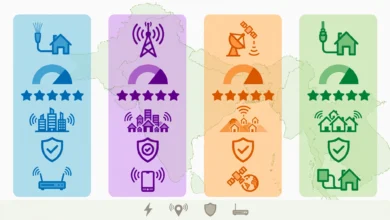
The type of connection matters more than the brand. Here is how the main options in Pakistan compare when you are choosing an internet package for remote work.
| Connection | Upload | Latency | Stability | Best for |
|---|---|---|---|---|
| Fiber (FTTH) | Strong, often close to download | Low | High | Almost all remote workers |
| DSL (copper) | Weak | Medium to high | Varies with line quality and weather | Light remote work where fiber is unavailable |
| 5G fixed wireless | Good where coverage is strong | Low to medium | Depends on signal and crowding | Areas without fiber |
| 4G data SIM or MiFi | Moderate | Medium | Varies by location and time | Backup or temporary use |
| Cable internet | Moderate | Medium | Depends on local operator | Budget users with a licensed operator |
Fiber: the default choice
Fiber internet is the strongest foundation for remote work. Providers such as PTCL Flash Fiber, Nayatel, StormFiber, Transworld and others offer stable speeds, strong uploads and low latency. If fiber is available at your address, start there.
DSL: workable, with limits
PTCL’s copper DSL still serves many homes. It can handle email and occasional calls, but uploads are limited and the line can suffer in the monsoon or when copper cables are stolen. If your income depends on calls, treat DSL as a temporary option.
5G fixed wireless: a new option
5G fixed wireless launched commercially in Pakistan in 2026 and can deliver high speeds where coverage is good. It is worth testing in areas without fiber, but check data limits and evening performance before relying on it for client work.
4G: the best backup
A 4G data SIM or MiFi is rarely ideal as your only connection, but it is the most practical backup. Keep one from a different network than your main ISP.
Cable and local operators
Some neighborhoods rely on local cable internet. These can be fine if the operator is licensed and well run, but many share limited bandwidth across too many homes. Check the operator’s license and ask neighbors about evening performance.
10 Proven Tips to Choose an Internet Package for Remote Work
Use these tips as a step-by-step filter. By the end, you should have one or two plans that genuinely fit your work.
1. Start with your work, not the ad
List what you do on a normal day: calls, uploads, remote desktop, cloud tools. Use the table above to estimate your needs, then add what the rest of your household uses at the same time.
2. Check availability at your exact address
Fiber coverage changes street by street. Use the provider’s coverage checker or call with your full address. Do not rely on “available in your city.”
3. Ask for the upload speed in writing
This is the most overlooked number. For regular video calls and file delivery, aim for at least 5 to 10 Mbps upload. Creators and editors should aim higher.
4. Ask neighbors about evening performance
Many remote workers in Pakistan serve clients in Europe, the Gulf or North America, which means calls in the evening or late at night, exactly when local networks are busiest. Ask two or three neighbors on the same provider how calls hold up between 8 pm and midnight.
5. Read the fair usage policy
Remote work can use a lot of data, especially with daily video calls and large uploads. Find out the monthly fair usage limit and what happens to your speed after it.
6. Check fault response times
Ask how long repairs usually take in your area and whether there is a 24/7 helpline. A provider that fixes faults within hours is worth more than one that is slightly cheaper but takes days.
7. Prefer licensed providers only
Confirm the provider is on PTA’s list of licensed operators. Unlicensed connections can be shut down overnight, and you will have no complaint route.
8. Consider a business plan
If you run a small agency or work with sensitive client data, a business internet plan may offer better support priority, a static IP address and service level agreements. These cost more, but they can be worth it for income-critical work.
9. Plan your backup before you need it
Choose your main plan and your backup together, ideally on different networks. More on this in the next section.
10. Test during the first week
Run speed tests at different times of day, make a few test video calls, and upload a large file. If performance is poor, report it immediately while you are still within any trial or cancellation window.
Building a Backup Plan Around Your Internet Package for Remote Work
No single connection in Pakistan is immune to outages. Submarine cable faults, local fiber cuts, power cuts and network restrictions can all knock you offline. The remote workers who kept their clients during the 2024 slowdown were usually the ones with a plan B.
Keep a second connection on a different network
The most useful backup is a connection that does not share the same weaknesses as your main line.
- If your main line is fiber, keep a 4G or 5G data SIM or MiFi from a different company.
- If you can afford two fixed lines, choose ISPs that buy international bandwidth on different submarine cables.
- Test the backup monthly so you know it works and has data available.
Use automatic failover if possible
Some routers support dual-WAN failover, switching to the backup automatically when the main line fails. Many mesh systems and business routers offer this. For individuals, simply switching your laptop to a phone hotspot also works.
Protect against power cuts
Load shedding takes down more remote work sessions than most people admit.
- Put the ONT or modem and router on a UPS. Even a small unit gives one to two hours.
- Keep your laptop charged and set your phone to act as a hotspot if needed.
- If you have solar or an inverter, connect networking equipment to the backup circuit.
Have a client communication plan
Tell regular clients in advance that you have backup arrangements. If an outage happens, notify them quickly through email or chat, share news reports when there is a national problem, and propose a new time. Professional communication protects your reputation even when the network does not cooperate.
Keep work accessible offline
Sync important files to your laptop, keep offline copies of documents you need for the day, and save meeting links and client contacts somewhere you can reach without the internet.
Realities Every Remote Worker in Pakistan Should Know
Choosing the right internet package for remote work is only half the picture. National events, legal requirements and scams also affect remote workers directly.
The 2024 slowdown and its cost
In mid-2024, faults in two international submarine cables and a disputed national firewall rollout left the country with slow and unreliable internet for weeks. According to Dawn, P@SHA estimated losses of around $300 million along with reputational damage to Pakistani firms, and the Pakistan Freelancers Association said Pakistan’s more than 2.3 million freelancers were struggling with slow speeds and frequent disruptions. P@SHA also said some IT companies reported that 40% of their BPO services had been affected, and freelancers reported that some Fiverr accounts were shown as unavailable during the disruption.
The lesson for remote workers is that even the best home package can be affected by national problems. That is why backups, client communication and offline workflows matter as much as speed.
VPN registration for freelancers and businesses
Many remote workers use VPNs to connect to client systems. PTA has long asked businesses and freelancers to register VPNs so their work is not disrupted when filtering is applied, and in 2024 it said it had whitelisted more than 20,000 VPN connections. Rules have shifted more than once, so check PTA’s latest guidance and register if your work depends on a VPN.
Unlicensed providers selling “business” internet
In some areas, unlicensed operators market cheap connections to freelancers and small offices as “dedicated” or “business grade.” PTA and FIA have raided unlicensed internet providers in Lahore, Sargodha, Toba Tek Singh and other cities, seizing routers, ONTs and servers. When such a provider is shut down, every customer loses service at once, with no refund or complaint route. For income-critical work, that risk is not worth a small saving.
Fake call centers and “remote jobs” that are really fraud
Not every remote job is legitimate. Islamabad has seen repeated raids on scam call centers:
- In March 2025, FIA and intelligence agencies raided a call center in Sector F-11 suspected of international fraud and detained more than two dozen people.
- In July 2025, 149 people, including 71 foreigners, were arrested over a large call center allegedly involved in Ponzi schemes and investment fraud.
- In a later operation, FIA detained 258 foreign nationals from an alleged scam call center in Gulberg Green on the outskirts of Islamabad.
- FIA and the National Cyber Crime Investigation Agency also arrested 275 foreign nationals in a raid on an illegal call center in Sector I-10, with cases registered under PECA, as ARY News reported.
Young Pakistanis looking for remote or night-shift work can be drawn into these operations without understanding what the job involves. Warning signs include employers who will not give a registered company name, scripts that ask you to pressure people into payments, “investment” or “crypto” sales targets, and pay that seems too good for the work. Working for such an operation can expose you to criminal charges.
Account renting and identity misuse
Some people offer to “rent” verified freelancing accounts or ask you to receive payments on their behalf. This breaks platform rules, can get accounts permanently banned, and may involve money laundering or fraud. Use only your own verified accounts and legal payment channels.
Budgeting for an Internet Package for Remote Work
The right internet package for remote work is the one that protects your income at a cost you can sustain. Here is how to think about money and contracts.
Treat internet as a work expense
If you earn even a modest income online, a dropped call or late delivery can cost more than the difference between a cheap plan and a reliable one. Think of your connection the way a shop owner thinks about rent: it is a cost of doing business.
Typical price ranges
Prices change often, but recent examples give a sense of the market. PTCL listed its Flash Fiber 30 Mbps plan at Rs. 3,499 a month including tax after a promotional period, and 40 Mbps at Rs. 4,999 including tax. Nayatel’s unlimited plans started around Rs. 3,450 a month for 40 Mbps according to a mid-2026 guide. A 4G backup bundle adds a smaller monthly cost on top. Always confirm current prices with the provider.
Watch the fine print
- Promotional pricing: Advance offers and speed boosts expire. Plan around the regular monthly price.
- Tax: Some prices include tax and some do not.
- Installation and equipment: Ask about installation charges, router or ONT fees and security deposits.
- Contract length and exit fees: Know what it costs to leave if the service disappoints.
- Fair usage: Make sure your monthly data use stays under the limit.
When a business plan is worth it
Business plans usually cost more but can include priority support, static IP addresses and service level agreements with repair commitments. They make sense for:
- Agencies and small software houses with several staff.
- Remote workers who connect to client systems that need a fixed IP.
- Anyone whose contracts include strict uptime or response commitments.
Sharing costs legally
If several remote workers share a house or office, one higher-tier plan plus a shared backup can be cheaper than separate connections. Keep it within your household or office. Selling access to neighbors commercially can break your ISP’s terms and turn you into an unlicensed provider.
Conclusion
The right internet package for remote work in Pakistan is the one built around how you actually work: strong upload speed for calls and file delivery, low latency and jitter for smooth meetings, solid evening performance, a clear fair usage limit and a provider that fixes faults quickly. Fiber from a licensed provider is the best starting point for most people, with 5G fixed wireless as a growing option where fiber has not arrived and a 4G connection on a different network as the essential backup. The 2024 slowdown, which cost the IT sector an estimated $300 million and disrupted the work of more than 2.3 million freelancers, showed that national events can hit even the best home setup, so a UPS, failover plan and honest client communication matter as much as speed. Stay on the right side of the law by registering VPNs where required, avoiding unlicensed providers and staying well away from fake call centers and account-renting schemes that Islamabad’s raids have exposed. Choose your internet package for remote work with these points in mind, and your connection becomes a dependable foundation for your career rather than a daily source of stress.