Best Broadband Router Provided by Local ISPs
Best broadband router from local ISPs in Pakistan, compared on Wi-Fi coverage, speed, security, and cost, with real hacking and illegal ISP cases.
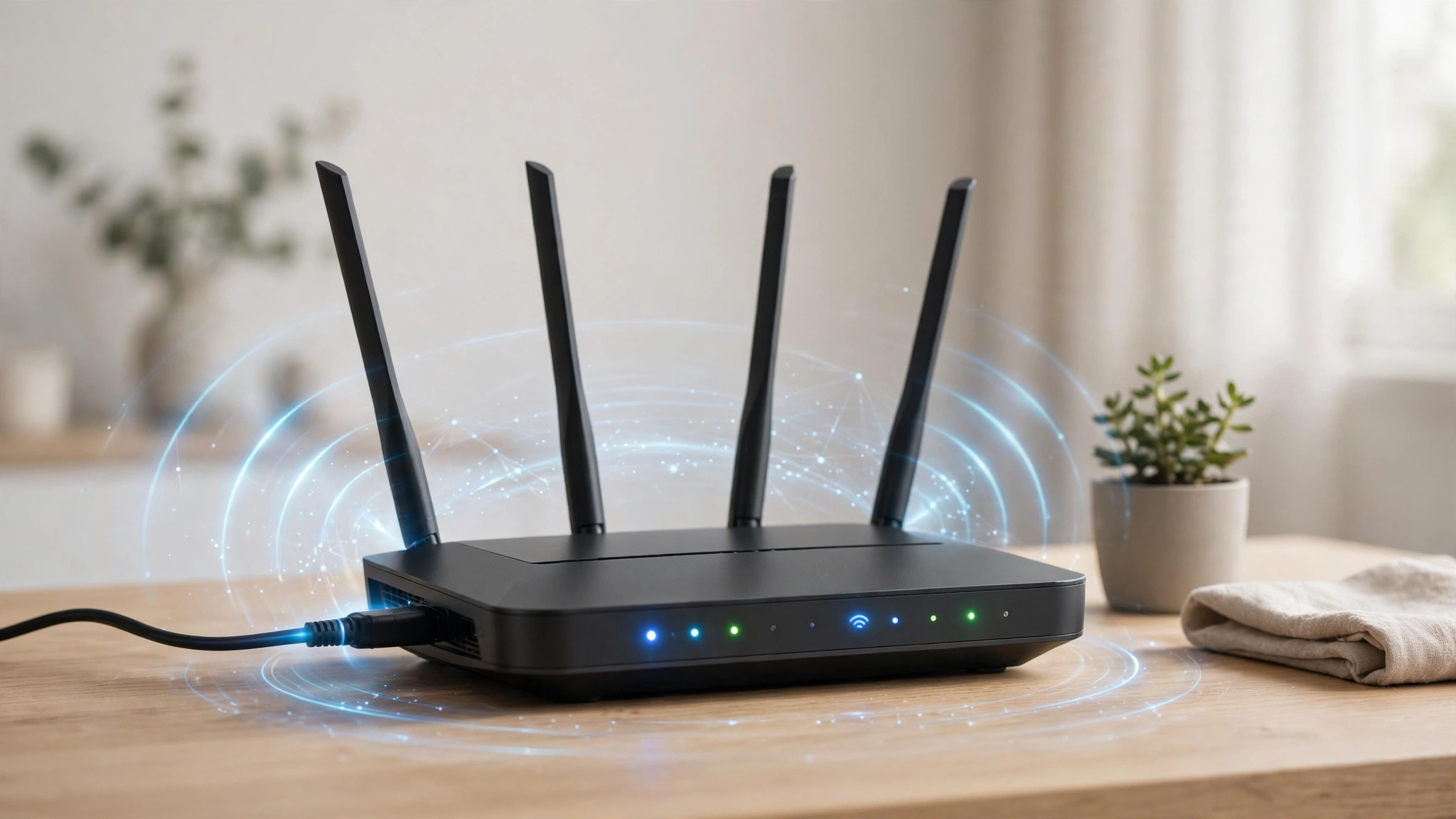
Best Broadband Router From Local ISPs in Pakistan: 6 Honest Options and Dangerous Mistakes to Avoid
Introduction
The best broadband router for your home is often not the one you’d pick yourself. In Pakistan, most fiber users simply accept whatever device the installation team leaves behind, plug it in near the front door, and hope the Wi-Fi reaches the bedrooms. Then they spend months blaming the ISP for slow speeds that are actually caused by the router.
The truth is that your router matters as much as your package. A 100 Mbps fiber connection can feel like 15 Mbps if the router is weak, badly placed, or running outdated software. And there’s a less obvious problem: an insecure or outdated router can become a doorway for hackers into your home network.
This guide explains what local ISPs like PTCL Flash Fiber, StormFiber, Nayatel, and Transworld typically provide, when that equipment is good enough, and when you should add or upgrade a router yourself. It compares six practical setups, from the basic ISP combo device to mesh Wi-Fi for larger homes.
It also covers real cases that show why router choice is a security decision, not just a speed one. You’ll read about the FBI operation that removed Chinese state-linked malware from hundreds of outdated home routers, the US regulator’s actions against D-Link and ASUS over insecure routers, and PTA and FIA raids on unlicensed internet providers operating in Pakistani neighborhoods. The goal is simple: faster, safer internet without wasting money.
ONT vs Router: What Your ISP Actually Installs
Before comparing options, it helps to understand the hardware. Fiber internet needs a device that converts light signals into a normal network connection.
- ONT (Optical Network Terminal): Converts the fiber signal into an Ethernet connection. Every fiber connection needs one.
- Router: Creates your Wi-Fi network and manages connected devices.
- Combo device: Many ISPs supply a single box that acts as both ONT and Wi-Fi router.
A TechJuice guide to Nayatel’s setup describes a typical installation as including fibre optic cable from the nearest distribution point, the ONT device that converts optical signals into electrical signals your router can use, and a WiFi router for wireless connectivity throughout your home.
Where These Devices Come From
Pakistani ISPs don’t make their own equipment. According to industry representatives, ONTs are used by fiber broadband operators such as PTCL, Nayatel, Cybernet, and Transworld, are not available in the local market, and are imported directly from vendors such as Huawei, ZTE, and Fiberhome.
Costs have also been a concern. The telecom sector warned that a sudden 300% hike in the customs valuation of fiber broadband routers threatened to jeopardize Pakistan’s fiber broadband expansion and directly impact affordability for home users.


Who Are the Main Fiber ISPs in Pakistan?
Your router options depend partly on your ISP. Based on PTA-reported industry figures cited in a PSX filing, fiber-to-the-home market share at the end of 2024 was roughly 50.4% for Flash Fiber, 29.6% for Storm Fiber, 5.2% for Nayatel, 2.8% for Connect Communications, 3.0% for Transworld, and 8.9% for others.
PTCL has continued to grow since then. In July 2026, PTCL surpassed 900,000 Flash Fiber subscribers, reinforcing its position as Pakistan’s largest fiber broadband provider. The company says Flash Fiber is available across 78 cities nationwide.
Each ISP supplies different hardware depending on the package, city, and stock available, so always ask the sales team exactly which model you’ll receive before signing up.
How to Judge the Best Broadband Router for Your Home
When comparing ISP-provided equipment with your own options, focus on these factors:
- Wi-Fi bands: Single-band (2.4 GHz only) or dual-band (2.4 GHz and 5 GHz)? Dual-band is essential for speeds above roughly 30 Mbps on Wi-Fi.
- Wi-Fi standard: Wi-Fi 4, Wi-Fi 5, or Wi-Fi 6. Newer standards handle more devices better.
- Coverage: Number and strength of antennas, and whether the device supports mesh.
- Gigabit Ethernet ports: Important for gaming PCs, smart TVs, and consoles.
- Firmware updates: Does the ISP or manufacturer still update the software?
- Admin access: Can you change the Wi-Fi password, admin password, and security settings?
- Cost: Is the device free, rented, or sold to you?
Option 1: The Default ISP Combo Router (ONT + Wi-Fi)
This is what most users get. It’s a single box from Huawei, ZTE, or Fiberhome that handles both fiber conversion and Wi-Fi.
Strengths
- No extra cost or setup.
- The ISP can manage and troubleshoot it remotely.
- Fine for small flats and apartments with a few devices.
Weaknesses
- Basic models may be single-band, limiting Wi-Fi speeds.
- Coverage often struggles through thick brick and concrete walls common in Pakistani homes.
- Users sometimes have limited admin access.
- Firmware updates depend entirely on the ISP.
Best for: Small homes, single-floor flats, and light users on packages under 30 Mbps.
Option 2: ISP Dual-Band Upgrade
Many ISPs offer a better dual-band router on higher packages or for an extra charge. This is often the simplest upgrade.
Strengths
- 5 GHz band delivers much faster Wi-Fi near the router.
- Still supported by the ISP.
- No compatibility issues with the fiber line.
Weaknesses
- May cost extra or require a higher package.
- Coverage is still limited to one device in one location.
Best for: Users on 50 Mbps and above who live in a medium-sized home.
Option 3: ISP ONT Plus Your Own Router
Here, the ISP device handles the fiber connection, and you connect your own router to it by Ethernet cable. This is one of the most popular choices among people looking for the best broadband router setup on a budget.
How It Works
- Keep the ISP’s ONT or combo device connected to the fiber.
- Connect your own router to its LAN port with an Ethernet cable.
- Either set the ISP device to bridge mode (ask your ISP) or disable its Wi-Fi to avoid interference.
Strengths
- You choose a router with better range, more antennas, and modern Wi-Fi.
- You control firmware updates and security settings.
- You keep your router if you change ISPs.
Weaknesses
- Extra cost.
- Double-router setups can cause issues with gaming or port forwarding if not configured properly.
- Some ISPs may not support third-party routers in troubleshooting.
Best for: Gamers, families with many devices, and anyone who wants full control.
Option 4: Wi-Fi 6 Router
Wi-Fi 6 routers handle many connected devices more efficiently and deliver better speeds on supported phones and laptops.
Strengths
- Better performance in busy homes with phones, TVs, and laptops all online.
- Lower latency, which helps with gaming and video calls.
- Future-proof for upcoming devices.
Weaknesses
- More expensive than older routers.
- Benefits are limited if your phones and laptops don’t support Wi-Fi 6.
Best for: Homes with 10 or more connected devices and packages of 100 Mbps or higher.
Option 5: Mesh Wi-Fi System
Mesh systems use two or more units placed around the house to create one seamless network.
Strengths
- Excellent coverage in multi-storey homes and houses with thick walls.
- Devices switch between units automatically as you move.
- Easy app-based setup on most systems.
Weaknesses
- Most expensive option.
- Each unit needs a power outlet, and performance is best when units are connected by Ethernet cable.
Best for: Double-storey and triple-storey houses, and large homes where single routers can’t reach every room.
Option 6: Wi-Fi Extenders and Access Points
Extenders repeat your existing Wi-Fi signal to reach weak spots. Access points connect by cable and broadcast a fresh signal.
Strengths
- Cheap way to fix one or two dead zones.
- Access points connected by cable deliver strong performance.
Weaknesses
- Wireless extenders typically cut speeds, sometimes significantly.
- Can create multiple networks that devices don’t switch between smoothly.
Best for: Fixing a single weak room on a tight budget.
Quick Comparison Table
| Setup | Cost | Coverage | Control | Best For |
|---|---|---|---|---|
| Default ISP combo | Free or included | Small homes | Limited | Flats, light users |
| ISP dual-band upgrade | Low to moderate | Medium homes | Moderate | 50 Mbps+ users |
| ISP ONT + own router | Moderate | Good | Full | Gamers, families |
| Wi-Fi 6 router | Moderate to high | Good | Full | Many devices |
| Mesh system | High | Excellent | Full | Multi-storey homes |
| Extender / access point | Low | Patchy fix | Varies | One weak room |
Why Router Security Matters More Than Speed
This is the part most router guides skip. A router sits between every device in your home and the internet. If it’s insecure, everything behind it is exposed. Real cases show what happens when routers are neglected.
The Volt Typhoon Router Botnet
In January 2024, the US Department of Justice announced that a December 2023 court-authorized operation had disrupted a botnet of hundreds of US-based small office/home office routers hijacked by People’s Republic of China state-sponsored hackers. The hackers, known as Volt Typhoon, used privately-owned routers infected with the “KV Botnet” malware to conceal the origin of further hacking activities directed against US and other foreign victims.
The reason these routers were vulnerable is the key lesson for every home user. The vast majority were Cisco and NetGear routers that had reached “end of life” status and were no longer supported through manufacturer security patches. The FBI warned that the remediated routers remained vulnerable to future exploitation and strongly encouraged owners to remove and replace any end-of-life router in their networks. You can read the full announcement in the US Department of Justice press release on the KV Botnet disruption.
Regulators Took Router Makers to Court
Insecure routers have also led to legal action against manufacturers. In 2017, the US Federal Trade Commission filed a lawsuit against D-Link over the poor security of its wireless routers, IP cameras, and other internet-connected devices. The FTC alleged that D-Link repeatedly failed to take reasonable software testing and remediation measures to protect its routers and IP cameras against well-known and easily preventable security flaws. One of the most serious problems involved easily guessable login credentials that were hard-coded into the device.
The case ended in 2019 with a settlement. D-Link agreed to 10 years of oversight, including biennial independent third-party assessments of its security software. The company said the settlement formalized its commitment to product quality. The FTC’s statement is available in its press release on the D-Link settlement.
ASUS faced a similar case earlier. The FTC alleged that ASUS router security flaws allowed hackers to compromise thousands of customers’ routers and network-connected devices, including over 12,900 connected devices, in February 2014. Under the 2016 settlement, ASUS agreed to undergo independent security audits every 2 years for the next 20 years.
What This Means for Pakistani Users
These cases happened in the US, but the risks apply everywhere. Many Pakistani homes still run old routers bought years ago, use default admin passwords, or keep secondhand ISP devices bought online. Marketplaces regularly list used fiber routers, with listings such as a used Huawei HG3645A XPON GPON dual-band Wi-Fi fiber router for Rs 1,800 and PTCL and StormFiber routers for around Rs 1,000 to Rs 1,400. Cheap used devices may be outdated, tampered with, or still tied to another account. Buy routers new from authorized sellers, or use the equipment your ISP provides.
The Illegal ISP Problem in Pakistan
Your router can only be as trustworthy as the network it connects to. In many Pakistani neighborhoods, small internet providers run without licences.
PTA and FIA Raids
The PTA has repeatedly cracked down on these operators. In one Sargodha operation, PTA and FIA raided two locations, arrested one person, and confiscated equipment including switches, routers, laptops, and antennas from entities providing ISP services without a valid PTA licence. In Toba Tek Singh, authorities confiscated switches, routers, an ONT, and an illegal tower with 12 dish antennas, and the FIA took one person into custody.
A more recent raid in Lahore targeted a company that, according to PTA, was providing internet services without holding a valid licence. The regulator advised consumers to obtain telecom services only from licensed operators, warning that customers using illegal providers may face sudden disruption if enforcement action is taken.
Why It Matters for You
Unlicensed providers may operate outside regulatory, taxation, quality-of-service, and consumer-protection requirements. That means:
- No guarantee of security standards on their network or equipment.
- No formal complaint channel if your data or connection is misused.
- Your service can disappear overnight if they’re shut down.
- Routers they supply may never receive updates.
Before signing up with a small local provider, ask for their PTA licence details and check them on the PTA website.
How to Secure Your ISP Router in 10 Minutes
Whether you keep the ISP router or buy your own, these steps make a big difference:
- Change the admin password from the default printed on the sticker.
- Use WPA2 or WPA3 encryption for Wi-Fi, never open or WEP networks.
- Set a strong Wi-Fi password of at least 12 characters.
- Disable WPS, which can be exploited to guess Wi-Fi access.
- Turn off remote management unless your ISP specifically needs it.
- Check for firmware updates monthly, or ask your ISP to update the device.
- Create a guest network for visitors and smart devices.
- Review connected devices regularly and remove anything unfamiliar.
- Replace end-of-life routers that no longer receive security updates.
- Keep the router on a UPS to protect it from power fluctuations and load shedding damage.
Placement Tips for Better Wi-Fi Coverage
Even the best broadband router performs poorly if it’s in the wrong spot. Installers often place it wherever the fiber enters the house, which is usually not ideal.
- Ask installers to place the router centrally. As one guide advises, ask the installation team to place the ONT and router in a central location rather than wherever is most convenient for them, since placement affects WiFi coverage throughout the house.
- Raise it off the floor, ideally on a shelf.
- Keep it away from metal cabinets, microwaves, and thick walls.
- Run Ethernet cables to TVs, consoles, and desktop PCs for the most stable speeds.
- Use 5 GHz for speed near the router and 2.4 GHz for range in distant rooms.
Which Setup Should You Choose?
For Small Flats and Light Users
Keep the default ISP router, but secure it properly and place it centrally.
For Medium Homes on 50 Mbps or More
Ask your ISP for a dual-band router, or add your own dual-band router behind the ONT.
For Gamers and Streamers
Use the ISP ONT plus your own quality router, connect your PC or console by Ethernet, and choose a Wi-Fi 6 model if your budget allows.
For Double-Storey or Larger Houses
A mesh system is the most reliable way to cover every floor, especially with thick walls.
For Families With Many Devices
Choose a Wi-Fi 6 router or mesh system, and set up a guest network for smart devices and visitors.
Frequently Asked Questions
Can I use my own router with PTCL, StormFiber, or Nayatel?
In most cases, yes. Keep the ISP’s ONT connected to the fiber and connect your own router behind it. Ask your ISP about bridge mode for the best results.
Is the free ISP router good enough?
For small homes and lower packages, often yes. For larger homes, faster packages, or many devices, a dual-band, Wi-Fi 6, or mesh setup will perform noticeably better.
Why is my Wi-Fi slow when my package is fast?
Common causes include a single-band router, poor placement, interference, too many devices, or outdated firmware. Test speed with a cable connected directly to the router to confirm.
Is it safe to buy a used fiber router online?
It’s risky. Used devices may be outdated, tampered with, or linked to another account. Buy new from authorized sellers or use your ISP’s device.
How do I know if my ISP is licensed?
Ask the provider for its PTA licence details and verify them on the PTA website. Avoid providers that can’t show valid licensing.
Conclusion
The best broadband router for most Pakistani homes depends on home size, package speed, and how many devices you connect: the default ISP combo device from vendors like Huawei, ZTE, or Fiberhome is fine for small flats, a dual-band upgrade suits medium homes, adding your own router behind the ISP’s ONT gives gamers and families full control, Wi-Fi 6 helps busy households, and mesh systems solve coverage problems in multi-storey houses, but security matters just as much as speed, as shown by the FBI’s removal of Volt Typhoon malware from hundreds of end-of-life routers, the FTC’s settlements with D-Link and ASUS over insecure router software, and repeated PTA and FIA raids on unlicensed ISPs operating in Pakistani neighborhoods, so choose a licensed provider, change default passwords, keep firmware updated, replace outdated devices, avoid cheap secondhand routers, and place your router centrally to get fast, reliable, and safe internet throughout your home.