Top Tips to Secure Your Home Wi-Fi From Hackers
Secure your home Wi-Fi from hackers with 12 practical steps, real botnet and router hacking cases, and clear signs that your network is compromised
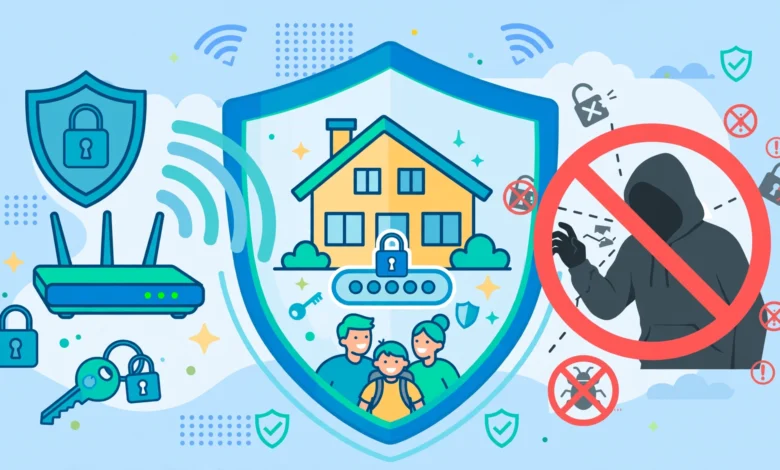
Secure Your Home Wi-Fi From Hackers: 12 Proven Tips to Stop Dangerous Attacks in 2026
Introduction
Secure your home Wi-Fi before someone else decides to use it for you. That may sound dramatic, but it is exactly what has happened to hundreds of thousands of ordinary households. In 2024, the FBI announced it had disrupted a botnet called Raptor Train that had taken over more than 260,000 home and small office routers, IP cameras and storage devices worldwide, including tens of thousands across Asia. Most owners had no idea their equipment was being used to attack other networks.
Home Wi-Fi attacks rarely look like the movies. There is no hooded figure typing furiously. Usually it is an automated script scanning the internet for routers with default passwords, unpatched firmware or remote access left open. Closer to home, it can be a neighbor who guessed your password, a guest who never left your network, or a cheap smart camera that quietly opens a door into everything else.
The good news is that most attacks rely on a handful of predictable weaknesses, and fixing them takes less time than a cup of chai. This guide explains how hackers actually get into home networks, walks through documented cases that show the real risks, and gives you 12 practical steps to protect your Wi-Fi network from intruders. It also covers smart devices, warning signs that your network is compromised, and the legal side in Pakistan, including what the Prevention of Electronic Crimes Act says about unauthorized access and how to report cybercrime.
How Hackers Break Into Home Wi-Fi Networks
You cannot properly secure your home Wi-Fi without knowing where the weak points are. This section explains the common routes in at a high level, so you know what you are defending against.
Default router passwords
Many routers ship with simple admin logins such as “admin/admin,” and lists of these defaults are widely known. Automated tools scan the internet and try them on every router they find. If you never changed yours, this is the easiest way in.
Unpatched firmware
Routers run software that has bugs, just like phones and laptops. When a security flaw becomes public, attackers quickly build tools to exploit it. Investigators who studied the Raptor Train botnet said it was unlikely that brand-new, unknown flaws were used. Most devices were infected through known vulnerabilities that already had fixes available.
Weak Wi-Fi passwords
Short or predictable Wi-Fi passwords, like a phone number, a house number or “12345678,” can be guessed or cracked. Anyone within signal range, including neighbors or people parked outside, can attempt this.
Outdated security protocols
Old encryption standards such as WEP and the original WPA are badly broken. Even WPA2 has had serious flaws, such as the KRACK vulnerability disclosed in 2017, which required updates on routers and devices. Using the newest supported standard matters.
WPS and convenience features
WPS (Wi-Fi Protected Setup) was designed to make connecting easy, but its PIN method has a long history of weaknesses. Features such as UPnP and remote management also make life easier for attackers when left on unnecessarily.


End-of-life routers
When a manufacturer stops releasing updates for a model, every new flaw in it stays open forever. In January 2024, US authorities disrupted the KV-botnet linked to the Volt Typhoon group, which had specifically targeted old, end-of-life routers that no longer received security patches.
Insecure smart devices
Cheap IP cameras, DVRs and smart plugs often have weak default passwords and rarely get updates. Once compromised, they can be used to watch traffic or attack other devices on the same network.
Social engineering and shared passwords
Sometimes no hacking is needed at all. A password written on the wall, shared in a family WhatsApp group, or given to a tutor or delivery rider spreads faster than you expect. Fake support calls asking for router details are another common trick, which is why habits matter as much as settings when you secure your home Wi-Fi.
Real Cases That Show Why You Must Secure Your Home Wi-Fi
These are not hypothetical risks. Each case below involved ordinary home equipment, and each shows a different lesson.
Raptor Train: 260,000 hijacked home devices
In September 2024, the US Department of Justice announced a court-authorized operation that took down the Raptor Train botnet. US authorities attributed it to the Flax Typhoon hacking group, operating through a Beijing-based company. At its June 2024 size, the botnet controlled more than 260,000 routers, IP cameras, DVRs and network storage devices, with about 50,400 in Asia, according to The Hacker News. Affected brands included ASUS, TP-Link and Zyxel. The FBI said around 1.2 million devices had been infected over the botnet’s four-year life.
Lesson: Hijacked home devices were used as hidden relays for attacks on other targets. Your router can become part of a crime without you noticing any slowdown.
KV-botnet: the danger of old routers
In January 2024, the FBI disrupted another botnet linked to a state-backed group known as Volt Typhoon. This network relied heavily on end-of-life routers that manufacturers had stopped updating. Officials warned owners to replace unsupported devices, since no patch would ever close their security holes.
Lesson: A router that no longer receives updates is a permanent risk, no matter how well it still works.
KRACK: when even WPA2 had a flaw
In 2017, security researcher Mathy Vanhoef disclosed KRACK, a set of weaknesses in the WPA2 protocol that could let an attacker within Wi-Fi range intercept some traffic. Vendors released fixes, but only devices that were updated became safe.
Lesson: Even strong standards need updates. Patching phones, laptops and routers is part of Wi-Fi security.
Hacked home cameras
In several countries, attackers have broken into home security cameras and baby monitors that used reused or weak passwords, sometimes speaking to families through the device. These cases pushed manufacturers to introduce two-factor authentication and stronger password requirements.
Lesson: Any device on your network is part of your network security. A weak camera can undo a strong router.
Botnets disrupted by authorities
The Raptor Train takedown followed earlier operations against router botnets, and the details are summarized by Cybersecurity Dive. Takedowns remove malware for a time, but devices with the same weaknesses can be infected again. Long-term protection depends on owners fixing the basic problems.
12 Proven Tips to Secure Your Home Wi-Fi From Hackers
Work through these tips in order to secure your home Wi-Fi properly. The first five close the doors most attackers use, and the rest add strong extra layers.
1. Change the router’s admin password
Open your router’s settings page or app and replace the default admin password with a long, unique one. This is different from your Wi-Fi password, and it protects the router’s settings. Store it in a password manager or a safe place at home.
2. Update the router firmware
Check for firmware updates in the admin panel or app and install them. Turn on automatic updates if your router supports them. Most large router botnets exploited flaws that already had fixes.
3. Use WPA3 encryption
Set your wireless security to WPA3-Personal. If some older devices cannot connect, use WPA2/WPA3 mixed mode. Never leave your network open or on WEP or the original WPA.
4. Create a strong Wi-Fi password
Use at least 12 to 16 characters. A short phrase of random words with numbers, such as a few unrelated words joined together, is both strong and easy to type. Avoid phone numbers, names, house numbers and birthdays.
5. Turn off WPS
Disable WPS in the wireless settings. You can still connect devices manually with the password or by scanning a QR code from the router app.
6. Disable remote management
Unless your ISP truly needs it, turn off remote access to the router’s admin panel from the internet. If your ISP manages the router remotely, ask them to confirm it is protected with a strong password.
7. Turn off UPnP if you do not need it
UPnP lets apps open ports automatically. It is convenient for some consoles but can also be misused by malware. Disable it unless a device in your home genuinely depends on it.
8. Rename your network
Change the default network name (SSID) to something that does not reveal your router brand, family name or address. A neutral name gives attackers less information.
9. Set up a guest network
Use a separate guest Wi-Fi for visitors, domestic staff and smart devices you do not fully trust. Guests can browse the internet but cannot reach your laptops, phones or shared files.
10. Review connected devices regularly
Once a month, open the router app and check the list of connected devices. Remove anything you do not recognize and change the Wi-Fi password if needed.
11. Replace end-of-life routers
Check whether your router model still receives updates on the manufacturer’s website. If support has ended, replace it. A modest new router with active updates is safer than a powerful old one.
12. Use secure DNS and keep devices updated
Many routers let you choose a DNS provider that blocks known malicious websites. Combine this with regular updates on phones, laptops and smart TVs, since a fully patched router cannot protect a device that is years out of date.
Secure Your Home Wi-Fi by Protecting Every Connected Device
Your router is the front door, but every smart device is a window. Botnets like Raptor Train targeted IP cameras, DVRs and storage devices as much as routers. To fully secure your home Wi-Fi, lock them down too.
CCTV cameras and DVRs
CCTV systems are extremely common in Pakistani homes, shops and offices, and many are installed by technicians who leave default passwords in place.
- Change the default password on the DVR or NVR and every camera.
- Update the DVR firmware, or ask your installer to do it.
- Disable remote viewing features you do not use, and use the official app with two-factor authentication where available.
- Avoid exposing the DVR directly to the internet through port forwarding. Use the manufacturer’s secure cloud app instead.
Smart TVs and streaming boxes
Android TV boxes from unknown brands are a particular concern. Security researchers have repeatedly found cheap boxes shipped with pre-installed malware. Buy from reputable brands and keep system updates turned on.
Smart plugs, bulbs and doorbells
These often only support 2.4 GHz and receive few updates. Put them on your guest network where possible, so a compromised plug cannot reach your laptop.
Phones and laptops
- Keep operating systems and apps updated.
- Use a screen lock and enable device encryption.
- Turn on two-factor authentication for email, banking apps, JazzCash, Easypaisa and social media.
- Avoid installing modded apps or cracked software from unknown websites, since many carry malware that can spread on your network.
Network storage and printers
Shared drives and Wi-Fi printers should have passwords, current firmware, and no direct internet exposure unless absolutely needed.
A simple rule
If a device cannot be updated or its password cannot be changed, either keep it on the guest network or replace it. Convenience is not worth leaving a permanent weak spot in your home.
Signs Your Wi-Fi Has Been Hacked and What to Do
Compromised routers often show no obvious symptoms, which is why it pays to secure your home Wi-Fi before problems appear. Still, some warning signs are worth watching for.
Warning signs
- Unknown devices appear in your router’s connected devices list.
- Router settings change without your knowledge, such as a new Wi-Fi name, a different DNS server or new port forwarding rules.
- You cannot log in to the router admin panel with your password.
- Browsers redirect to strange websites, or familiar sites show unexpected login pages or certificate warnings.
- Unusual slowness or data usage that does not match how your household uses the internet.
- Your ISP contacts you about suspicious traffic coming from your connection.
Slowness alone is not proof of hacking. In Pakistan it is more often caused by ISP congestion or cable faults. But slowness combined with other signs deserves attention.
What to do if you suspect a hack
- Disconnect the router from the internet by unplugging the cable from the ONT or modem.
- Factory reset the router using the reset button. This removes most malware and unauthorized settings.
- Update the firmware immediately after the reset, before reconnecting other devices.
- Set new, strong passwords for both the admin panel and the Wi-Fi network.
- Re-apply security settings: WPA3, WPS off, remote management off, UPnP off unless needed.
- Check every device for unknown apps or malware, and update them.
- Change passwords for important accounts such as email and banking, ideally from a device you trust.
- Replace the router if it no longer receives updates or keeps getting reinfected.
When to call for help
If you notice financial fraud, account takeovers or blackmail, contact your bank immediately and report the incident to the cybercrime authorities. Keep screenshots and notes of what happened, since they help investigators.
The Legal Side: Wi-Fi Hacking and Cybercrime Law in Pakistan
Knowing how to secure your home Wi-Fi also means knowing where the legal lines are, both to protect yourself and to avoid crossing them.
What PECA 2016 says
The Prevention of Electronic Crimes Act (PECA) 2016 makes several Wi-Fi-related acts criminal offenses, including:
- Unauthorized access to an information system or data, such as logging into someone else’s Wi-Fi or router without permission.
- Unauthorized copying or transmission of data, such as capturing traffic from a network you do not own.
- Interference with an information system, such as disrupting or damaging a network or device.
Each of these carries possible imprisonment, fines or both, with heavier penalties for more serious interference or for attacks on critical infrastructure.
“Free Wi-Fi” from neighbors is not free
Using Wi-Fi cracking apps to get into a neighbor’s network, or continuing to use a network after the owner changed the password, can amount to unauthorized access. Beyond the legal risk, it creates tension between families and can expose you to whatever malware is on their network. The ethical route is simple: ask, or pay for your own connection.
Do not “test” other people’s networks
Some young people try hacking tools they see on YouTube or Telegram “just to learn.” Testing your own equipment in your own home is one thing. Running those tools against networks you do not own, including at university or in your building, can be treated as a crime. If cybersecurity interests you, study it through courses, legal practice labs and capture-the-flag competitions designed for that purpose.
Unlicensed internet sharing
Selling your home connection to neighbors, or buying cheap Wi-Fi from unlicensed local operators, also has legal consequences. PTA and FIA have raided unlicensed internet providers in Lahore, Sargodha, Toba Tek Singh and other cities, seizing equipment and arresting operators. Customers of those setups lost service overnight.
Reporting cybercrime
Under the 2025 amendments to PECA, a National Cyber Crime Investigation Agency was created to take over cybercrime investigations from the FIA’s cybercrime wing. If you are a victim of hacking, fraud, blackmail or harassment, report it through the agency’s official complaint channels, keep evidence such as screenshots and transaction records, and inform your bank quickly in any financial case.
Conclusion
To secure your home Wi-Fi from hackers, you do not need expensive equipment or technical training. You need to close the predictable gaps that attackers rely on: default admin passwords, outdated firmware, weak Wi-Fi passwords, old encryption, WPS, remote management and end-of-life routers. Real cases make the risk concrete, from the Raptor Train botnet that hijacked more than 260,000 routers and cameras and the KV-botnet built on unsupported routers, to the KRACK flaw that showed even WPA2 needed patching. The 12 tips in this guide, together with locking down CCTV systems, smart TVs, plugs and phones, will protect most households. Watch for warning signs such as unknown devices or changed settings, and if something looks wrong, reset, update and rebuild your security from scratch. Finally, stay on the right side of the law in Pakistan: using or testing other people’s networks without permission can be an offense under PECA, and genuine victims should report incidents to the cybercrime authorities. Secure your home Wi-Fi today, and you protect not just your own data but everyone else your router could otherwise be used to attack.