Best Wi-Fi Routers for Large Homes in Pakistan
Best Wi-Fi routers for large homes in Pakistan, compared on coverage, mesh support and value, with tips to avoid fake, smuggled and unsafe devices.

Best Wi-Fi Routers for Large Homes in Pakistan: 8 Powerful Picks That End Dead Zones in 2026
Introduction
Best Wi-Fi routers for large homes is a search that usually starts after a long, annoying week. The internet works perfectly in the TV lounge, but upstairs the kids cannot join their online class, the drawing room gets one bar, and the Wi-Fi drops the moment someone walks to the kitchen. You are paying for 50 or 100 Mbps, yet half the house sees a fraction of it.
This is a very Pakistani problem. Many of our homes are built with thick brick and reinforced concrete, spread across two or three floors, and often include a basement, a separate guest portion or an annexe. The free router your ISP installed was simply never designed for that.
The fix is not always the most expensive box in the shop. Sometimes a well-placed mesh system does the job. Sometimes a good router plus one wired access point is better. And sometimes the real problem is a counterfeit device, a neighbor using your Wi-Fi without permission, or an illegal mobile booster interfering with the network.
This guide compares the best mesh Wi-Fi systems in Pakistan and a strong standalone router, explains what specs actually matter for big houses, and covers the real risks in the local market, from fake and grey-market routers to devices seized in PTA and FIA raids. By the end, you will know exactly what to buy for your home and how to set it up properly.
Why Large Homes in Pakistan Struggle With Wi-Fi
Before choosing from the best Wi-Fi routers for large homes, it helps to understand why a single router fails in so many Pakistani houses. Once you know the cause, the right solution becomes much clearer.
Concrete, brick and steel
Wi-Fi signals lose strength every time they pass through a wall or floor. A plywood partition barely matters, but a 9-inch brick wall or a reinforced concrete slab can absorb a large share of the signal, especially on the faster 5 GHz band. A typical 10 marla or 1 kanal home in Lahore, Karachi or Islamabad has several of these between the router and the far bedrooms.
Multiple floors and portions
Many families live in double or triple-storey houses, sometimes with an upper portion rented out or used by relatives. A router on the ground floor might give strong signal in the lounge and almost nothing on the top floor, because the signal has to cross a concrete roof slab as well as walls.
Where the ISP puts the router
Fiber and DSL installers usually place the router wherever the cable enters the house. That is often a corner of the ground floor, behind the TV unit, or inside a cupboard. Good for the installer, bad for coverage.
Crowded airwaves
In housing societies and apartment blocks, dozens of neighboring routers compete on the same 2.4 GHz channels. Your signal may be strong but still slow because of interference.


Load shedding and voltage swings
Frequent power cuts and unstable voltage restart routers and can damage cheap power adapters over time. A system that needs several units across the house also needs several protected power points.
What this means
For a large Pakistani home, raw router speed matters less than coverage, consistency and how the units talk to each other. That is why mesh Wi-Fi and wired access points usually beat a single high-powered router.
What to Look for in the Best Wi-Fi Routers for Large Homes
Router boxes are full of big numbers like AX3000 and AX5400. Here is what actually matters for a big house.
Mesh system or single router?
A mesh Wi-Fi system uses two or more units placed around the house. They work together as one network with one name, and your phone switches between them automatically as you move. For multi-storey homes, mesh is usually the best answer.
A single powerful router can work for a large single-floor home or a long apartment, especially if you can run an Ethernet cable to a second access point. It is rarely enough on its own for a two or three-storey house.
Wi-Fi standard
- Wi-Fi 5 (802.11ac): Older and cheaper. Fine for basic browsing on budget mesh systems.
- Wi-Fi 6 (802.11ax): The sweet spot in 2026. Better at handling many devices at once, which matters when a family has 15 to 30 connected phones, TVs and cameras.
- Wi-Fi 6E and Wi-Fi 7: Faster and more advanced, but expensive, and the extra bands can be weaker through concrete. Worth it mostly for enthusiasts with very fast fiber.
Dual-band vs tri-band
In a mesh system, units have to talk to each other as well as to your devices. Tri-band systems use a dedicated band for that backhaul, so speed holds up better on the far units. Dual-band systems share bandwidth and lose more speed at each hop, but they cost less.
Wired backhaul and Ethernet ports
If your house has Ethernet cables running between floors, connect the mesh units with cable. This wired backhaul gives near full speed on every floor. Also check that the units have gigabit ports. Some budget mesh kits still use 10/100 Mbps ports, which will cap a 100 Mbps or faster fiber connection.
Coverage and device count
Manufacturer coverage numbers assume open spaces. In a Pakistani concrete house, expect real coverage to be noticeably lower. Use the claimed figure as a comparison tool between models, not a promise.
Local warranty and legal import
Buy from an authorized distributor or a reputable retailer that gives a local warranty. Ordinary Wi-Fi routers working in the standard 2.4 GHz and 5 GHz bands have been exempt from PTA type approval since 2017, but SIM-based 4G and 5G routers do need approval. A properly imported device also comes with correct power adapters and support.
8 Best Wi-Fi Routers for Large Homes in Pakistan
These picks are all sold through Pakistani retailers and cover budgets from entry level to premium. Prices move with the dollar and import duties, so the figures below are examples seen at local retailers in 2026, not fixed prices.
| Model | Type | Wi-Fi standard | Ethernet per unit | Price tier | Best for |
|---|---|---|---|---|---|
| TP-Link Deco X50 | Mesh | Wi-Fi 6, AX3000 | 3x gigabit | Mid-range | Best overall for most large homes |
| TP-Link Deco X20 | Mesh | Wi-Fi 6, AX1800 | 2x gigabit | Mid-range (about Rs. 47,000 for 3-pack) | Best value Wi-Fi 6 mesh |
| TP-Link Deco X60 | Mesh | Wi-Fi 6, AX5400 | 2x gigabit | Upper mid-range | Busy homes with many devices |
| Huawei WiFi Mesh 7 | Mesh | Wi-Fi 6, AX6600 tri-band | 4x gigabit | Premium | Large villas and kanal homes |
| Mercusys Halo H80X | Mesh | Wi-Fi 6, AX3000 | Gigabit | Budget to mid | Wi-Fi 6 on a tighter budget |
| TP-Link Deco M4 | Mesh | Wi-Fi 5, AC1200 | 2x gigabit | Budget (about Rs. 12,000 per unit) | Expandable entry-level mesh |
| Tenda MW3 | Mesh | Wi-Fi 5, AC1200 | 2x 10/100 | Budget (about Rs. 12,500 for 2-pack) | Slower connections up to about 50 Mbps |
| TP-Link Archer AX55 | Single router | Wi-Fi 6, AX3000 | 4x gigabit LAN | Mid-range | Single-floor homes or with a wired access point |
1. TP-Link Deco X50: Best overall
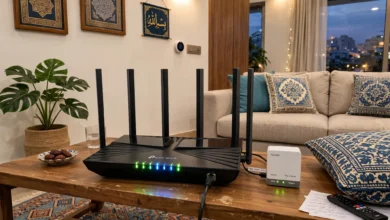
The Deco X50 hits the balance most families need. It is a dual-band Wi-Fi 6 mesh system with fast 5 GHz performance, support for around 150 devices, and simple setup through the Deco app. A three-pack is marketed to cover up to 6,500 square feet, which comfortably handles a double-storey 1 kanal home when units are placed well. A PoE version is also sold, useful if you want to mount units on ceilings with a single cable.
2. TP-Link Deco X20: Best value Wi-Fi 6 mesh
The Deco X20 is one of the most popular mesh systems in Pakistan for good reason. It brings Wi-Fi 6, WPA3 security and gigabit ports at a lower price than the X50. Speeds are a little lower, but for fiber plans up to around 100 Mbps, most households will not notice the difference. A three-pack was listed at about Rs. 47,000 at a major Pakistani retailer.
3. TP-Link Deco X60: For busy, device-heavy homes
The X60 adds more 5 GHz bandwidth, which helps when many people stream, game and video call at the same time. It suits joint families or homes that also run CCTV cameras and smart TVs on Wi-Fi.
4. Huawei WiFi Mesh 7: Premium pick for very large homes
Huawei’s WiFi Mesh 7 is a tri-band Wi-Fi 6 system with a dedicated backhaul band and four gigabit ports per unit. It holds speed well across multiple hops, making it a strong option for villas, farmhouses and houses with long distances between rooms. It costs noticeably more, so it makes sense mainly when cheaper systems leave weak spots.
5. Mercusys Halo H80X: Wi-Fi 6 on a budget
Mercusys is TP-Link’s budget-focused brand. The Halo H80X offers AX3000 Wi-Fi 6 mesh at a lower price than Deco equivalents, with simpler software. It is a sensible choice for families who want Wi-Fi 6 without paying for extra features.
6. TP-Link Deco M4: Best entry-level expandable mesh
The Deco M4 is an older Wi-Fi 5 design, but it is affordable, reliable, and uses gigabit ports. You can start with two units and add more later, and it works alongside other Deco models. A single unit was listed around Rs. 12,000. It is a good fit for 20 to 50 Mbps connections.
7. Tenda MW3: Cheapest way to fix dead zones
The Tenda MW3 is about as affordable as mesh gets, with a two-pack listed near Rs. 12,500. It supports seamless roaming standards and is designed for houses of roughly 100 to 300 square meters. The catch is its 10/100 Mbps Ethernet ports, which limit wired speed. Choose it only for slower DSL or basic fiber plans.
8. TP-Link Archer AX55: Best standalone router
If your home is a large single floor, or you can run a cable to a second access point, a strong router can beat a cheap mesh kit. The Archer AX55 offers AX3000 Wi-Fi 6, four gigabit LAN ports and good range. Pair it with a wired access point upstairs for an affordable and very stable setup.
The Realities Behind Buying the Best Wi-Fi Routers for Large Homes
Pakistan’s networking market has a grey side that most buying guides ignore. Knowing it can save you money and keep your home network safe.
Fake and grey-market routers
Popular models like TP-Link Deco units are widely copied or sold as refurbished stock passed off as new. Warning signs include prices far below authorized retailers, missing serial stickers, packaging with spelling mistakes, and sellers who offer “shop warranty” only. Counterfeit or poorly refurbished units often have weak antennas, cheap power adapters that fail during voltage swings, and outdated firmware with known security holes. For a whole-home system you will rely on every day, buy from an authorized distributor or a well-known retailer that gives a written local warranty.
Illegal mobile signal boosters
In big houses, weak mobile signal often comes along with weak Wi-Fi, and many families are tempted to buy a cheap mobile booster from the market. These are illegal unless type approved, because they interfere with operators’ licensed spectrum. In December 2024, PTA and the FIA Cyber Crime Circle raided a Karachi retailer and seized 25 illegal booster sets, as ARY News reported. PTA advised consumers to use only type-approved equipment. A better legal fix is Wi-Fi calling, which most Pakistani operators and modern phones support, running over your new mesh network.
Routers used in illegal telecom setups
Routers themselves are legal, but they show up in crime scenes regularly. In a 2019 raid on an illegal gateway exchange in Faisalabad’s Ali Town, PTA and FIA seized 20 illegal gateways, 9 TP-Link routers, laptops and around 2,500 SIMs, and four people were arrested, according to the PTA press release. Cases like this show how much networking gear moves through informal channels, which is one more reason to avoid untraceable “used but like new” devices from unknown sellers.
Unlicensed ISPs and shared Wi-Fi
In some neighborhoods, local operators run cables between houses and sell cheap Wi-Fi without a PTA license. PTA and FIA have raided such setups in Lahore, Sargodha, Toba Tek Singh and other cities, seizing routers and ONTs and cutting customers off without warning. A premium mesh system cannot fix an illegal connection that disappears overnight. Pair good hardware with a licensed provider.
Wi-Fi theft and hacked routers
A large house with a powerful mesh network often leaks signal into the street and next door. If you leave a weak password or the default admin login, neighbors can use your bandwidth, and attackers can take over the router. Accessing someone else’s network without permission is an offense under Pakistan’s Prevention of Electronic Crimes Act 2016, but the law will not refund your lost speed. Worldwide, botnets like Mirai have hijacked hundreds of thousands of routers and cameras that still used factory passwords, turning them into tools for large cyberattacks. Simple security steps, covered in the next section, protect you from both problems.
How to Set Up the Best Wi-Fi Routers for Large Homes
Even the most expensive mesh system will disappoint if it is placed badly. These steps make the biggest difference in multi-storey Pakistani homes.
Placement tips
- Start where the internet enters. The main unit connects to your ISP’s ONT or modem. If that spot is in a corner, consider asking your ISP to move the ONT to a more central point.
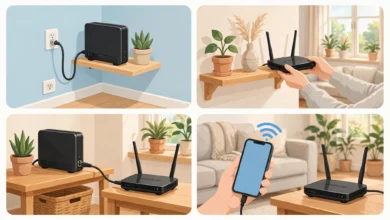
- One unit per floor, roughly stacked. Placing units above each other near the stairwell often works well, since stairwells are usually the most open path between floors.
- Halfway, not at the dead zone. Put each extra unit about halfway between the main unit and the weak area, not inside the weak room itself. It needs a good signal to pass one along.
- Keep units in the open. Avoid cupboards, behind TVs, near water tanks, mirrors or the microwave. Shelves at chest height or higher are ideal.
- Use the app’s signal check. Deco, Huawei and Mercusys apps show connection quality between units. Move a unit until it reports a good or strong link.
Use cables where you can
If your house has Ethernet cables running to upper floors, use them for wired backhaul. Many new houses in Pakistan are pre-wired for CCTV or LAN during construction, and those cables can often be repurposed. Wired backhaul gives the most stable speed on every floor.
Protect against load shedding
Put the main unit and the ONT on a small UPS. If possible, connect the most important upstairs unit to the house’s backup power circuit as well, so online classes and work calls survive power cuts.
Secure your network from day one
- Change the default admin password and Wi-Fi name right after setup.
- Use WPA3 security, or WPA2/WPA3 mixed mode if older devices cannot connect.
- Choose a long Wi-Fi password, at least 12 characters, and do not paste it on a sticker in the gate area.
- Create a guest network for visitors, drivers and staff, so your main devices stay separate.
- Keep firmware updated. Most mesh apps can do this automatically.
- Check the connected devices list monthly and remove anything you do not recognize.
Buying Checklist for the Best Wi-Fi Routers for Large Homes
Use this list before you pay, whether you are buying online or in Hafeez Centre, Saddar or Blue Area.
- Match the system to your house. Two units for a large single-storey or compact double-storey home, three for a typical double or triple-storey house, and more for kanal-plus homes or separate portions.
- Match the system to your internet speed. For plans of 100 Mbps or more, avoid kits with 10/100 Ethernet ports.
- Prefer Wi-Fi 6 unless your budget only allows a Wi-Fi 5 system.
- Check for wired backhaul support if your home has Ethernet cables between floors.
- Buy from an authorized distributor or trusted retailer with a written local warranty and a proper invoice.
- Inspect the box. Look for intact seals, matching serial numbers on the box and device, and correct plug type.
- Avoid suspiciously cheap “new” units from unknown sellers or social media pages.
- Skip mobile signal boosters unless they are PTA type approved. Use Wi-Fi calling instead.
- Plan for power backup for the main unit and ONT.
- Set up security on day one: new admin password, WPA3, guest network and automatic firmware updates.
Conclusion
Choosing the best Wi-Fi routers for large homes in Pakistan is less about chasing the biggest speed number and more about beating concrete walls, multiple floors and crowded airwaves. For most families, a Wi-Fi 6 mesh system such as the TP-Link Deco X50 or Deco X20 is the sweet spot, while the Huawei WiFi Mesh 7 suits very large homes and budget options like the Deco M4 or Tenda MW3 can fix dead zones on slower connections. A strong standalone router like the Archer AX55 works well when you can add a wired access point. Just as important is buying honestly and setting up carefully: avoid counterfeit or untraceable devices, skip illegal mobile boosters like those seized in PTA’s Karachi raid, stay with a licensed internet provider, and lock down your network with a strong password, WPA3 and regular updates. Do that, and every room in the house, from the basement to the roof, can finally get the speed you are paying for.