Best Practices for Safe Online Banking Over Public Wi-Fi
Safe online banking over public Wi-Fi starts with knowing the risks. These 10 rules, real hacking cases and recovery steps help protect your accounts.
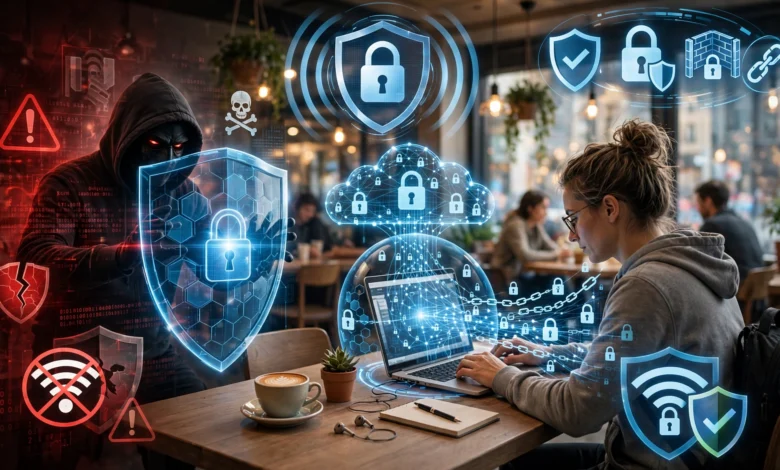
Safe Online Banking Over Public Wi-Fi: 10 Proven Rules to Avoid Costly Mistakes
Introduction
Safe online banking over public Wi-Fi sounds like a contradiction to many people, and for years the standard advice was simple: never do it. Yet real life doesn’t always cooperate. You’re at the airport and a bill is due today. A supplier needs payment while you’re stuck in a hotel lobby. Your mobile data runs out in a café, and the free network is right there.
The honest answer is more nuanced than “never.” Modern banking apps and websites use strong encryption, and many of the old tricks that made public Wi-Fi so dangerous are harder to pull off today. But that doesn’t make public networks safe. Criminals still set up fake hotspots with convincing names, run fake login pages, and target devices that are out of date or poorly protected. In 2024, Australian police charged a man accused of running fake Wi-Fi networks at airports and even on domestic flights to harvest people’s login details.
This guide explains how attacks on public Wi-Fi actually work, walks through real cases where criminals and spies exploited shared networks, and sets out ten proven rules for protecting your bank accounts when you have no other choice. It also covers what to do immediately if you think your details were stolen. The goal isn’t to scare you off the internet. It’s to help you make sensible decisions with your money, wherever you happen to be connected.
Why Safe Online Banking Over Public Wi-Fi Is Harder Than It Looks
Public Wi-Fi is any network shared with strangers: cafés, airports, hotels, malls, hospitals, trains and coworking spaces. The core problem is trust. You don’t know who set the network up, who else is on it, or whether the equipment has been tampered with. Practicing safe online banking over public Wi-Fi starts with understanding the main ways attackers take advantage of that.
Evil Twin Hotspots
An evil twin attack is a fake hotspot made to look like a real one. A criminal names it “Airport_Free_WiFi” or copies the exact name of a café’s network. Phones often connect automatically to familiar names or the strongest signal. Once you’re on the attacker’s network, they can see your traffic, show you fake pages, or redirect you elsewhere.
Fake Login and Captive Portal Pages
Many legitimate hotspots show a sign-in page before letting you online. Attackers copy this. Their fake page may ask for your email, social media login, phone number or even card details “to verify your identity.” Anything you type goes straight to them.
Man-in-the-Middle Attacks
In a man-in-the-middle attack, the criminal places themselves between your device and the internet. On older, unencrypted sites, they could read everything directly. Today, most banking traffic is protected by HTTPS, so attackers try other tricks instead:
- Sending you to a lookalike website with a slightly different address.
- Tampering with DNS so a real bank address points to a fake server.
- Pushing fake security warnings or “update” prompts that install malware.
- Hijacking logged-in sessions on poorly protected websites.
What HTTPS Protects, and What It Doesn’t
The padlock in your browser means the connection between your device and that website is encrypted. That’s a big deal: someone on the same Wi-Fi can’t easily read your password or balance on a properly secured banking site.
But HTTPS doesn’t protect you if:

- You’re on the wrong website to begin with.
- You ignore certificate warnings and click “continue anyway.”
- Your device already has malware or a malicious browser extension.
- You enter details on a fake hotspot login page before reaching the bank at all.
- Someone is simply watching your screen over your shoulder.
Weak Devices Make Everything Worse
Old phones that no longer receive security updates, outdated browsers, jailbroken or rooted devices and sideloaded apps all give attackers more ways in. On a shared network, those weaknesses are easier to find and exploit.
Real Cases That Show Why Safe Online Banking Over Public Wi-Fi Matters
The risks to safe online banking over public Wi-Fi can sound theoretical until you look at what has actually happened. These documented cases show the methods are real, used by everyone from individual criminals to state intelligence agencies.
Case 1: Evil Twin Networks at Australian Airports and on Flights (2024)
In April 2024, airline staff noticed a suspicious Wi-Fi network during a domestic flight in Australia and reported it. When a 42-year-old man returned to Perth Airport, Australian Federal Police searched his luggage and seized a portable wireless access device, a laptop and a phone. After a second search at his home, he was arrested and charged with nine cybercrime offences.
Police alleged he created fake free Wi-Fi networks that copied legitimate ones at airports in Perth, Melbourne and Adelaide, on domestic flights, and at places linked to his former job. People who connected were sent to a fake page asking them to log in with email or social media details, which were then stored on his devices. The AFP advised anyone who had used free Wi-Fi at domestic airports or on flights to change their passwords. Australian Aviation’s report on the evil twin Wi-Fi charges covers the case.
Lesson: a familiar network name proves nothing. If a free hotspot asks for your email, social media or banking login, treat it as a red flag.
Case 2: DarkHotel and Business Travelers (2014)
In 2014, Kaspersky Lab revealed an espionage campaign it named DarkHotel, which had been targeting senior executives through luxury hotel Wi-Fi networks for years. Attackers waited until a target checked in and connected using their room number and surname. They then pushed a fake software update, which installed spying tools on the victim’s laptop. Afterward, the attackers removed their tools from the hotel network and disappeared. See Kaspersky’s original DarkHotel announcement for details.
Lesson: never install updates or software prompted by a public network. Update your devices at home, before you travel.
Case 3: State Hackers Parked Outside a Wi-Fi Network (2018)
In April 2018, Dutch authorities caught four Russian military intelligence officers in a car outside the headquarters of the Organisation for the Prohibition of Chemical Weapons (OPCW) in The Hague. The car held Wi-Fi hacking equipment aimed at breaking into the organization’s wireless network. The officers were expelled, and US prosecutors later charged several Russian intelligence officers over related hacking operations, which included trips to hack Wi-Fi networks used by targets in hotels.
Lesson: attackers don’t need to be inside your building. Anyone within radio range of a network can try to attack it, which is why open, shared networks are such easy targets.
What These Cases Have in Common
- The attacks relied on people trusting a network they couldn’t verify.
- Most used simple, portable equipment rather than complex hacking.
- Victims were often asked to enter details or install something.
- Basic habits, like refusing hotspot logins that ask for personal accounts and updating devices before travel, would have stopped many of them.
10 Proven Rules for Safe Online Banking Over Public Wi-Fi
The rules below are listed roughly in order of importance. Following even the first few will remove most of the risk, and together they make safe online banking over public Wi-Fi a realistic goal rather than a gamble.
Rule 1: Use Mobile Data or a Personal Hotspot First
The simplest way to avoid public Wi-Fi risks is not to use public Wi-Fi for banking at all. Your phone’s 4G or 5G connection is encrypted between your device and the mobile network, and strangers can’t easily join it. If you need to use a laptop, turn your phone into a mobile hotspot with a strong password. A few megabytes of data for a banking session costs far less than a stolen account.
Rule 2: Bank Through the Official App, Not a Browser
Official banking apps from your bank’s real app store listing are usually safer than logging in through a browser on public Wi-Fi. Many apps check that they’re talking to the genuine bank server and refuse to connect if something looks wrong, which blocks many man-in-the-middle tricks. Download apps only from the official Google Play Store or Apple App Store, and check the developer name matches your bank.
Rule 3: Confirm the Network Before You Connect
Ask staff for the exact network name and password, and look for printed signs. Be suspicious of:
- Two networks with almost the same name.
- Open networks with no password in places that normally use one.
- Networks with generic names like “Free WiFi” or “Public Internet.”
Also turn off auto-join for public networks in your phone’s settings, and “forget” hotspots after you leave, so your device doesn’t connect to an evil twin automatically later.
Rule 4: Never Give Personal Logins to a Hotspot Page
A genuine café or airport hotspot might ask you to accept terms, enter a room number, or receive a code by SMS. It should never need your email password, social media login, bank details or card number. If a sign-in page asks for any of these, disconnect. This single habit would have protected victims in the Australian evil twin case.
Rule 5: Use a Reputable VPN
A VPN (virtual private network) encrypts all traffic between your device and the VPN provider, so others on the same Wi-Fi can’t see or easily tamper with it. Choose a well-known, paid provider with a clear privacy policy and independent audits. Avoid unknown free VPN apps, some of which collect and sell user data, which defeats the purpose. Turn the VPN on before you open your banking app or website. Also check your local rules: in some countries, including Pakistan, VPN use may require registration.
Rule 6: Check the Address and Never Ignore Warnings
If you must use a browser:
- Type your bank’s address yourself or use a saved bookmark. Don’t follow links from emails, texts or pop-ups.
- Check the address carefully for misspellings or extra words.
- Make sure the connection is HTTPS.
- If your browser shows a certificate or security warning, stop. Don’t click “continue anyway” on a banking site, ever.
Rule 7: Turn On Strong Two-Factor Authentication
Two-factor authentication means a stolen password alone isn’t enough to get into your account. Prefer app-based approval, a banking app’s built-in confirmation, or a hardware security key where your bank supports it. SMS codes are better than nothing but can be intercepted through SIM swap fraud, so protect your mobile account with a PIN and report any sudden loss of signal to your network provider immediately.
Rule 8: Update Your Devices Before You Leave Home
Install operating system, browser and app updates on your home or office network, before you travel. As DarkHotel showed, attackers on public networks love fake update prompts. If a public network suddenly tells you to install something, close it and walk away. Also remove apps and browser extensions you don’t use, and avoid jailbroken or rooted devices for banking.
Rule 9: Keep Public Sessions Short and Low-Risk
If safe online banking over public Wi-Fi is your only option, limit what you do:
- Checking a balance or a recent payment is lower risk.
- Avoid adding new payees, changing contact details or making large transfers.
- Log out fully when you’re done, rather than just closing the app.
- Sit with your back to a wall, use a privacy screen on laptops, and shield your PIN.
- Never use shared or public computers for banking, even in a hotel business center.
Rule 10: Turn On Alerts and Sensible Limits
Most banks let you get an SMS, email or app notification for every transaction, login or change to your account. Turn these on. Many also let you set daily transfer limits, block international card use, or freeze your card from the app. These controls won’t stop an attack, but they help you spot one within minutes and cap how much can be lost.
What to Do If You Think Your Banking Details Were Stolen
Speed matters. The faster you act, the more likely your bank can stop or reverse fraudulent transactions.
- Disconnect from the network and switch to mobile data.
- Call your bank’s official helpline using the number on your card or the bank’s official website, not a number from a text or email. Ask them to block cards, freeze transfers and flag the account.
- Change your banking password and PIN from a trusted device and network.
- Change passwords for your email and any other account that shares the same password.
- Review recent transactions and report anything you don’t recognize.
- Check your two-factor settings to make sure no new device or phone number has been added.
- Scan your device with reputable security software, and update it fully.
- Report the crime. In Pakistan, cyber fraud can be reported to the National Cyber Crime Investigation Agency. Elsewhere, use your national cybercrime reporting portal or police.
- Keep records of times, amounts, network names and conversations with your bank. They help with refunds and investigations.
Watch for Follow-Up Scams
After a breach, criminals often call pretending to be your bank’s fraud team, asking you to “verify” a code or move money to a “safe account.” No genuine bank will ask for your full PIN, password or one-time code over the phone. Hang up and call the official number yourself.
Conclusion
Safe online banking over public Wi-Fi is possible, but only if you understand the risks and change a few habits. Evil twin hotspots, fake login pages, man-in-the-middle tricks and fake update prompts are real threats, as shown by the 2024 Australian case of fake Wi-Fi networks at airports and on flights, the DarkHotel campaign against executives in luxury hotels, and Russian intelligence officers caught hacking Wi-Fi from a parked car. The best protection is to avoid public networks for banking whenever possible by using mobile data or a personal hotspot, and when you can’t, to use your bank’s official app, confirm the network, refuse hotspot pages that ask for personal logins, turn on a reputable VPN, never ignore security warnings, use strong two-factor authentication, keep devices updated before you travel, keep sessions short, and switch on transaction alerts. If something goes wrong, contact your bank through official channels immediately, secure your accounts and report the crime, because quick action is what most often saves your money and makes safe online banking over public Wi-Fi a habit rather than a risk.