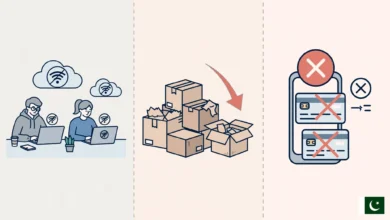
How to Get Cheap Internet Packages for Students in Pakistan
Cheap internet packages for students in Pakistan, with honest tips on mobile bundles, campus Wi-Fi and safe deals that keep your data and SIM legal.

Cheap Internet Packages for Students in Pakistan: 9 Proven Ways to Get the Best Deals in 2026
Introduction
Cheap internet packages for students are not a luxury in Pakistan anymore. They are the difference between attending an online lecture and missing it, between submitting an assignment on LMS before midnight and getting marked late. Yet for most students, money is tight. Pocket money, hostel fees, transport and books already stretch the budget, and a monthly data bill can feel like one more weight on top.
The good news is that you do not need to overpay. Pakistan’s mobile operators run daily, weekly and monthly bundles that can be surprisingly affordable if you pick them carefully. Universities offer campus Wi-Fi, and many are connected to HEC’s research network. Sharing a home broadband line with roommates can cut costs even further.
There is also a less pleasant side to this topic. Every year, students get pulled into “free internet” tricks, cheap pre-activated SIMs and too-good-to-be-true WhatsApp offers. Some of these end in hacked accounts. Others end with the student’s own CNIC linked to a SIM used in fraud. PTA and FIA have raided shops in Rawalpindi, Rawat, Lala Musa and Faisalabad over exactly these practices.
This guide shows you how to find genuinely affordable student internet in Pakistan, how to stretch every MB, and which shortcuts to avoid so a small saving today does not turn into a big problem tomorrow.
How Much Internet Does a Student Really Need?
Before hunting for cheap internet packages for students, figure out how much data you actually use. Most students either overbuy a big bundle they never finish or underbuy and end up paying expensive out-of-bundle rates in the middle of the month.
Typical student data use
These are rough monthly estimates. Your real numbers depend on video quality and habits.
| Activity | Approximate data use |
|---|---|
| WhatsApp messages and voice notes | 1 to 2 GB a month |
| One-hour Zoom or Google Meet class | 0.5 to 1.5 GB per hour |
| YouTube lecture at 480p | About 0.5 GB per hour |
| YouTube lecture at 1080p | About 1.5 to 3 GB per hour |
| LMS, Google Classroom, email, research | 2 to 5 GB a month |
| Social media scrolling with video | 3 to 10 GB a month or more |
Three student profiles
- Light user: Mostly WhatsApp, LMS and some browsing. Around 10 to 15 GB a month is usually enough.
- Regular online learner: Several recorded lectures a week, occasional live classes and some social media. Around 25 to 40 GB a month.
- Heavy user: Daily live classes, coding with large downloads, design work or freelancing. Often 60 GB or more, and a home broadband line usually becomes cheaper than mobile data at this level.
What counts as cheap
“Cheap” is not just the lowest price. It is the lowest cost per GB that you actually use. A Rs. 300 bundle where you waste half the data is worse value than a Rs. 450 bundle you finish completely. Check your phone’s data usage screen for the last 30 days, and you will have a realistic target before you compare offers.
Cheap Internet Packages for Students on Mobile Networks
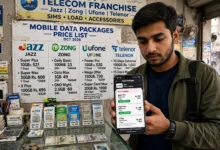
For most students, mobile data is the main connection. Jazz, Zong, Telenor and Ufone all compete hard for young users, which works in your favor. Prices and codes change often, sometimes monthly, so treat this section as a guide to types of offers rather than a fixed price list. Always confirm the current price in the operator’s official app before subscribing.
Jazz
Jazz has the largest subscriber base in Pakistan and wide 4G coverage, including many smaller towns. Its range covers daily, three-day, weekly and monthly bundles, plus social-only packs that give large WhatsApp and Facebook allowances at a low price. The Jazz World app often shows app-exclusive discounts that are not advertised elsewhere.

Zong
Zong is popular among students for its 4G speeds in many urban areas and its data-heavy monthly bundles. Zong has run youth and student-oriented offers in the past, so check the My Zong app for anything currently tagged for students or young users.
Telenor
Telenor offers weekly and monthly internet bundles and has strong coverage in parts of Punjab and Khyber Pakhtunkhwa. Its My Telenor app regularly features personalized offers based on your usage, and these are sometimes cheaper than the standard bundles.
Ufone
Ufone tends to compete on price with simple, budget-friendly bundles. Coverage and speeds vary more by city, so ask classmates in your area how it performs before switching.
Daily, weekly or monthly: which is cheaper?
For regular users, monthly internet bundles almost always give the lowest cost per GB. Weekly bundles suit students who use data heavily only during exams or project weeks. Daily bundles are the most expensive per GB and make sense only for emergencies.
Social bundles and night offers
Many operators sell social bundles that cover WhatsApp, Facebook and similar apps at a fraction of the normal data price. If a big part of your usage is messaging and class WhatsApp groups, pairing a small regular bundle with a social bundle can be the cheapest combination. Some operators also run late-night data offers. They are useful for downloading lecture recordings or software updates overnight, as long as you check the exact hours.
Home Broadband and Shared Connections for Students
Once your usage crosses roughly 40 to 60 GB a month, mobile data starts getting expensive. That is where a fixed connection becomes one of the smartest cheap internet packages for students, especially in hostels and shared flats.
Splitting a broadband line with roommates
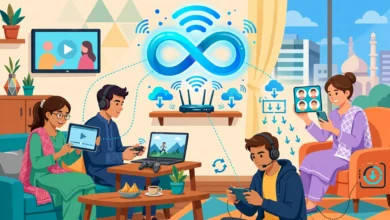
PTCL, Nayatel, StormFiber, Transworld and other licensed providers offer unlimited or high-cap home plans. Split between three or four roommates, the per-person cost is often lower than a single monthly mobile bundle, and you get far more data. A few tips to keep it fair:
- Put the connection in one person’s name and agree on monthly shares in writing, even a simple WhatsApp message.
- Decide in advance how you will handle a roommate leaving mid-contract.
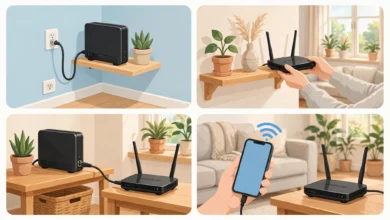
- Use a decent router and change the default Wi-Fi password so neighbors cannot use your paid bandwidth.
Hostel Wi-Fi
Many private hostels in Lahore, Islamabad, Karachi and Peshawar advertise free Wi-Fi. In practice, quality ranges from excellent to unusable. Before paying a hostel deposit, ask to test the Wi-Fi in an actual room during the evening, when everyone is online.
Portable 4G devices
Jazz, Zong and others sell 4G MiFi devices and data SIMs. These are handy if you move between home, campus and a hostel, and they can be shared among two or three people. Their monthly data bundles are usually larger than phone bundles, but compare the cost per GB carefully against a fixed line if you mostly stay in one place.
Free and Low-Cost Internet Options Through Your University
The cheapest data is the data you do not pay for. Many students leave free, legal options on the table simply because nobody told them about them.
Campus Wi-Fi and HEC’s research network
Most public and many private universities connect to PERN (Pakistan Education and Research Network), the network run under the Higher Education Commission to link campuses with high-speed internet. That is what powers your campus Wi-Fi, library terminals and labs. Use it for the heavy work:
- Download lecture recordings, software and datasets on campus instead of on mobile data.
- Install large updates for your laptop and phone while you are connected.
- Sync your Google Drive or OneDrive files before you leave for the day.
eduroam
Some Pakistani universities support eduroam, an international roaming service for students and staff. If your university is part of it, you can log in to campus Wi-Fi at other participating universities with your own university credentials. Ask your IT department whether your campus participates and how to set it up.
University libraries and computer labs
Libraries often have quieter, faster connections than crowded common areas. If your hostel connection is weak, an evening in the library can save you a week’s worth of mobile data.
Public and café Wi-Fi
Free Wi-Fi in cafés, malls and public spaces is useful for light browsing, but treat it with care. Avoid logging in to banking apps or entering passwords on open networks, and keep your phone’s software updated.
9 Proven Ways to Get Cheap Internet Packages for Students
Here are the habits that make the biggest difference to your monthly bill. None of them need tricks or risky apps.
- Use your operator’s official app. Jazz World, My Zong, My Telenor and My Ufone often show app-only discounts and personalized offers that are cheaper than standard bundles.
- Buy monthly, not daily. If you use data every day, a monthly bundle almost always beats daily or weekly ones on cost per GB.
- Turn off auto-renewal on bundles you do not need. Many students keep paying for a bundle they stopped using months ago.
- Lower video quality. Watching recorded lectures at 480p instead of 1080p can cut video data use by more than half without hurting understanding.
- Download on Wi-Fi, watch offline. YouTube, Google Drive and many LMS platforms let you save content for offline viewing.
- Enable data saver mode. Android and iOS both have data saver settings, and apps like WhatsApp let you stop auto-downloading photos and videos on mobile data.
- Combine a social bundle with a small data bundle. If most of your use is WhatsApp class groups, this combo is often the cheapest setup.
- Split a home broadband line. For heavy users in shared housing, this is usually the single biggest saving.
- Watch for legitimate seasonal promotions. Operators run back-to-school, Ramadan and Independence Day offers. Confirm them inside the official app or by calling the helpline, never through a forwarded link.
The Dark Side of Cheap Internet Packages for Students: Illegal Shortcuts to Avoid
When money is short, shortcuts look tempting. Some look harmless, like a forwarded “free data” link or a SIM sold without any fingerprint check. The cases below show why these shortcuts can cost far more than they save.
Illegally activated SIMs and fake fingerprints
Every SIM in Pakistan must be biometrically verified against the buyer’s CNIC. Criminal networks get around this with silicone copies of real people’s thumbprints, then sell or use those SIMs for fraud. Some real cases:
- Rawalpindi, 2024: FIA Cyber Crime, acting on PTA intelligence, arrested three suspects found with 770 silicone thumb impressions and 3,246 illegally active SIMs, along with about 11,000 digital thumbprints. A further arrest followed weeks later, as ProPakistani reported.
- Rawat, February 2023: A joint PTA and FIA raid on two franchisees of a mobile company seized biometric devices, silicone thumbs, original CNICs and SIM cards, and four suspects were arrested, according to the official PTA press release.
- Lala Musa, 2023: Raids on two franchisees found 48 biometric devices, SIMs and silicone thumbs.
- Faisalabad, 2021: FIA arrested two people with more than 6,000 silicone thumb impressions and around 7,000 illegally activated SIMs that were used for fraud calls.
- Islamabad: A gang posing as Ehsaas Programme staff collected people’s thumb impressions on blank paper, then turned them into silicone copies to activate SIMs.
Why this matters for students: a “no-questions” SIM may be registered to someone else’s identity, which means it can be blocked at any time. Worse, if you ever give your thumbprint or CNIC copy to a stranger for a “free SIM” or “scholarship form,” a SIM used in fraud could be traced back to you. Only buy SIMs at official franchises, and check the SIMs registered in your name by sending your CNIC number to PTA’s 668 service.
Fake “free internet” offers on WhatsApp
One long-running scam promises free internet if you click a link and forward it to friends. Security researchers at ESET found that victims got no data at all. Instead, they were pushed toward premium SMS subscriptions and unwanted app installs. PTA has also repeatedly warned about fake links pretending to come from WhatsApp or PTA itself, and about scammers asking for one-time codes to hijack WhatsApp accounts. No operator gives away free data through a chain message.
“Free net” VPN tricks and modded apps
YouTube tutorials and Telegram channels promote tunneling apps and modified configs that claim to give free internet by exploiting operator zero-rating. These usually break the operator’s terms of service, can get your number blocked, and often come bundled with malware that steals passwords and banking details. On a phone you use for university portals and JazzCash or Easypaisa, that is a terrible trade.
Unlicensed local internet providers
In hostel areas and colonies, small unlicensed operators sometimes sell very cheap Wi-Fi. PTA and FIA have raided such setups in Lahore, Sargodha, Toba Tek Singh and other cities. When that happens, every customer is cut off without notice or refund. Check any small provider against PTA’s list of licensed operators before paying.
Safety Checklist Before Buying Cheap Internet Packages for Students
Run through this list before you pay for any bundle, SIM or Wi-Fi connection.
- Subscribe only through official channels: the operator’s app, its USSD code, its helpline or an official franchise.
- Never share OTPs or verification codes with anyone, even someone claiming to be from your operator, PTA or a courier company.
- Do not give your thumbprint or CNIC copy to strangers for a SIM, a survey, a scholarship form or a “free package.”
- Check the SIMs registered in your name through PTA’s 668 service, and block any you do not recognize.
- Avoid “free internet” apps and configs from Telegram, YouTube comments or unknown websites.
- Verify small Wi-Fi providers on PTA’s licensed operator list before paying advance fees.
- Read the fair usage and validity terms so a “cheap” bundle does not quietly expire or slow down mid-week.
- Turn on two-step verification on WhatsApp, Gmail and your university account.
Conclusion
Finding cheap internet packages for students in Pakistan comes down to knowing your real usage, choosing the right type of bundle and using the free resources your university already provides. Monthly bundles from Jazz, Zong, Telenor and Ufone usually beat daily ones, social bundles stretch a small budget, and a shared broadband line is often the best deal for heavy users in hostels and flats. Campus Wi-Fi on HEC’s PERN network, offline downloads and data saver settings can cut your bill further without any risk. What you should never do is chase savings through illegally activated SIMs, “free net” apps, chain-message offers or unlicensed Wi-Fi sellers, because the raids in Rawalpindi, Rawat, Lala Musa and Faisalabad show how easily those shortcuts lead to blocked numbers, hacked accounts or your identity being tied to someone else’s fraud. Stay with official channels, protect your CNIC and OTPs, and the cheapest legitimate option will serve you well through every semester.