Is Your Mobile Data Being Tracked? Here’s How to Protect Your Privacy in Pakistan
Is your mobile data being tracked in Pakistan? Discover 7 proven ways to protect your privacy, stop data tracking, and secure your phone today.
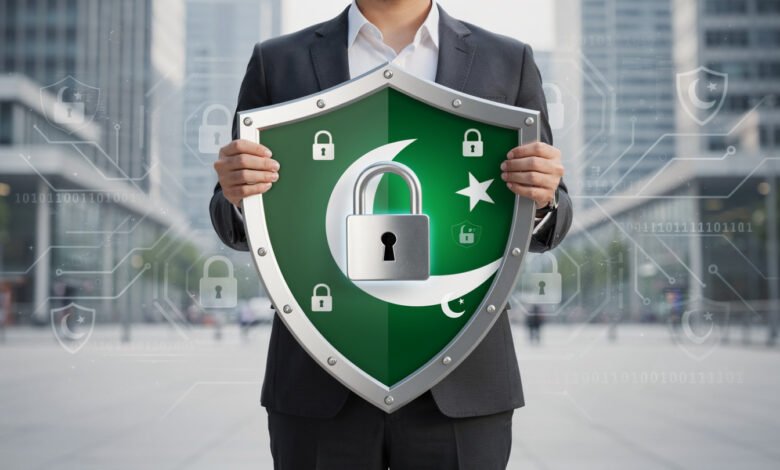
Is your mobile data being tracked right now? If you’re using a smartphone in Pakistan, the honest answer is: almost certainly yes — and probably in more ways than you realize.
Pakistan has over 200 million mobile connections and more than 116 million internet users. That’s a massive digital population generating enormous amounts of personal data every day — location history, browsing habits, app usage, call records, and more. And unlike users in the EU or the US, Pakistanis don’t yet have a strong legal framework standing between them and whoever wants to harvest that information.
The country has been working on a Personal Data Protection Bill for years, but it hasn’t become law yet. In the meantime, data breaches have been serious and widespread. In 2024, a major cyber alert revealed that login credentials of over 180 million Pakistani internet users were exposed in a global breach. NADRA itself was found to have leaked data on 2.7 million citizens, reportedly ending up on dark web markets in Argentina and Romania.
This isn’t just a corporate or government problem. It affects you directly — your banking details, your SIM card information, your location, and your online activity are all potentially visible to parties you’d never knowingly share them with.
This guide explains who is tracking your mobile data in Pakistan, how they’re doing it, and — most importantly — what you can do to protect yourself right now.
Is Your Mobile Data Being Tracked in Pakistan? Here’s What’s Actually Happening
Before you can protect your mobile data privacy in Pakistan, you need to understand who is doing the tracking and why.
Who Tracks Your Mobile Data?
Mobile data tracking in Pakistan happens at multiple levels:
- Telecom operators (Jazz, Zong, Telenor, Ufone) — Your carrier knows every call you make, every SMS you send, and broadly where you are at all times through cell tower data. Under Pakistan’s legal framework, they can be required to share this information with government agencies.
- App developers — Most free apps you install are funded by advertising, which means they collect data about your behavior. Many apps ask for permissions — location, contacts, camera, microphone — that go far beyond what they actually need to function.
- Advertisers and data brokers — Third-party tracking code embedded in apps and websites builds profiles of your interests and behavior, often without you knowing.
- The Pakistan Telecommunication Authority (PTA) — The PTA regulates internet traffic and has the authority to monitor and filter online communications.
- Malicious actors — Phishing apps, fake Wi-Fi hotspots, and SIM swap fraud are all active threats in Pakistan. According to PTA advisories, SIM swap cases grew by 183% in 2024, causing significant financial losses.
What Kind of Data Gets Collected?
When your mobile data is being tracked, the information collected typically includes:
- Location data — GPS coordinates, cell tower triangulation, Wi-Fi network data
- Browsing history — Which websites you visit and how long you spend on them
- App usage — Which apps you open and when
- Device identifiers — Your phone’s unique IMEI number, advertising ID, and SIM card details
- Call and message metadata — Who you called, when, and for how long (even if not the content itself)
- Financial behavior — Shopping habits, payment patterns
Pakistan’s Data Privacy Laws: What Protects You (and What Doesn’t)
Understanding the legal landscape of data privacy in Pakistan is an essential context. The picture isn’t encouraging, but it’s not entirely hopeless either.


The Current Legal Framework
Pakistan’s Prevention of Electronic Crimes Act (PECA) 2016 is the primary law that addresses digital privacy violations. It authorizes the Federal Investigation Agency (FIA) via its Cybercrime wing to investigate data breaches, and gives victims the ability to seek legal relief. The PTA can also block or order destruction of unlawfully used data.
However, without a dedicated privacy regulator and specific sanctions for personal data protection violations, enforcement tends to be reactive rather than proactive. By the time authorities act, the damage is usually already done.
The Personal Data Protection Bill
Pakistan has been attempting to pass a Personal Data Protection Bill (PDPB) for years — drafts go back as far as 2005. The most recent version, updated in 2025, would:
- Create a National Commission for Personal Data Protection
- Require companies to get consent before collecting your data
- Define sensitive data broadly, including biometric data, financial information, health data, and location
- Give citizens the right to withdraw consent
But the bill hasn’t been passed into law yet. Critics point out that even the current draft contains sweeping exemptions for “national security” and “public interest” that could allow government agencies to escape meaningful accountability.
The practical takeaway: don’t wait for the law to protect you. Take your own steps.
7 Proven Ways to Protect Your Mobile Data Privacy in Pakistan
Here are concrete, actionable steps you can take to reduce mobile data tracking and protect your online privacy in Pakistan.
1. Use a Reliable VPN — But Choose Carefully
A Virtual Private Network (VPN) encrypts your internet traffic and hides your IP address from your internet service provider, websites, and potential eavesdroppers. For Pakistani users, this is one of the most powerful tools available.
However, the VPN landscape in Pakistan got complicated in late 2025. The PTA began implementing a licensing framework for VPN providers, and in December 2025, major providers including Proton VPN faced restrictions on some networks.
Here’s what you need to know:
- Use a reputable, paid VPN with a verified no-logs policy. Options like NordVPN, ExpressVPN, and Proton VPN have been independently audited and have strong privacy records.
- Enable obfuscation or stealth protocols on your VPN app. These are specifically designed to make VPN traffic look like regular HTTPS traffic, which helps bypass blocking on networks like PTCL and Zong.
- Avoid free VPNs — especially popular ones like Turbo VPN, which security researchers have repeatedly flagged for collecting and selling user data. Free VPNs often make money by doing the exact thing you’re trying to prevent.
- If your VPN is blocked, try connecting to a different server or switching between Wi-Fi and mobile data, as ISPs may have different filtering settings.
A VPN protects your connection in transit. It won’t stop GPS tracking or prevent an app from accessing your location if you’ve already granted it permission. Think of it as one important layer, not a complete solution.
2. Audit and Restrict App Permissions
This is one of the most overlooked areas of smartphone privacy — and one of the most impactful.
Go to your phone’s settings and review what permissions each app has been granted. Ask yourself honestly: does this app actually need this?
Permissions to be especially careful about:
- Location (“Always”) — Very few apps genuinely need your location all the time. Set it to “Only while using the app” or “Never” for apps that don’t need it at all.
- Microphone and camera — These should almost never be on for apps that aren’t communication or photography apps.
- Contacts — Messaging apps need this, but games and utilities don’t.
- Storage — Some apps request access to your entire photo library when they only need a specific folder.
On Android, go to Settings > Apps > Permissions Manager to see which apps have access to each permission type. On iOS, go to Settings > Privacy & Security.
Revoke any permissions that don’t make obvious sense. This alone can significantly reduce app-based data tracking on your device.
3. Use a Privacy-Focused Browser and Search Engine
Most people in Pakistan use Google Chrome for browsing — which is extremely convenient but not particularly private. Chrome sends browsing data back to Google by default.
Better alternatives:
- Firefox with uBlock Origin — Firefox is open source and has strong privacy settings. The uBlock Origin extension blocks ads and trackers effectively.
- Brave Browser — Built-in ad and tracker blocking with no setup required. Blocks third-party cookies and fingerprinting attempts automatically.
- DuckDuckGo Browser (mobile) — Simple, private, and easy to use. Includes a tracker blocking feature called App Tracking Protection on Android.
For search, switching from Google to DuckDuckGo or Startpage means your search queries aren’t being logged and associated with your profile.
These changes prevent websites and advertisers from building a detailed picture of your online behavior — a key component of reducing your digital footprint in Pakistan.
4. Protect Your SIM Card from Fraud
SIM swap fraud is a serious and growing problem in Pakistan. In a SIM swap attack, a scammer contacts your mobile carrier, pretends to be you, and gets your number transferred to a SIM they control. Once they have your number, they can intercept SMS-based two-factor authentication codes and access your bank accounts.
Given that SIM swap cases grew by 183% in 2024, this is not a theoretical threat.
How to protect yourself:
- Check how many SIMs are registered to your CNIC by sending your CNIC number to 668 via SMS. The PTA’s official service will tell you how many active connections are registered in your name.
- Set a SIM lock or port lock with your carrier. Contact your telecom operator and ask about options to add a PIN or security question requirement before any SIM transfer can take place.
- Never share your OTP (one-time password) with anyone, including people who claim to be from your bank or telecom company.
- Use an authenticator app (like Google Authenticator or Authy) instead of SMS for two-factor authentication wherever possible.
5. Be Smart About Public Wi-Fi
Free Wi-Fi at cafés, airports, and shopping malls is convenient, but it comes with real risks. Public Wi-Fi networks in Pakistan are often unencrypted, meaning anyone on the same network can potentially intercept your traffic.
Safe public Wi-Fi habits:
- Always connect through a VPN when using public Wi-Fi.
- Avoid logging into banking apps or entering passwords on public networks without a VPN.
- Turn off Wi-Fi when you’re not actively using it — your phone constantly broadcasts a probe request looking for saved networks, which can be used to track your movements.
- Forget networks you don’t want your phone automatically reconnecting to.
6. Manage Your Google and App Account Privacy Settings
Most Pakistani smartphone users have a Google account linked to their Android phone. Google collects a significant amount of data — including location history, search history, YouTube history, and app usage — by default.
You don’t have to delete your Google account to limit this. You just need to turn off the features you don’t want.
Go to myaccount.google.com and check:
- Location History — Turn this off if you don’t want Google logging everywhere you go.
- Web & App Activity — This tracks your searches and browsing. You can pause it or set it to auto-delete after 3 months.
- Ad Personalization — Turning this off won’t eliminate ads, but it stops Google from building a detailed profile to target you.
On your phone, also check: Settings > Google > Ads > Delete advertising ID. This prevents apps from tracking you across apps using a persistent identifier.
7. Use Encrypted Messaging Apps
If you’re communicating sensitive information — whether personal, financial, or professional — stop using regular SMS or calls, which can be monitored.
Switch to end-to-end encrypted messaging:
- Signal — The gold standard for encrypted messaging. Recommended by security researchers worldwide. Your messages and calls are encrypted so that only you and the recipient can read or hear them.
- WhatsApp — Uses end-to-end encryption for messages and calls by default. More widely used in Pakistan, though its parent company (Meta) does collect metadata.
- Telegram — Popular in Pakistan, but regular chats are NOT end-to-end encrypted. Only “Secret Chats” are. Use with caution.
For anything sensitive, Signal is the recommendation.
How to Check If Your Phone Is Already Being Tracked
Before you implement the steps above, it’s worth running a quick check to see what’s already happening on your device.
Signs Your Phone May Be Compromised
- Battery draining faster than usual — Tracking or spyware apps running in the background consume battery.
- Data usage spiking unexpectedly — If your mobile data is running out fast but you haven’t changed your usage habits, something might be sending data in the background.
- Phone running hot when idle — Background processes, including tracking apps, can cause heat.
- Unknown apps in your app list — Scroll through every app on your phone. If you see something you don’t recognize, search for it online before deleting.
How to Do a Basic Security Check
- Go to Settings > Battery > Battery Usage — Check which apps are consuming the most power. Unfamiliar apps near the top of the list deserve attention.
- Go to Settings > Mobile Data — Check which apps are using data in the background. Same principle applies.
- Run a malware scan using a reputable security app like Malwarebytes or Bitdefender.
- On Android, go to Settings > Developer Options > Running Services to see what’s actively running. (You may need to enable Developer Options first via Settings > About Phone > tap Build Number 7 times.)
If you suspect your device has been compromised with spyware, the most reliable solution is a factory reset after backing up your essential data.
What Pakistan’s Data Breaches Mean for You Personally
The scale of recent data breaches in Pakistan means there’s a real chance your personal information is already circulating somewhere you didn’t intend.
The 2024 NADRA breach exposed names, addresses, and personal details of 2.7 million citizens, with stolen data reportedly sold on dark web markets internationally. A separate breach exposed credentials of over 180 million Pakistani internet users — meaning passwords and login details.
What you should do:
- Change your passwords — Especially if you’ve been using the same password across multiple accounts. Use a password manager like Bitwarden (free and open source) to generate and store strong, unique passwords.
- Check if your email has been breached — Visit Have I Been Pwned, a free service that checks if your email address appears in known data breaches.
- Enable two-factor authentication on all important accounts — email, banking, social media. Even if your password is compromised, 2FA adds a second line of defense.
- Monitor your bank account — Unauthorized transactions are a red flag. Major Pakistani banks have urged customers to report suspicious activity immediately.
The Role of the PTA and What Pakistani Users Should Know
The Pakistan Telecommunication Authority (PTA) plays a central role in regulating mobile data and internet access in Pakistan. Here’s what matters for everyday users:
- The PTA maintains the Do Not Call Register (DNCR) — you can register to stop receiving unsolicited calls and SMS from telemarketers.
- The PTA’s official 668 SMS service lets you verify how many SIMs are registered to your CNIC.
- The PTA has authority to block or order deletion of unlawfully obtained data.
- Under the proposed Personal Data Protection framework, the PTA would continue to regulate telecom-specific data handling.
For further information on your rights and current regulations, the PTA’s official consumer portal is the authoritative source.
Frequently Asked Questions About Mobile Data Privacy in Pakistan
Is it legal to use a VPN in Pakistan?
Using a VPN in Pakistan is not illegal for ordinary, lawful personal use. However, commercial and organizational VPN usage may require PTA registration. As of 2025–2026, the PTA has been implementing a licensing framework for VPN service providers. Always use a VPN for legal activities and stay updated on PTA guidelines if you’re using one for business purposes.
Can the government track my WhatsApp messages in Pakistan?
WhatsApp messages are end-to-end encrypted, which means even WhatsApp itself cannot read the content of your conversations. However, metadata — who you talk to, when, and for how long — can potentially be accessed. For maximum privacy, use Signal.
What is the safest way to check SIMs registered on my CNIC?
Send your 13-digit CNIC number to 668 via SMS. This is the official PTA-verified method. Avoid third-party apps or websites claiming to provide this service, as they may be data collection tools.
Does factory resetting my phone remove tracking software?
A full factory reset wipes all data and installed apps, including most forms of spyware. It’s the most reliable way to clean a compromised device. Make sure to reset to factory settings rather than just clearing individual apps.
Conclusion
Mobile data tracking in Pakistan is a real and growing concern. With over 200 million mobile connections, a weak data protection framework still working its way through parliament, and a recent history of major data breaches affecting millions of citizens, Pakistani users face genuine privacy risks every time they pick up their phones. The good news is that you’re not powerless. Using a trusted VPN with obfuscation enabled, auditing your app permissions, switching to encrypted messaging, protecting your SIM card from fraud, and using privacy-focused browsers and search engines are all practical steps that can dramatically reduce how much of your personal data gets collected, tracked, and potentially misused. You don’t need to be a tech expert to take these steps — you just need to be intentional about it. Start with one or two changes today, and build from there. Your privacy is worth protecting.