Best Mesh Wi-Fi Systems for Pakistani Homes
Mesh Wi-Fi systems in Pakistan compared by price, coverage and speed, plus buying tips to avoid grey-market routers and keep your home network legal.
Mesh Wi-Fi Systems in Pakistan: 7 Best Picks for Powerful Whole-Home Coverage
Introduction
Mesh Wi-Fi systems in Pakistan have moved from a luxury gadget to a practical fix for a very common problem. You pay for a 50 or 100 Mbps fiber plan, but the signal dies two rooms away from the router. The upstairs bedroom gets one bar. The drawing room near the gate gets nothing. The usual answer, a cheap range extender from Hall Road or Hafeez Centre, often makes things worse by creating a second network that drops every time you walk past it.
Pakistani homes are hard on Wi-Fi. Thick brick and concrete walls, steel-reinforced roofs, double-story layouts and long corridors all block signals. Add load-shedding, where the router reboots several times a day, and a growing number of phones, smart TVs and laptops, and a single router simply cannot keep up.
This guide compares seven of the best mesh Wi-Fi options you can actually buy in Pakistan, with real price ranges from local retailers and honest notes on who each one suits. It also covers the less glamorous side of the market: grey-market and misdeclared imports, unlicensed operators who resell internet through home networks, and routers that get hijacked because nobody changed the default password. The goal is simple. Help you pick a system that covers your whole house, works with your power situation, and keeps your network both secure and legal.
Why Mesh Wi-Fi Systems in Pakistan Make Sense
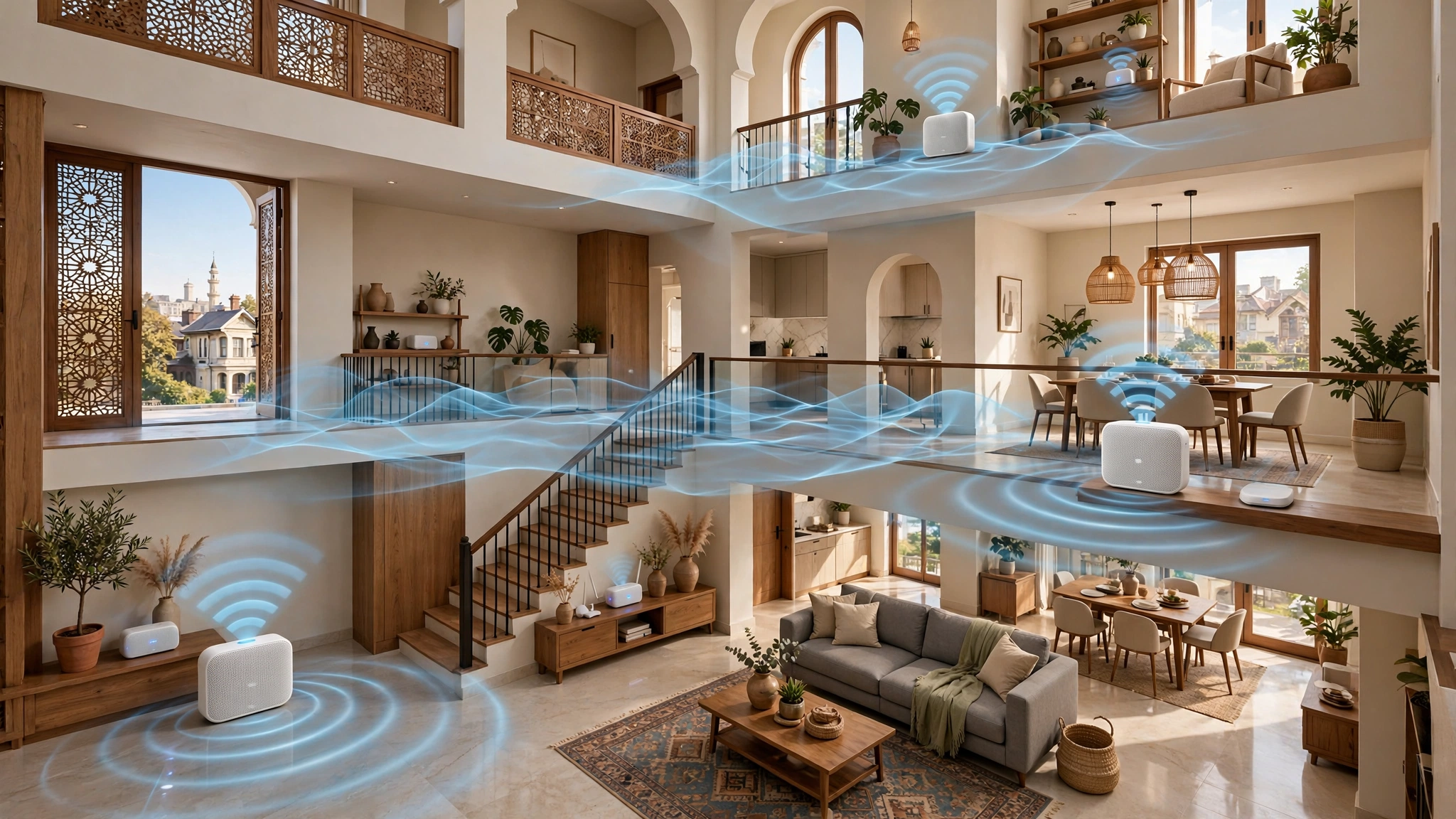
A mesh Wi-Fi system uses two or more matching units, often called nodes, that work together as one network. One unit connects to your ISP’s modem or ONT. The others sit around the house and pass the signal between them. Your phone sees one Wi-Fi name and one password, and it switches to the strongest node automatically as you move from room to room.
Mesh vs Range Extenders
A traditional Wi-Fi extender repeats the router’s signal, usually cutting speed in half, and often creates a separate network name. Devices cling to the weaker connection until it fails. Mesh systems are designed to coordinate: they choose the best path for data, steer devices between bands, and handle roaming far more smoothly. For video calls, online classes and streaming, that difference is very noticeable.
Pakistani Home Challenges Mesh Solves
- Brick and concrete walls. Solid construction absorbs Wi-Fi, especially the faster 5 GHz band. Placing a node in each zone of the house avoids pushing the signal through several thick walls.
- Double and triple-story houses. Concrete slabs between floors block signals badly. A node on each floor solves this far better than a stronger single router.
- Long, narrow layouts. Many 5 and 10 marla houses are deep rather than wide, leaving the back rooms or front drawing room out of range.
- Many devices. A typical family now runs 15 to 30 connected devices. Mesh systems handle that load better than the basic router most ISPs provide.
- Load-shedding. Mesh units restart and rejoin the network automatically, and with a small UPS they keep the whole house online through short outages.
When You Do Not Need Mesh
If you live in a small flat or a single-floor portion where one good router reaches every room, mesh may be unnecessary. A quality standalone Wi-Fi 6 router could be enough. Mesh Wi-Fi systems in Pakistan pay off most in multi-story houses, larger portions, and homes where the router has to sit in one corner because that is where the fiber enters.
How to Choose Mesh Wi-Fi Systems in Pakistan
Before comparing models, it helps to know which specs actually matter for a Pakistani home and which ones are just marketing.
Wi-Fi 5, Wi-Fi 6 or Wi-Fi 7
- Wi-Fi 5 (AC): Cheapest option and still fine for internet plans up to about 50 Mbps with a modest number of devices.
- Wi-Fi 6 (AX): The sweet spot for most homes in 2026. It handles many devices better, uses less battery on phones, and keeps speeds up when the whole family is online.
- Wi-Fi 7 (BE): The newest standard, with features like Multi-Link Operation. Worth it mainly if you have a fast fiber plan and recent phones and laptops that support it. Most Pakistani internet plans will not use its full speed yet.
Match the Ports to Your Internet Plan
This is the mistake people make most often. Some budget mesh units have 10/100 Mbps Ethernet ports, which means your connection is capped at 100 Mbps no matter what your plan says. If you have, or expect to get, a fiber plan above 100 Mbps, choose a system with gigabit ports at minimum. For future-proofing, 2.5 Gbps ports are a bonus.
Wired vs Wireless Backhaul
Backhaul is how the nodes talk to each other. Wireless backhaul is easy, since you just plug each unit into a socket. Ethernet backhaul, where nodes are linked by cable, is faster and more stable, and it is ideal when a house already has LAN cables between floors. If you are building or renovating, running a Cat6 cable to each floor is one of the best investments you can make.


How Many Units for Your House Size
These are rough guides for typical brick construction:
| House size | Suggested units |
|---|---|
| Flat or single-floor portion | 1 to 2 |
| 5 marla, double story | 2 |
| 10 marla, double story | 2 to 3 |
| 1 kanal, double story | 3 to 4 |
| 1 kanal with basement or third floor | 4 or more |
Other Features Worth Checking
- App and parental controls: Most brands offer an app for setup, guest networks and screen time limits.
- Power consumption and UPS compatibility: Mesh nodes draw little power, so a small router UPS can keep the main unit running during load-shedding.
- Local warranty: A warranty honored in Pakistan is worth more than a slightly lower price. This is where buying from authorized sellers matters, as covered later.
7 Best Mesh Wi-Fi Systems in Pakistan (2026)
The picks below are chosen for local availability, value and real-world fit for Pakistani homes. Prices are ranges seen across local retailers such as CZone, Galaxy.pk, Naheed and Shophive, collected through current price listings on Qeemat. Prices move often with the dollar rate and import costs, so treat them as a guide.
| System | Wi-Fi standard | Ethernet ports per unit | Approx. price (PKR) | Best for |
|---|---|---|---|---|
| TP-Link Deco E4 (3-pack) | Wi-Fi 5, AC1200 | 2 × 10/100 Mbps | 24,500 to 29,000 | Tight budgets, plans up to 50 Mbps |
| TP-Link Deco M4 (3-pack) | Wi-Fi 5, AC1200 | 2 × Gigabit | 26,000 to 37,000 | Best budget all-rounder |
| Mercusys Halo H80X (3-pack) | Wi-Fi 6, AX3000 | 3 × Gigabit | Check local sellers | Wi-Fi 6 on a mid budget |
| TP-Link Deco X20 | Wi-Fi 6, AX1800 | Gigabit | 44,500 to 56,000 | Entry Wi-Fi 6 from a widely supported brand |
| TP-Link Deco X50 (3-pack) | Wi-Fi 6, AX3000 | 3 × Gigabit | 54,000 to 55,000 | Large double-story homes |
| TP-Link Deco X50-PoE | Wi-Fi 6, AX3000 | 2 × 2.5 Gbps PoE | 28,000 (single) to 70,000 (multi-pack) | Wired homes and ceiling mounting |
| TP-Link Deco BE25 (3-pack) | Wi-Fi 7, BE | 2 × 2.5 Gbps | 88,000 to 95,000 | Fast fiber and future-proofing |
1. TP-Link Deco E4: Cheapest Way Into Mesh
The Deco E4 is often the lowest-priced three-unit mesh kit in local shops. It is simple to set up through the Deco app and covers a typical 10 marla house well. The catch is its 10/100 Mbps ports, which cap wired speeds at 100 Mbps. If your plan is 20 to 50 Mbps and unlikely to change soon, it is a sensible buy. If you are moving to faster fiber, skip it.
2. TP-Link Deco M4: Best Budget All-Rounder
For only a little more than the E4, the Deco M4 adds gigabit Ethernet ports, supports wired backhaul, and is rated for up to 100 devices. It is still Wi-Fi 5, but for most homes on plans up to 100 Mbps it delivers stable coverage at a very fair price. For many families, this is the best value among mesh Wi-Fi systems in Pakistan.
3. Mercusys Halo H80X: Wi-Fi 6 Value Pick
Mercusys is a TP-Link sub-brand focused on value. The Halo H80X is a dual-band Wi-Fi 6 mesh system rated at AX3000, with three gigabit ports per unit. The manufacturer rates a three-pack for up to 650 square meters and more than 150 devices, though thick Pakistani walls will reduce that in practice. Local availability varies, so compare prices and confirm the warranty before buying.
4. TP-Link Deco X20: Entry-Level Wi-Fi 6
The Deco X20 brings Wi-Fi 6 at AX1800 speeds with gigabit ports. It suits homes with many phones and laptops that support Wi-Fi 6, on plans in the 50 to 200 Mbps range. Listings vary by pack size, so check whether a price is for one, two or three units.
5. TP-Link Deco X50: Best for Large Double-Story Homes
The Deco X50 is a stronger Wi-Fi 6 system at AX3000, with three gigabit ports per unit. That extra port is useful for wiring a smart TV, gaming console or desktop directly to a node. A three-pack is a strong choice for 1 kanal homes or busy households where several people work and study online at the same time.
6. TP-Link Deco X50-PoE: For Wired and Renovated Homes
The X50-PoE takes power and data through one Ethernet cable and can be mounted on a ceiling or wall. That makes it ideal for new builds, offices at home, and renovations where you can run Cat6 cables. Its 2.5 Gbps ports also leave room for faster fiber plans. It needs a PoE switch or injector, which adds to the cost, so it is best for people comfortable with a slightly more technical setup.
7. TP-Link Deco BE25: Wi-Fi 7 for Future-Proofing
The Deco BE25 brings Wi-Fi 7 features like Multi-Link Operation, plus two 2.5 Gbps ports per unit. It is the most expensive option here and makes sense mainly if you have a fast fiber connection and newer devices. For most Pakistani homes in 2026, a Wi-Fi 6 system will deliver almost the same daily experience for much less.
Other Brands Worth Checking
Huawei, Xiaomi, Tenda and ASUS also sell mesh systems in Pakistan, sometimes through official stores and sometimes through importers. They can be good value, but confirm local warranty support and app availability before buying, since after-sales service varies a lot by brand and seller.
Buying Mesh Wi-Fi Systems in Pakistan Safely
The router market in Pakistan has a quiet grey side. Prices for the same model can vary by tens of thousands of rupees between sellers, and the cheapest offer is not always a good deal. Understanding how the market works helps you avoid losing money.
Misdeclared and Grey-Market Imports
Networking equipment has been at the center of customs disputes. In one case recorded in an FBR public notice on Wi-Fi and MiFi device classification, customs officials found that Wi-Fi and MiFi modems were being misclassified under a different tariff heading. The matter was sent for adjudication and later went before the Customs Appellate Tribunal. Misdeclaring goods to pay less duty is illegal, and it also distorts the market by letting some sellers undercut honest importers.
For buyers, grey-market stock usually means:
- No local warranty. If a node dies after six months, you may have no one to claim from.
- Regional versions. Some units are built for other countries’ frequency rules or may have firmware and app regions that cause problems.
- Unclear history. Returned, refurbished or display units are sometimes repackaged and sold as new.
Spotting Fake or Tampered Units
Counterfeit networking gear exists worldwide, and low-cost copies of popular brands do appear in electronics markets. Warning signs include prices far below every authorized seller, poor print quality on boxes, missing serial number stickers, and devices that fail to register in the official app. Always check that the serial number on the unit matches the box, and register the product with the manufacturer if they offer it.
What PTA Rules Say About Wi-Fi Devices
In 2017, the Pakistan Telecommunication Authority added Wi-Fi access points operating in the 2.4 GHz and 5.8 GHz licence-exempt bands, and conforming to its ISM band regulation, to its list of devices exempt from type approval. In plain terms, ordinary Wi-Fi routers and mesh units in those bands could be imported through normal customs procedures without a separate PTA certificate. PTA has revised its type approval rules several times since then, and newer Wi-Fi 6E and Wi-Fi 7 systems that use the 6 GHz band raise fresh questions. If you are buying a 6 GHz-capable system, ask the seller whether it is officially supported in Pakistan and check the PTA website for current guidance.
A Simple Buying Checklist
- Buy from authorized distributors or well-known retailers that issue a proper invoice.
- Confirm the warranty period and who handles claims in Pakistan.
- Check the exact model and pack size, since listings often mix one-pack and three-pack prices.
- Make sure the box is sealed and the serial numbers match.
- Be cautious of prices that are dramatically lower than everywhere else.
Using Your Mesh Network Legally and Ethically
A mesh system is powerful enough to cover not just your house but sometimes the neighbors’ too. That creates temptations, and a few of them can land people in legal trouble.
Do Not Resell Your Wi-Fi
Sharing Wi-Fi with a relative next door is common and generally harmless. Charging neighbors a monthly fee for access is a different matter. Providing internet service to others as a business requires a license from the PTA. The authority, working with the FIA, has repeatedly raided unlicensed operators:
- In Lahore, raids on two setups near Ghazi Road found internet being distributed without a valid license. Two people were arrested, including an owner, and equipment was seized.
- In Gujrat district, raids at Karianwala and Sarai Alamgir found operators supplying internet over fiber and point-to-point links without a license. Officials seized routers, optical line terminals and authentication servers.
These were organized operations, not families sharing a password, but the principle is the same. If you turn your connection into a paid service, you are acting as an unlicensed provider, and your ISP may also cut your connection for breaching its terms.
Never Access Networks Without Permission
Using someone else’s Wi-Fi without permission, or trying to break into a protected network, can be an offence under Pakistan’s Prevention of Electronic Crimes Act (PECA) 2016, which criminalizes unauthorized access to information systems. Apps and videos that promise to “hack Wi-Fi passwords” are not only unethical, they are often malware designed to steal your own data.
Secure Your Own Network
The flip side is protecting yourself. Routers are a favorite target for criminals because many people never change the default settings. In 2018, a malware campaign known as VPNFilter infected hundreds of thousands of home and small-office routers worldwide, prompting the FBI to urge owners to reboot their devices and update firmware. Hijacked routers can be used to spy on traffic, launch attacks on others, or route criminal activity through your connection, which could bring investigators to your door.
Basic Wi-Fi security steps for any mesh system:
- Change the default admin password and use a strong Wi-Fi password.
- Use WPA3 if all your devices support it, or WPA2/WPA3 mixed mode if not.
- Turn on automatic firmware updates in the app.
- Create a separate guest network for visitors and smart home gadgets.
- Review connected devices regularly and remove any you do not recognize.
Setting Up Mesh Wi-Fi Systems in Pakistan the Right Way
Even the best hardware performs poorly if it is placed badly. These setup tips are tailored to the way Pakistani homes are built and powered.
Placement Tips
- Start at the fiber entry point. Connect the main node to your ISP’s ONT or modem, usually near the TV lounge or the room where the fiber enters.
- One node per floor, roughly above or below each other. This helps the signal pass through the slab where it is thinnest, often near stairwells.
- Keep nodes in the open. Avoid placing them inside TV cabinets, behind metal almirahs, or on the floor. Waist to shoulder height works best.
- Do not stretch too far. A node placed at the very edge of the main node’s range will have a weak link. Position it halfway between the main node and the dead zone.
- Stay away from microwaves and water tanks. Microwaves interfere with 2.4 GHz, and large volumes of water absorb Wi-Fi signals.
Avoid Double NAT With Your ISP Router
Most ISPs in Pakistan supply their own router. If you plug a mesh system behind it, you may end up with two routers doing the same job, which can cause issues with gaming, video calls and port forwarding. The cleaner setup is to put the ISP device in bridge mode and let the mesh system handle routing, or to run the mesh in access point mode. Your ISP’s support team can usually help with bridge mode.
Power Protection for Load-Shedding
- Put the ISP’s ONT and the main mesh node on a small router UPS, which costs far less than a full home UPS.
- If your home inverter or UPS covers lights and fans, plug the other nodes into those circuits so the whole network survives outages.
- Use a surge protector, since voltage spikes when power returns are a common reason routers fail early in Pakistan.
Run Ethernet Where You Can
If there is any chance to run a cable between floors, during renovation, through an existing conduit or along a stairwell, do it. Ethernet backhaul makes a mid-range mesh system perform like a premium one, and it removes the wall and slab problem entirely.
Conclusion
Mesh Wi-Fi systems in Pakistan solve problems that a single router cannot, from thick brick walls and concrete slabs to double-story layouts and homes full of connected devices. For tight budgets, the TP-Link Deco M4 offers the best value, while the Deco E4 works only for plans up to about 50 Mbps because of its 10/100 ports; Wi-Fi 6 buyers should look at the Mercusys Halo H80X, Deco X20 or Deco X50, wired homes will benefit from the Deco X50-PoE, and the Wi-Fi 7 Deco BE25 suits fast fiber users who want to future-proof. Whatever you choose, buy from authorized sellers with a local warranty to avoid misdeclared, grey-market or fake stock, check current PTA guidance for 6 GHz systems, never resell your connection or access other networks without permission, secure your system with strong passwords and updated firmware, and set it up properly with one node per floor, bridge mode on the ISP router, a small UPS for load-shedding and Ethernet backhaul wherever possible.