Best Free Fitness Apps for Beginners in Pakistan
Honest guide to the best free fitness apps for beginners in Pakistan, with real safety tips on data privacy, fake apps, scams and local food tracking.
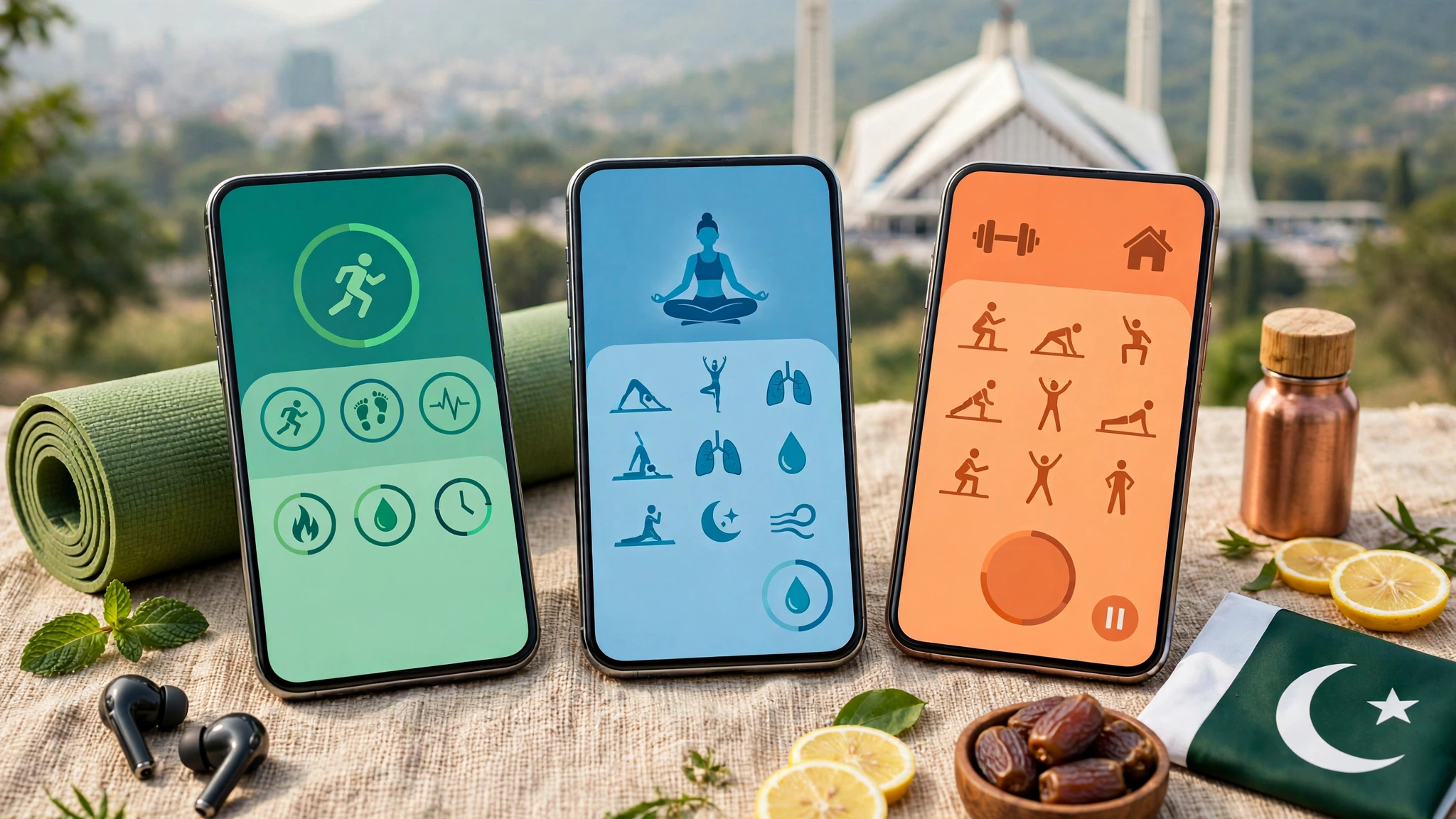
Best Free Fitness Apps for Beginners in Pakistan: 9 Proven, Safe Picks for 2026
Introduction
Free fitness apps for beginners in Pakistan have quietly become one of the easiest ways to start exercising without paying for a gym membership or a personal trainer. A mid-range Android phone, a small patch of floor and twenty minutes a day is honestly enough to get going. The problem is not a lack of choice. It is the opposite. Type “workout app” into the Play Store and you get hundreds of results, many packed with ads, confusing trials or, in a few cases, outright scams.
This guide is written for people who are new to exercise and live in Pakistan, where daily life looks different from what most international reviews assume. Mobile data is not unlimited for everyone. Summers in Punjab and Sindh regularly cross 45°C. Roti, daal and biryani are poorly represented in most calorie databases. Many women prefer to train at home, and plenty of people fit workouts around office hours, load shedding and prayer times.
So instead of a generic top ten list, you will get a practical look at the best free workout apps that actually work here, what each one does well, where the free version stops, and how to protect your money and personal data. We will also go through real cases where fitness apps were used to steal money or expose user information, because knowing those stories is the simplest way to avoid becoming the next victim.
Why Free Fitness Apps for Beginners in Pakistan Make Sense Right Now
The short answer is cost and access. A decent gym in Lahore, Karachi or Islamabad can easily cost several thousand rupees a month, and a personal trainer costs far more. In smaller cities, a good gym may not exist at all, or it may not have proper timings or facilities for women. A free workout app removes most of those barriers on day one.
There is also a health reason that is hard to ignore. The International Diabetes Federation has ranked Pakistan among the countries with the highest diabetes rates in the world, with roughly one in four adults affected. Long sitting hours, rich food and very little planned exercise are a big part of that picture. The WHO physical activity guidelines recommend that adults get 150 to 300 minutes of moderate activity every week, plus muscle strengthening at least twice a week. That sounds like a lot, but it works out to about 25 to 40 minutes a day, which is exactly what most home workout apps are built around.
What a Beginner Actually Needs From a Fitness App
Most beginners do not need AI coaching, smart scales or fancy dashboards. They need a few basic things done well:
- Clear exercise demos with video or animation, so you learn proper form and avoid injury.
- Short sessions of 7 to 30 minutes that fit around work, studies or family duties.
- A simple progression plan that gets slightly harder each week instead of throwing random workouts at you.
- Offline support, so you are not burning mobile data every morning.
- Low storage and battery use, because many phones in Pakistan have 64 GB or less and are already full of WhatsApp media.
- No pressure to pay in the first week. A good free app lets you build a habit before it asks for money.
If an app checks most of these boxes, it is good enough to start. The rest is consistency.
How These Free Fitness Apps Were Chosen
Every app on this list had to pass a few simple tests. Popularity alone was not enough, because some of the most downloaded apps in any store are also the most aggressive about ads and subscriptions.
- A genuinely usable free tier. You should be able to train for weeks without paying. Apps that lock everything behind a trial after day one were left out.
- Available to Pakistani users. The app had to be downloadable from the Google Play Store or Apple App Store with a Pakistani account.
- Beginner programs. Clear instructions and starter plans mattered more than advanced features.
- Reasonable on mid-range phones. Size, battery drain and offline use were all considered.
- A clean track record or an honest response to problems. Where an app had a past security incident, it is mentioned openly so you can decide for yourself.
One honest note: free features change. Companies move features behind paywalls all the time, so check what is free before you build your whole routine around one app.


9 Best Free Fitness Apps for Beginners in Pakistan
These nine apps cover home workouts, walking and running, gym training and food tracking. You do not need all of them. Most beginners do well with one workout app plus their phone’s built-in step counter.
1. Nike Training Club: Best Overall Free Workout App
Nike Training Club is still the easiest recommendation for most people. Nike made its full library free back in 2020, and it now offers well over 200 guided workouts covering strength, yoga, mobility and HIIT. Every exercise has a clear video, and the beginner programs build slowly over several weeks.
- Why beginners like it: professional coaching, no ads, and workouts that need zero equipment.
- Free limits: almost none. You do need to create a Nike account.
- Pakistan note: videos are data heavy. Download workouts over Wi-Fi so you are not burning your mobile package.
2. Home Workout – No Equipment: Best for Offline and Low-End Phones
This app from Leap Fitness is one of the most downloaded home workout apps in Pakistan, and for good reason. It is small, works fully offline and offers 30-day plans for full body, abs, chest, arms and legs. Each exercise comes with an animation and a timer.
- Why beginners like it: it tells you exactly what to do each day, so there is no guesswork.
- Free limits: the free version shows ads. A paid option removes them.
- Pakistan note: perfect if you have a basic phone, limited storage or unreliable internet.
3. Nike Run Club: Best Free Running and Walking Coach
Nike Run Club tracks your distance, pace and route using GPS, but the real value is the audio guided runs. A coach talks you through the session, which helps a lot when you are starting from zero. Many guided runs work just as well for brisk walking.
- Free limits: the core app is free.
- Pakistan note: GPS drains battery, so charge before you go out, and run early in the morning during summer.
4. NHS Couch to 5K: Best Structured Plan for Total Beginners
Built by the UK’s National Health Service, Couch to 5K takes you from no running at all to 5 kilometres in nine weeks, with three short sessions a week. It mixes walking and jogging, so the first weeks feel very manageable.
- Free limits: completely free, no ads.
- Pakistan note: if it does not appear in your store region, the same walk and jog structure is easy to follow with any interval timer app.
5. Samsung Health and Built-in Phone Apps: Best Zero-Effort Starting Point
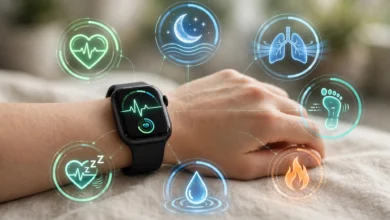
If you own a Samsung, Xiaomi, Infinix, Tecno or Huawei phone, there is a good chance a health app is already installed. Samsung Health, Mi Fitness and Huawei Health count steps, log workouts and track sleep if you pair a band or watch.
- Why it matters: walking is the most underrated beginner exercise. Simply aiming for 7,000 to 8,000 steps a day is a solid first goal.
- Free limits: core features are free.
- Pakistan note: no extra download, no extra storage.
6. Strava: Best for Motivation and Community
Strava records walks, runs and rides and lets you follow friends, join local clubs and see each other’s progress. Running and cycling groups in Pakistani cities often organize through it, which can be a big motivation boost.
- Free limits: recording and social features are free. Route planning and deeper analysis need a subscription.
- Safety note: set up privacy zones so your home address is hidden. More on why below.
7. MyFitnessPal: Best Known Calorie Tracker
If weight loss is your goal, tracking food matters more than any workout. MyFitnessPal has a huge food database and makes it easy to log meals and see your daily calories.
- Free limits: manual logging is free. The barcode scanner moved to the paid plan in 2022.
- Pakistan note: most desi food entries are added by users, so accuracy varies a lot. A “chicken biryani” entry might be 300 or 700 calories depending on who added it. Weigh your food occasionally and pick entries that look realistic.
8. FatSecret: Best Simple Free Food Diary
FatSecret is a lighter alternative to MyFitnessPal. It has a food diary, exercise log, weight chart and community, with a cleaner free version.
- Free limits: most core tracking features are free, with a premium plan for meal plans and extras.
- Pakistan note: like every tracker, desi food data is user-entered, so treat the numbers as estimates.
9. StrongLifts 5×5: Best Free App for Gym Beginners
If you do join a gym, StrongLifts 5×5 gives you a proven, simple program built on five basic barbell lifts. The app tells you what weight to lift and adds a little each session.
- Free limits: the basic program and logging are free. Extra features are part of a paid upgrade.
- Pakistan note: ask a gym trainer to check your squat and deadlift form during the first few sessions. Bad form is how beginners get hurt.
Quick Comparison of the Best Free Workout Apps
| App | Best for | Works offline | Main free limit |
|---|---|---|---|
| Nike Training Club | Guided home workouts | Downloaded workouts only | Needs a Nike account |
| Home Workout – No Equipment | Low-end phones, daily plans | Yes | Ads |
| Nike Run Club | Guided runs and walks | Partly | GPS battery drain |
| NHS Couch to 5K | First 5 km | Yes | Store availability varies |
| Samsung Health and built-in apps | Steps and walking | Yes | Depends on phone brand |
| Strava | Community and motivation | Records offline | Route planning is paid |
| MyFitnessPal | Calorie tracking | No | Barcode scanner is paid |
| FatSecret | Simple food diary | No | Meal plans are paid |
| StrongLifts 5×5 | Gym strength training | Yes | Extras are paid |
The Reality Check: Real Fitness App Scams and Data Leaks
Most fitness apps are harmless. Some are not, and a few well-known names have had serious problems. These real cases show what can go wrong and what each one teaches a beginner.
The Touch ID Payment Scam (2018)
In late 2018, two iPhone apps called “Fitness Balance” and “Calories Tracker” were caught stealing money from users. They looked like normal tools that calculated BMI and tracked calories. On first launch, they asked users to hold their finger on the Touch ID sensor to “see personalized diet recommendations.” While the finger was on the sensor, the app quietly triggered an in-app payment. As BleepingComputer reported on the fitness app Touch ID scam, victims were charged roughly $99 to $119 each. Security firm ESET analysed the apps, and Apple removed them after users complained on Reddit.
The scary part is that one of these apps had a 4-star plus rating, helped by fake positive reviews.
The lesson: a fitness app never needs your fingerprint or face to “measure” anything. If a payment prompt appears unexpectedly, cancel it.
The MyFitnessPal Data Breach (2018)
In March 2018, Under Armour, which owned MyFitnessPal at the time, disclosed that around 150 million user accounts had been exposed. Usernames, email addresses and hashed passwords were taken. Payment card data was not involved, but many people reused the same password on email and banking accounts, which put those accounts at risk.
The lesson: always use a unique password for fitness apps, and turn on two-step verification on your email.
The Strava Heatmap Exposure (2018)
Strava published a global heatmap built from users’ activity routes. Researchers soon noticed it showed the outlines of military bases in conflict zones, because soldiers were logging their runs. No law was broken by Strava, but the case showed how easily location data from a simple workout app can reveal where someone lives, works or trains every day.
The lesson: hide your start and end points, especially if you run from home. For women training outdoors in Pakistan, this is a real personal safety issue.
Flo Health and the US Federal Trade Commission (2021)
Flo, a popular health and period tracking app, settled with the US Federal Trade Commission in 2021 over allegations that it shared sensitive health data with companies like Facebook and Google after promising users it would keep that data private. It shows that even big, well-funded health apps can mishandle personal information.
The lesson: read what data an app collects before you give it your weight, health conditions or cycle details.
Pirated “Pro” APKs and Walk-to-Earn Schemes
Closer to home, two problems show up again and again in Pakistani WhatsApp groups and Facebook pages:
- Modded APKs that promise “Premium Unlocked” versions of paid fitness apps. Downloading pirated software is copyright infringement, and these files are a common way to spread malware that reads SMS messages, steals OTP codes or signs you up for paid services.
- Walk-to-earn apps that claim to pay you for steps but ask for a deposit or “activation fee” first, then require you to recruit friends. That is a pyramid scheme dressed up as a fitness app.
In Pakistan, online fraud and unauthorized access to data are criminal offences under the Prevention of Electronic Crimes Act (PECA) 2016. If you are scammed, report it to the National Cyber Crime Investigation Agency, which now handles cybercrime complaints that used to go to the FIA’s Cyber Crime Wing, and inform your bank immediately if card details were involved.
How to Use Free Fitness Apps Safely in Pakistan
You do not need to be a tech expert to stay safe. A few habits will protect you from almost every problem described above.
- Download only from official stores. Use the Google Play Store or Apple App Store. Never install a fitness app from a WhatsApp link, Telegram channel or random website.
- Check the developer before installing. Look at the developer name, total downloads and the most recent reviews, not just the star rating. Fake reviews are common.
- Watch the permissions. A workout app has no reason to read your SMS, contacts or call logs. If it asks, uninstall it.
- Lock down payments. On Android, open Play Store settings and require authentication for every purchase. On iPhone, keep payment confirmations separate from casual Face ID or Touch ID prompts.
- Track your free trials. Many apps offer a 7-day trial that renews automatically. Check Payments and subscriptions in the Play Store and cancel before the trial ends if you do not want to pay.
- Use a unique password. Never reuse your email or banking password on a fitness app.
- Hide your home location. Turn on privacy zones in Strava and similar apps, and keep your activity visible to followers only.
- Share less personal data. No legitimate fitness app needs your CNIC number. Be careful with health details you do not have to share.
These steps take ten minutes once and protect you for as long as you use the app.
Practical Tips for Getting Results With Fitness Apps in Pakistan
Apps give you the plan. Local conditions decide whether you stick with it. Here is how to adjust for life in Pakistan.
Training in Extreme Heat
From May to September, outdoor exercise in the afternoon is genuinely dangerous in much of the country. Walk or run before 7 am or after sunset, drink water before you feel thirsty, and switch to indoor home workouts on the hottest days. Dizziness, headache or stopping sweating are warning signs of heat exhaustion. Stop and cool down immediately.
Exercising During Ramadan
You do not have to stop training while fasting, but you should lighten it. The best windows are about an hour before iftar, so you can rehydrate soon after, or roughly 90 minutes after iftar once your meal settles. Use short, low-intensity sessions from Nike Training Club or the Home Workout app, and focus on maintaining your habit rather than setting records.
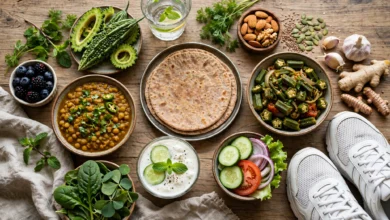
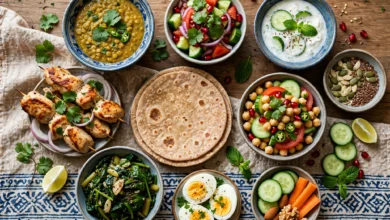
Tracking Desi Food Honestly
Calorie apps struggle with Pakistani food. A few tricks help:
- Create your own entries for meals you eat often, like your family’s daal or a standard roti, using a kitchen scale once.
- Log cooking oil and ghee separately. They are often the biggest hidden calories in desi cooking.
- Do not obsess over perfect numbers. Being roughly right every day beats being perfect for one week.
Saving Mobile Data and Storage
Download workout videos over home Wi-Fi, turn off auto-play previews, and clear app cache once a month. If storage is tight, the Home Workout app and your phone’s built-in health app are the lightest options.
Working Out at Home in Small Spaces
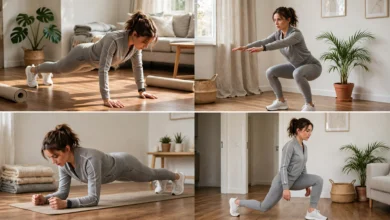
Most beginner routines need about two metres by one metre of floor. A rug or folded blanket works as a mat, filled water bottles work as light weights, and a sturdy charpai or chair works for step-ups and dips. For women who prefer privacy, a full program at home is completely realistic with these apps.
Common Mistakes Beginners Make With Free Workout Apps
The app is rarely the reason people quit. These habits usually are:
- Downloading five apps at once. Pick one workout app and one tracker. Switching every week kills progress.
- Starting with advanced programs. A 30-minute HIIT session on day one leads to sore legs, missed workouts and quitting. Begin with the beginner level even if it feels easy.
- Ignoring rest days. Muscles grow and recover between sessions. Two or three rest days a week is normal for beginners.
- Chasing streaks instead of results. Missing one day is fine. Missing two weeks because you “broke the streak” is the real problem.
- Skipping form videos. Watch the demo before every new exercise, especially squats, lunges and push-ups.
- Ignoring medical conditions. If you have diabetes, high blood pressure, joint pain or heart issues, talk to a doctor before starting. An app cannot see your health history.
- Paying too early. Use the free version for at least a month. If you are still training consistently, then consider whether premium features are actually worth it.
Conclusion
The best free fitness apps for beginners in Pakistan are the ones you will actually open every day, and for most people that means starting with Nike Training Club or the Home Workout app, adding your phone’s built-in step counter, and using MyFitnessPal or FatSecret only if weight loss is the goal, while runners can lean on Nike Run Club or Couch to 5K and gym beginners on StrongLifts 5×5. Free apps are powerful, but they are not risk-free, as the Touch ID scam, the MyFitnessPal breach, the Strava heatmap and the Flo Health case all showed, so download only from official stores, guard your passwords and location, cancel trials you do not want, avoid pirated APKs and walk-to-earn schemes, and adjust your training for heat, Ramadan and desi food. Do that, stay consistent for a few months, and a free app on an ordinary phone can genuinely change your health.