How to Extend Your Smartphone’s Battery Lifespan
Smartphone battery lifespan tips that work: 12 proven habits to cut heat and charging stress, avoid fake chargers, and keep your phone healthy longer.
Smartphone Battery Lifespan: 12 Proven Tips for a Healthier Phone That Lasts Years
Introduction
Your smartphone battery lifespan decides how long your phone stays useful far more than its camera, chip, or screen ever will. Most people replace a perfectly good phone because the battery gives up by mid afternoon, not because anything else is broken. That is an expensive habit, and it is mostly avoidable.
Every phone today runs on a lithium-ion battery. These cells slowly lose capacity with each charge, and the speed of that loss depends a lot on how you treat them. Heat, constant 100% charging, cheap accessories, and deep drains all add wear. The good news is that a few small changes can keep a battery healthy for an extra year or two.
This guide sticks to what actually works. You will get practical habits backed by how battery chemistry behaves, not myths passed around on forums. We will also look at the real legal cases that shaped this topic, including the fines Apple and Samsung paid over battery throttling and the flood of counterfeit chargers that reached ordinary buyers. Those stories matter because they explain why phones now have battery health screens and charging limits at all.
By the end, you will know how to protect your smartphone battery lifespan, spot the warning signs of a failing cell, and make a sensible call on when a battery replacement beats buying a new phone.
What Shortens Smartphone Battery Lifespan?
To protect your smartphone battery lifespan, it helps to know what is happening inside the cell. A lithium-ion battery stores energy by moving lithium ions between two electrodes. Every time you charge and discharge, a little of that material breaks down or gets locked away. Over hundreds of charge cycles, the battery holds less energy than it did on day one. That gradual loss is called battery degradation, and no phone avoids it completely.
Charge cycles explained
One charge cycle means using 100% of the battery’s capacity, but not necessarily in one go. If you use 60% today, charge back up, then use 40% tomorrow, that counts as one cycle. Most modern phones are designed to keep around 80% of their original capacity after roughly 500 to 1,000 full cycles, depending on the brand and model. Fewer cycles and gentler cycles both help your smartphone battery lifespan.
The three biggest enemies
- Heat. High temperature speeds up the chemical reactions that wear the cell. Apple warns that ambient temperatures above 35°C (95°F) can permanently reduce capacity.
- High voltage at full charge. Sitting at 100% for hours keeps the cell under stress. This is why phones now offer optimized charging.
- Deep discharge. Letting the phone hit 0% often strains the battery more than shallow top-ups do.
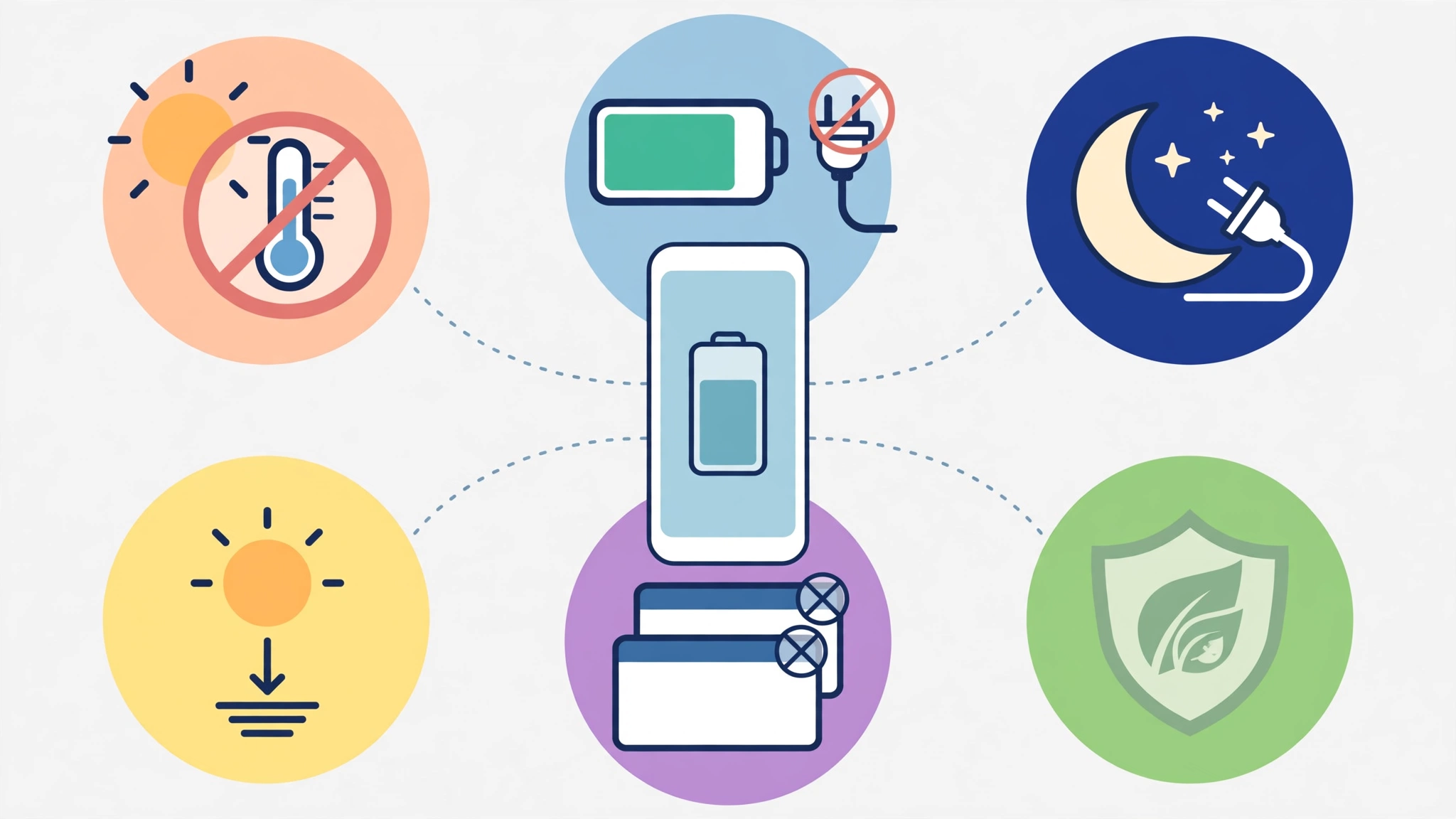
Everything in the tips below comes back to these three factors. If a habit lowers heat, avoids long periods at full charge, or prevents deep drains, it is good for your smartphone battery lifespan.
Warning signs your battery is wearing out
- The phone shuts down at 15% or 20% with no warning.
- Charge drops quickly even when the screen is off.
- The phone feels slow, laggy, or warm during light use.
- The back panel or screen looks raised or uneven, which can mean a swollen battery. Stop using the phone and get it checked right away if you see this.
- Your battery health screen shows a maximum capacity below 80%.
On iPhone, go to Settings > Battery > Battery Health. On many Android phones, check Settings > Battery or Settings > Device care. Some brands hide the number, so a diagnostic app or a service center visit may be needed.


12 Proven Ways to Extend Smartphone Battery Lifespan
These habits are ranked roughly by how much difference they make. You do not need to follow every one perfectly. Even picking up four or five will noticeably improve your smartphone battery lifespan.
1. Keep your phone cool
Heat does more damage than almost anything else. Do not leave your phone on a car dashboard, in direct sun at the beach, or under a pillow while it charges. Heavy gaming while charging is another common culprit, because the processor and charging circuit both produce heat at once. If your phone feels hot, pause what you are doing, take off the case, and let it cool before continuing.
2. Use optimized or adaptive charging
Both iOS and Android now include features that learn your routine and hold the charge at around 80% until just before you usually unplug. Apple calls it Optimized Battery Charging, and recent iPhones also let you set a hard 80% limit. Samsung, Google Pixel, and others have similar settings, often labeled Adaptive Charging or Protect Battery. Turn these on. They are one of the easiest ways to extend battery life over the long term.
3. Stay between 20% and 80% when you can
Lithium-ion cells are happiest in the middle of their range. Research summarized by Battery University’s guide to prolonging lithium-based batteries shows that partial charges cause far less stress than full cycles. You do not need to be obsessive about it. Charging to 100% before a long trip is fine. The goal is to avoid sitting at 100% or 0% for long stretches every single day.
4. Be smart about fast charging
Fast charging is convenient, and phone makers design their systems to manage it safely. Still, it produces more heat than slower charging. A simple rule works well: use fast charging when you are in a hurry, and use a standard charger overnight or when time is not an issue. Many phones let you switch fast charging off in battery settings.
5. Only use certified chargers and cables
Cheap, uncertified chargers can deliver unstable voltage, run hot, or skip basic safety protections. That damages your smartphone battery lifespan and can be a fire risk. Look for MFi certification on Apple accessories and USB-IF certification or the phone maker’s own branding on USB-C gear. We will look at what happened when fake chargers flooded online stores further down.
6. Avoid letting the battery hit 0%
A full drain now and then will not ruin your phone, but making it routine adds stress. If you regularly run out, carry a small power bank or charge earlier in the day. The old advice to fully drain a battery to “calibrate” it came from older nickel-based batteries and does not apply to lithium-ion cells.
7. Lower screen brightness and screen time-out
The display is usually the single largest power draw. Using auto brightness, dark mode on OLED screens, and a short screen time-out reduces how much energy you use each day. Less daily drain means fewer charge cycles, which directly helps your battery last more years, not just more hours.
8. Control background apps and location access
Some apps refresh constantly, check your location, or keep the radio awake. Check your battery usage screen once a month and look for apps using power while you are not touching them. Limit background refresh, set location access to “While using the app,” and remove apps you no longer use.
9. Use power saving mode wisely
Power saving mode (Low Power Mode on iPhone) cuts background activity, lowers performance slightly, and reduces visual effects. It is useful on long days away from a charger. Using it often is not harmful, so turn it on whenever you know you will be stretched.
10. Keep your software updated
System updates often include improved battery management and fixes for bugs that cause unusual drain. Updating also matters because, since the throttling controversy covered below, phone makers have added clearer battery health information and performance controls. Update apps too, since a buggy app can quietly drain power for weeks.
11. Store the phone at around 50% if you will not use it
Putting a spare phone in a drawer? Charge it to about 50% and power it off. Storing a battery at full charge or completely empty for months speeds up permanent capacity loss. Check it every few months and top it back up to around half.
12. Remove thick cases during heavy charging
Some rugged or leather cases trap heat. If your phone gets warm while charging, especially with wireless chargers, take the case off. Wireless charging is generally less efficient than a cable and produces more heat, so a well-ventilated charging pad and a thinner case both help your smartphone battery lifespan.
For official manufacturer advice, Apple’s page on maximizing battery performance and lifespan is worth a read, and the same principles apply to Android phones.
Real Cases That Changed Smartphone Battery Lifespan Rules
Battery advice is not just about chemistry. Some of the biggest changes in how phones handle aging batteries came from regulators and courts punishing companies that kept buyers in the dark. These cases are worth knowing because they explain the tools you have today and remind you to stay skeptical.
Apple’s “Batterygate” throttling case
In 2016 and 2017, Apple pushed iOS updates that slowed down older iPhones with worn batteries. The goal, according to Apple, was to prevent sudden shutdowns. The problem was that owners were not told. Many assumed their phones were simply getting old and bought new ones, when a cheap battery replacement would have restored full speed.
Apple admitted the practice in late 2017, and the fallout was costly:
- Italy, 2018: The competition authority fined Apple €10 million, split between €5 million for the slowdowns and €5 million for not giving customers clear information about battery care and replacement.
- France, 2020: The fraud watchdog DGCCRF fined Apple €25 million for a misleading commercial practice and required a public notice on its French website. Tech.co’s report on the French fine covers the details.
- United States, 2020: Apple settled a consumer class action for up to $500 million, roughly $25 per affected iPhone, and separately paid $113 million to 34 states.
The practical result for you: Apple added the Battery Health screen, an option to turn off performance management, and discounted battery swaps. Other brands followed with their own health tools.
Samsung’s Italian fine
In the same 2018 Italian ruling, Samsung was fined €5 million for pushing a software update to some older Galaxy phones that hurt performance without giving owners fair warning or a way to roll back. The lesson is not about one brand. Regulators were sending a clear message that planned obsolescence, or anything that looks like it, would be punished.
Counterfeit chargers sold as genuine
In 2016, Apple sued a supplier called Mobile Star, claiming that nearly 90% of the “genuine” Apple chargers and cables it had bought on Amazon over several months were fakes. Customs agencies in the US, UK, and elsewhere regularly seize shipments of counterfeit chargers that lack basic insulation and safety cutoffs. These knockoffs can overheat, deliver unstable current, and in some cases start fires.
The takeaway: a too-good-to-be-true price on a “brand name” charger is a red flag. Buy from the manufacturer, a well-known retailer, or a certified accessory brand.
The Galaxy Note 7 recall
This one was a manufacturing defect, not an illegal act, but it shows how serious battery problems can get. In 2016, Samsung recalled every Galaxy Note 7 after battery flaws caused phones to overheat and catch fire. Airlines banned the phone from flights. It is a reminder to never ignore a swollen, hot, or damaged battery.
What the law looks like now
The European Union’s battery regulation requires portable devices, including phones, to have batteries that users can remove and replace more easily, with the main rules set to apply from 2027. Right-to-repair laws in several US states are also making official parts and repair guides easier to get. Both trends should make protecting your smartphone battery lifespan cheaper and simpler over the next few years.
Common Battery Myths That Still Get Shared
Bad advice spreads fast. Here are the myths worth ignoring:
- “Charging overnight will destroy your battery.” Modern phones stop charging at 100%. The real issue is time spent at full charge and heat, which optimized charging largely solves.
- “You must drain to 0% before charging.” That was true for old nickel batteries. For lithium-ion cells it causes extra wear.
- “Closing all apps saves battery.” Force-closing apps constantly can use more power, because the phone has to reload them from scratch. Only close apps that are misbehaving.
- “Any charger with the right plug is fine.” Plug shape says nothing about safety circuits or voltage control.
- “Battery-saver apps from the store help.” Most do nothing your phone’s built-in settings cannot do, and some are adware.
When Should You Replace the Battery?
Even with perfect habits, every battery wears out. Most manufacturers consider a battery worn once it drops below 80% of its original capacity. If your phone is otherwise in good shape, replacing the battery is almost always better value than buying a new phone.
- Check battery health. Below 80%, or frequent shutdowns, means it is time.
- Use an official or authorized service center. Cheap third-party batteries may be counterfeit or low quality, which puts you right back to square one.
- Back up your phone first. Repairs rarely wipe data, but it does happen.
- Ask about warranty or programs. Some brands and carriers offer discounted replacements, especially within the first two years.
A fresh battery in a two-year-old phone often makes it feel close to new again, and it keeps a working device out of a landfill. That is good for your wallet and for the planet.
Conclusion
Protecting your smartphone battery lifespan comes down to a handful of steady habits: keep the phone cool, turn on optimized charging, avoid long stretches at 0% or 100%, use certified chargers, and keep your software current. The legal fights over Apple and Samsung throttling, along with the steady stream of fake chargers sold online, show why it pays to understand your battery instead of trusting marketing or guesswork. Check your battery health every few months, treat swelling or overheating as a real warning, and choose an official battery replacement over a new phone when capacity drops below 80%, because a little care today can add years to the phone you already own.