Top Signs You Need to Upgrade Your Internet Package
Upgrade your internet package when calls lag, usage hits caps or devices multiply. Here are 9 signs, real costs and checks to make before paying more

Upgrade Your Internet Package: 9 Urgent Warning Signs You Shouldn’t Ignore
Introduction
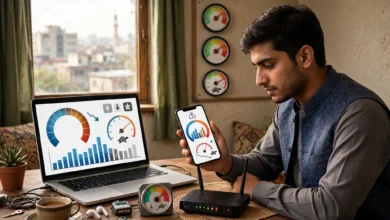
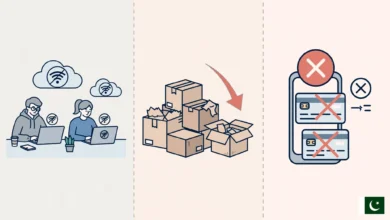
Upgrade your internet package is advice that internet providers love to give and customers love to ignore. Sometimes the providers are right. The 10 Mbps plan that worked fine three years ago may now be shared by five phones, two laptops, a smart TV and a gaming console, with two people on video calls and a child in an online class at the same time. Other times, a faster package is the wrong answer, because the real problem is weak Wi-Fi, a fair usage cap, or a provider that is not delivering the speed you already pay for.
That distinction matters in Pakistan, where internet bills are a real expense for most families, taxes add a noticeable amount on top, and the market has a history of confusing marketing. The Competition Commission of Pakistan has questioned “unlimited” packages that came with hidden limits, and the PTA has raided unlicensed operators selling cheap internet with no quality guarantees.
This guide walks through nine clear signs that your household has genuinely outgrown its plan, explains when an upgrade will not help, and shows how much internet speed different households actually need. It also covers how to choose the right upgrade, the illegal and unethical traps to avoid, and how to negotiate with your provider so you pay for what you need and nothing more.
9 Signs You Should Upgrade Your Internet Package
These signs are most convincing when several of them appear together, and when they show up even on a wired connection or close to the router.
1. Your Household Has Grown, but Your Plan Has Not
A plan chosen for two people often ends up serving a family of six, plus guests. Every phone, laptop, tablet, smart TV and security camera shares the same pipe. If your plan has not changed in years while the number of connected devices has doubled, slowdowns at busy times are expected, not mysterious.
2. Video Calls and Online Classes Clash
Work from home and online learning changed household usage in Pakistan. If one person’s Zoom meeting freezes whenever a child joins an online class, or a freelancer cannot take client calls while others stream, your bandwidth is likely too small for simultaneous use. Each HD video call needs roughly 1 to 3 Mbps in each direction, and that adds up quickly.
3. Streaming Keeps Dropping to Low Quality
When YouTube or Netflix regularly drops to blurry low resolution in the evening, and especially when two or more TVs are streaming at once, the plan may be the bottleneck. HD streaming needs about 5 Mbps per stream, and 4K needs around 15 to 25 Mbps per stream.
4. You Hit Your Fair Usage Limit Every Month
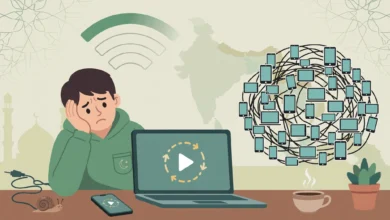
If your speed drops sharply near the end of every billing cycle, you are probably crossing your package’s fair usage policy limit. Nayatel’s unlimited packages, for example, have carried a 1 TB allowance after which speed falls to 1 Mbps until more data is bought. If this happens month after month, a plan with a higher allowance may cost less than repeated top-ups.

5. Uploads Take Forever
Freelancers sending large files, YouTubers uploading videos, and families backing up photos all depend on upload speed. Many older or budget plans have very small upload capacity. If sending a 1 GB file takes most of an hour, an upgrade with better upload, often a move to fiber, can make a bigger difference than extra download speed.
6. You Are Still on a Legacy Plan
Some households still pay for old 4 to 8 Mbps DSL plans because nobody ever changed them. The PTA’s 2022 quality rules set 4 Mbps as the minimum broadband download speed, which shows how basic those plans now are. Providers often offer much faster packages today at similar or only slightly higher prices.
7. You Have Added 4K TVs, Consoles and Smart Devices
A new 4K smart TV, a PlayStation or Xbox, CCTV cameras uploading footage, and smart speakers all add to the load. Game downloads alone can be 50 to 100 GB or more, which can take many hours on a slow plan and eat into your data allowance.
8. Your Area Now Has Better Technology
Sometimes the right upgrade is not more speed on the same line but a better technology. If fiber to the home (FTTH) has reached your street while you are still on copper DSL, switching can bring more stable speeds, better upload and lower latency, sometimes for a similar price.
9. Your Work or Business Depends on It
If you run an online business, freelance for foreign clients, or work remotely full time, internet is no longer a household utility but a business tool. When slow connections start costing you clients, sales or reviews, the cost of upgrading is usually far smaller than the cost of staying where you are. That is when it makes the most sense to upgrade your internet package, and often to add a backup connection as well.
Before You Upgrade Your Internet Package, Rule Out These Problems
Paying for a faster plan will not fix problems that are not caused by your plan. Check these first, or you may end up paying more for the same frustration.
Your ISP Is Not Delivering Your Current Speed
The PTA’s Fixed Broadband Quality of Service Regulations, 2022 say that at least 80 percent of the advertised download speed should be available to users at all times, as summarized in ProPakistani’s report on the PTA’s QoS regulations. Run wired speed tests at different times, including evenings. If a 20 Mbps plan regularly delivers only 8 Mbps, the solution is a complaint, not a bigger bill. A provider that cannot deliver 20 Mbps is unlikely to deliver 50.
Weak Wi-Fi Inside the House
If speed is good when your laptop is plugged into the router but poor in the bedrooms upstairs, the problem is coverage, not your package. Thick brick and concrete walls in Pakistani homes block Wi-Fi heavily. A better router, a mesh system or a second access point may solve the issue for a one-time cost.
Someone Else Is Using Your Connection
Check the list of connected devices in your router app. Unknown devices may mean a neighbor has your password. Using someone’s Wi-Fi without permission can be an offence under the Prevention of Electronic Crimes Act (PECA) 2016, but as a customer the practical fix is simple: change your Wi-Fi password, use WPA2 or WPA3 security, and change the router’s default admin password.
Old Equipment and Cables
An old router, a damaged Ethernet cable, or a laptop with a slow network card can all cap your speed. Devices with 10/100 Mbps ports cannot exceed about 95 Mbps, which makes upgrading to a 100 Mbps plan pointless without new equipment.
National or Area Outages
Submarine cable faults, maintenance and local fiber cuts slow everyone down for a while. Upgrading during a national slowdown will not help, since the bottleneck is outside your home.
A Simple Decision Rule
- Test wired at peak hours.
- If you get at least 80 percent of your plan speed and still struggle, consider an upgrade.
- If you get much less than 80 percent, complain first.
- If wired is fine but Wi-Fi is poor, fix your home network first.
How Much Speed Does Your Household Really Need?
Buying the fastest plan available is rarely necessary. The right speed depends on how many people use the connection at the same time and what they do. These are approximate guides for a reliable experience at busy times.
| Household type | Typical use | Suggested speed |
|---|---|---|
| 1 to 2 people, light use | Browsing, WhatsApp, social media, occasional HD video | 10 to 15 Mbps |
| Small family of 3 to 4 | HD streaming, video calls, online classes | 25 to 50 Mbps |
| Large family of 5 or more | Several streams, calls and classes at once | 50 to 100 Mbps |
| Remote workers and freelancers | Daily video calls, large uploads, cloud tools | 50 to 100 Mbps with strong upload |
| Gamers, creators, 4K households | Large downloads, 4K streaming, video uploads | 100 Mbps or more |
Add Up Your Peak Use
A quick way to estimate is to think about your busiest hour, usually evening, and add up what is happening at once:
- HD video stream: about 5 Mbps each
- 4K video stream: about 15 to 25 Mbps each
- HD video call: about 1 to 3 Mbps each, in both directions
- Online gaming: usually under 5 Mbps, but sensitive to latency
- Phones scrolling social media: a few Mbps each
For example, two HD streams, one video call and four active phones add up to roughly 20 to 25 Mbps. Adding a safety margin of 30 to 50 percent gives a sensible target of about 30 to 40 Mbps for that household.
Do Not Forget Upload and Data Allowance
Two plans with the same download speed can feel very different if one has much better upload speed or a higher data cap. For video calls, content creation and cloud backups, upload matters as much as download. For heavy streaming households, the fair usage allowance can matter more than headline speed.
How to Upgrade Your Internet Package the Smart Way
Once you are sure you need more, compare options carefully. Prices and terms in Pakistan vary enormously between providers.
Compare More Than Speed
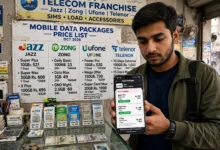
PTA tariff data, summarized in TechJuice’s report on broadband prices and data limits, shows how wide the gaps are. At the top end, Transworld’s 1,000 Mbps fiber package was listed at Rs 61,600 a month excluding taxes, with an 8 TB monthly limit. At the low end, WorldCall listed a 1 Mbps unlimited cable service for Rs 699. PTCL lists its 100 Mbps package at Rs 10,999 plus tax, with a fair usage policy applying. The same data shows that faster speeds do not always mean unlimited usage.
When comparing broadband packages, check:
- Download and upload speed, not just the headline figure.
- Fair usage limit in GB or TB, and what happens after it.
- Total monthly cost including taxes, since advertised prices often exclude them.
- Technology, such as fiber, DSL or fixed wireless, which affects stability.
- Installation and equipment charges, and whether the router supports the new speed.
- Contract length and exit terms, if any.
Fiber Over Copper Where Possible
If fiber is available, it is usually the best long-term upgrade. Fiber offers better upload speeds, lower latency, and is less affected by distance and weather than copper DSL. A moderate fiber plan often feels faster in daily use than a higher-rated DSL plan.
Upgrade Your Equipment Too
A new plan may require a better router. Make sure your router supports the new speed with gigabit ports and, ideally, Wi-Fi 6. Without that, you may pay for 100 Mbps and only use 40 over Wi-Fi.
Consider a Backup Instead of a Bigger Plan
For freelancers and businesses, reliability can matter more than speed. Sometimes a moderate main plan plus a separate mobile data connection from a different network is a better investment than one very fast line that leaves you stranded when it fails.
Illegal and Unethical Traps to Avoid When Upgrading
When people decide they need faster internet, they become targets for misleading offers, unlicensed sellers and outright scams. Past cases in Pakistan show what to watch for.
Cheap “Upgrades” From Unlicensed Providers
A local operator offering 50 Mbps for a fraction of the usual price may not hold a PTA license. The PTA and FIA have raided such setups repeatedly. In Lahore, raids on two operations near Ghazi Road found internet being distributed without a valid license, and two people, including an owner, were arrested. In Gujrat district, raids at Karianwala and Sarai Alamgir found operators supplying internet over fiber and wireless links without a license, and officials seized routers, optical line terminals and servers.
Customers of unlicensed providers get no quality guarantees, are not covered by PTA quality surveys, and can lose service overnight after a raid. Check any new provider against the official list of PTA-licensed operators before you pay.
Misleading “Unlimited” Upgrade Offers
An upgrade advertised as unlimited may carry a fair usage cap in the small print. The Competition Commission of Pakistan has treated this as a potential deceptive marketing issue. Its 2014 inquiry report found that promoting unlimited packages subject to fair usage limits could mislead consumers, and providers including Wi-Tribe and PTCL were questioned. In November 2025, the Islamabad High Court confirmed that the CCP can investigate deceptive marketing in the telecom sector. Always ask for the exact allowance in writing.
Hidden Charges
The CCP has also acted against hidden fees in telecom. In 2013, it issued show-cause notices to mobile operators over deductions of 1 to 5 percent on prepaid reloads labeled as service or administrative charges. When upgrading, ask for a full breakdown of installation fees, equipment charges, taxes and any recurring extras.
Fake Upgrade Calls and Messages
Scammers call or message pretending to be from your ISP, offering a free speed upgrade or warning that your connection will be cut unless you verify details. They then ask for OTP codes, mobile wallet PINs or remote access to your computer. Financial fraud is the most reported cybercrime in Pakistan, and in one Lahore crackdown the National Cyber Crime Investigation Agency raided seven illegal call centers and arrested 281 people. Genuine providers will not ask for your OTP. Upgrade only through the official app, website, helpline or service center.
Reselling Your Upgraded Connection
After upgrading, some people consider recovering costs by selling access to neighbors. Charging others for internet without a license makes you an unlicensed provider, breaches most package terms, and is exactly what PTA raids target. Sharing with family is fine. Running a mini ISP is not.
How to Negotiate When You Upgrade Your Internet Package
Providers want to keep customers, especially long-term ones who pay on time. A little preparation can get you a better deal.
- Know your current usage. Check your monthly data use and peak speeds in your provider’s app. Ask for a plan that fits, not the most expensive one the agent suggests.
- Compare offers first. Look at what at least two licensed competitors offer in your area, including fair usage limits and tax-inclusive prices. Mention them politely when you speak to your provider.
- Ask about loyalty or upgrade offers. Many providers have unadvertised offers for existing customers, such as discounted upgrades, free installation or a free router.
- Ask for equipment to match. If the new speed needs a better router or ONT, ask whether the provider will replace it at no cost or a reduced price.
- Request a trial period. Ask whether you can return to your old plan within the first month if the upgrade does not make a noticeable difference.
- Get everything in writing. Save the SMS, email or app confirmation showing the new speed, data allowance, price and any discount.
- Test after upgrading. Run wired speed tests at different times for a week. If you are not getting at least 80 percent of the new speed, raise it immediately while the upgrade is fresh.
Consider Downgrading Too
Negotiation works both ways. If your tests show you rarely use your current speed, or members of the household have moved out, it may be time to downgrade and save money. The goal is to pay for what your household actually uses, not to always move to the next tier.
Conclusion
It makes sense to upgrade your internet package when your household has grown, video calls and online classes clash, streaming keeps dropping to low quality, you hit your fair usage limit every month, uploads crawl, you are stuck on a legacy plan, new 4K TVs and consoles have arrived, fiber has reached your area, or your work depends on a fast and stable connection. Before paying more, though, rule out the problems an upgrade cannot fix: a provider that is not delivering the 80 percent of advertised speed required under the PTA’s 2022 quality rules, weak Wi-Fi inside the house, neighbors using your connection, old equipment, or national outages. Work out how much speed your household really needs, compare tax-inclusive prices, upload speeds and fair usage limits across licensed providers, prefer fiber where available, and upgrade your router to match. Steer clear of unlicensed cheap providers like those raided in Lahore and Gujrat, misleading “unlimited” offers of the kind the CCP has challenged, hidden charges, fake upgrade calls asking for OTPs, and the temptation to resell your connection, then negotiate calmly, get every term in writing and test the new plan for a week to make sure you are getting what you pay for.