Why Video Calls Keep Buffering on Pakistani Internet Connections
Video call buffering in Pakistan comes from cable faults, weak ISPs, illegal networks and home Wi-Fi issues. Here's what causes it and how to fix it.
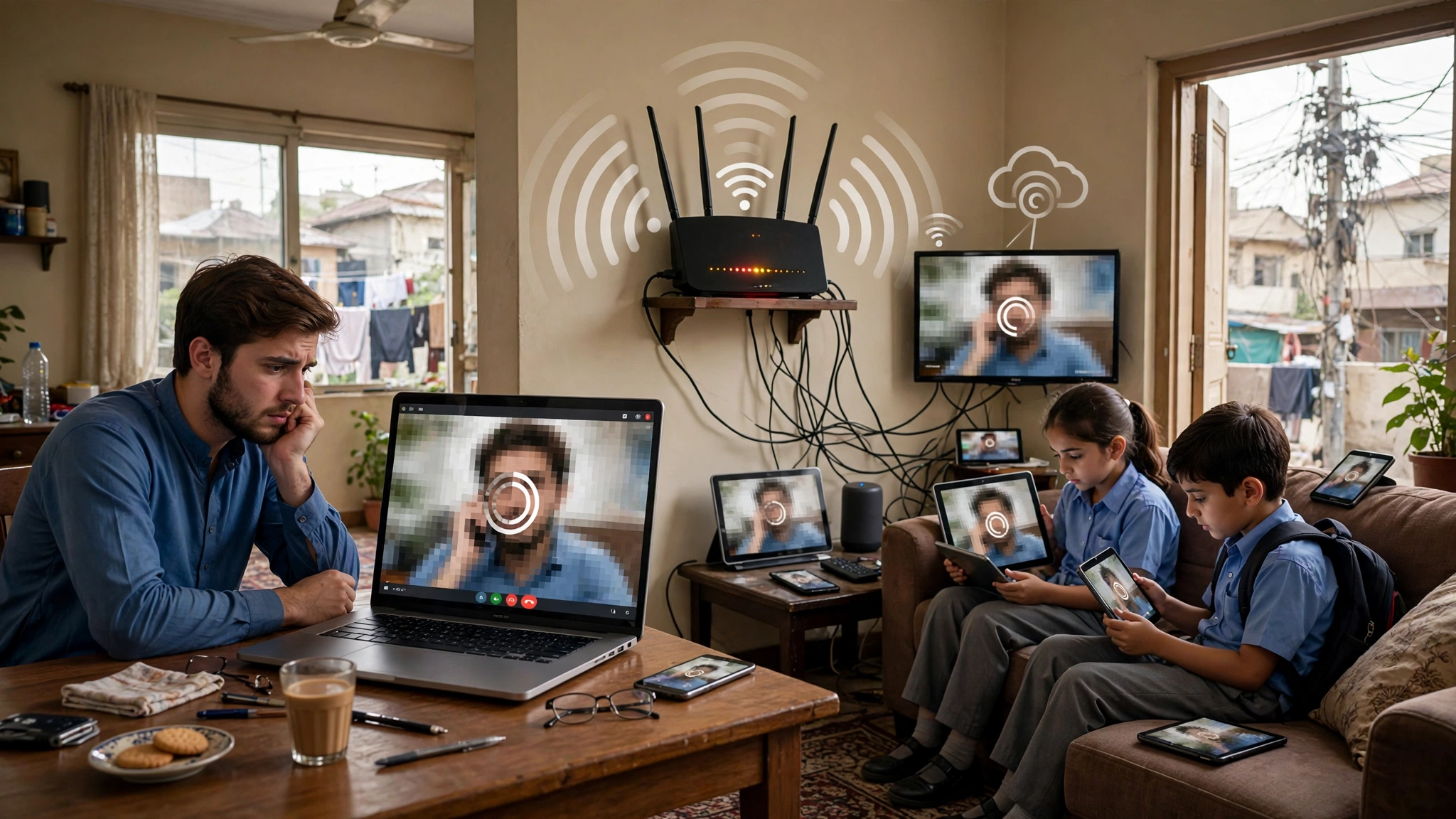
Video Call Buffering in Pakistan: 7 Shocking Causes and Proven Fixes
Introduction
Video call buffering in Pakistan is one of those daily frustrations most of us have quietly accepted. You join a client meeting on Zoom and your face freezes mid-sentence. A family call on WhatsApp turns into a slideshow. A student gets dropped from an online exam because the connection stalled for twenty seconds. Most people blame their internet provider and move on, but the full story is bigger and, in a few places, more uncomfortable than that.
Pakistan’s internet depends on a limited number of submarine internet cables, a power grid that still struggles with load-shedding, and broadband providers that the regulator itself has flagged for poor quality. On top of that, illegal activity has played a quiet role for years. Grey traffic operators running hidden gateway exchanges, unlicensed cable net businesses reselling bandwidth, and thieves stripping batteries from mobile towers have all, at different times, made connections worse for ordinary users.
This article looks at those causes honestly, using real incidents and official actions instead of guesswork. It explains why your internet speed in Pakistan can look fine on a speed test while your calls still lag, what latency and jitter mean in plain terms, and which fixes actually work. If you work remotely, freelance for overseas clients, study online, or just want to talk to relatives abroad without the picture freezing, this guide is written for you.
What Video Call Buffering in Pakistan Really Means
Most people judge their connection by one number: the download speed on a speed test. That number matters for Netflix and downloads, but a video call works differently. A call is live, two-way traffic. Every second, small packets of audio and video have to leave your device, cross the network, and reach the other person in the right order and on time. If even a small share of them arrive late or not at all, the app has to guess, freeze, or drop quality.
So when people talk about video call buffering in Pakistan, they are usually describing one or more of these four problems:
- Bandwidth: How much data your line can carry per second. A normal HD call on Zoom, Google Meet or Microsoft Teams needs roughly 1 to 3 Mbps in each direction. Most home plans have far more download speed than that, so bandwidth alone is rarely the main issue.
- Latency (ping): How long a packet takes to travel to the server and back. Under about 100 milliseconds feels natural. Once it climbs past 150 to 200 milliseconds, people start talking over each other.
- Jitter: How much that delay changes from one moment to the next. Steady 120 ms latency is manageable. Latency that swings between 40 ms and 400 ms is what produces robotic voices and frozen faces.
- Packet loss: Data that never arrives. Even 1 to 2 percent loss is noticeable on a call, and 5 percent makes most calls unusable.
Why a Good Speed Test Can Still Mean a Bad Call
A speed test usually connects to a nearby server, often inside Pakistan, and measures a short burst of download traffic. Your Zoom or Teams call, on the other hand, usually connects to servers in places like Singapore, the Gulf or Europe. That means the call has to cross the same international links that are most likely to be congested or damaged. A 50 Mbps result on Ookla’s Speedtest can sit right next to a terrible call, because the test never touched the weak part of the route.
Upload speed is the other hidden factor. Many Pakistani home plans are asymmetric, with upload speeds a fraction of the download speed. Your video has to go out over that smaller pipe. If a phone in the house is backing up photos to the cloud at the same time, your outgoing video is the first thing to suffer.
Cause 1: Submarine Cable Faults Behind Video Call Buffering in Pakistan
Almost all of Pakistan’s international internet traffic travels through undersea fiber optic cables that land near Karachi. These cables connect the country to the Gulf, Europe, East Africa and Southeast Asia. Pakistan does not depend on just one of them, but the number is small enough that a single fault forces traffic onto the remaining routes, and those routes get crowded fast.
This is the most common reason for sudden, nationwide video call buffering in Pakistan, and it has happened repeatedly:


- September 2025, Red Sea cable cuts. Faults in undersea cables near Saudi Arabia slowed internet across the country. PTCL confirmed partial disruption nationwide, with the worst slowdowns in the evening. Officials noted that repairs needed specialized ships and good weather, which meant users faced weeks of degraded service, not hours.
- January 1, 2026, upstream provider fault. A fault at an upstream provider left many users with slow speeds and interruptions that lasted more than two days.
- January 15, 2026, scheduled maintenance. Nayatel and other providers warned customers about maintenance on a major international cable, starting at 2:00 PM and running up to eight hours. Digital Rights Monitor covered the nationwide maintenance warning for January 2026, which specifically told users and businesses to plan around video conferencing.
- Earlier PTA statement on SMW4 and AAE-1. In one widely reported episode, the PTA blamed a long national slowdown on faults in two of the seven international cables connecting Pakistan, SEA-ME-WE 4 and AAE-1.
Why Local Sites Work While Calls Fail
During a cable fault, you may notice that Pakistani news sites, local banking apps and cached YouTube videos load normally. That is because they are served from inside the country. A video call to a client in Dubai or London, however, has to cross the damaged international route. This is why slow internet in Pakistan often feels selective: some things work, and the things you need for work do not.
Why Evenings Are Worst
When capacity drops, the remaining links fill up first during peak hours, roughly 7 PM to midnight. That is also when families are streaming, gaming and calling relatives abroad. If you have an important international call during a known cable fault, a morning slot will almost always perform better than an evening one.
Cause 2: Weak ISP Performance and What the PTA Found
Cable faults get the headlines, but a lot of everyday video call buffering in Pakistan happens on normal days, with every cable working. In those cases the problem usually sits with the internet service provider and how it runs its network.
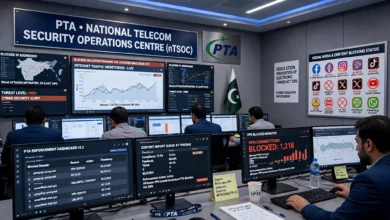
The Pakistan Telecommunication Authority (PTA) runs quality of service surveys on broadband providers. Its survey for the last quarter of 2025 led to formal warnings to several fixed broadband companies. According to reporting on those findings:
- Core network performance fell below required thresholds for Classic Broadband, Net Cloud Telecom and Khan Telecommunications.
- Cyber Internet Services and Air Touch Wireless had problems with local latency.
- Global Connect Synergy, Nasstec Airnet, Cyber Internet Services and Wancom went over international latency benchmarks, which points to poor routing toward the outside world.
- PTCL, Global Xperts and Nasstec Airnet recorded jitter above permitted limits, the exact metric that ruins video calls.
That last point is worth repeating. Jitter is the single most damaging factor for real-time calls, and the regulator found it above legal limits on networks that together serve a large share of Pakistani homes.
Overselling and Contention Ratios
Every ISP sells more bandwidth than it actually has, on the assumption that customers will not all use it at once. This is normal worldwide. The problem starts when the ratio gets too aggressive. At 9 PM, when everyone in a neighborhood is online, the shared capacity runs out, latency spikes and jitter follows. Your plan may say 20 Mbps, but what matters for a call is whether the provider has enough international bandwidth and backhaul to keep traffic flowing smoothly when the whole street is online.
Old Copper Lines Versus Fiber
Many households still use DSL over old copper telephone lines. Copper is sensitive to distance from the exchange, moisture, loose joints and electrical noise, which all show up as packet loss. Fiber to the home (FTTH) connections are far more stable for calls, partly because they offer better upload speeds and partly because the line itself is less affected by weather and wear. If fiber is available on your street from a licensed provider, it is usually the single biggest upgrade you can make.
Cause 3: Illegal Networks That Make Video Call Buffering in Pakistan Worse
This is the part most guides skip. Illegal telecom activity in Pakistan is not just a tax or revenue issue for the government. It also affects network quality for regular users, sometimes directly and sometimes by draining money that would otherwise go into better infrastructure. The examples below come from official raids and arrests. They are shared to show the real-world impact, and to help readers avoid becoming customers of illegal setups without realizing it.
Grey Traffic and Illegal Gateway Exchanges
Grey traffic refers to international phone calls that are secretly routed over the internet and then pushed into local mobile networks through banks of SIM cards, so the operators avoid the legal international termination charges. The PTA and the Federal Investigation Agency (FIA) have raided these setups for well over a decade:
- In October 2019, raids in Sargodha recovered gateway devices along with about 1,000 SIMs at one location and around 900 SIMs at another. A raid in Multan the same week found roughly 300 more.
- A raid in Gulshan-e-Iqbal, Karachi, uncovered multi-port gateway equipment, SIMs, wireless routers and broadband connections, as described in the PTA’s own press release on illegal gateway exchanges in Karachi and Dir.
- As far back as 2011, the PTA said it had shut down 41 illegal setups across the country in two years.
Why does this matter for your calls? A single house running hundreds of SIM cards in nonstop calls can load up the nearest mobile tower, leaving less capacity for everyone else in that area. These setups also consume broadband capacity around the clock. And because grey traffic diverts revenue away from licensed operators, it weakens the business case for network upgrades in exactly the areas that need them.
Unlicensed Internet Providers in Residential Areas
In many neighborhoods, small “cable net” businesses sell cheap internet without a PTA license. They usually buy bandwidth from somewhere, split it among many homes using fiber or wireless links, and charge less than licensed companies. Some recent enforcement examples:
- In Lahore, PTA and FIA raids on two outfits near Ghazi Road found unauthorized internet distribution setups running without a valid license. Two people were arrested, including an owner, and the equipment was seized.
- In Gujrat district, raids at Karianwala and Sarai Alamgir found operators supplying internet over fiber and point-to-point links without a license. Officials seized optical line terminals, GPON units, routers and Radius servers, the same core equipment a legitimate ISP uses.
The problem for users is simple. An unlicensed provider has no quality of service obligations, appears in no PTA survey, and can disappear overnight if it is raided. Heavy overselling is common because there is nobody checking. If your connection is cheap, unbranded, and paid in cash to a local shop, you may be on one of these networks without knowing it. The PTA keeps an official list of PTA-licensed operators and advises people to buy service only from them to avoid sudden disconnection.
Theft of Tower Batteries and Power Equipment
Mobile towers depend on backup batteries to keep running during load-shedding. When those batteries are stolen, the tower goes dark the moment the grid power fails. In one case, Malakand Levies arrested four suspects for stealing expensive batteries from mobile towers and copper coils from electricity transformers, recovering goods worth hundreds of thousands of rupees.
For someone on a mobile data call, this kind of theft shows up as a sudden drop mid-conversation when the power goes out, followed by your phone hopping to a more distant, more crowded tower. Transformer coil theft makes things worse by causing longer local power outages, which take home routers offline as well.
Fiber Cuts From Careless Digging and Vandalism
Not every cut is deliberate. Road works, sewage projects and private construction regularly slice through underground fiber. Some cuts, though, come from people stealing cable for scrap or damaging lines during disputes. Either way, a single cut on a backbone route can push thousands of users onto backup paths, which means higher latency and more jitter until crews repair it.
Cause 4: Load-Shedding, Mobile Data and Peak-Hour Congestion
Power and connectivity are tied together in Pakistan more tightly than in most countries. When the electricity goes, three things can happen at once: your home router shuts down, the ISP’s local equipment in the street may switch to a weak backup or go offline, and nearby mobile towers start running on batteries or generators. Each of those adds a new chance for your call to drop.
Many people switch to mobile data during load-shedding, which makes sense, but it shifts the problem rather than solving it. When a whole neighborhood moves from home Wi-Fi to 4G at the same moment, the local tower gets flooded. Latency climbs and jitter becomes unpredictable, which is why video call buffering in Pakistan often gets worse right after the lights go out, even on a phone with full signal bars.
Limited Spectrum on Mobile Networks
Mobile operators in Pakistan have historically worked with less spectrum than operators in many comparable countries. Less spectrum means each tower can carry less traffic before it slows down. The government planned a large spectrum auction for March 2026, which should add capacity over time, but new spectrum takes months or years to show up as better service in every city and town.
Rural and Smaller City Gaps
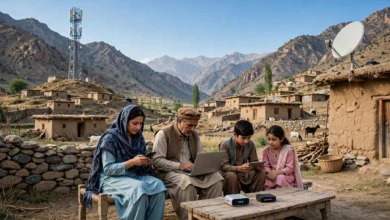
Outside the big cities, many users rely on a single 4G tower with patchy coverage and long backhaul links. In those areas, even a well-run network can struggle with live video. Students attending online classes and freelancers working from hometowns feel this most.
Cause 5: Internet Filtering, Firewalls and VPN Use
This is a contested topic, so it is worth laying out both sides fairly. In recent years, users, freelancers and parts of the tech industry have linked periods of slow internet to the rollout of a national web monitoring system, often called a firewall. Their argument is that inspecting and filtering traffic at scale adds delay and can break or slow certain apps, especially encrypted ones. Officials, on the other hand, have consistently said the monitoring system does not slow internet speeds and have pointed to cable faults and network issues instead.
What is not in dispute is that blocking specific platforms changes how people connect. When a service is blocked, as happened with X for an extended period starting in February 2024, many users turn to VPNs. That has side effects for video calls.
How VPNs Affect Call Quality
A VPN sends your traffic through a server somewhere else before it reaches its destination. If that server is far away or overloaded, especially a free one, it adds latency and jitter to everything, including your Zoom or Teams call. Many people leave a VPN running all day and forget it is on, then wonder why every call stutters.
The PTA has also asked businesses and freelancers to register VPNs they use for legitimate work. If your job requires one, use a registered, reputable service, and switch it off during calls that do not need it. That small habit removes one avoidable cause of video call buffering in Pakistan.
WhatsApp and App-Specific Slowdowns
There have been several episodes where WhatsApp voice notes, images or video calls slowed down while ordinary browsing seemed fine. App-specific slowdowns like these usually point to routing or filtering problems for that particular service, not your own line. In those moments, switching platforms, for example from a WhatsApp video call to Google Meet, is often faster than troubleshooting your router.
Cause 6: Home Wi-Fi Problems You Can Actually Control
It is easy to blame cables and regulators, but a surprising amount of video call buffering in Pakistan starts within ten meters of the person on the call. The good news is that these are the problems you can fix yourself, usually for little or no money.
- Distance and walls. Pakistani homes are often built with thick brick and concrete walls, which absorb Wi-Fi signals. A laptop two rooms away from the router may show full bars but still lose packets.
- Crowded 2.4 GHz channels. In apartment blocks and dense neighborhoods, dozens of routers compete on the same few channels. The 5 GHz band is faster and less crowded, though it has shorter range.
- The ISP’s free router. Many providers hand out basic routers that struggle with several devices at once. They overheat in summer and rarely get firmware updates.
- Too many devices at once. A smart TV streaming in 4K, a gaming console downloading an update and two phones on Instagram can easily eat the upload and download capacity your call needs.
- Background uploads. Google Photos, iCloud, OneDrive and WhatsApp backups quietly push large files upstream. Since upload speed is the narrower pipe on most plans, these are especially harmful to your outgoing video.
Cause 7: Device and App Settings
The last piece is your own device. An old laptop running a dozen browser tabs may not have the processing power to encode HD video smoothly, which looks exactly like a network problem. Battery saver modes on laptops and phones can throttle Wi-Fi cards and processors. Outdated versions of Zoom, Teams or WhatsApp sometimes handle poor connections less gracefully than newer releases. Before blaming the network, it is worth checking whether the device is struggling, for example by watching CPU usage in Task Manager during a call.
How to Fix Video Call Buffering in Pakistan: Proven Steps
You cannot repair an undersea cable from your living room, but you can control more than you think. The steps below are ordered from quickest to most involved.
Before an Important Call
- Use a cable if you can. Plugging your laptop into the router with an Ethernet cable removes Wi-Fi interference entirely. It is the single most effective quick fix for video call buffering in Pakistan.
- Pause other traffic. Stop downloads, game updates and cloud backups on every device in the house for the duration of the call.
- Switch to 5 GHz Wi-Fi. If you must use wireless, connect to the 5 GHz network and sit in the same room as the router.
- Turn off your VPN unless the call specifically requires it.
- Lower the video quality. In Zoom, Teams and Meet, turning off HD video or switching off your camera during long stretches cuts your upload needs sharply. Audio is what matters most in a meeting.
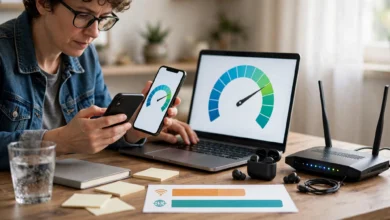
- Test the right thing. Run a ping and jitter test, not just a download test. Zoom and Teams both have built-in network stats during calls that show latency and packet loss.
- Keep a backup ready. Have mobile data from a different network than your home ISP enabled as a hotspot, so a single failure does not end your call.
Longer-Term Upgrades
- Move to fiber from a licensed provider if it is available in your area. Better upload speed and line stability make a bigger difference for calls than a higher download number.
- Put your router and ONT on a UPS. A small UPS for networking gear keeps you online through short power cuts. This is one of the best value fixes for load-shedding and internet problems together.
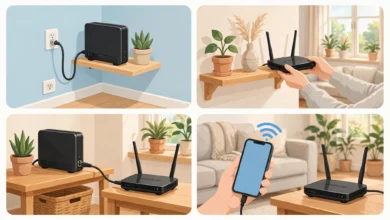
- Upgrade the router or add a mesh system if your home has thick walls or several floors.
- Check your provider’s license against the PTA list. If you are on an unlicensed network, switching to a licensed one gives you a provider that is at least surveyed and accountable.
- Use two connections from different companies. Freelancers and remote workers often keep one fiber line and one mobile data plan, ideally on networks that do not share the same upstream routes.
- Complain formally. If your licensed provider consistently delivers high latency or jitter, file a complaint with the provider first and then with the PTA’s complaint system. Regulator pressure is part of why quality surveys lead to warnings.
Smart Habits During Known Outages
When a cable fault is announced, schedule international calls in the morning, prefer audio-only calls, and send large files ahead of time instead of sharing screens with heavy video. Following provider and PTA updates on social media will usually tell you whether the problem is national or local before you spend an hour restarting your router.
What Needs to Change to End Video Call Buffering in Pakistan
Individual fixes help, but the root causes are national. A realistic path forward includes a few clear priorities:
- More cable and route diversity. Every new international cable landing, and every additional overland route, reduces the damage a single fault can cause. The fewer eggs in one basket, the shorter the next slowdown.
- Faster cable repairs and better rerouting. Providers that buy backup capacity on several systems recover faster. Users should be able to see which providers actually do this.
- Stronger enforcement against illegal operators. Raids on grey traffic setups and unlicensed ISPs are useful, but they work best when paired with incentives for small local operators to get licensed rather than stay underground.
- Protecting towers and power infrastructure. Battery and transformer theft is a security issue as much as a telecom one. Better site security and faster police response protect connectivity for everyone.
- Reliable power. No amount of bandwidth helps if routers and towers lose power for hours every day.
- Clear public communication. When slowdowns happen, plain and timely explanations from the PTA and the government reduce speculation and help businesses plan.
Pakistan’s freelancers, software houses and online students compete with people in countries where a stable video call is taken for granted. Treating internet reliability in Pakistan as economic infrastructure, not just a consumer service, is what will eventually make video call buffering in Pakistan the exception instead of the rule.
Conclusion
Video call buffering in Pakistan is not caused by one villain but by a chain of weak links: a small number of submarine cables that keep failing, broadband providers the PTA itself has flagged for high latency and jitter, illegal grey traffic exchanges and unlicensed ISPs that drain capacity and investment, tower battery theft that knocks sites offline during load-shedding, contested filtering and VPN use, and everyday home Wi-Fi mistakes. Some of these only the government and industry can fix, through more cable diversity, stronger enforcement and reliable power, but a lot is in your hands today: use a wired connection, choose a licensed fiber provider, keep your router on a UPS, keep a backup data line on a different network, switch off unnecessary VPNs and background uploads, and judge your connection by latency and jitter rather than download speed alone.