How to Build a Budget Gaming PC in Pakistan
Budget gaming PC in Pakistan guide with real PKR build prices, part choices, and lessons from fake GPU scams so you build a fast, genuine rig in 2026.
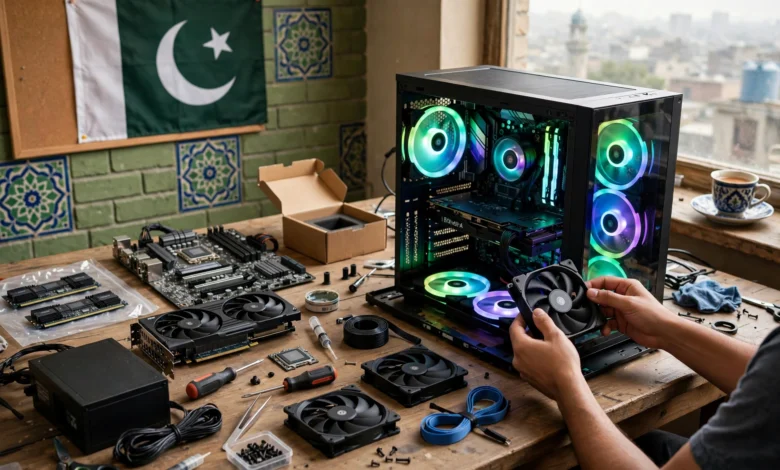
Budget Gaming PC in Pakistan: 8 Smart Steps to Build a Powerful Rig in 2026
Introduction
A budget gaming PC in Pakistan is still the cheapest way to play modern games well. A gaming laptop with similar performance usually costs much more, and a desktop can be upgraded one part at a time as your budget allows. With a sensible plan, Rs 1.5 to 2.5 lakh can get you a machine that runs most current games smoothly at 1080p.
The hard part is not picking parts. It is picking them in a market where prices change with the dollar every few weeks, a large share of graphics cards are used or imported outside official channels, and a fair amount of what is sold online is not what the listing says. Load shedding, voltage swings, and summer heat add their own problems that international build guides never mention.
This guide walks you through the process step by step: setting a realistic budget, choosing each component, and three sample builds at different price points based on current Pakistani shop prices. It also covers assembly and how to protect your PC from power problems.
We also look at the darker side of the market. Fake graphics cards with relabeled chips, worn-out mining cards, and smuggled stock are real problems, and there are documented cases of each. Knowing how these scams work will help you spend your money on genuine parts that last.
Step 1: Set Your Budget and Gaming Goals
Before choosing parts for a budget gaming PC in Pakistan, decide two things: how much you can spend in total, and what you want to play.
Match the budget to the games
- Esports titles (Valorant, CS2, Fortnite, PUBG, FIFA): these run well on modest hardware. A Rs 1 to 1.5 lakh build can deliver high frame rates at 1080p.
- Modern AAA games (Cyberpunk 2077, Red Dead Redemption 2, newer releases): you need a stronger graphics card. Plan for roughly Rs 1.8 to 2.5 lakh for smooth 1080p at high settings.
- 1440p or streaming: expect to go above Rs 2.5 lakh, mostly because of the GPU.
Remember the hidden costs
Many first-time builders spend their entire budget on the tower and forget the rest. Leave room for:
- A monitor, keyboard, and mouse if you do not already have them
- A UPS or stabilizer, which is not optional in most Pakistani cities
- A Windows license, which you should buy legally rather than using a cracked copy
- Cables, thermal paste, and delivery charges
Understand the Pakistani market
Component prices here track the dollar exchange rate, import duties, and global supply. Shops in Hafeez Center in Lahore, Saddar and Techno City in Karachi, and online sellers often quote different prices for the same part. Many builds sold here deliberately mix new and used parts to hit a price point. That is fine as long as you know which parts are used and what warranty comes with them.
A good rule of thumb for a gaming PC build in Pakistan is to put 35 to 45 percent of the tower budget into the graphics card, since it decides gaming performance more than anything else.
Steps 2 to 7: Choosing Each Part of a Budget Gaming PC in Pakistan
Here is what to look for in each component, in the order that matters most for gaming.
Step 2: Graphics card (GPU)
The GPU is the heart of any gaming PC. In the budget range, the common choices in Pakistan are:
- RTX 3050 / GTX 1660 Super: entry level, fine for esports titles at 1080p
- RX 6600 / RTX 2060 Super: strong 1080p value, often found used
- RTX 3060 12GB: the most popular used card in Pakistani builds, with good 1080p performance and plenty of video memory
- RTX 5050 / RTX 5060: current-generation new cards with warranty and DLSS 4 support
Buying a used graphics card saves a lot of money but carries the most risk of any part. The scams section below explains what to check.
Step 3: Processor (CPU)
For a budget build, a 6-core processor is the sweet spot. The Ryzen 5 5600 and Core i5-12400F are the two most common picks in local builds. Both are fast enough not to hold back a mid-range GPU. Zestro Gaming lists the Ryzen 5 5600X at Rs 38,999 as of October 2026. The AM4 platform is older but cheap, while newer AM5 and Intel platforms cost more up front but give a better upgrade path.
Step 4: Motherboard
Pick a board that matches your CPU socket and budget. For AM4, B450 or B550 boards are solid. For Intel 12th Gen and newer, a B660 or B760 board works well. Do not overspend here: a basic board with decent power delivery is enough for a 6-core chip. Check that it has an M.2 slot for an NVMe SSD.
Step 5: RAM
16GB of RAM in two sticks (2x8GB) is the minimum for gaming in 2026. Dual-channel memory makes a noticeable difference, especially on Ryzen. DDR4-3200 is the standard for AM4 and many Intel boards. If your budget allows, 32GB gives more breathing room for newer games and multitasking.
Step 6: Storage
Use an NVMe SSD for Windows and your games. A 512GB drive is the minimum, and 1TB is better since modern games can take 100GB or more each. Avoid building with only a hard drive. You can add an HDD later for media storage.
Step 7: Power supply, case, and cooling
The power supply is where many budget builds cut corners, and it is a costly mistake in Pakistan. A cheap, unbranded PSU can fail during voltage swings and take other parts with it.
- Buy a branded PSU with an 80 Plus rating
- 550W to 650W is enough for most budget builds
- Never reuse an old, unknown PSU with a new graphics card
For the case, choose one with good airflow and at least two or three fans. Room temperatures in summer push components hard, so airflow matters more than RGB lighting. The stock cooler that comes with the Ryzen 5 5600 is adequate for gaming, though a cheap tower cooler will run quieter and cooler.
Sample Builds at Three Budgets
These examples are based on complete builds currently listed by Pakistani PC shops. Prices are for the tower only and change often, so use them as a reference and confirm before you buy.
| Budget level | CPU | GPU | Listed price (PKR) | Good for |
|---|---|---|---|---|
| Entry (about 1.45 lakh) | Ryzen 5 3600 | GTX 1660 Super 6GB | 144,000 | Esports at high frame rates |
| Mid (about 1.85 to 2 lakh) | Ryzen 5 5600 | RTX 2060 Super (used) or RTX 3060 12GB (used) | 184,000 to 206,000 | Most AAA games at 1080p high |
| Upper budget (about 2.6 lakh) | Ryzen 5 5600 | RTX 5060 8GB (new) | 258,000 | 1080p ultra, entry 1440p, with GPU warranty |
Entry build: esports first
Zestro Gaming lists a Ryzen 5 3600 and GTX 1660 Super build at Rs 144,000. It is a sensible choice if you mainly play Valorant, CS2, or PUBG. The weakness is the older GPU, which will struggle with the newest AAA titles. Plan to upgrade the graphics card first.
Mid build: the value sweet spot
TechMatched lists a build with a new Ryzen 5 5600, Gigabyte B450M DS3H board, 16GB DDR4-3200, and a used RTX 3060 12GB at Rs 206,000. Zestro’s Ryzen 5 5600 and used RTX 2060 Super build is listed at Rs 184,000. This is where a gaming PC under 200k gives the most performance per rupee, but it relies on a used GPU, so testing and seller reputation matter a lot.
Upper budget build: new parts, full warranty
ALB lists a Ryzen 5 5600 build with a new RTX 5060 8GB at Rs 258,000. You pay more, but you get a current-generation card with warranty and DLSS 4 support. For buyers who want peace of mind over the last bit of value, this is the safer route.
Build it yourself or buy prebuilt?
Building yourself lets you choose every part and learn how your PC works. Buying a prebuilt from a reputable local shop can cost about the same, since shops buy parts in bulk, and you get one point of contact for warranty. Either way, ask for a full parts list with brands and model numbers, and confirm which parts are used.
Build prices: Zestro Gaming, TechMatched, ALB
Step 8: Avoid Fake Parts, Mined Cards, and Smuggled Stock
This is where a budget gaming PC in Pakistan can go badly wrong. The graphics card is the most expensive and most faked part, and the used market is full of risk. These real cases show what to watch for.
Case 1: A “new flagship” card that was really an old chip
A US repair shop called NorthWest Repair examined a used “RTX 4090” that a buyer had bought on eBay. The card would not even be detected by the system. When the shop examined it under a microscope, they found an older RTX 3080 Ti chip whose markings had been polished off and laser-etched to look like the newer GPU, along with counterfeit memory chips. Tom’s Hardware covered the case in detail in its report on the relabeled RTX 4090 scam. Similar cases have since surfaced with RTX 3090 chips and even dummy GPUs on bare boards.
The lesson: a card can look perfect from the outside. Only buy high-value used GPUs where you can test them in a running PC before paying.
Case 2: Old cards with hacked firmware
This scam is older and much more common at the budget end. Sellers flash a modified BIOS onto a cheap, old graphics card so Windows reports it as a newer, faster model. Cases were reported in Germany as far back as 2014, and the issue became common enough that TechPowerUp added a feature to its free GPU-Z tool that flags relabeled NVIDIA cards with a “[FAKE]” tag.
The lesson: never trust the name in Device Manager alone. Run GPU-Z and a real game or benchmark, and compare the results to published reviews for that card.
Case 3: Smuggled hardware in Pakistan
Pakistan Customs and the FBR regularly seize smuggled electronics. In one operation, the FBR’s Directorate of Intelligence and Investigation (Customs) seized 3,600 smuggled laptops and other goods from a compound in Malir, Karachi, after drivers could not show legal import documents. Airport customs teams in Karachi, Lahore, and Islamabad routinely seize laptops and gadgets carried in passenger luggage without duty paid.
Computer parts move through the same routes. Smuggled components usually come without valid local warranty, can be confiscated, and undercut honest shops that pay their duties.
Worn-out mining cards
During the crypto mining boom, many graphics cards ran nonstop for months or years. Many of those cards later flooded used markets, including Pakistan’s. A mining card is not always bad, but fans, thermal pads, and memory may be worn. Signs include yellowed or dusty heatsinks, replaced fans, a modified BIOS, and sellers with many identical cards.
How to check a used GPU before paying
- Test in person. Ask the seller to run it in a working PC, or bring it to a shop that will test it for you.
- Run GPU-Z. Check the GPU name, memory size, and for any “fake” warning.
- Run a stress test or game for 15 to 20 minutes. Watch for crashes, artifacts, and temperatures above about 85°C.
- Check the serial number. Some brands let you check warranty status online.
- Inspect the card. Look for missing screws, broken warranty stickers, burnt smells, or bent pins.
- Ask for a testing warranty. Reputable Pakistani sellers often give 7 days or more of checking warranty on used cards.
- Avoid bank transfers to strangers. Use cash on collection or trusted sellers with a physical shop.
Pirated software and the legal side
It is tempting to use a cracked copy of Windows or download pirated games. Apart from being illegal, cracked software is a common way to spread malware, which can steal accounts or slow your PC down. Buy a legitimate Windows license, and use official stores and frequent sales for games.
Where to Buy, How to Assemble, and How to Protect Your PC
Where to buy parts
- Physical markets: Hafeez Center in Lahore and Saddar and Techno City in Karachi have the widest range and let you test parts in person. Prices vary between shops, so compare at least three.
- Online PC stores: many offer warranty, cash on delivery, and nationwide shipping. Check reviews, a physical address, and return policy before ordering.
- Marketplaces and social media: the cheapest prices and the highest risk. Only buy here if you can inspect and test in person.
Whatever you buy, ask for a bill that lists each part, whether it is new or used, and the warranty period.
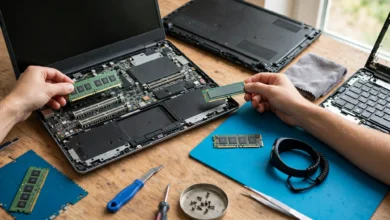
Basic assembly steps
If you build it yourself, follow this order:
- Install the CPU, cooler, and RAM on the motherboard outside the case
- Install the NVMe SSD in the M.2 slot
- Mount the power supply in the case
- Place the motherboard in the case on its standoffs
- Install the graphics card in the top PCIe x16 slot
- Connect all power cables: 24-pin, CPU 8-pin, and GPU power
- Connect case fans and front panel cables
- Boot into BIOS, check that all parts are detected, and enable the XMP or EXPO memory profile
- Install Windows, chipset drivers, and the latest GPU driver
If you are not comfortable, most shops will assemble your parts for a small fee or for free with purchase.
Protect it from power problems
Power in Pakistan is the biggest threat to a new PC after scams. Load shedding, sudden outages, and voltage spikes can corrupt Windows and damage parts.
- Use a UPS for your PC sized for your build. A gaming PC with a mid-range GPU usually needs at least 1000VA, though a pure sine wave model is better for modern power supplies.
- If you use a solar or inverter system, make sure it delivers stable output.
- Add a surge protector between the wall and your UPS.
Keep it cool and clean
- Keep the PC off the floor and away from walls so it can breathe
- Clean dust filters every few weeks, especially in dusty cities
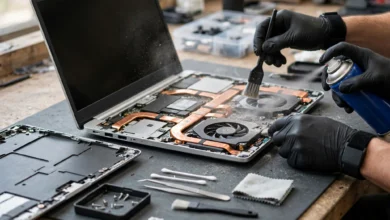
- Replace thermal paste on the CPU and, for older used cards, on the GPU every couple of years
- Monitor temperatures with free tools during hot months
Conclusion
Building a budget gaming PC in Pakistan starts with an honest budget that includes a UPS, peripherals, and a legal Windows license, then puts the largest share into the graphics card, pairs it with a 6-core CPU like the Ryzen 5 5600 or Core i5-12400F, 16GB of dual-channel RAM, an NVMe SSD, and a branded power supply, with current shop builds ranging from about Rs 1.44 lakh for an esports rig to around Rs 2.6 lakh for a new RTX 5060 machine. The biggest risks are not technical but ethical and practical, as relabeled “RTX 4090” cards, old GPUs with hacked firmware, worn mining cards, and the smuggled electronics regularly seized by the FBR and Pakistan Customs all show, so test every used part in person, run GPU-Z and a real stress test, buy from sellers with a physical shop and a written warranty, and protect your finished PC from power problems, and you will end up with a genuine, reliable rig that plays modern games well for years.