Best Laptops for Video Editing and Graphic Design
Best laptops for video editing and graphic design in 2026, with honest specs, real prices, and lessons from software and hardware scams to protect your money.
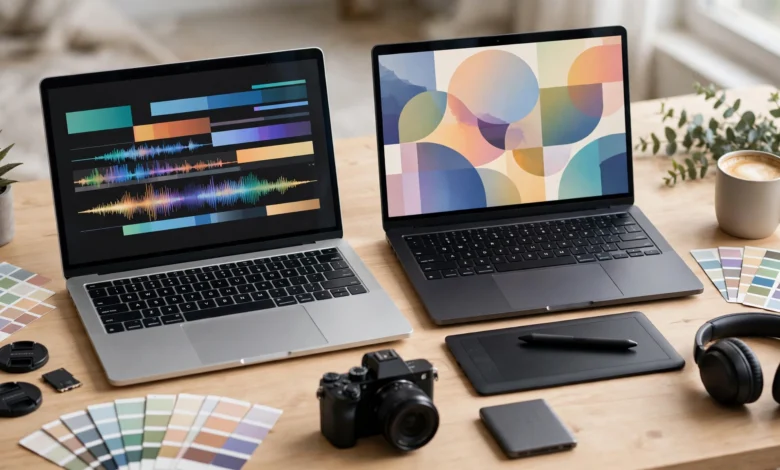
Best Laptops for Video Editing and Graphic Design: 7 Powerful Picks Worth Your Money in 2026
Introduction
The best laptops for video editing and graphic design have one thing in common: they let you stop thinking about the machine and focus on the work. Smooth timeline scrubbing, quick exports, and a screen you can trust for color are what separate a creative tool from a frustrating one.
The tricky part is that marketing makes almost every laptop sound creator-ready. A gaming laptop with a bright but inaccurate screen, a thin ultrabook that throttles after five minutes of rendering, or a machine with too little RAM can all carry a “creator” label. Prices for genuinely capable machines run from around $1,000 to well over $4,000, so a wrong choice is expensive.
This guide breaks down which specs actually matter for editing and design, then walks through seven laptops worth buying in 2026, from budget Windows options to the top MacBook Pro. We also compare Mac and Windows for creative work, and look at what to budget beyond the laptop itself.
Because this is a buying decision with real money involved, we also cover the less glamorous side: a US government lawsuit over hidden software subscription fees, a major laptop maker’s settlement over preinstalled software that weakened security, pirated creative software spreading malware, and fake hardware sold online. These cases are useful reminders to read the fine print and buy from sources you can hold accountable.
What Makes the Best Laptops for Video Editing and Design
Video editing and graphic design stress a laptop in different ways. Editing leans on the processor, graphics, and storage speed. Design leans more on screen quality and RAM. A good video editing laptop usually handles design well, but not always the other way round.
Processor (CPU)
The CPU handles decoding footage, effects, and exports. Look for a recent chip with plenty of cores:
- Apple: M5, M5 Pro, or M5 Max in the latest MacBooks; M4-generation machines are still excellent and often discounted
- Intel: Core Ultra 7 or 9 (H or HX series)
- AMD: Ryzen AI 9 or Ryzen 9 HX series
For 1080p editing and design, a mid-range chip is fine. For 4K multi-cam timelines and heavy effects, go higher.
Graphics (GPU)
Premiere Pro, DaVinci Resolve, and After Effects all use the GPU for effects, color grading, and exports. On Windows, an NVIDIA RTX 4060 / 5060 is a sensible minimum for serious editing, and an RTX 5070 or higher makes a real difference in Resolve. Check the GPU’s power limit (TGP), since thin laptops often run the same chip much slower. On Macs, the GPU is built into the chip, so more GPU cores means faster editing.
RAM
- 16GB: fine for graphic design and 1080p editing
- 32GB RAM: the sweet spot for 4K editing and heavy Photoshop files
- 64GB: for long 4K or 8K projects, complex After Effects work, and 3D
Many modern laptops, including all MacBooks, have soldered RAM that cannot be upgraded. Buy what you will need in three years, not just today.
Storage
Video files are huge. Aim for at least a 1TB SSD, and plan for fast external SSDs for active projects and backups. A laptop with a second internal SSD slot is a big plus on Windows.
Display
This matters most for designers and colorists. Look for:
- Color gamut: 100% sRGB minimum; 100% DCI-P3 for video and HDR work
- Accuracy: a low Delta E (under 2) and, ideally, factory calibration
- Panel type: OLED and mini-LED panels offer excellent contrast and color
- Resolution and size: 16 inches with at least 2560×1600 gives room for timelines and tool panels
A color accurate display is the single biggest difference between a true creator laptop and a gaming laptop that only looks the part.
Ports and battery
An SD card reader, Thunderbolt or USB4 ports, and HDMI for an external monitor save you from living with dongles. Battery life matters if you edit away from a desk. Apple Silicon MacBooks lead clearly here, while powerful Windows laptops usually need to be plugged in for heavy work.
7 Best Laptops for Video Editing and Graphic Design in 2026
These picks reflect what leading reviewers are recommending as of October 2026. US prices are listed where retailers published them recently. Memory and GPU shortages have pushed some prices up this year, so check before buying.
| Laptop | Chip / GPU | Display | Approx. US price | Best for |
|---|---|---|---|---|
| MacBook Pro 14 (M5) | Apple M5 | 14.2″ Liquid Retina XDR | Varies by config | Most creators |
| MacBook Pro 16 (M5 Max) | Apple M5 Max, 40-core GPU | 16.2″ Liquid Retina XDR | Premium | Heavy 4K/8K editing |
| MacBook Air (M5) | Apple M5 | Liquid Retina | Lowest Mac option | Designers, light editing |
| ASUS ProArt P16 | Ryzen AI 9 HX 370 / RTX 5070 | 16″ 4K OLED, 100% P3 | $3,999.99 (64GB) | Windows color work |
| Acer Predator Helios Neo 16S AI | Core Ultra 9 275HX / RTX 5070 Ti | 16″ 240Hz OLED, 100% P3 | $2,099.99 (32GB) | Best Windows value |
| ASUS ROG Zephyrus G16 | Core Ultra 9 285H / RTX 5080 | 16″ 240Hz OLED, 100% P3 | $3,399.99 | Portable power |
| HP Omen 16 OLED | RTX 5060 | 16″ OLED | Budget tier | Editing on a budget |
1. Apple MacBook Pro 14 (M5): best for most creators
PCMag names the 14-inch MacBook Pro with M5 its top overall pick for video editing, citing strong performance, long battery life, and an accurate display. Its Liquid Retina XDR screen is excellent for both design and video, and Final Cut Pro, Premiere Pro, DaVinci Resolve, and the Adobe suite all run well on Apple Silicon. It stays quiet and keeps its speed on battery, which few Windows laptops can match.
- Strengths: battery life, screen, build quality, efficiency
- Weaknesses: RAM and storage cannot be upgraded later, and upgrades at purchase are expensive
2. Apple MacBook Pro 16 (M5 Max): best for heavy professional work
For long 4K and 8K projects, color grading, and motion graphics, the 16-inch MacBook Pro with M5 Max and its 40-core GPU is the top Mac choice. The larger screen gives more room for timelines and panels. It is expensive, but for full-time editors the time saved on exports pays for itself.
- Strengths: top-tier performance, big XDR display, strong battery for its power
- Weaknesses: price, weight
3. Apple MacBook Air (M5): best for designers on a budget
The MacBook Air with M5 is a strong laptop for graphic design, photo editing, and light video work. It has no fan, so it stays silent but slows down during long exports. Choose at least 16GB of memory and 512GB of storage.
- Strengths: silent, light, great battery, good screen
- Weaknesses: throttles during sustained heavy editing
4. ASUS ProArt P16: best Windows laptop for color work
The Post Flow calls the ProArt P16 the best Windows laptop for editing because it is built around a factory-calibrated 4K OLED rather than a gaming panel. The 64GB model with an RTX 5070 is listed at $3,999.99 at Best Buy. The Calman-verified, 100% P3 touch screen makes it a natural choice for designers and colorists who prefer Windows.
- Strengths: calibrated 4K OLED, 64GB RAM, quiet and portable for its power
- Weaknesses: price, RAM is not upgradeable
5. Acer Predator Helios Neo 16S AI: best Windows value
The same publication names this its value pick for most editors: a Core Ultra 9 275HX, RTX 5070 Ti with 12GB of video memory running at 140W, 32GB of upgradeable RAM, and a 100% P3 OLED, at $2,099.99. It looks like a gaming laptop, but its specs suit DaVinci Resolve and Premiere Pro very well.
- Strengths: strong GPU for the price, upgradeable RAM, accurate OLED
- Weaknesses: gamer styling, heavier, short battery under load
6. ASUS ROG Zephyrus G16: best portable powerhouse
If you need RTX 5080 performance in a laptop you can carry every day, the Zephyrus G16 is the pick. It pairs a Core Ultra 9 285H with an RTX 5080 and a 240Hz OLED with a Delta E under 1, listed at $3,399.99.
- Strengths: thin for its power, excellent OLED
- Weaknesses: soldered RAM, gets warm under heavy loads
7. HP Omen 16 OLED: best budget editing laptop
For students and new editors, an RTX 5060 laptop with an OLED screen like the HP Omen 16 OLED is a sensible starting point. It handles 1080p and light 4K editing, especially with proxy files. Other budget options reviewers mention include the Acer Nitro V series.
- Strengths: affordable, good GPU acceleration, OLED color
- Weaknesses: less RAM in base models, average battery
Sources: PCMag via Yahoo Tech, The Post Flow
Mac or Windows for Editing and Design?
Both platforms run the major creative apps well, so the choice comes down to workflow, budget, and preference.
Choose a Mac if
- You edit in Final Cut Pro, which only runs on macOS
- You want long battery life and quiet operation while editing on the go
- You value a consistent, color-accurate screen without hunting for the right model
- You are fine choosing RAM and storage once, at purchase
Choose Windows if
- You want a powerful NVIDIA GPU for DaVinci Resolve, After Effects, or 3D work in Blender
- You want to upgrade RAM or storage later
- You also game, or need specific Windows-only software
- You want more control over price at each performance level
Software costs to plan for
The laptop is only part of the cost. Plan your software budget too:
- Adobe Creative Cloud: the industry standard for Photoshop, Illustrator, Premiere Pro, and After Effects, sold on subscription. Read the plan terms carefully, as the next section explains.
- DaVinci Resolve: the free version is very capable, and Resolve Studio is a one-time purchase.
- Final Cut Pro: a one-time purchase for Mac users.
- Affinity apps: a lower-cost alternative for design and photo work.
- Free tools: GIMP, Krita, Inkscape, and Blender are legitimate free options for students and beginners.
Using these free and lower-cost tools legally is always better than downloading pirated software, which brings its own risks.
Real Cases Every Creative Buyer Should Know
Choosing among the best laptops for video editing is only half the decision. The software you run and the place you buy from can cost you more than a wrong spec choice. These real cases show why.
Case 1: Hidden cancellation fees on creative software
In June 2024, the US Department of Justice, on referral from the Federal Trade Commission, sued Adobe and two of its executives. According to the FTC’s announcement of the action against Adobe, the complaint says Adobe pushed customers toward its “annual paid monthly” plan without clearly disclosing that cancelling in the first year could cost hundreds of dollars. The complaint also alleges that the cancellation process was designed to discourage people from leaving. The early termination fee was 50% of the remaining payments for the year. Adobe said it would fight the claims in court. Check for the latest status of the case, since it may have moved on since this was written.
The lesson: before you subscribe to any creative software, read whether the plan is monthly or an annual commitment billed monthly, and what cancelling costs. If you only need software for a short project, a true month-to-month plan or a one-time purchase may be cheaper.
Case 2: Preinstalled software that weakened security
In 2017, Lenovo settled charges brought by the FTC and 32 US state attorneys general over VisualDiscovery, ad software made by Superfish that came preinstalled on hundreds of thousands of Lenovo laptops starting in August 2014. The FTC’s statement on the Lenovo settlement says the software interfered with how browsers connected to websites and created serious security vulnerabilities. Lenovo agreed to get consumer consent for such software and to run a software security program with third-party audits for 20 years. Lenovo disagreed with the allegations, but stopped preloading the software in early 2015.
The lesson: creators often store client files, logins, and unreleased work on their laptops. Remove preinstalled software you do not need, keep the system updated, and be careful with any laptop that arrives with unfamiliar programs.
Case 3: Pirated creative software and malware
Cracked versions of Photoshop, Premiere Pro, and other creative apps are widely shared online. Using them breaks copyright law, and cracked installers are a common way to spread malware that steals passwords, hijacks social media accounts, or encrypts files for ransom. For a freelancer, losing a client project or a hacked account can cost far more than a software license. Free legal tools like DaVinci Resolve, GIMP, Krita, Inkscape, and Blender remove any excuse for piracy.
Case 4: Fake hardware and grey-market laptops
High-end creator hardware attracts fraud. Repair shops have documented fake “RTX 4090” graphics cards built with older, relabeled chips and counterfeit memory, as covered in Tom’s Hardware’s report on the relabeled GPU scam. Used and refurbished laptops can also arrive with swapped RAM, smaller SSDs, or worn batteries.
In countries like Pakistan, smuggled laptops are another risk. In one case, the FBR’s customs intelligence team in Karachi seized 3,600 smuggled laptops from a single compound after the drivers could not show import documents. Laptops like these usually carry no valid local warranty, which matters a lot for an expensive creator machine that may need a screen or motherboard repair.
Red flags when buying
- A price far below other trusted sellers for the same configuration
- Vague listings that say “RTX” or “OLED” without exact model numbers
- No invoice, no warranty card, or only a “shop warranty”
- Software offered “pre-activated” or with a lifetime license for a few dollars
- Sellers who want payment by bank transfer before you can inspect the laptop
How to Choose the Right Video Editing Laptop for Your Budget
Match the laptop to your work
- Graphic design, photo editing, social media clips: a MacBook Air or a mid-range Windows laptop with a good sRGB or P3 screen and 16GB of RAM is enough.
- YouTube and 1080p to light 4K editing: a MacBook Pro 14 or a Windows laptop with an RTX 5060 or better, 32GB of RAM, and a 1TB SSD.
- Professional 4K, color grading, and motion graphics: a MacBook Pro 16 with M5 Max, or a Windows laptop with an RTX 5070 Ti or higher, 32 to 64GB of RAM, and a calibrated OLED.
Where to spend and where to save
- Spend on: RAM (especially if it is soldered), screen quality, and the GPU for editing
- Save on: internal storage beyond 1TB, since fast external SSDs are cheaper per terabyte
- Consider: last year’s models, which often drop sharply in price when new chips launch and still perform very well
Budget for the extras
A serious creative setup usually needs more than the laptop:
- A fast external SSD for active projects
- A backup drive or cloud backup plan
- An external color-accurate monitor for long sessions
- A hardware calibrator if you do color-critical work
- Software licenses or subscriptions
Final buying checklist
- CPU and GPU match the type of editing you do
- At least 16GB of RAM for design, 32GB for 4K editing
- At least a 1TB SSD, plus a plan for external storage
- Display covers 100% sRGB, ideally 100% DCI-P3, with good accuracy
- Reviews confirm the laptop holds performance during long exports
- Bought from an authorized seller with an invoice and official warranty
- Serial number checked on the brand’s warranty site
- Software plan terms read, including cancellation fees
- No pirated software installed
- Unneeded preinstalled software removed
Conclusion
The best laptops for video editing and graphic design in 2026 range from the efficient MacBook Air and MacBook Pro 14 with M5 to the powerful MacBook Pro 16 with M5 Max on the Mac side, and from the budget HP Omen 16 OLED through the value-packed Acer Predator Helios Neo 16S AI to the color-focused ASUS ProArt P16 and the portable ROG Zephyrus G16 on Windows, but the right choice comes down to a strong CPU and GPU for your workload, at least 16GB of RAM for design and 32GB for 4K editing, a 1TB SSD, and above all a color-accurate display. Real cases like the US lawsuit over Adobe’s hidden cancellation fees, Lenovo’s FTC settlement over insecure preinstalled software, relabeled fake graphics cards, and smuggled laptops seized by customs show that the fine print and the seller matter as much as the specs, so read subscription terms, avoid pirated software, buy from authorized sellers with a proper invoice and warranty, and you will end up with a creative machine that serves your work for years.