How to Choose the Right Laptop Screen Size for Your Needs
Laptop screen size changes weight, battery life, and comfort. Compare 13 to 17 inch options and avoid misleading display deals before you pay for one.
How to Choose the Right Laptop Screen Size for Your Needs
Introduction
Laptop screen size is one of those choices that seems simple until you live with the wrong one. Pick a screen that is too small and you squint through spreadsheets and zoom every web page. Pick one that is too big and you end up carrying a heavy machine that barely fits in your bag and runs out of battery by lunchtime. Most buyers spend hours comparing processors and RAM, then choose the screen in about ten seconds.
That is a mistake, because the screen is the part of the laptop you look at every single minute you use it. It also quietly affects almost everything else: weight, battery life, keyboard layout, cooling, and price.
There is a less obvious side to this as well. The display industry has a real history of wrongdoing. Some of the world’s biggest panel makers pleaded guilty to fixing the prices of the LCD screens used in laptops, and a major laptop brand was fined for advertising fake discounts on monitors. Knowing that history helps you read display marketing with a healthy dose of doubt.
This guide explains how screen size is measured, what each common size is good for, which display specs matter as much as size, and how to test a screen before you pay. It is written for students, office workers, gamers, and creators alike, so you can match the right laptop screen size to the way you actually work, not the way an advert says you should.
How Laptop Screen Size Is Measured
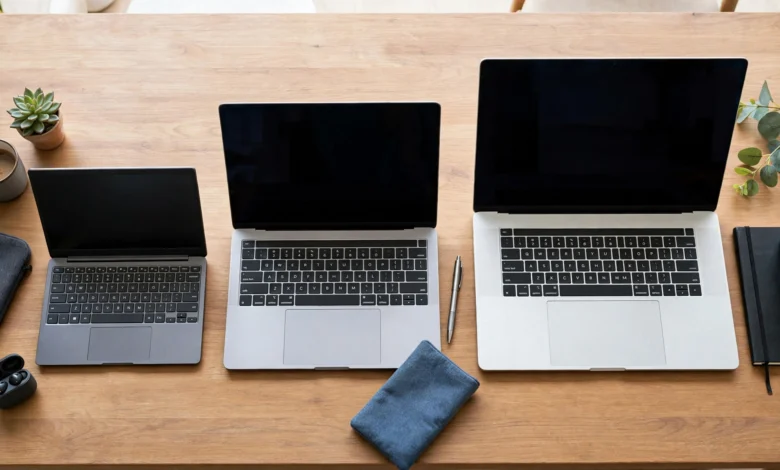
Laptop screen size is measured diagonally, from one corner of the visible display to the opposite corner, in inches. It does not include the bezel, which is the frame around the screen. That is why two laptops with a 14-inch screen can have quite different overall dimensions.
Diagonal Size vs Actual Body Size
Thin bezels have changed the maths. Many modern 14-inch laptops are about the same width as older 13.3-inch models, and some 16-inch laptops fit where a 15.6-inch machine used to. When you compare, look at the body width, depth, and weight, not just the diagonal number.
Aspect Ratio Changes the Shape
The same diagonal can give you a very different working area.
- 16:9 is the classic widescreen shape. It is great for video but shorter in height.
- 16:10 adds vertical space, which helps with documents, coding, and web pages. It is now common on 14- and 16-inch laptops.
- 3:2 is taller still and is used on some premium and 2-in-1 laptops. It feels roomy for reading and writing.
In practice, a 14-inch 16:10 screen can feel almost as spacious as a 15.6-inch 16:9 screen for office work.
What Screen Size Affects
Choosing a laptop screen size is really choosing a whole package. A bigger screen usually means:
- More weight. A typical 13-inch laptop weighs about 1 to 1.3 kg, while a 16- or 17-inch model often weighs 2 kg or more.
- Shorter battery life at the same brightness, since a larger panel uses more power.
- A fuller keyboard, often with a number pad on 15.6-inch and larger models.
- Better cooling in many cases, because there is more room inside for fans and heat pipes.
- A higher price for the same display quality.
Keep this trade-off in mind as you read the size-by-size breakdown below.
Every Common Laptop Screen Size Compared
Here is a quick overview, followed by a closer look at each laptop screen size and who it really suits.
| Screen size | Typical weight | Portability | Best for |
|---|---|---|---|
| 11 to 13.3 inch | 1.0 to 1.3 kg | Excellent | Frequent travel, note-taking, light work |
| 14 inch | 1.2 to 1.6 kg | Very good | Students, office work, all-round use |
| 15.6 inch | 1.6 to 2.2 kg | Fair | Home use, spreadsheets, budget buyers |
| 16 inch | 1.8 to 2.5 kg | Fair | Creators, programmers, gamers |
| 17 to 18 inch | 2.5 kg and up | Poor | Desktop replacement, heavy gaming |
11 to 13.3 Inches: Ultraportable
Small laptops are easy to carry all day and fit on a train tray or a crowded classroom desk. They usually have the best battery life, and premium models like the MacBook Air or Dell XPS 13 are popular for a reason.
The downside is screen space. Working with two windows side by side is cramped, and long sessions can strain your eyes if text is small. Ports are often limited, so you may need adapters.
Choose this if: you travel a lot, take notes in lectures, or mainly write, browse, and email.
14 Inches: The Sweet Spot
For most people, 14 inches is the best laptop screen size. It is large enough for comfortable multitasking, especially with a 16:10 panel, yet light enough to carry every day. Many business laptops, such as ThinkPads, EliteBooks, and Latitudes, use this size.
Choose this if: you want one laptop that works for both carrying around and sitting at a desk.
15.6 Inches: The Classic Budget Size
The 15.6-inch laptop is still the most common size in budget ranges. You get a full keyboard with a number pad and a large screen for the money. The catch is weight and bulk, and budget models often save money with dim, low-quality panels.
Choose this if: your laptop mostly stays on a desk, you work with numbers, or you want the most screen per rupee.
16 Inches: Room to Create
Sixteen-inch laptops, usually with 16:10 screens, have replaced many 15.6-inch models in the mid and high range. They suit video editing, programming, design work, and gaming. Cooling is usually better, so performance holds up under load.
Choose this if: you need power and screen space, and you can live with a heavier bag.
17 to 18 Inches: Desktop Replacement
These are big, heavy machines designed to replace a desktop computer. They are best for serious gaming and professional work at a fixed desk. Most people find them too large to carry daily, and battery life is often short.
Choose this if: the laptop will almost never leave your desk.
Beyond Laptop Screen Size: Display Specs That Matter
A great laptop screen size with a poor panel is still a poor screen. These specs decide whether you enjoy looking at it.
Resolution and Sharpness
Resolution is the number of pixels on the screen. The bigger the screen, the more pixels you need to keep text sharp.
- HD (1366 x 768): avoid this on anything above 11 inches. Text looks fuzzy and you see very little at once.
- Full HD (1920 x 1080 or 1920 x 1200): the minimum for 14 to 15.6 inches.
- QHD or 2.5K (2560 x 1440 or 2560 x 1600): a noticeable upgrade on 14- and 16-inch screens, especially for creative work.
- 4K and above: very sharp, but it drains the battery faster and is overkill for most users.
Panel Type
- TN panels are cheap, with washed-out colours and poor viewing angles. They still appear in some budget laptops without being clearly labelled.
- IPS panels give accurate colours and wide viewing angles. This is the standard you should expect.
- OLED panels offer deep blacks and vivid colours. They are beautiful for media and creative work but cost more, and static elements can cause burn-in over very long periods.
Brightness
Brightness is measured in nits. Around 250 nits is fine indoors, 300 to 400 nits is comfortable in bright rooms, and anything above 400 helps near windows or outdoors. Many budget laptops ship with 220 to 250 nit screens that look dim in daylight.
Colour Accuracy
If you edit photos or design, look for screens rated close to 100% sRGB. Many budget panels cover only about 45% NTSC, which looks dull. If a listing does not mention colour coverage at all, assume it is low.
Refresh Rate
Most laptops run at 60Hz. A 90Hz, 120Hz, or 144Hz screen makes scrolling and animations look smoother, and higher rates matter for fast-paced games.
Matte vs Glossy and Touch
Glossy screens look vibrant but reflect lights and windows. Matte, or anti-glare, screens are easier on the eyes in offices and classrooms. Touchscreens are useful on 2-in-1 laptops but add weight, cost, and glare.
The Reality Check: Illegal and Misleading Practices in the Display Business
It is easy to assume that once you pick a laptop screen size, the screen itself is a straightforward product. The record says otherwise. These cases are worth knowing because they show how buyers have been overcharged or misled, sometimes by the biggest names in the industry.
1. A Global Price-Fixing Cartel on LCD Panels
In 2008, three major panel makers, LG Display, Sharp, and Chunghwa Picture Tubes, agreed to plead guilty in the United States and pay $585 million in criminal fines for conspiring to fix the prices of LCD panels. These are the same panels used in laptop screens, monitors, phones, and TVs. As CNN reported at the time, LG Display alone agreed to a $400 million fine, one of the largest criminal antitrust fines ever imposed back then.
The conspiracy ran roughly from 2001 to 2006, and affected companies that bought the panels included Apple, Dell, and Motorola. In plain terms, people buying laptops during those years paid more than they should have because screen makers secretly agreed on prices.
Lesson: display prices are not always set by fair competition. Comparing across brands and sellers still matters.
2. Fake Discounts on Monitors
In 2023, Australia’s Federal Court ordered Dell Australia to pay A$10 million for false and misleading claims about discounts on add-on monitors sold with laptops and desktops. According to the ACCC’s announcement, the monitors were shown with higher “strikethrough” prices to suggest big savings, and in many cases buyers paid more than if they had bought the monitor on its own. More than 5,300 monitors were sold with overstated discounts.
Lesson: a crossed-out price is a claim, not a fact. Check the real market price before trusting a “bundle deal”.
3. Screens That Do Not Match the Listing
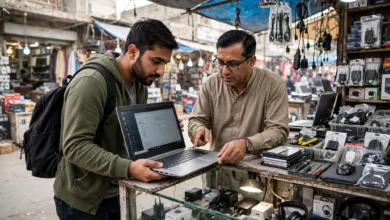
A common, smaller-scale problem in many markets, including Pakistan, is a listing that promises one kind of display and delivers another. A laptop advertised as “Full HD IPS” may arrive with a dim TN panel, or a used laptop may have a cheap replacement screen fitted after the original broke. Selling a product that does not match its description is a deceptive practice under consumer protection laws, including Pakistan’s provincial consumer acts.
Lesson: check the panel yourself, using the steps in the next section.
4. Counterfeit and Pulled Replacement Panels
The repair trade also sells low-grade or salvaged panels as “original”. These often have lower brightness, poor colours, or a different resolution from the factory screen. If you get a screen replaced, ask in writing whether the part is new, refurbished, or used, and keep the receipt.
5 Tips to Choose the Right Laptop Screen Size
Now put it all together. These five tips will help you pick a laptop screen size based on how you really use a computer.
Tip 1: Be Honest About How Often You Carry It
If the laptop leaves your home or office more than three times a week, weight matters more than you think. Stay at 13 or 14 inches. If it mostly stays on a desk, a larger laptop screen size of 15.6 or 16 inches gives you more comfort for little real cost.
Tip 2: Match the Size to Your Work
| Your main use | Recommended laptop screen size |
|---|---|
| Writing, browsing, online classes | 13 to 14 inch |
| Office work and spreadsheets | 14 to 15.6 inch |
| Programming | 14 to 16 inch, 16:10 preferred |
| Photo and video editing | 15.6 to 16 inch, QHD or better |
| Gaming | 15.6 to 17 inch, 120Hz or higher |
| Business travel | 13 to 14 inch, under 1.4 kg |
Tip 3: Plan for an External Monitor
If you work at a desk most days, a smaller laptop plus an external monitor is often the best of both worlds. You get portability on the move and a large screen at home. Check that the laptop has HDMI or a USB-C port with display output.
Tip 4: Think About Your Eyes
A screen that is too small for your eyesight leads to leaning forward, squinting, and neck strain. If you wear glasses or work long hours, lean toward a slightly bigger screen or a sharper resolution with sensible scaling. Take regular breaks: every 20 minutes, look at something about 20 feet away for 20 seconds.
Tip 5: Test the Screen Before You Pay
Whether you are in a shop or receiving a delivery, run this quick check:
- Confirm the resolution in Windows Settings, under System and then Display. Make sure it matches the listing.
- Look at the screen from the side and from above. If colours shift or darken badly, it is likely a TN panel, not IPS.
- Open a full white image to check for uneven backlighting, dark corners, or yellow patches.
- Open a full black image in a dim room to check for backlight bleed and stuck or dead pixels.
- Turn brightness to maximum and compare it with a laptop you know. Dim screens are a common cost-cutting shortcut.
- Check the refresh rate in Advanced display settings if the listing promises 120Hz or higher.
- Get it in writing. Your invoice should name the exact model so you can claim against it if the display turns out to be different.
Conclusion
The right laptop screen size comes down to a simple trade-off between portability and comfort: 13-inch laptops are best for constant travel, 14 inches is the all-round sweet spot for most students and professionals, 15.6 inches gives budget buyers the most screen for their money, 16 inches suits creators, programmers, and gamers, and 17 to 18 inches only makes sense for a laptop that rarely leaves the desk. Size alone is not enough, though, because resolution, panel type, brightness, colour accuracy, and refresh rate decide whether that screen is pleasant to use every day. Buy with your eyes open, since the display business has a real record of misconduct, from the $585 million in criminal fines paid by LCD makers who fixed panel prices to Dell Australia’s A$10 million penalty for fake monitor discounts, along with listings that promise IPS and deliver TN. Choose the laptop screen size that fits your daily routine, test the panel yourself before paying, and keep a written invoice, and you will end up with a screen you are happy to look at for years.