Top Budget Laptops for Freelance Writers and Content Creators
Budget laptops for freelance writers and creators in 2026: honest picks for typing, battery and editing, plus the pirated software traps to avoid.
Budget Laptops for Freelance Writers: 8 Best Proven Picks for Content Creators in 2026
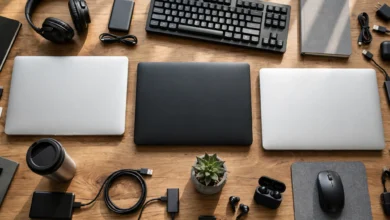
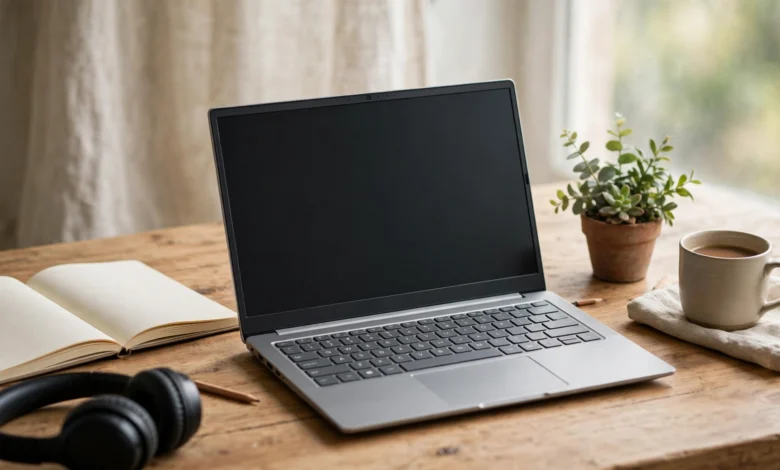
Budget laptops for freelance writers and content creators have one job: let you earn money without eating all of it first. A good one types comfortably for hours, shows text and photos clearly, lasts through a day at a café or co-working space, and handles light photo or video editing without freezing during a client deadline.
The good news is that 2026 budget laptops are far better than they were a few years ago. Apple’s MacBook Neo has brought macOS close to $600, and Windows models from Lenovo, Acer and ASUS now pair 16GB of memory and fast SSDs with prices under $700. The bad news is that memory and storage costs have risen, so specs vary widely at the same price, and some cheap listings cut corners that matter for creative work.
There is also a side of freelancing on a budget that most laptop guides ignore. When money is tight, it is tempting to buy a $10 Windows key, download a cracked copy of Adobe software, or accept a client who pays by suspicious check. Real criminal cases show where those shortcuts lead: prison sentences for people selling illicit Microsoft keys, and malware operations that use cracked software to steal passwords and bank details.
In this guide we explain what writers and creators actually need, walk through those real cases, recommend eight budget laptops, and share a fully legal, free software setup that keeps your business safe.
What to Look For in Budget Laptops for Freelance Writers and Creators
Writers and creators push laptops in different ways from gamers or office users. These are the features that matter most per dollar.
A keyboard you can type on all day
For writers, the keyboard is the product. Look for good key travel, a firm deck that does not flex, and a backlit keyboard for late-night sessions. Lenovo’s budget keyboards are consistently praised, and many budget laptops still skip backlighting, so check before you buy. If possible, try typing on the model in a store.
A screen that is easy on the eyes
Avoid low-resolution 1366 x 768 screens entirely. A 1080p IPS display is the minimum for comfortable reading and side-by-side windows. Brightness of 300 nits or more helps near windows. For creators editing photos or thumbnails, look for good sRGB color coverage; an OLED screen option on some budget models delivers excellent color and contrast for a small premium. Many of the cheapest panels cover barely half the sRGB range, which makes colors look washed out.
Memory and storage
16GB RAM is the sweet spot. It lets you keep a browser full of research tabs, a writing app, Slack or WhatsApp, and a photo editor open without slowdowns. 8GB is enough for pure writing on a lightweight system like macOS or ChromeOS, but tight on Windows. For storage, choose a 512GB SSD if you work with photos or video. Avoid laptops with 64GB or 128GB of slow eMMC storage.
Processor: enough, not excessive
Writing needs very little processing power. Light video editing, background removal and AI tools need more. A recent AMD Ryzen 5 or 7, Intel Core 5 or Ultra, Apple M-series or Snapdragon chip handles typical creator work. Avoid the slowest Intel N-series chips if you edit video.
Battery life and weight
Freelancers work from cafés, libraries, co-working spaces and trains. Aim for at least 8 hours of real-world use, and a weight under about 1.7 kg if you travel often. Apple silicon and Snapdragon laptops lead on battery life at budget prices.
Ports for creators
An SD card reader saves time for photographers and video creators. A headphone jack, HDMI for a second monitor, and at least one USB-A port reduce your need for adapters.
Writers vs. creators: where to spend
- Mainly writing: spend on keyboard, screen comfort and battery. A modest processor is fine.
- Writing plus photos and social content: add 16GB RAM and a color-accurate screen.
- Regular video editing: prioritize processor, 16GB RAM, 512GB storage and good cooling, and consider stretching the budget slightly.
Real Cases: The Hidden Costs of Cutting Corners
Saving money on a laptop is smart. Saving money by going around the law usually is not. These cases show what is behind some of the most common shortcuts freelancers are offered.
Cheap Windows and Office keys that end in prison sentences
Those $5 to $15 “lifetime” Windows and Office keys sold on marketplaces and social media often come from illegal schemes. In one case, Florida resident Heidi Richards, who ran an online business called Trinity Software Distribution, was sentenced to 22 months in federal prison and fined $50,000 for trafficking in Microsoft certificate of authenticity labels. According to prosecutors, her employees peeled the product keys off tens of thousands of standalone labels, typed them into spreadsheets and sold them in bulk worldwide, with more than $5.1 million wired to her supplier. As BleepingComputer reported, those labels are only legal when sold with the computer or software they belong to.
In another Florida case, a couple pleaded guilty after selling Microsoft activation keys through sham businesses to more than 13,000 customers. Prosecutors said they sold the same key more than 880 times in one year, and many buyers complained the codes did not work.
What it means for you: a key can work today and be deactivated tomorrow, leaving you with an unactivated system in the middle of client work. Buy a laptop with Windows already licensed, or use the free options covered later.
Cracked editing software that steals your accounts
Creators are prime targets for pirated software because tools like Adobe Premiere Pro, After Effects and Photoshop are expensive. Security researchers have repeatedly found “cracked” versions of these apps spreading infostealer malware, which quietly copies saved passwords, browser cookies, bank card details and crypto wallets. One investigation, covered by TechRadar, linked a Pakistan-based group to a network that used fake cracked downloads of programs like Adobe After Effects and Internet Download Manager to infect devices, earning millions of dollars over five years through thousands of affiliate websites.
For freelancers, an infostealer is a business disaster. Stolen session cookies can let criminals log into your Upwork, Fiverr, PayPal, Gmail or YouTube accounts without your password, and client files on your laptop may be exposed.
What it means for you: never install cracked software on the machine you work and bank on. Free, legal alternatives are good enough for most freelance work.
Refurbished laptops sold as new
At the budget end, some sellers list refurbished or open-box laptops as new, or swap internal parts for cheaper ones before resale. Check the warranty start date by serial number on the maker’s website, and inspect the battery health and drive hours on day one. If the warranty began months before your purchase, the laptop is not new.
Freelance payment and equipment scams
Fake clients sometimes “hire” writers or designers, send a check or payment larger than agreed, and ask for the difference back or for you to buy software or a laptop from a specific vendor. The original payment later bounces or is reversed. Real clients pay through the platform or by normal bank transfer, and never ask you to send money back to start a job.
8 Best Budget Laptops for Freelance Writers and Content Creators
These picks are based on current 2026 reviews and the needs above. Configurations and prices vary by country and change often, so compare the exact model number, memory and screen before buying.
1. Apple MacBook Neo: best overall budget laptop
The MacBook Neo is Apple’s cheapest laptop yet, starting at $599, or $499 with education pricing, and it has quickly become a top budget pick in 2026 roundups. It is silent, well built and has excellent battery life. The keyboard and trackpad are great for long writing sessions, and macOS runs smoothly on its efficient chip.
- Best for: writers, bloggers and light photo editing.
- Watch out for: 8GB of memory limits heavier video editing and big multitasking sessions.
2. Lenovo IdeaPad Slim 3: best keyboard for writers on a budget
Lenovo’s budget keyboards are among the most comfortable in this price range, and the IdeaPad Slim 3 comes in many configurations, from very cheap entry models to Ryzen 7 versions with 16GB of RAM and touchscreens. Choose a 1080p screen and at least 16GB of memory if possible.
- Best for: writers who type for hours and want Windows.
- Watch out for: entry configurations with 8GB RAM and dim screens are a false economy.
3. Acer Aspire Go 15: best value performance
Many 2026 tests rank the Acer Aspire Go 15 as the best spec-for-money laptop under $700. Versions with an AMD Ryzen 7 7730U offer far more power than the slow Intel N-series chips common in cheaper laptops, which helps with photo edits and short video projects.
- Best for: creators who need more processing power on a tight budget.
- Watch out for: budget screen quality and plastic build.
4. ASUS Vivobook 15 OLED: best screen for creators
ASUS offers OLED screen options on its Vivobook line at prices well below most rivals. Deep blacks and accurate colors make it a strong choice for thumbnail design, photo editing and watching your own video edits.
- Best for: designers, photographers and YouTubers who care about color.
- Watch out for: OLED screens use more battery on bright, white pages; make sure you get 16GB RAM.
5. Acer Swift Go 14: best premium budget option
The Swift Go 14 sits at the top of the budget range with a light metal build, a sharp screen (often OLED) and modern processors. It feels like a more expensive laptop and travels well.
- Best for: freelancers who work in cafés and co-working spaces daily.
- Watch out for: it costs more than other picks; wait for sales.
6. Dell XPS 13 (2026): best stretch pick
If you can stretch to around $699, the redesigned XPS 13 weighs just 2.2 pounds, offers long battery life and a sharp touchscreen, and brings a premium design to near-budget pricing.
- Best for: traveling writers who want a premium feel.
- Watch out for: reviewers call the webcam mediocre, and it has only two USB-C ports and no headphone jack.
7. A Chromebook Plus: best for browser-based writers
If you write in Google Docs, Notion or WordPress and edit images in browser tools like Canva, a Chromebook Plus is fast, secure and affordable. Models like the Acer Chromebook Plus 516 GE and Lenovo’s Chromebook Plus lineup offer good screens and long battery life.
- Best for: bloggers, copywriters and social media managers.
- Watch out for: no full desktop apps like Premiere Pro or Microsoft Word desktop.
8. A refurbished Lenovo ThinkPad: best for durability
Certified refurbished business laptops such as the ThinkPad T14 or T480 offer famous keyboards, strong build quality and easy repairs at budget prices. Buy only from Lenovo’s own refurbished store or reputable refurbishers that provide a written warranty and a genuine Windows license.
- Best for: writers who value keyboard quality and longevity.
- Watch out for: older batteries and screens; check battery health and the license before buying.
Comparing Budget Laptops for Freelance Writers
Pick by your main task: keyboard and battery for writers, screen and RAM for creators.
| Laptop | Platform | Best for | Key strength | Main caution |
|---|---|---|---|---|
| MacBook Neo | macOS | Writers, light photo work | Battery, build, keyboard | 8GB memory |
| Lenovo IdeaPad Slim 3 | Windows | Long writing sessions | Comfortable keyboard | Weak entry configs |
| Acer Aspire Go 15 | Windows | Value performance | Ryzen 7 power for the price | Budget screen |
| ASUS Vivobook 15 OLED | Windows | Photo and thumbnail work | OLED color | Battery on bright pages |
| Acer Swift Go 14 | Windows | Café and travel work | Light, premium feel | Higher price |
| Dell XPS 13 (2026) | Windows | Premium on a stretch | 2.2 lb, long battery | Few ports, weak webcam |
| Chromebook Plus | ChromeOS | Browser-based writing | Speed, security, price | No desktop apps |
| Refurbished ThinkPad | Windows | Durability | Keyboard, repairability | Battery age |
A Legal, Free Software Stack for Freelancers
You do not need pirated software to run a freelance business. These tools are free or have generous free tiers and come from official sources:
- Writing: Google Docs, Microsoft Word on the web (free with a Microsoft account), LibreOffice, Obsidian or Notion.
- Grammar and style: the free versions of LanguageTool or Grammarly.
- Images and design: Canva, GIMP, Krita, Photopea and Affinity’s apps, which have been offered free in recent years.
- Video: DaVinci Resolve (free version), CapCut desktop and Shotcut.
- Audio: Audacity for podcasts and voiceovers.
- Security: the built-in Windows Security or macOS protections, plus a password manager such as Bitwarden.
If you need paid software later, many companies offer student, startup or monthly plans, and some clients will cover a license for their project.
Safe-Buying Checklist for Freelancers
- Buy from authorized retailers or the maker’s store, including official refurbished stores.
- Check the exact configuration. Confirm RAM, storage type and size, screen resolution and brightness, not just the processor.
- Verify the warranty by serial number on the maker’s website the day the laptop arrives.
- Make sure Windows is genuinely activated. Go to Settings > System > Activation and check that it shows a digital license, not a mystery key.
- Never buy standalone keys or labels from marketplaces or social media.
- Install software only from official websites or app stores.
- Turn on encryption and backups so client work survives theft or failure.
- Keep your invoice. It is your proof for warranty claims and, if you are self-employed, it may count as a business expense.
Conclusion
The best budget laptops for freelance writers and content creators in 2026 balance a comfortable keyboard, a clear 1080p or OLED screen, 16GB of memory where possible, solid battery life and enough processing power for light editing, which is why the MacBook Neo leads overall, the Lenovo IdeaPad Slim 3 suits heavy typists, the Acer Aspire Go 15 offers the most power for the money, the ASUS Vivobook 15 OLED serves color-focused creators, the Acer Swift Go 14 and Dell XPS 13 bring a premium feel for a little more, and Chromebook Plus models and refurbished ThinkPads cover browser-based work and long-term durability; just as important, real cases such as the 22-month prison sentence for trafficking Microsoft license labels, the couple who sold the same activation key hundreds of times, and malware networks that used cracked Adobe software to steal accounts show that cheap keys and pirated tools put your income at risk, so buy from authorized sellers, confirm genuine Windows activation, verify warranties, use legal free software, and treat any client who overpays or asks you to buy equipment as a scam.