Best Laptops for Online Classes and Remote Work
Best laptops for online classes and remote work in 2026, chosen for webcams, battery and privacy, with real scams and spying cases buyers should know.
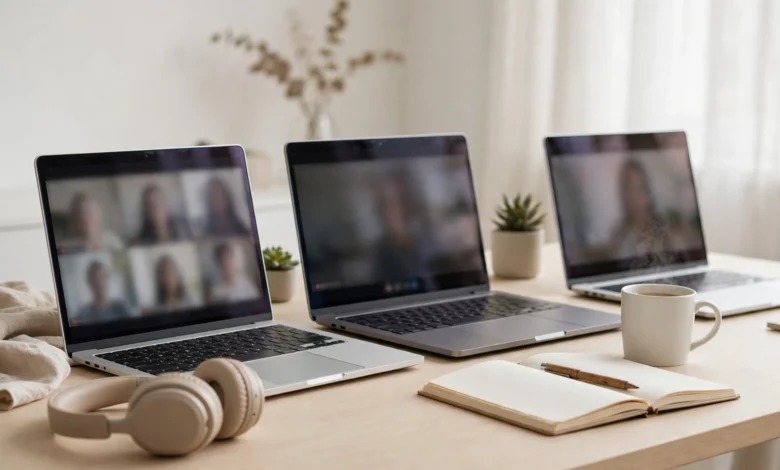
Best Laptops for Online Classes and Remote Work: 8 Trusted Picks for 2026
Introduction
The best laptops for online classes and remote work are not always the most powerful ones. They are the ones that make you look and sound clear on a video call, last through a full day of lectures or meetings, stay quiet in a shared room, and keep your camera and data private.
That last part is not paranoia. Schools, rental companies and criminals have all used laptops in ways that crossed legal lines, from webcams switched on without permission to home “laptop farms” that helped foreign operatives get hired at hundreds of US companies. If you study or work from home, your laptop is your classroom, office and front door at the same time.
The good news is that 2026 is a strong year to buy. Apple’s MacBook Air M5 has set a high bar for battery life and webcam quality, Dell has brought back the XPS line with impressive efficiency, and budget options like the MacBook Neo and Chromebook Plus models are better than ever. Memory prices have pushed some costs up, though, so choosing well matters more.
In this guide we explain what actually matters for online learning and remote work, walk through real cases of laptop spying and remote-work fraud, recommend eight trusted laptops across budgets, and finish with a setup checklist that keeps your calls smooth and your privacy intact.
What to Look For in the Best Laptops for Online Classes and Remote Work
Spec sheets focus on processors. For video-heavy study and work, these features matter more.
Webcam quality: 1080p is the minimum
Your teacher, manager or client sees you through the webcam for hours a week. A 1080p webcam is now the baseline on good laptops, and the best ones handle dim rooms without turning you into a grainy shadow. Some newer MacBooks use a 12MP camera with Center Stage, which keeps you framed as you move. Several otherwise excellent Windows laptops still ship with mediocre cameras, so read reviews for the webcam specifically.
Microphones and speakers
Good noise-cancelling microphones matter more than most buyers think. A laptop with a multi-microphone array and built-in noise suppression will cut keyboard clatter, fans and background chatter. Clear speakers help too, though a decent headset beats any built-in speaker in a shared room.
A privacy shutter or camera indicator
A physical privacy shutter over the webcam, or at minimum a hardware camera light that cannot be disabled by software, gives you certainty that you are not on camera. Business laptops like ThinkPads usually include one. The real cases in the next section show why this feature is worth having.
Battery life that covers a full day
Back-to-back video calls drain batteries fast, because the camera, microphone, screen and processor all work at once. Look for laptops that reviewers measure at 12 hours or more in web-browsing tests, knowing that real video-call runtime will be lower.

Memory: 16GB is the sweet spot
Running Zoom or Teams alongside a browser full of tabs, shared documents and a chat app eats memory quickly. 16GB RAM keeps everything smooth for most people. 8GB can work for light browser-based classes, but it leaves little headroom for multitasking or future software.
Keyboard, screen and weight
You will type a lot, so a comfortable keyboard matters. A 13- to 14-inch screen balances portability and workspace, while a 15- or 16-inch screen is easier for spreadsheets and side-by-side documents. If you carry your laptop between home, campus and cafés, aim for around 3 pounds (1.4 kg) or less.
Ports and connectivity
Two USB-C ports are the minimum. A headphone jack, an extra USB-A port or HDMI saves you from carrying adapters. Wi-Fi 6E or Wi-Fi 7 helps keep video calls stable on busy home networks.
Real Cases: When Laptops Became Tools for Spying and Fraud
The laptop on your desk is a camera, microphone and gateway to your accounts. These cases show how that has been abused, and what each one teaches buyers.
Rent-to-own laptops that secretly photographed users
In 2012, the US Federal Trade Commission settled charges against software maker DesignerWare and seven rent-to-own companies. Their software, installed on as many as 420,000 rented computers, included a “Detective Mode” that could log keystrokes, capture screenshots and take webcam photos, all without customers knowing. According to NPR’s report on the FTC findings, the data collected included passwords, credit card details and webcam images of people in intimate moments at home. The companies were banned from using such tracking without notice and consent and placed under 20 years of FTC monitoring.
The lesson: be cautious with rented, leased or “pay later” laptops from small sellers. If you must rent, ask what management software is installed, and reset the device or check installed programs before using it for personal accounts.
School-issued laptops and the webcam scandal
In a widely reported 2010 case, a Pennsylvania school district was sued after it emerged that school-issued laptops had software that could remotely activate webcams, capturing thousands of images of students, some of them at home. The district settled the lawsuits for around $610,000 and changed its policies. With online classes now common, many students use school-managed devices or proctoring software.
The lesson: read your school’s device and proctoring policies, use a webcam cover when you are not in class, and keep personal browsing off school-managed laptops where possible.
Laptop farms and remote job fraud
Remote work has its own criminal side. In July 2025, Arizona resident Christina Chapman was sentenced to 102 months in federal prison for running a “laptop farm” from her home. She received company laptops on behalf of North Korean IT workers who used stolen American identities to get remote jobs. The scheme reached 309 US businesses and generated more than $17 million, and investigators found more than 90 laptops at her house, according to Phoenix station AZFamily’s report on the sentencing.
For job seekers, the related danger runs the other way. Fake employers sometimes “hire” people, then send a check to buy a work laptop from a specific vendor, and the check bounces after the money is gone. Others ask new hires to receive and reship laptops, which can make innocent people part of a fraud.
The lesson: a real employer will either ship you a managed laptop or reimburse a purchase through normal payroll, and will never ask you to forward company devices to someone else. If an offer involves cashing a check for equipment, treat it as a scam.
What these cases mean for your laptop choice
- Prefer laptops with a privacy shutter or a hardware camera light.
- Buy new from authorized sellers rather than renting from unknown stores.
- Keep work, school and personal accounts separate where you can.
- Turn on full-disk encryption (BitLocker or Device Encryption on Windows, FileVault on Mac) so a stolen laptop does not mean stolen data.
8 Best Laptops for Online Classes and Remote Work in 2026
These picks reflect current expert reviews and the features above. Prices change often with memory costs, so check authorized retailers and student discounts before buying.
1. Apple MacBook Air M5: best overall
The MacBook Air M5 is the easiest recommendation in 2026 and tops most current guides, including Tom’s Hardware’s benchmarked best laptops list. It now starts with 16GB of memory and 512GB of storage at $1,099, with education pricing around $999. Its 12MP Center Stage camera is one of the best webcams on any laptop, the microphones are excellent, and battery life comfortably covers a full day of calls. The fanless design is completely silent. A 15-inch version suits people who want more screen for spreadsheets.
- Best for: most students and remote workers whose software runs on macOS.
- Watch out for: some Windows-only course or company software will not run.
2. Apple MacBook Neo: best budget Mac
The MacBook Neo is Apple’s most affordable laptop, starting at $599, or $499 with an education discount. It handles browser-based classes, documents and video calls well and keeps Apple’s strong build and battery life.
- Best for: high school students and light remote work.
- Watch out for: 8GB of memory limits heavy multitasking, programming and creative work.
3. Dell XPS 14 (2026): best Windows laptop
The XPS name is back for 2026, and reviewers are most impressed by its battery life. It has a premium build, a proper function row on the keyboard, efficient Intel processors and an optional OLED screen. It is a strong work from home laptop for anyone who needs Windows.
- Best for: professionals and students who need Windows software.
- Watch out for: the OLED screen option noticeably reduces battery life.
4. Dell XPS 13 (2026): best value Windows ultraportable
The redesigned XPS 13 weighs just 2.2 pounds and starts at about $699, making it one of the lightest and best-value premium Windows laptops available. Battery life is long and the touchscreen is sharp.
- Best for: students who carry their laptop everywhere.
- Watch out for: reviewers call its webcam mediocre, and it has only two USB-C ports and no headphone jack. Budget for a USB-C headset or external webcam if you are on camera daily.
5. Lenovo ThinkPad X1 Carbon: best for professional remote work
ThinkPads are built for business calls. The X1 Carbon line combines a light frame, one of the best laptop keyboards, a webcam privacy shutter and microphones tuned for conferencing. Many employers already standardize on ThinkPads, so IT support is easy.
- Best for: remote professionals who type all day and value privacy features.
- Watch out for: premium pricing; consider the ThinkPad T14 for a cheaper alternative.
6. Lenovo Yoga 9i 2-in-1: best for handwritten notes
A 2-in-1 that folds into a tablet lets you annotate slides and write math or diagrams with a stylus during class. The Yoga 9i is a top-rated convertible with a premium screen and good speakers.
- Best for: STEM students and anyone who prefers handwritten notes.
- Watch out for: convertibles are heavier than ultraportables of the same size.
7. HP OmniBook 5 with Snapdragon: best battery on a Windows budget
Snapdragon-powered Windows laptops like the HP OmniBook 5 offer excellent battery life and silent running at lower prices, often with an OLED screen.
- Best for: budget-minded students and remote workers who mostly use browsers, Office and video apps.
- Watch out for: some older Windows apps, games and specialized course software may not run on ARM processors. Check your required software first.
8. A Chromebook Plus: best for browser-based classes
Chromebook Plus models meet Google’s minimum standards for performance, a 1080p webcam and storage. They boot in seconds, update automatically and are hard to infect with malware. For schools that run on Google Classroom and Workspace, they are affordable and low-maintenance.
- Best for: younger students and browser-only work.
- Watch out for: they cannot run full desktop Windows or Mac software. Confirm your school’s requirements, especially for exam proctoring tools.
Comparing the Best Laptops for Online Classes
The MacBook Air M5 is the safest all-round pick; Windows buyers should start with the XPS 14 or a ThinkPad.
| Laptop | Platform | Best for | Webcam and calls | Main caution |
|---|---|---|---|---|
| MacBook Air M5 | macOS | Most people | Excellent 12MP Center Stage | No Windows-only apps |
| MacBook Neo | macOS | Tight budgets | Good | 8GB memory |
| Dell XPS 14 (2026) | Windows | Windows professionals | Good | OLED cuts battery life |
| Dell XPS 13 (2026) | Windows | Ultra-light carry | Mediocre per reviews | Few ports, no headphone jack |
| ThinkPad X1 Carbon | Windows | Business calls | Good, with privacy shutter | Premium price |
| Lenovo Yoga 9i 2-in-1 | Windows | Handwritten notes | Good | Heavier |
| HP OmniBook 5 (Snapdragon) | Windows on ARM | Budget battery life | Decent | App compatibility |
| Chromebook Plus | ChromeOS | Browser-based school | 1080p minimum | No desktop apps |
Setup Checklist for Safe, Smooth Online Classes and Remote Work
Even the best laptop needs a few minutes of setup. Do these on day one.
- Update everything. Install operating system, driver and app updates for Zoom, Teams and Google Meet before your first call.
- Turn on encryption and a strong sign-in. Enable BitLocker or Device Encryption on Windows, FileVault on Mac, and use a fingerprint or face login with a strong password.
- Cover or control the camera. Use the built-in shutter or a thin webcam cover, and check app permissions so only the apps you trust can use the camera and microphone.
- Separate accounts. Keep school or work accounts in their own browser profile, and avoid installing personal apps on employer- or school-managed devices.
- Set up backups. Use your school or company cloud storage plus an external drive for anything important.
- Improve your call setup. Face a window or a lamp, raise the laptop to eye level with a stand, and use a wired or Bluetooth headset in shared rooms.
- Stabilize your internet. Sit close to the router or use a USB-C Ethernet adapter for important exams and meetings.
- Learn the scam signs. Ignore job offers that send checks for equipment, ask you to reship laptops, or pressure you to install remote-access software. Report them to your national fraud authority.
Conclusion
The best laptops for online classes and remote work in 2026 are the ones that combine a clear 1080p or better webcam, good noise-cancelling microphones, a privacy shutter or hardware camera light, 16GB of memory and all-day battery life, which is why the MacBook Air M5 leads for most people, the MacBook Neo and Chromebook Plus models suit tight budgets, the Dell XPS 14 and XPS 13 lead for Windows users, the ThinkPad X1 Carbon fits professional calls, the Lenovo Yoga 9i suits handwritten notes and Snapdragon models like the HP OmniBook 5 stretch battery life on a budget; real cases, from rent-to-own laptops that secretly photographed users and school-issued laptops with remotely activated webcams to an Arizona laptop farm that helped North Korean workers infiltrate 309 US companies, show that privacy and fraud awareness matter as much as specs, so buy new from authorized sellers, turn on encryption, control your camera, keep accounts separate and treat any job offer involving equipment checks or reshipping laptops as a scam.