Best Apps to Detect and Remove Duplicate Files
Duplicate file finder apps compared for Windows, Mac, and phones, with safe cleanup steps and the scareware cases that show which cleaners to avoid.
Duplicate File Finder Apps: 9 Best Proven Tools to Free Up Storage Safely in 2026
Introduction
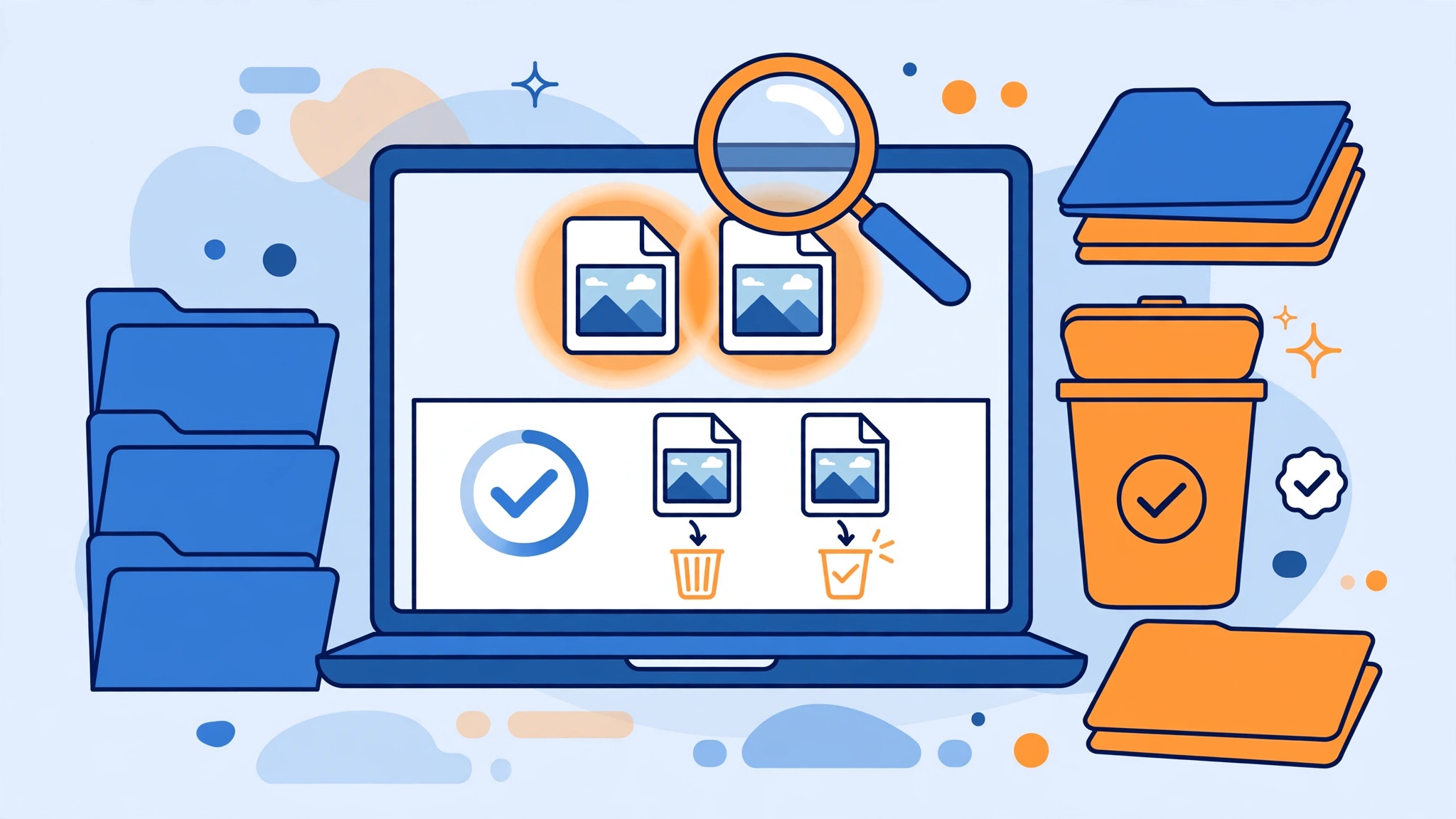
Duplicate file finder apps are one of the simplest ways to win back storage on a crowded laptop or phone. Over a few years, most of us end up with the same photos saved from WhatsApp three times, downloads sitting in two folders, old phone backups copied to the desktop, and music libraries that quietly doubled during a migration. Those copies waste gigabytes, slow down backups, and make it harder to find the version you actually need.
The right tool scans your drives, compares files by content rather than just name, and lets you review copies before anything is deleted. Many of the best options are free, and some are open source, which means anyone can inspect how they work.
The cleanup category also has a messy history. Some “PC cleaner” and “storage booster” apps have used fake warnings to scare people into paying, and regulators have ordered companies to pay millions over it. A widely used cleanup utility was once shipped with hidden malware, and the parent company of another was fined for selling users’ browsing data. Picking the wrong app can cost you more than disk space.
This guide covers the best duplicate file finder tools for Windows, Mac, Linux, Android, and iPhone, how each one works, and where it falls short. You will also get a safe, step-by-step process to remove duplicate files without deleting something important, plus the warning signs of cleaner apps that are better left uninstalled.
How Duplicate File Finder Apps Actually Work
Understanding how detection works helps you choose the right tool and avoid deleting the wrong file.
Matching by Name and Size
The simplest method compares file names and sizes. It is fast but unreliable, because two different files can share a name, like “IMG_0001.jpg” from two different phones, and the same file can have different names.
Matching by Content (Hashing)
Good tools compare the actual content of files. They first group files of the same size, then calculate a hash, a kind of digital fingerprint such as MD5, SHA-1, or a faster modern algorithm. If two files have the same hash, they are almost certainly identical byte for byte. Some apps also do a final byte-by-byte comparison to be completely sure.
This is the method you want for documents, videos, installers, and archives.
Finding Similar Photos
Photos are harder. A resized, compressed, or slightly edited picture is not an exact duplicate, but it may still be clutter. Some apps use similar image detection, comparing visual features to find near-duplicates, burst shots, and screenshots of the same thing. These results always need careful human review.


Matching Music by Tags
Music files can be matched by metadata such as artist, title, and album, or by audio fingerprints. This helps clean libraries where the same song exists at different bitrates.
What to Look for in Duplicate File Finder Apps
Before installing any tool, check for these features:
- Content-based matching, not just names.
- A clear review screen that shows file paths, sizes, and previews before deletion.
- Smart selection rules, such as keeping the newest, oldest, or the copy in a chosen folder.
- Move to Recycle Bin or Trash rather than permanent deletion by default.
- Folder exclusions, so system and program folders are skipped.
- No scare tactics, such as exaggerated “junk” counts or urgent warnings designed to sell an upgrade.
- A clear privacy policy, with no unnecessary data collection.
- A trustworthy source, ideally the developer’s own website, an official app store, or an open-source repository.
9 Best Duplicate File Finder Apps in 2026
The list is split into desktop tools and phone tools. Features and free-plan limits change, so check the current version and always download from the official website, app store, or repository.
Best Duplicate File Finder Software for Windows, Mac, and Linux
1. dupeGuru: Best Free Open-Source Option
dupeGuru is a free, open-source duplicate finder for Windows, macOS, and Linux. It has standard, music, and picture modes, uses fuzzy matching for names and content-based matching for exact copies, and lets you move or delete selected duplicates.
Why users like it: no ads, no upsell, and an interface focused on reviewing results carefully.
Limitation: development has been slower in recent years, so check for the latest release and compatibility with your OS version.
2. Czkawka: Best Fast Open-Source Cleaner
Czkawka is a free, open-source tool written in Rust that finds duplicate files, similar images, similar videos, empty folders, big files, and broken files. It is known for speed on large drives.
Why users like it: many cleanup tools in one free app, with no tracking or ads.
Limitation: the interface is more technical than commercial tools, and similar-image results need careful review.
3. AllDup: Best Free Windows Power Tool
AllDup is a free Windows program with detailed search options, including content comparison, filters by size, date, and type, and flexible rules for which copy to keep.
Why users like it: deep control without paying.
Limitation: the many settings can overwhelm beginners.
4. Duplicate Cleaner Free: Best for Guided Windows Cleanup
Duplicate Cleaner Free by DigitalVolcano offers a clean interface, content-based scanning, and a selection assistant that helps you pick which copies to remove.
Why users like it: easier for beginners than most power tools.
Limitation: advanced features like similar-image matching are in the paid Pro version, and the free version is for personal use.
5. Gemini 2: Best Polished Option for Mac
Gemini 2 by MacPaw is a well-designed duplicate finder for macOS that also detects similar photos and helps clean Photos and Music libraries.
Why users like it: a simple, attractive interface and smart selection.
Limitation: it is a paid app. The free download lets you scan, but removing duplicates beyond a limit requires a purchase.
6. fdupes and rmlint: Best for Linux and Advanced Users
fdupes and rmlint are free command-line tools available in most Linux distributions and on macOS through package managers. They compare file content and can produce scripts or reports before deleting anything.
Why users like them: precise, scriptable, and trusted by system administrators.
Limitation: no graphical interface, so they are best for comfortable command-line users.
Best Duplicate File Finder Apps for Android and iPhone
On phones, the safest options are often built into the system or made by the platform owner. Many third-party “cleaner” apps in app stores are filled with ads or exaggerated warnings, so start here first.
7. Files by Google: Best Free Android Option
Files by Google is a free file manager that includes a Clean section. It suggests duplicate files, large files, old screenshots, and unused apps, and lets you review each group before deleting.
Why users like it: made by Google, free, lightweight, and without the scare tactics common in Android cleaner apps.
Limitation: duplicate detection is basic compared with desktop tools, and similar photos are not always caught.
8. Apple Photos Duplicates Album: Best Built-In iPhone and Mac Option
On recent versions of iOS, iPadOS, and macOS, the Photos app automatically shows a Duplicates album under Utilities. You can review duplicate photos and videos and tap Merge, which keeps the highest-quality version and combines relevant data like captions and keywords.
Why users like it: no extra app, no permissions to grant, and it works with iCloud Photos.
Limitation: it only covers Photos, not files in other apps or folders.
9. Samsung My Files: Best for Galaxy Phones
On many Samsung Galaxy phones, the built-in My Files app includes a storage analysis feature that lists duplicate files, large files, and unused apps.
Why users like it: already installed and integrated with Samsung’s storage tools.
Limitation: availability and menu names vary by phone model and software version.
Quick Comparison of the Best Duplicate File Finder Apps
| App | Platform | Price | Content matching | Similar photos | Best for |
|---|---|---|---|---|---|
| dupeGuru | Windows, Mac, Linux | Free, open source | Yes | Yes | Careful free cleanup |
| Czkawka | Windows, Mac, Linux | Free, open source | Yes | Yes | Fast scans of big drives |
| AllDup | Windows | Free | Yes | Limited | Power users |
| Duplicate Cleaner Free | Windows | Free, Pro paid | Yes | Pro only | Beginners on Windows |
| Gemini 2 | Mac | Paid, free scan | Yes | Yes | Polished Mac cleanup |
| fdupes and rmlint | Linux, Mac | Free, open source | Yes | No | Command-line users |
| Files by Google | Android | Free | Basic | Limited | Android phones |
| Apple Photos Duplicates | iPhone, iPad, Mac | Built in | Yes, photos only | Yes | Photo libraries |
| Samsung My Files | Galaxy phones | Built in | Basic | No | Samsung users |
Reality Check: Scareware, Compromised Cleaners, and Data Selling
Duplicate file finder apps belong to a wider “PC cleaner” and “phone booster” market that has a poor track record. These cases explain why the source of a cleanup tool matters as much as its features.
Restoro and Reimage: $26 Million Over Fake Scans
In 2024, two Cyprus-based companies, Restoro and Reimage, agreed to pay $26 million to settle charges from the US Federal Trade Commission. According to the FTC’s announcement, the companies used fake Windows pop-ups claiming computers were infected and urged people to run a “scan.” Regardless of the computer’s real condition, the scans typically reported serious problems, and consumers were pushed to buy software for $27 to $58, then upsold technician services costing hundreds more. The FTC said older adults were particularly affected.
The companies settled without admitting or denying wrongdoing and agreed not to misrepresent security or performance problems in the future.
The lesson: a scan that always finds alarming “issues” is a sales tactic, not a diagnosis.
Avast and the Sale of Browsing Data
In 2024, the FTC ordered Avast, a security software company that also owned CCleaner’s developer at the time of the data sales, to pay $16.5 million and banned it from selling browsing data for advertising. The FTC alleged that Avast collected browsing data through its browser extensions and antivirus software from at least 2014 and sold it to more than 100 third parties through its subsidiary Jumpshot, despite promising to protect users from tracking, as reported by Help Net Security. Avast said it had voluntarily closed Jumpshot in January 2020.
The lesson: utility software often runs with deep access to your system. Read the privacy policy and avoid tools that collect more data than they need.
The CCleaner Malware Incident
In 2017, security researchers discovered that a legitimate release of CCleaner, one of the world’s most popular cleanup tools, had been compromised by attackers and shipped with hidden malicious code. Millions of users downloaded the affected version before it was fixed. The incident was a supply-chain attack, meaning users did nothing wrong except trust a normal update.
The lesson: even reputable tools can be compromised. Keep software updated, use reputable security software, and uninstall utilities you no longer need.
Fake “Cleaner” and “Booster” Apps on Phones
App stores regularly remove phone “cleaners” that show aggressive ads, display fake storage or virus warnings, or push expensive weekly subscriptions. Many promise to “free up 5 GB instantly” by deleting cache files that the system would clear anyway.
The lesson: on phones, start with built-in tools like Files by Google, Apple Photos, or your phone maker’s file manager.
Deleting Data You Are Required to Keep
There is also a legal side to deletion itself. Businesses may be required to keep records for tax, employment, or legal reasons. Deleting files during an investigation or lawsuit, even if they look like “duplicates,” can be treated as destruction of evidence in many countries. If you manage company or client data, check retention rules before running a bulk cleanup.
What These Cases Teach
- Treat alarming scan results and countdown warnings as red flags.
- Prefer open-source, built-in, or well-established tools with clear privacy policies.
- Even trusted software can be compromised, so keep it updated and minimal.
- Avoid subscription “cleaners” that promise instant gigabytes.
- Never bulk-delete work or legal records without checking retention rules.
How to Remove Duplicate Files Safely: Step by Step
The goal is to free space without losing anything you need. This process works with almost any of the duplicate file finder apps above.
- Back up first. Make a fresh backup to an external drive or cloud before any large cleanup. If you delete the wrong copy, you can restore it.
- Start with personal folders only. Scan Documents, Downloads, Pictures, Videos, Music, and Desktop. Skip Windows, Program Files, Applications, Library, and system folders entirely.
- Use content matching. Choose the option that compares file content or hashes, not just names.
- Set a minimum file size. Ignoring files under 1 MB speeds up scans and focuses on the duplicates that actually waste space.
- Review groups, not just totals. Look at the full path of each copy to understand why it exists.
- Use smart selection rules carefully. For example, keep the copy in your main Photos or Documents folder and mark copies in Downloads or old backup folders.
- Move to Recycle Bin or Trash first. Avoid permanent deletion until you are sure.
- Check your apps and files for a few days. Open the folders you cleaned, and make sure photo libraries, music players, and projects still work.
- Empty the Trash only after that check.
Files You Should Never Delete as “Duplicates”
Some files look like duplicates but must stay where they are:
- System and program files, including DLLs, frameworks, and drivers that different programs need in their own folders.
- Files inside app libraries such as Photos, Lightroom catalogs, or music libraries, unless you use the app’s own duplicate tool.
- Cloud sync folders like OneDrive, Google Drive, Dropbox, or iCloud Drive, where deleting a local copy may delete it everywhere.
- Project folders for software, design, or video editing, where identical assets may be referenced by path.
- Backups you intentionally keep as a second or third copy under the 3-2-1 rule.
- Work, tax, and legal records that must be retained.
Prevent Duplicates From Coming Back
- Turn off automatic media saving in WhatsApp and similar apps, or save only from chats you choose.
- Pick one main folder for downloads and one for photos, and sort new files weekly.
- Use one cloud service for photo backup instead of several syncing the same library.
- Import photos from your phone with tools that skip already-imported items.
- Run a duplicate scan every few months rather than once every few years.
For broader guidance on staying safe with software downloads and scam pop-ups, the FTC’s guide to tech support scams is a clear, practical reference.
FAQs About Duplicate File Finder Apps
What is the best free duplicate file finder?
For Windows, Mac, and Linux, dupeGuru and Czkawka are strong free, open-source choices. AllDup and Duplicate Cleaner Free are good Windows options. On phones, Files by Google and the Apple Photos Duplicates album are the safest starting points.
Is it safe to delete duplicate files?
Yes, if you review each group, stick to personal folders, and move files to the Recycle Bin or Trash first. Avoid deleting system, program, library, or cloud sync files.
How do duplicate file finders detect identical files?
Good tools compare file size first, then calculate a hash or do a byte-by-byte comparison to confirm the content is identical. Photo tools may also compare visual similarity.
Do phone cleaner apps really free up space?
Some do, but many exaggerate results or mainly clear cache the system would manage anyway. Built-in tools are usually safer and free.
Can duplicate file finders delete important files by mistake?
They can if you accept automatic selections without checking. Always back up first and review file paths before deleting.
Conclusion
Duplicate file finder apps are a simple, effective way to reclaim storage, and the best options are often free: dupeGuru and Czkawka for open-source cross-platform cleanup, AllDup and Duplicate Cleaner Free for Windows, Gemini 2 for a polished Mac experience, fdupes and rmlint for command-line users, and built-in tools like Files by Google, Apple Photos Duplicates, and Samsung My Files for phones. Choose tools that match files by content, show clear previews, and move items to the Trash instead of deleting them permanently. The cases covered here, from Restoro and Reimage paying $26 million over fake scans and Avast’s $16.5 million FTC order for selling browsing data to the compromised CCleaner release and the endless stream of fake phone boosters, show that the cleanup market rewards caution. Back up first, scan only personal folders, review every group, avoid scare-tactic apps, and respect data you are required to keep, and you will free up space without creating new problems.