Best Free Graphic Design Software for Beginners
Free graphic design software for beginners compared on features, learning curve, and hidden limits, plus real piracy and copyright cases to avoid.
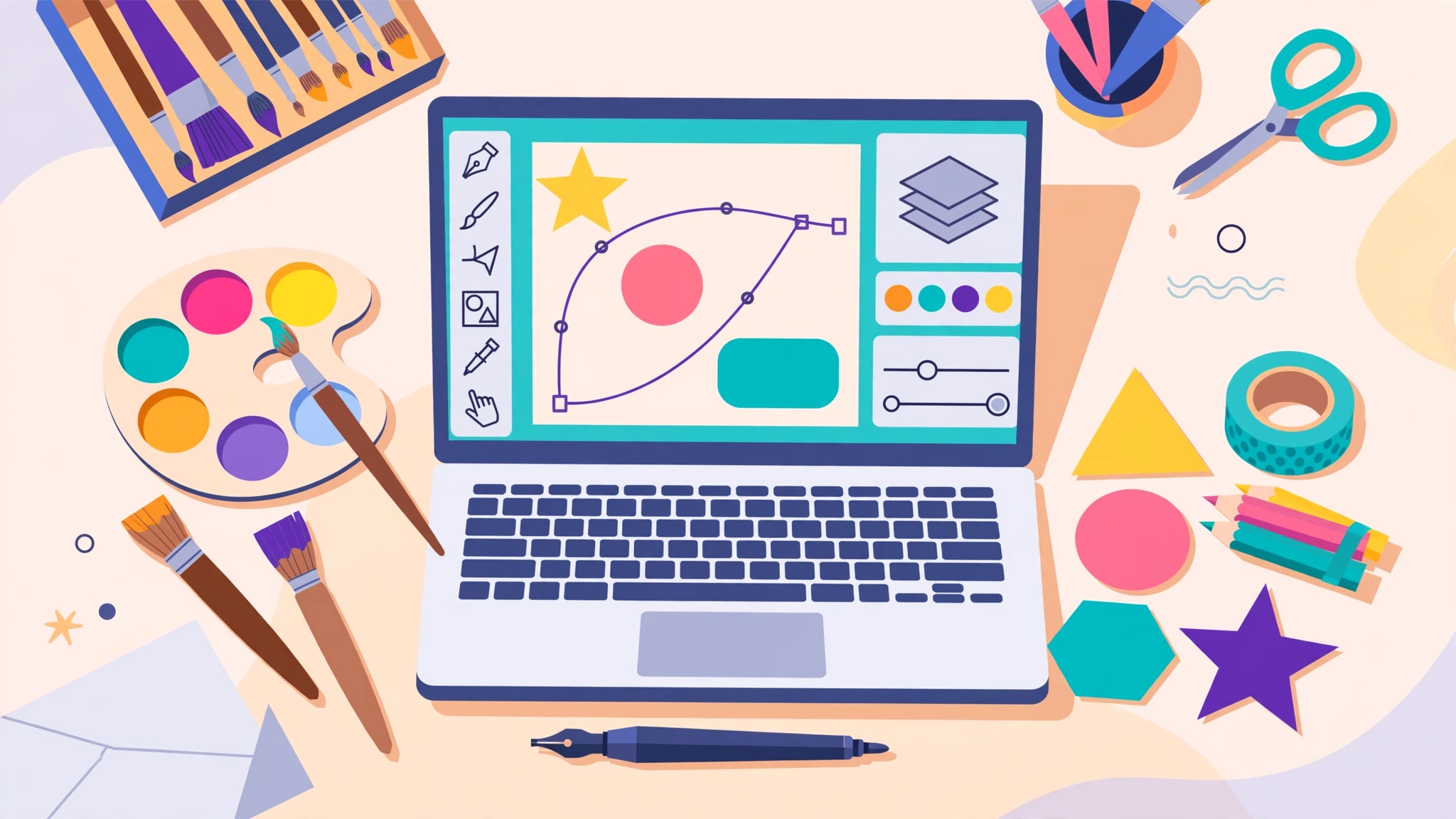
Free Graphic Design Software for Beginners: 10 Best Tools You Can Trust in 2026
Introduction
Free graphic design software has never been better than it is right now. A student can design a full social media campaign in a browser tab. A small shop owner can make a logo, a menu, and a flyer without paying anything. A beginner with a cheap laptop can learn the same core skills professionals use every day.
The hard part is choosing. Search for the best free design tools and you will find dozens of lists, many of them written by the companies being ranked. Some “free” tools hide key features behind a paywall. Others are genuinely free but hard to learn. And a surprising number of beginners skip the free options entirely and download a cracked copy of expensive software instead.
That last choice causes real damage. Pirated design software is one of the most common ways malware reaches personal computers, and security researchers have tracked password-stealing programs spreading through fake cracks for years. Beginners also run into copyright trouble with fonts, stock images, and logos they assumed were free to use. Some of these mistakes have ended in lawsuits and even criminal charges.
This guide covers ten tools that are legitimately free, explains what each one is best at, and shows where the real-world risks lie. You will also find a simple learning path and a set of ethical habits that keep your work original, legal, and safe. By the end, you should know exactly which tool to open first.
What Top-Ranking Pages on Free Graphic Design Software Miss
I reviewed the pages ranking for “best free graphic design software” and “free design tools for beginners” in October 2026, including software review sites, design blogs, and vendor pages from Canva, Adobe, and others. Most of them are long lists of 15 to 30 tools with short descriptions.
What they usually leave out:
- Which “free” tools are fully free and which are trials or freemium
- Major changes such as Affinity becoming free in late 2025, which many older lists still miss
- The malware risk of pirated design software
- Copyright, font licensing, and trademark issues that catch beginners out
Primary keyword
- free graphic design software (focus keyword)
Secondary and LSI keywords used in this article
- graphic design software for beginners
- free design tools
- Photoshop alternative
- vector graphics editor
- open-source design software
- online graphic design tool
- Canva free plan
- logo design software
- pirated software
- copyright infringement
What “Free” Really Means in Free Graphic Design Software
The word “free” covers several very different business models. Knowing which one you are dealing with saves frustration later.
Open-source software
Open-source design software like GIMP, Inkscape, Krita, and Penpot is built by communities and released under licences that let anyone use, study, and share it. There are no paid tiers, no watermarks, and no account required. You can use it for commercial work without asking permission.
Free-forever professional apps
Some companies give away powerful software to grow a wider platform. Affinity, now owned by Canva, became completely free in October 2025, with only optional AI features tied to a paid Canva plan. You need a free Canva account to download it.

Freemium tools
Canva, Adobe Express, Figma, and Pixlr have generous free plans but lock some features, templates, or storage behind a subscription. The Canva free plan, for example, is enough for most beginners, but premium elements show a watermark until you pay.
Ad-supported web apps
Photopea runs in your browser for free and shows ads. Paying removes them, but the full editor works either way.
Free trials
A seven-day or one-month trial is not free software. It is a paid product with a delayed charge. Always note the end date, and check how cancellation works before you enter card details.
A quick rule of thumb
Before you commit time to learning a tool, check three things:
- Can you export your work in standard formats such as PNG, PDF, and SVG for free?
- Can you use your designs commercially on the free plan?
- Will you lose access to your files if you never upgrade?
Best Browser-Based Free Graphic Design Software for Beginners
If you are completely new, start in the browser. These tools need no installation, run on modest laptops and Chromebooks, and get you making something useful on day one.
1. Canva
Canva is the most popular online graphic design tool for beginners, and for good reason. Drag-and-drop templates cover social posts, presentations, posters, resumes, and business cards. The Canva free plan includes thousands of templates, basic photo editing, and enough cloud storage for most personal projects.
- Best for: social media graphics, quick marketing materials, school projects
- Limits: premium templates and elements show watermarks; heavy reliance on templates can slow down real skill building
2. Adobe Express
Adobe Express is Adobe’s free answer to Canva. It offers templates, quick photo edits, background removal, and simple video tools, with a clean interface and access to a selection of Adobe Fonts.
- Best for: beginners who may later move into Adobe’s professional apps
- Limits: many premium assets and features need a paid plan
3. Photopea
Photopea is a browser-based photo editor that looks and works much like Photoshop. It opens PSD files, supports layers, masks, and adjustment layers, and runs entirely in your web browser. It is the closest thing to a free Photoshop alternative you can use without installing anything.
- Best for: learning photo editing skills that transfer to Photoshop
- Limits: ads in the free version; very large files can be slow
4. Pixlr
Pixlr offers two browser editors: Pixlr Express for quick fixes and Pixlr Editor for layer-based work. It also includes simple AI tools for background removal and object cleanup.
- Best for: fast photo touch-ups on low-powered computers
- Limits: daily limits on some AI features and saves in the free plan
Best Desktop Free Graphic Design Software
Once you outgrow templates, desktop apps give you full control. These four are free and capable of professional work.
5. Affinity by Canva
This is the biggest change in free graphic design software in years. In October 2025, Canva relaunched Affinity as a single app that combines vector design, photo editing, and page layout, the work of the old Affinity Designer, Photo, and Publisher. Canva says the full professional toolset is now free for everyone, with AI tools like Generative Fill reserved for Canva Premium users (9to5Mac report on the Affinity relaunch). It opens PSD, AI, PDF, SVG, and IDML files.
- Best for: beginners who want one serious app for logos, photos, and print layouts
- Limits: you need a Canva account; Mac and Windows only at launch, with iPad promised later
6. GIMP
GIMP has been the classic free photo editor for over 25 years. It handles layers, masks, retouching, and plugins, and runs on Windows, Mac, and Linux. GIMP 3.0, released in 2025, brought a more modern interface and non-destructive filters.
- Best for: photo editing and retouching on any operating system
- Limits: the interface still feels different from Photoshop, so tutorials matter
7. Inkscape
Inkscape is the leading free vector graphics editor. Vectors are made of shapes and paths rather than pixels, so they scale to any size without blurring. That makes Inkscape a solid logo design software choice, as well as good for icons, illustrations, and print work. It saves in the standard SVG format.
- Best for: logos, icons, and illustrations
- Limits: can feel slow on very complex files
8. Krita
Krita is built for digital painting and illustration. It has excellent brushes, pressure-sensitive pen support, and animation tools, and is free and open source.
- Best for: illustrators, comic artists, and anyone with a drawing tablet
- Limits: not designed for layout or text-heavy design
Free Graphic Design Software for UI and Web Design
If you are interested in designing apps and websites, these two tools teach the skills employers ask for.
9. Figma
Figma is the industry standard for user interface design. It runs in the browser or as a desktop app, supports real-time collaboration, and has a huge community library of free UI kits, icons, and templates. The free Starter plan is enough to learn and build personal projects.
- Best for: app and website design, wireframes, prototypes
- Limits: the free plan restricts the number of editable files and some team features
10. Penpot
Penpot is an open-source design software alternative to Figma. It runs in the browser, uses open web standards like SVG and CSS, and can even be self-hosted by organisations that want full control over their data.
- Best for: students and teams who want a free, open alternative with no vendor lock-in
- Limits: smaller community and fewer plugins than Figma
Which one should a beginner start with?
If UI design is your goal, start with Figma because most tutorials and job listings use it. Try Penpot if you prefer open-source tools or work somewhere that cannot rely on a commercial cloud service.
Free Graphic Design Software Comparison Table
Use this table to match a tool to the kind of work you want to do.
| Tool | Type | Best for | Platform | Free model | Learning curve |
|---|---|---|---|---|---|
| Canva | Templates, layout | Social media, marketing | Browser, mobile, desktop | Freemium | Very easy |
| Adobe Express | Templates, quick edits | Social posts, flyers | Browser, mobile | Freemium | Very easy |
| Photopea | Photo editing | Photoshop-style editing | Browser | Free with ads | Medium |
| Pixlr | Photo editing | Quick touch-ups | Browser | Freemium | Easy |
| Affinity | Vector, photo, layout | All-round professional work | Mac, Windows | Free (AI is paid) | Medium to hard |
| GIMP | Photo editing | Retouching, compositing | Windows, Mac, Linux | Open source | Medium to hard |
| Inkscape | Vector | Logos, icons | Windows, Mac, Linux | Open source | Medium |
| Krita | Painting | Illustration, comics | Windows, Mac, Linux | Open source | Medium |
| Figma | UI design | Apps and websites | Browser, desktop | Freemium | Medium |
| Penpot | UI design | Open-source UI work | Browser, self-hosted | Open source | Medium |
Free plans change often, so check each official site for current limits before starting a big project.
The Real Risks: Piracy, Copyright, and Data Cases Beginners Should Know
With so much good free graphic design software available, there is no good reason to pirate paid tools. These real cases show what can go wrong when beginners cut corners.
Case 1: Cracked Photoshop and 3.2 million infected PCs
In 2021, researchers at NordLocker found a database built by an unnamed trojan that had infected about 3.2 million Windows computers between 2018 and 2020. It stole 1.2 terabytes of data, including around 26 million login credentials and billions of browser cookies. Screenshots captured by the malware showed it spread largely through pirated software, including a cracked copy of Adobe Photoshop. It even took webcam photos of some victims (PC Gamer report).
Case 2: A cracked software empire run for profit
In 2025, researchers linked a Pakistan-based criminal network to a five-year operation that spread password-stealing malware disguised as cracked programs such as Adobe After Effects. The group used thousands of websites and paid affiliates for every successful download, earning millions of dollars. Its operation was exposed only when the criminals themselves got infected by the same kind of malware (TechRadar report).
Security researchers have also found fake “Photoshop crack” tutorials on YouTube used to spread malware, and one 2025 study of infostealer infections found cracked software was the single most common cause, at about 28% of cases.
Case 3: The “Hope” poster and a criminal conviction
Artist Shepard Fairey created the famous 2008 Obama “Hope” poster from a news photo taken by an Associated Press photographer. When the AP raised copyright infringement, Fairey sued first, then admitted he had destroyed and fabricated evidence about which photo he had used. The civil case settled, and in 2012 he pleaded guilty to criminal contempt and was sentenced to probation, community service, and a fine. The lesson for beginners: tracing or closely copying someone else’s photo is not “inspiration,” and lying about it makes things far worse.
Case 4: A design platform data breach
In May 2019, Canva disclosed a breach in which an attacker accessed data on roughly 139 million users, including names, email addresses, and for some accounts, hashed passwords. Canva forced password resets and improved security. Free cloud tools are still worth using, but your account needs a unique password and two-step login.
Case 5: “Free trial” traps
In 2024, the US Department of Justice sued Adobe, alleging it hid large early termination fees in its popular annual plans billed monthly and made cancellation difficult. Adobe disputed the claims. Whatever the outcome, it is a reminder that a trial of paid software is a contract, not a free tool.
What these cases teach
- Download only from official websites or app stores
- Never install “cracks,” “patches,” or “keygens”
- Make original work, or use assets you have a clear licence for
- Protect design accounts with unique passwords and two-step login
- Read trial and subscription terms before entering card details
Ethical Design Habits and a Beginner Learning Path
Good tools are only half the story. How you use free graphic design software decides whether your work is something you can proudly put in a portfolio or something that gets you into trouble.
Ethical habits every beginner should build
- Check font licences. A font that is free for personal use may not be free for a logo or a client project. Google Fonts are a safe starting point because they are open licensed.
- Use properly licensed images. Stock sites such as Unsplash and Pexels have their own licences. Read them, and never take images from a Google search and assume they are free.
- Do not copy logos or brand characters. Recreating a famous logo or cartoon character for a client is trademark and copyright infringement, even if you redraw it yourself.
- Be honest about AI. If you use AI image tools, check the platform’s terms on commercial use, avoid prompts that copy a named living artist’s style for profit, and tell clients when AI was involved.
- Credit and ask. If you build on someone else’s work, credit them and, for commercial use, get permission.
- Respect templates. Templates are fine to use, but selling a lightly edited Canva template as an “original logo” misleads clients and may break the platform’s terms.
A simple learning path
- Weeks 1 to 2: Canva or Adobe Express. Learn layout basics, alignment, colour, and typography using templates, then try designing without them.
- Weeks 3 to 6: Photopea or GIMP. Learn layers, masks, cropping, and colour correction. These are the foundations of photo editing.
- Weeks 7 to 10: Inkscape or Affinity. Learn vector shapes and paths by designing simple logos and icons from scratch.
- Weeks 11 onward: pick a direction. Choose Figma or Penpot for UI design, Krita for illustration, or Affinity for print and branding.
- Build a small portfolio. Five to eight original projects, each with a short explanation of the brief and your choices, will do more for you than 50 template edits.
Free learning resources
Most of these tools have official tutorials and active communities. GIMP, Inkscape, and Krita publish free manuals, Figma runs a free learning hub, and Canva has its own Design School with short courses.
Free Graphic Design Software FAQs
What is the best free graphic design software for complete beginners?
Canva is the easiest place to start because templates teach layout as you go. Once you feel limited, move to Affinity, GIMP, or Inkscape to learn skills from scratch.
Can I use free graphic design software for commercial work?
Yes, in most cases. Open-source tools like GIMP, Inkscape, and Krita place no limits on commercial use, and Affinity is free for professional work. With freemium tools, check the licence for templates, images, and fonts, since those often have their own rules.
Is there a free alternative to Photoshop and Illustrator?
Photopea and GIMP are the most popular free Photoshop alternatives. Inkscape is the leading free alternative to Illustrator. Affinity now covers both photo and vector work in one free app.
Is it safe to download cracked design software?
No. Cracked software is one of the most common ways password-stealing malware spreads, and using it is illegal. With this much free graphic design software available, there is no need to take that risk.
Conclusion
The best free graphic design software for beginners in 2026 covers every kind of creative work without costing anything: Canva and Adobe Express for quick, template-based designs; Photopea and Pixlr for browser photo editing; Affinity, GIMP, Inkscape, and Krita for serious desktop work in layout, photos, vectors, and illustration; and Figma and Penpot for app and website design. Real cases show why choosing legitimate tools matters, from the trojan that spread through cracked Photoshop to 3.2 million PCs and the cracked software malware network that earned millions, to Shepard Fairey’s criminal conviction over the “Hope” poster, Canva’s 2019 data breach, and disputes over hard-to-cancel subscriptions. Start with an easy browser tool, move to a desktop app as your skills grow, download only from official sources, respect font and image licences, protect your accounts, and build a portfolio of original work you can stand behind.