How to Protect Your Smartphone From Theft and Data Loss
Protect your smartphone from theft and data loss with 12 proven steps, from anti-theft locks and backups to what to do in the first hours after theft.
Protect Your Smartphone From Theft and Data Loss
Introduction
If you want to protect your smartphone from theft, you need to plan for two separate losses: the phone itself and everything on it. The handset can be replaced. Your family photos, WhatsApp chats, banking apps, and the SIM linked to your mobile wallet are much harder to get back, and in the wrong hands they can cost far more than the phone.
The risk is real. In Karachi alone, the Citizens-Police Liaison Committee recorded 14,705 mobile phones snatched between January and September 2026, an average of more than 50 a day. In London, police broke up a gang suspected of smuggling up to 40,000 stolen phones to China in a single year. Thieves today are organized, fast, and often more interested in your accounts than your hardware.
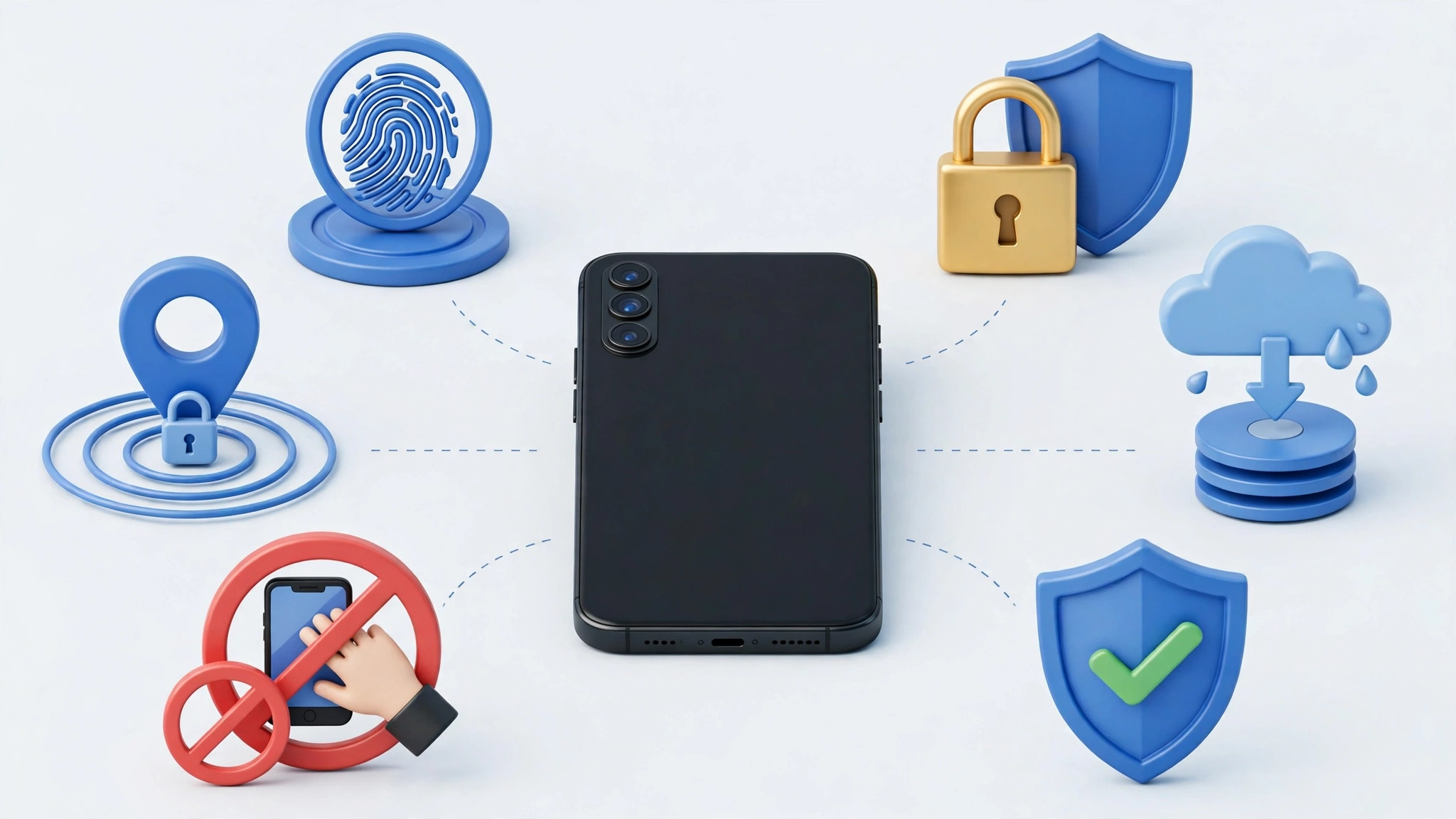
The good news is that modern phones include strong anti-theft tools, and most of them are free. Features like Stolen Device Protection on iPhone and Theft Detection Lock on Android can make a snatched phone almost worthless to a thief. Regular backups mean a stolen or broken phone never takes your memories with it.
This guide walks through twelve practical steps, from settings you can turn on in five minutes to habits that make you a harder target. It also covers exactly what to do in the first hours after a theft, and the real cases that show why each step matters.
Why Phone Thieves Want More Than Your Phone
A stolen phone has two kinds of value to a criminal. The first is resale. Premium phones, especially iPhones, are exported or broken down for parts. The second, and often bigger, is access. An unlocked phone can open banking apps, WhatsApp, email, and the SIM card that receives one-time passwords (OTPs) for mobile wallets like JazzCash and Easypaisa.
That is why phone theft protection has two goals:
- Make the phone useless to a thief, so it is not worth stealing or reselling.
- Make your data and accounts unreachable, even if the thief has the phone in hand.
Data loss is a separate but related risk. Phones get dropped in water, cracked beyond repair, or simply die. Without a backup, the result is the same as theft: years of photos and chats gone.
12 Proven Steps to Protect Your Smartphone From Theft and Data Loss
Work through these once, and most of your protection runs automatically from then on.
1. Use a strong screen lock
Use a six-digit PIN or longer, plus fingerprint or face unlock. Avoid patterns, which are easy to watch over your shoulder, and avoid obvious codes like 123456 or your birth year. Set the screen to lock after 30 seconds of inactivity.

2. Turn on Find My Device or Find My
On Android, turn on Find My Device in Settings > Google > All services > Find My Device. On iPhone, turn on Find My iPhone in Settings > your name > Find My. These let you locate, lock, play a sound on, or remote wipe your phone from any browser. As the London case below shows, a single tracked phone can even lead police to an entire smuggling network.
3. Turn on Stolen Device Protection (iPhone)
Apple’s Stolen Device Protection requires Face ID or Touch ID, with no passcode fallback, for sensitive actions when your iPhone is away from familiar places like home or work. Changing your Apple Account password or your passcode also triggers a security delay. This stops a thief who watched you type your passcode from taking over your account. Turn it on in Settings > Face ID & Passcode.
4. Turn on Theft Protection features (Android)
Google has added Theft Detection Lock, which uses motion sensing to lock the screen if the phone is snatched and someone runs or rides away with it. Related features include Offline Device Lock, which locks the screen if the phone is disconnected from the network for too long, and Remote Lock, which lets you lock the phone using just your number. Find them in Settings > Google > All services > Theft protection. Availability depends on your phone and Android version.
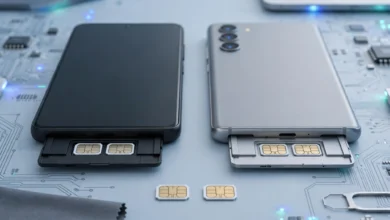
5. Set a SIM PIN
A SIM PIN stops a thief from putting your SIM in another phone to receive your OTPs. Set it in your phone’s security settings using the default PIN from your operator, then change it. Write down your PUK code (on the SIM card holder) and keep it at home.
6. Secure your mobile wallet and banking apps
Lock every financial app with its own PIN or biometric. Turn on transaction alerts, set daily limits, and never save card details or passwords in notes or photos on the phone.
7. Turn on two-step verification everywhere
Use two-factor authentication for email, Google or Apple accounts, Facebook, and Instagram. In WhatsApp, go to Settings > Account > Two-step verification and set a PIN. This stops someone from moving your WhatsApp to another phone with just an SMS code.
8. Back up automatically
Turn on cloud backup so a lost phone never means lost memories. On Android, use Google One backup and Google Photos. On iPhone, use iCloud Backup. Back up WhatsApp chats separately in WhatsApp’s own settings. For extra safety, copy important photos to a computer or external drive every few months.
9. Hide notifications on the lock screen
If OTPs and message previews appear on your lock screen, a thief can read them without unlocking the phone. Set notifications to hide sensitive content until the phone is unlocked.
10. Record your IMEI number
Dial *#06# and save your IMEI somewhere other than the phone, such as on the box, in an email to yourself, or with a family member. You will need it to report and block a stolen phone.
11. Keep software updated and avoid unknown apps
System updates add new theft protection features and fix security holes. Install apps only from Google Play or the App Store, and remove apps you do not use.
12. Change your street habits
Settings cannot stop every snatching. Small habits make you a harder target:
- Avoid using your phone at traffic signals, roadside stops, and ATM queues.
- Walk facing traffic and keep the phone on the side away from the road.
- Use earphones for calls instead of holding the phone out.
- Do not resist an armed robber. A phone is never worth your life.
What to Do in the First Hours After Your Phone Is Stolen
Speed matters. Thieves often try to access accounts within minutes. Follow these steps in order, using a family member’s phone or a computer:
- Lock the phone remotely through Find My Device (android.com/find) or Find My (icloud.com/find), and mark it as lost.
- Call your mobile operator to block your SIM, then get a replacement SIM at a franchise with biometric verification.
- Call your bank and mobile wallet helplines to block accounts linked to the number.
- Change passwords for your Google or Apple account, email, and social media, and sign out of other devices.
- Report to the police or CPLC and get a written report with your IMEI number.
- Ask for the IMEI to be blocked through the PTA’s Lost and Stolen Device System, usually requested through the police or CPLC report.
- Warn your contacts that anyone messaging from your number may be a scammer asking for money.
- Erase the phone remotely once you are sure you will not get it back.
If you do recover the phone, the IMEI block can be lifted through the same process.
Real Cases That Show Why You Should Protect Your Smartphone From Theft
Phone theft is not random bad luck. It is an organized business with buyers, smugglers, and technicians who strip phones of their identity. These cases show how it works and why the steps above matter.
London: one tracked iPhone exposed a 40,000-phone smuggling ring
In October 2025, London’s Metropolitan Police announced what it called the UK’s largest ever operation against phone theft. It began after a victim tracked a stolen iPhone to a warehouse near Heathrow Airport, where officers found it in a box with hundreds of other stolen phones waiting to be shipped abroad.
The investigation uncovered a network suspected of smuggling up to 40,000 stolen phones from the UK to China in a single year, potentially up to 40% of all phones stolen in London. Police said street thieves were paid up to £300 per phone, while the devices could sell for thousands of pounds in China. The operation led to 46 arrests, including suspects caught robbing courier vans carrying new iPhones. The Metropolitan Police statement on the phone theft crackdown has the full details.
The lesson: Find My worked. Turning on tracking does not only help you. It can help police reach the people organizing the thefts.
Karachi: more than 14,000 phones snatched in nine months
Pakistan has its own serious problem. According to Citizens-Police Liaison Committee data reported by Geo News, 14,705 mobile phones were snatched in Karachi from January to September 2026, including 1,859 in September alone. In one October incident captured on CCTV in Gulberg, armed robbers pointed a pistol at a child before snatching a phone and ring from her mother. Geo News’ report on Karachi’s CPLC crime figures covers the numbers.
The lesson: in armed snatchings, your safety comes first. Hand over the phone, then rely on remote lock, SIM blocking, and IMEI blocking to protect your data and money.
IMEI tampering keeps stolen phones in use
In Pakistan, a blocked IMEI is supposed to make a stolen phone useless on local networks. That is why criminals change it. The PTA and FIA have repeatedly raided shops doing this:
- Sheikhupura, September 2020: a man was arrested for changing phone IMEIs, and his equipment was seized.
- Faisalabad: joint raids recovered 17 patched handsets and a laptop running tampering software, and five people were arrested.
- Gujranwala, June 2025: two PTA raids targeted IMEI tampering, with FIRs registered.
- Gilgit: the PTA, FIA, and police raided four repair shops in the NLI Market over IMEI tampering.
Karachi police have also arrested a group of mobile robbers that included a mobile software technician who changed the IMEIs of snatched phones. The lesson: buying a cheap phone with an unclear history may mean buying someone else’s stolen phone. Always check the IMEI on the PTA DIRBS portal or by SMS to 8484, and insist on a receipt.
Stolen phones used to empty bank accounts
In October 2026, the NCCIA’s Multan circle recovered Rs 2 million for a citizen who said money was stolen from his bank account after his phone was hacked. Across Pakistan, the NCCIA says fake calls and OTP scams caused some of the biggest public losses over the past year. When a thief has your unlocked phone or your SIM, the same tricks become much easier.
The lesson: a SIM PIN, app locks, hidden lock screen notifications, and fast calls to your bank and operator after a theft are what protect your money.
Data recovered from old and resold phones
The risk does not end with theft. Security researchers have repeatedly bought second-hand phones and memory cards and recovered personal photos, chats, and documents that owners thought were deleted. If you sell, donate, or trade in a phone, back it up, sign out of your Google or Apple account, and do a full factory reset. Remove the SIM and any memory card first.
Common Mistakes That Make Phone Theft Worse
- Saving passwords and CNIC photos in the gallery. A thief who unlocks the phone gets everything.
- Using the same PIN for the phone, SIM, and bank apps. One leaked code opens all of them.
- Skipping backups because “it won’t happen to me.” Theft, water, and drops happen to everyone eventually.
- Waiting to report. Every hour gives a thief more time to access accounts.
- Buying used phones without checking the IMEI. You may lose both the money and the phone when it gets blocked.
Conclusion
To protect your smartphone from theft and data loss, set up the basics once: a strong screen lock, Find My Device or Find My, Stolen Device Protection on iPhone or Theft Detection Lock on Android, a SIM PIN, two-step verification, locked banking apps, hidden lock screen notifications, automatic cloud backups, and a saved IMEI number, then pair them with careful street habits and a clear plan for the first hours after a theft, when you should lock the phone remotely, block your SIM and wallets, change passwords, and report the IMEI for blocking. The London gang that smuggled up to 40,000 phones to China, the 14,705 phones snatched in Karachi in the first nine months of 2026, and the repeated PTA and FIA raids on IMEI tampering all show that thieves are organized, but a phone that is locked, tracked, and backed up is worth very little to them and costs you far less to lose.