How to Use Google Workspace for Free as a Student
Google Workspace for students is free through most schools. Here's how to get it legally, what you get, and why shortcut .edu accounts end badly.
Google Workspace for Students: 7 Proven Ways to Use It Free and Legally in 2026
Introduction
Google Workspace for students is one of the best free deals in education, and a lot of people who qualify already have it without realizing. If your school runs on Google, your student email probably gives you Gmail, Drive, Docs, Sheets, Slides, Meet, and Classroom at no cost. The catch is simple: the free version belongs to your school, not to you.
That detail matters more than most guides admit. Search this topic and you will find posts promising “free unlimited Google Drive” or “lifetime edu accounts” for a few dollars. Some of those offers even worked for a while. Then Google shut them down, schools deleted accounts, and people lost years of files almost overnight.
This guide sticks to what actually works. You will see how Google Workspace for Education is licensed, the legitimate ways to get Google Workspace free as a student, what you really get in apps and Google Drive storage, and what happens to your account after graduation. We will also walk through the shortcuts people tried before, from resold .edu accounts on eBay to inflated storage tricks, and why each one ended badly for the buyer.
If you want working tools for your classes without putting your files or your academic record at risk, this is the realistic version. No hacks, no gray areas, just the routes that hold up and the mistakes worth avoiding.
What Is Google Workspace for Students, Really?
There is no separate product called “Google Workspace for students” that you buy or sign up for on your own. What students use is Google Workspace for Education, which Google licenses to schools, colleges, and universities. Your school sets it up, creates your account, and decides which apps you can use.
The free tier used to be called G Suite for Education. In 2021 Google renamed its free edition to Education Fundamentals and introduced paid tiers on top of it. If you see older guides mention G Suite, they are talking about the same thing.
The Four Google Workspace for Education Editions
Here is how the editions break down, in plain terms:
| Edition | Who pays | What it adds |
|---|---|---|
| Education Fundamentals | Free for qualifying institutions | Core apps: Gmail, Drive, Docs, Sheets, Slides, Meet, Classroom, Forms |
| Education Standard | School pays | Extra security and admin tools |
| Teaching and Learning Upgrade | School pays, per teacher | Advanced Meet features, extra Classroom tools |
| Education Plus | School pays | Everything above, plus more storage and analytics |
For students, the important part is the first row. Education Fundamentals is available at no cost for qualifying institutions, which is why most students never pay a cent. The paid editions are purchased by the school, not by you.


Who Qualifies for Free Google Workspace for Education?
Google approves institutions, not individual students. In general, the school needs to be an accredited, nonprofit educational institution, such as a public or private K-12 school, a college, or a university. Homeschools and some co-ops can qualify in certain regions, but the application always comes from the organization.
So if you are asking “how do I sign up for Google Workspace for students?”, the honest answer is that you usually do not. You get access by being enrolled at a school that already has it.
How to Use Google Workspace for Free as a Student: 7 Legit Ways
Each of these routes is allowed by Google and by your school. None of them involve buying accounts or bending the rules.
1. Activate Your School-Issued Student Account
This is the main way to get Google Workspace for students free. Most schools that use Google give every enrolled student an account that ends in the school’s domain, like name@yourschool.edu.
To find out if you have one:
- Check your welcome email or student portal for a “Google account” or “student email” section.
- Go to accounts.google.com and try signing in with your student email.
- If it asks for a password you never set, look for a temporary password in your enrollment documents or contact IT.
- Once you are in, open drive.google.com and docs.google.com to confirm the apps are switched on.
If your school uses Google, this one step covers almost everything you need for coursework.
2. Ask Your School’s IT Team About Google Workspace for Education
Some schools have Google Workspace for Education but only enable it for certain programs, or they have not rolled it out to students yet. A short, polite email to IT can sort this out. Ask whether student accounts exist, which apps are enabled, and what the storage quota is.
If your school does not use Google at all, student councils and faculty can request it. The school itself applies to Google, and approval is free for qualifying institutions. It is a slow process, but it has worked at plenty of smaller colleges.
3. Join Google Classroom With the Account You Already Have
Google Classroom is free. Teachers can invite students using school accounts, and in many setups, personal Google accounts too. If your teacher posts a class code, you can join, submit work, and collaborate in Docs without paying anything.
4. Use a Free Personal Google Account for the Same Core Apps
This one gets overlooked. A regular free Google account already includes Gmail, Docs, Sheets, Slides, Forms, Meet, Calendar, and 15 GB of storage shared across Drive, Gmail, and Photos. For a lot of students, that is enough.
What you miss compared with a school account is mostly the admin layer: school-managed sharing, Classroom integration with your institution, and higher pooled storage. The apps themselves feel nearly identical.
5. Keep Personal and School Accounts Side by Side
The smartest setup for most students is two accounts, used for different jobs:
- School account: class assignments, group projects with classmates, anything your teachers need to access.
- Personal account: your resume, portfolio, personal photos, and anything you want to keep after graduation.
You can be signed in to both in the same browser and switch with your profile picture. This habit alone prevents most of the data loss stories you will read later in this article.
6. Enroll in an Accredited Course That Includes a Student Account
If you are not currently a student, enrolling in a real course at a community college or accredited online program often comes with a student Google account. This is legitimate as long as the enrollment is genuine and you follow the school’s acceptable use policy. Signing up only to grab an account and never attending is where it starts to cross the line.
7. Use Official Student Offers From Google, Not Resellers
Google sometimes runs student promotions, like discounted or free trials of Google One storage or AI features, usually verified through a student status service. These are real, but they change often and vary by country. Only trust offers that come from a google.com page or your school. If a third party is selling access, it is not an official offer.
What You Actually Get With Google Workspace for Students
A school account through Google Workspace for Education Fundamentals gives you the full set of everyday tools. What changes from school to school is how much storage you get and which extras your admin switches on.
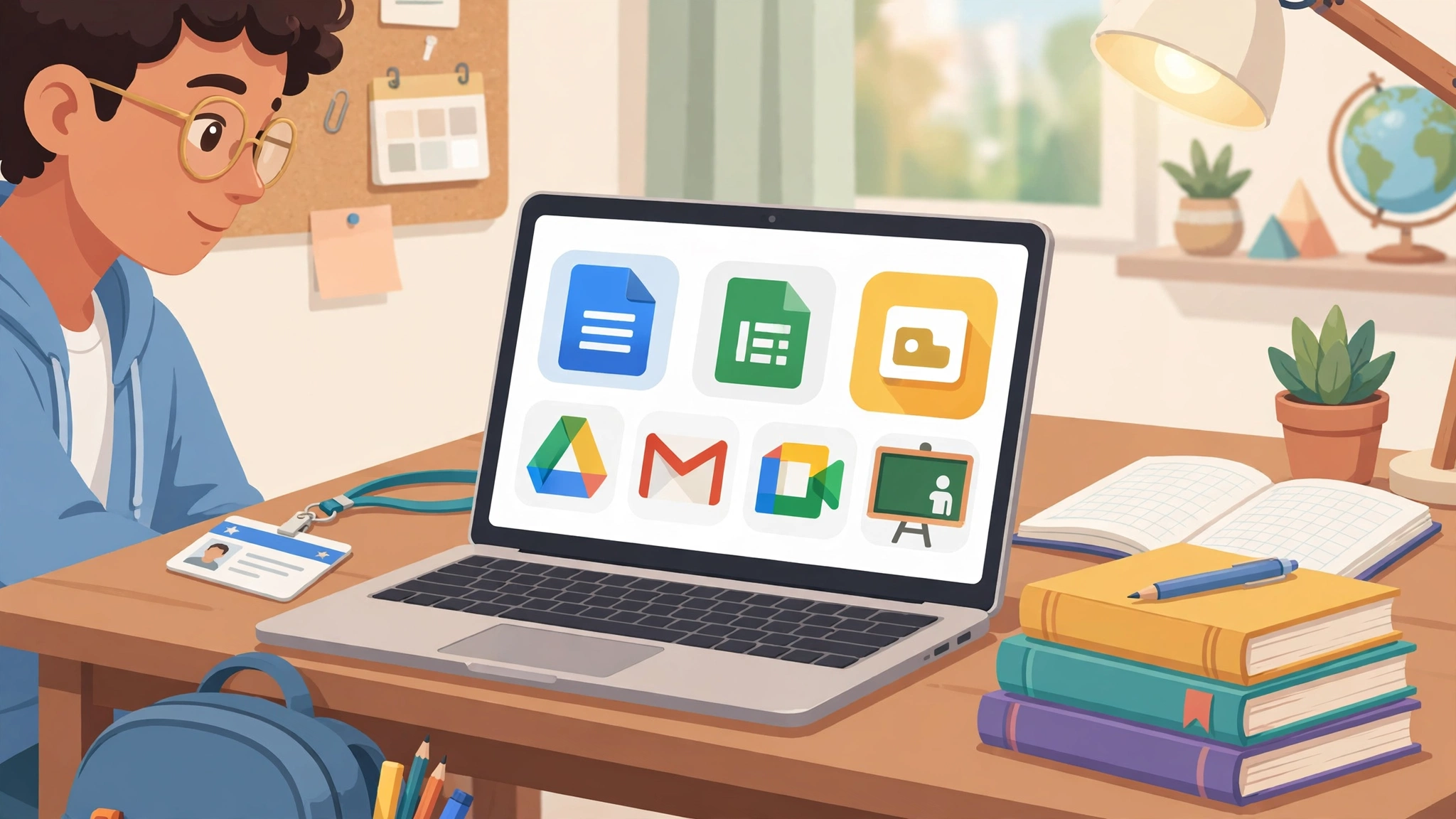
The Core Apps
- Gmail with your school address, which helps with internships and student discounts.
- Google Drive for files, plus Shared Drives for group projects that do not disappear when one member leaves.
- Google Docs, Sheets, and Slides for essays, data work, and presentations, with live collaboration.
- Google Meet for study groups and online classes.
- Google Classroom for assignments, grading, and announcements.
- Google Forms for surveys, quizzes, and research projects.
- Calendar, Keep, and Sites for scheduling, notes, and simple portfolios.
The Storage Reality in 2026
This is where old blog posts mislead people. Google Drive storage for students used to be unlimited. It is not anymore. Under the current model, institutions on Education Fundamentals share a pool of 100 TB, and the school decides how to divide it.
In practice, that means individual quotas. Some real examples from universities:
- Rajiv Gandhi National University of Law in India set a 20 GB limit on university Google accounts.
- UNC Charlotte applied quotas to all active accounts in 2023 and began regularly deleting disabled student accounts.
- Colorado State University applied individual storage quotas in October 2022.
So before you dump your whole photo library into your student Drive, check your quota at drive.google.com/settings/storage.
Things Your School Controls
It helps to remember who is in charge. Your school’s admin can:
- Turn apps on or off, including Google’s AI features.
- Limit sharing to people inside the school.
- See and manage data stored in your account.
- Suspend or delete your account when you leave.
None of this is sinister. It is how managed accounts work. But it is the main reason a school account should never be your only copy of anything important.
Reality Check: Illegal Shortcuts to Free Google Workspace and How They Ended
Every few years a new “hack” for free Google Workspace for students goes around. They all share the same problem: the account belongs to someone else, and that someone can switch it off. Here is what happened when people tried.
The eBay “Unlimited Google Drive” Accounts
Around 2017, sellers on eBay offered “unlimited Google Drive” accounts for a one-time fee. These were not personal accounts at all. They were sub-accounts created inside a school or organization’s Google domain, then sold to strangers.
One reseller reportedly created around 3,000 of these accounts and sold them for about $10 each, according to users on the rclone forum who tracked the fallout. Google banned the accounts in waves. Buyers who had moved terabytes of data into them lost access, and some who had also connected cloud services to those accounts found their setups wiped.
Buyers also missed a basic fact. Reviews on one listing pointed out that the domain admin could see and close any account at any time. In other words, people paid to store private files on a stranger’s server.
Marketplace Crackdowns in Other Countries
This was not just an eBay problem. In 2019, the Brazilian tech outlet Tecnoblog found about 130 listings on Mercado Livre selling “unlimited Google Drive” through .edu accounts, and the marketplace removed them for violating its terms. The pattern repeats in many countries: a cheap listing, a borrowed school domain, and an account that vanishes.
The End of Unlimited Storage and Mass Deletions
In 2021 Google announced it would replace unlimited school storage with a pooled model, saying it wanted fair distribution of the resource, and heavy use of school accounts for non-school storage was widely seen as part of the backdrop. When the new storage limits arrived, schools had to clean house. Colorado State University, for example, removed roughly 1.4% of individual accounts that stayed over quota in December 2022, and files shared from those accounts became inaccessible to everyone who had been using them.
That last detail is the scary part. If a classmate stored your group project in an account that got deleted, your work went with it.
Fake Enrollment and Forged Student Status
Another shortcut is pretending to be a student: forging an enrollment letter, using someone else’s student ID, or signing up for a course with fake details. Depending on where you live, this can fall under fraud, forgery, or unauthorized computer access laws, and at minimum it breaks the school’s terms and Google’s. Schools that catch it can cancel accounts, and if you are an actual student elsewhere, it can turn into a disciplinary issue.
Selling or Sharing Your Own Student Login
Some students sell or rent their own credentials, or alumni hand old logins to friends. Almost every school’s acceptable use policy forbids this. It can get your account suspended, and anything the other person does under your login is tied to your name.
What These Cases Teach
- If you do not own the domain, you do not own the account.
- “Lifetime” and “unlimited” claims from resellers have a long record of ending in bans.
- The cost is rarely the $10. It is the lost files, the lost time, and sometimes the disciplinary record.
- The legitimate options above already cover what most students need.
Smart Tips for Getting the Most Out of Google Workspace for Students
Once you have legitimate access, a few habits make the account far more useful and much safer.
Organize Group Work in Shared Drives
Files in someone’s “My Drive” disappear if their account is deleted. Files in a Shared Drive belong to the team. For any project that matters, ask whoever creates it to use a Shared Drive if your school has them enabled.
Back Up Before You Graduate
Most schools close or limit student accounts after you leave. RGNUL, for example, discontinued university Google accounts for former students from July 2023. Plan ahead:
- Use Google Takeout (takeout.google.com) to download a full copy of your Drive, Gmail, and Photos.
- Transfer ownership of important Docs to your personal account where your school allows it.
- Update your email on LinkedIn, job portals, scholarship sites, and any subscriptions tied to your student address.
- Ask IT whether your school offers an alumni email, since some do.
Respect Your School’s Acceptable Use Policy
Your student account is meant for learning. Using it as a personal media server or for side business files can get you warned or suspended, especially now that quotas are enforced.
Free Alternatives if Your School Does Not Offer Google Workspace
If your school is not on Google, you still have solid free options:
- A personal Google account: same core apps, 15 GB of free storage.
- Microsoft 365 for students: many schools offer free Office apps through Microsoft’s education plans, using your student email.
- Google One: if you need more space later, paid plans start small and you own the account outright.
The goal is to keep your work on accounts you either fully own or are fully entitled to use.
FAQs About Google Workspace for Students
Is Google Workspace for students completely free?
Yes, if your school uses Education Fundamentals. The school gets it free, and you get your account through enrollment. You never pay Google directly.
Can I get Google Workspace for students without a school?
Not the education version. Individuals cannot sign up for it. A free personal Google account gives you the same core apps with 15 GB of storage.
Do students still get unlimited Google Drive storage?
No. Unlimited storage for schools ended with the move to a 100 TB pooled model, and most schools now set individual quotas.
What happens to my student account after I graduate?
It depends on your school. Many suspend or delete it within months, so download your data with Google Takeout before you leave.
Is it safe to buy an edu account online?
No. Resold accounts break Google’s and the school’s terms, the admin can read or delete your files, and past waves of these accounts have been banned.
Conclusion
Google Workspace for students is genuinely free, but only through the right door: an accredited school that uses Google Workspace for Education Fundamentals and gives you an account because you are enrolled. From there you get Gmail, Drive, Docs, Sheets, Slides, Meet, and Classroom at no cost, with storage now set by your school out of a shared 100 TB pool rather than the unlimited space of the past. The shortcuts people tried, from eBay “unlimited Drive” accounts to resold .edu logins and fake enrollment, all ran into the same wall, because the account never belonged to the buyer and could be shut off at any time. Use your school account for coursework, keep a personal account for anything you want to own, back up before you graduate, and you will get every benefit of the free education tools without any of the risk.