Best Laptops for Programmers and Software Developers
Best laptops for programmers in 2026, compared on RAM, CPU, keyboards and price, plus the real ethical risks of buying and using developer hardware.
Best Laptops for Programmers: 7 Proven Picks for Software Developers in 2026
Introduction
The best laptops for programmers are rarely the flashiest machines on the shelf. They are the ones that compile your project without stalling, run Docker and a browser full of documentation tabs at the same time, and still have a keyboard you can type on for eight hours without your wrists complaining.
That sounds simple, but the market makes it confusing. Every brand calls its laptop “perfect for developers,” and most review roundups rank machines by benchmark scores that have little to do with real coding work. A gaming laptop might win a speed test and still be a poor laptop for software development because it weighs three kilograms and lasts two hours away from a wall socket.
This guide takes a more grounded approach. We looked at what top-ranking reviews recommend, compared that with what working developers actually complain about, and narrowed it down to seven machines that make sense in 2026. You will find picks for web developers, iOS developers, Linux users, data scientists and students on a budget.
We also cover something most buying guides skip: the ethical and practical risks around developer hardware. Pre-installed spyware, stolen laptops leaking millions of records, counterfeit equipment sold through shady resellers and pirated software have all landed real companies and real people in legal trouble. Knowing those stories will help you buy smarter and protect the code and data you work with every day.
What Makes the Best Laptops for Programmers Different
A programming laptop is judged on sustained performance and comfort, not peak benchmark numbers. Coding is a long, repetitive activity, so the machine has to stay fast and pleasant across a full workday.
Processor: Cores Matter More Than Clock Speed
Compilers, test runners and build tools spread work across many cores. A chip with more performance cores will finish a large build noticeably faster than one with a higher advertised clock speed but fewer cores.
- Apple Silicon (M5, M5 Pro, M5 Max) leads on performance per watt, which means fast builds without loud fans or a dying battery.
- Intel Core Ultra and AMD Ryzen AI chips are strong choices on Windows and Linux, especially if you need x86 compatibility for older tools or virtual machines.
- Snapdragon X chips offer great battery life, but check that your toolchain, drivers and Docker images run well on ARM Windows before you commit.
The gap is real. In one widely shared test, a clean WebKit build took close to an hour on a base M5 MacBook Pro but around 15 minutes on the M5 Pro and M5 Max versions. If you compile big codebases, the extra cores pay for themselves.
RAM: 16GB Is the Floor, 32GB Is Comfortable
Memory is the spec developers regret skimping on most. An IDE, a local database, a few containers, Slack and Chrome can easily push past 16GB. Here is a realistic guide:

- 16GB: fine for students, web development and light backend work.
- 32GB: the sweet spot for full-stack developers, mobile developers and anyone running Docker daily.
- 64GB or more: for running local AI models, heavy virtual machines or large data pipelines.
On many modern laptops, including every MacBook, RAM is soldered and cannot be upgraded later. Buy what you will need in three years, not what you need today.
Storage: 512GB Minimum, 1TB if You Can
Node modules, Xcode, Android SDKs, Docker images and local datasets fill drives fast. A fast NVMe SSD with at least 512GB is the realistic starting point for any coding laptop, and 1TB gives you breathing room.
Display and Keyboard: The Parts You Touch All Day
You stare at a screen and type for hours, so these two parts affect your comfort more than the processor does.
- Look for at least a 14-inch screen at 1920×1200 or higher. Taller 16:10 screens show more lines of code.
- A matte or anti-glare finish helps in bright offices.
- Keyboard travel, layout and a full-size arrow cluster matter. ThinkPads are still the reference point here.
Battery, Thermals and Operating System
A laptop that throttles under load will slow your builds no matter what chip is inside. Fanless designs like the MacBook Air are silent but slow down during long compiles. Your operating system also shapes the choice: macOS is required for iOS development, Linux is ideal for backend and embedded work, and Windows with WSL2 now handles most cross-platform development well.
7 Best Laptops for Programmers and Software Developers in 2026
These seven picks cover the most common developer needs. Prices are US starting prices where we could confirm them and change often with configurations and sales.
| Laptop | Best for | OS | Starting price |
|---|---|---|---|
| Apple MacBook Pro 14 (M5 Pro) | Professional developers | macOS | $2,199 |
| Apple MacBook Air 13 (M5) | Students, web developers | macOS | $1,099 |
| Lenovo ThinkPad T16 | Windows and Linux all-rounder | Windows / Linux | Varies |
| Lenovo ThinkPad X1 Carbon | Developers who travel | Windows / Linux | Varies |
| Framework Laptop 13 | Repairability and Linux | Windows / Linux | Varies |
| ASUS Zenbook 14 OLED | Value and battery life | Windows | Varies |
| ASUS ROG Zephyrus G16 | AI, ML and game development | Windows | Varies |
1. Apple MacBook Pro 14 (M5 Pro): Best Overall
For most professional developers, the MacBook Pro for programming is still the safest recommendation. The M5 Pro and M5 Max models launched in March 2026 and brought Thunderbolt 5, Wi-Fi 7 and faster SSDs.
- Why it works: fast multi-core builds, long battery life, a superb display and a Unix-based OS that feels at home in a terminal.
- Who should buy it: iOS and macOS developers (Xcode only runs on macOS), full-stack engineers and anyone running local AI models.
- Trade-offs: expensive, RAM is not upgradeable, and Apple charges a lot for memory and storage upgrades. Aim for 24GB or more.
2. Apple MacBook Air 13 (M5): Best for Students and Web Developers
The MacBook Air is light, silent and lasts all day. For web development, scripting, Python coursework and most frontend work, it is more than enough.
- Why it works: excellent battery life and build quality at a lower price than the Pro.
- Trade-offs: the fanless design throttles during long compiles, and it supports fewer external displays. Skip the base memory and get at least 16GB.
3. Lenovo ThinkPad T16: Best Windows and Linux All-Rounder
ThinkPads have been a developer favorite for decades, and the T16 shows why. TechRadar names it their top overall pick for general coding.
- Why it works: a class-leading keyboard, strong Linux support, plenty of ports and serviceable internals on many configurations.
- Trade-offs: the displays on cheaper configurations are average, and it is heavier than ultrabooks.
4. Lenovo ThinkPad X1 Carbon: Best for Developers Who Travel
If you code on trains, in airports or at client sites, the X1 Carbon gives you the ThinkPad keyboard in a much lighter body.
- Why it works: very light, business-grade durability and good security features like a webcam shutter and fingerprint reader.
- Trade-offs: RAM is soldered and premium configurations get expensive quickly.
5. Framework Laptop 13: Best for Repairability and Linux
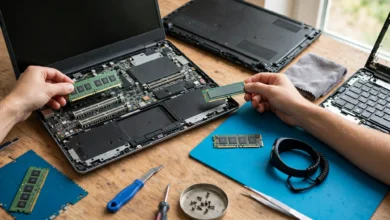
The Framework Laptop is built around the idea that you should be able to repair and upgrade your own machine. You can swap the mainboard, RAM, storage, ports and even the keyboard.
- Why it works: upgradeable memory and storage, strong Linux support and a long useful life, which also means less e-waste.
- Trade-offs: battery life and speakers trail the MacBook, and build quality feels less premium.
6. ASUS Zenbook 14 OLED: Best Value Windows Ultrabook
The Zenbook 14 OLED is a good budget laptop for programming that does not feel cheap. Its OLED screen is sharp and the battery holds up well.
- Why it works: light, long-lasting and fairly priced for the specs.
- Trade-offs: OLED screens can show burn-in with static IDE layouts over years, and many models have soldered RAM. Choose 16GB minimum, ideally 32GB.
7. ASUS ROG Zephyrus G16: Best for AI, ML and Game Development
When your work needs a real GPU, such as training models with CUDA, building in Unreal or Unity, or running heavy local LLMs, a slim gaming laptop with an NVIDIA RTX card is the practical choice.
- Why it works: a powerful NVIDIA GPU with full CUDA support, a fast high-refresh display and plenty of RAM options.
- Trade-offs: shorter battery life, louder fans under load and a higher weight than ultrabooks.
How to Match the Best Laptops for Programmers to Your Work
The right machine depends on what you build. The same laptop can be perfect for one developer and frustrating for another, so start with your daily workload.
Web and Frontend Development
Web work is light on the CPU but heavy on browser tabs and dev servers. A MacBook Air or Zenbook with 16GB to 32GB of RAM handles it easily. Spend extra on a good screen rather than raw power.
iOS, macOS and Cross-Platform Mobile Development
If you ship to the App Store, you need a Mac. Xcode and iOS simulators eat memory, so the MacBook Pro with 24GB or more is the practical choice. Android and Flutter developers can work on any platform, but emulators also benefit from 32GB.
Backend, DevOps and Cloud Engineering
Backend developers live in terminals, containers and remote servers. A ThinkPad running Linux, or a MacBook Pro, works well. Prioritize RAM for Docker and Kubernetes tools, and a reliable keyboard for long sessions.
Data Science, Machine Learning and AI
This is the one area where the GPU matters. If you train models locally with CUDA, an NVIDIA-powered machine like the Zephyrus G16 is the realistic option. For running large local language models, MacBooks with high unified memory are surprisingly strong because the GPU can use the full memory pool. Most serious training still happens in the cloud, so do not overspend if your company provides GPU servers.
Game Development and Embedded Systems
Game developers need a strong GPU and plenty of storage for engines and assets. Embedded developers care more about ports, Linux support and USB device compatibility, which makes ThinkPads and the Framework good fits.
The Stack Overflow Developer Survey is worth checking before you buy. It shows which operating systems, languages and tools developers actually use, which helps you avoid buying a platform your team does not support.
The Ethical Side of Buying a Developer Laptop: Lessons From Real Cases
A developer laptop is not just a tool. It holds source code, API keys, customer data and access to production systems. Several well-known cases show what happens when hardware, software or habits go wrong. These are the realities most buying guides leave out.
Pre-Installed Software That Betrayed Users: Lenovo Superfish
In 2014 and early 2015, Lenovo shipped some consumer laptops with adware called VisualDiscovery from a company named Superfish. It injected ads into web pages and, worse, installed its own root certificate so it could intercept encrypted HTTPS traffic. That weakened security for every user who had it.
In 2017, Lenovo settled charges with the US Federal Trade Commission and 32 state attorneys general, paying $3.5 million to the states and agreeing to get consent before installing similar software. A separate consumer class action ended in an $8.3 million settlement in 2019. You can read about cases like this on the Federal Trade Commission website.
What it means for you: wipe and reinstall a clean operating system when you get a new Windows laptop, or at least remove bloatware. Business lines like ThinkPad and Dell Latitude usually ship with less pre-installed software than consumer models.
Stolen Laptops and Massive Data Breaches
Physical theft is still one of the most common ways sensitive data leaks.
- US Department of Veterans Affairs (2006): a laptop and external drive were stolen from an employee’s home. They held personal data on about 26.5 million veterans and service members. The equipment was recovered, but the VA later agreed to a $20 million settlement in a class action lawsuit.
- Coca-Cola (2014): the company disclosed that dozens of laptops had been taken by an employee over several years, exposing personal information of roughly 74,000 people.
What it means for you: turn on full-disk encryption (FileVault on macOS, BitLocker on Windows, LUKS on Linux), use a strong login password, and never keep copies of production databases on your laptop unless your company allows it and the data is protected.
Counterfeit and Grey-Market Hardware
Cheap “new” laptops and parts from unknown sellers can be fakes, refurbished units sold as new, or stolen goods. In 2024, a US federal court sentenced Onur Aksoy to 78 months in prison for running a scheme that sold more than $100 million worth of counterfeit Cisco networking gear through online storefronts, according to the US Department of Justice. Some of that equipment ended up in hospitals, schools and government networks.
What it means for you: buy from the manufacturer, an authorized retailer or a reputable refurbisher with a warranty. If a price looks far below market, there is usually a reason.
Manufacturer Practices and Consumer Rights
Even major brands face legal action. In 2020, Apple agreed to pay up to $500 million to settle a US class action over iPhone software updates that slowed devices with older batteries, and $113 million to settle with a group of US states. Apple did not admit wrongdoing. It was a phone case, but it pushed the industry toward more transparency about batteries and repairs, and it fed into the wider right to repair movement that benefits laptop buyers too.
Pirated Software and Cracked Tools
It is tempting to grab a cracked IDE or design tool, especially as a student. Beyond being illegal, cracked software is a common way malware reaches developer machines. A compromised developer laptop can leak SSH keys and cloud credentials, which puts every system you touch at risk. Most professional tools offer free student licenses or open-source alternatives, so there is rarely a good reason to take that chance.
Repairability and E-Waste
A laptop you can repair and upgrade lasts longer and creates less e-waste. Choosing upgradeable RAM and storage, or a modular machine like the Framework, is both a practical and an ethical choice. When you retire a laptop, wipe it securely and recycle it through a certified program instead of throwing it away.
A Practical Checklist for Choosing a Coding Laptop
Use this list before you hit the buy button:
- Match the OS to your work. iOS developers need macOS. Most others can choose freely.
- Get enough RAM. 16GB minimum, 32GB for professional work, more for AI and heavy virtualization.
- Check upgradeability. If RAM is soldered, buy enough upfront.
- Choose at least 512GB of NVMe storage. 1TB if you work with containers or mobile SDKs.
- Try the keyboard if you can. You will type on it more than anything else.
- Look at sustained performance reviews, not just short benchmarks. Throttling hurts long builds.
- Buy from authorized sellers with a real warranty.
- Turn on disk encryption on day one and remove unnecessary pre-installed software.
Common Mistakes Developers Make
- Buying a gaming laptop for web development. You carry extra weight and lose battery life for a GPU you never use.
- Settling for 8GB of RAM to save money, then fighting slowdowns for years.
- Ignoring the screen. A dim, low-resolution panel causes eye strain over long coding sessions.
- Chasing the newest chip when last year’s model at a discount would do the same job.
- Skipping security basics like encryption, a password manager and two-factor authentication.
Frequently Asked Questions
Is a MacBook better than Windows for programming?
Neither is better for everyone. macOS is required for iOS work and offers excellent battery life. Windows with WSL2 is very capable and gives you more hardware choices. Linux suits backend and embedded developers best.
How much RAM do I really need for coding?
16GB is the practical minimum in 2026. Choose 32GB if you run Docker, Android emulators or several heavy tools at once.
Do programmers need a dedicated graphics card?
Most do not. You only need a strong GPU for machine learning with CUDA, game development or GPU-heavy graphics work.
Is a refurbished laptop a good idea for programming?
Yes, if it comes from the manufacturer or a reputable refurbisher with a warranty. Business models like ThinkPads are often excellent refurbished buys. Avoid unknown sellers with prices that seem too good to be true.
Conclusion
The best laptops for programmers in 2026 are the ones that fit your actual work: the MacBook Pro 14 with M5 Pro for most professionals, the MacBook Air for students and web developers, ThinkPads and the Framework for Windows and Linux users who value keyboards and repairability, the Zenbook 14 OLED for value, and the Zephyrus G16 when you truly need an NVIDIA GPU. Prioritize RAM, a comfortable keyboard, a good screen and sustained performance over headline benchmarks, and buy only from authorized sellers. Just as important, treat your laptop as a security boundary, because cases like Lenovo Superfish, the stolen VA laptop and the counterfeit Cisco scheme show that the wrong hardware or careless habits can cost far more than the machine itself.