Top Budget Desktop PCs for Home and Office Use in Pakistan
Budget desktop PCs in Pakistan compared by 2026 prices, specs, and warranty, with practical tips to avoid smuggled stock and fake refurbished units.
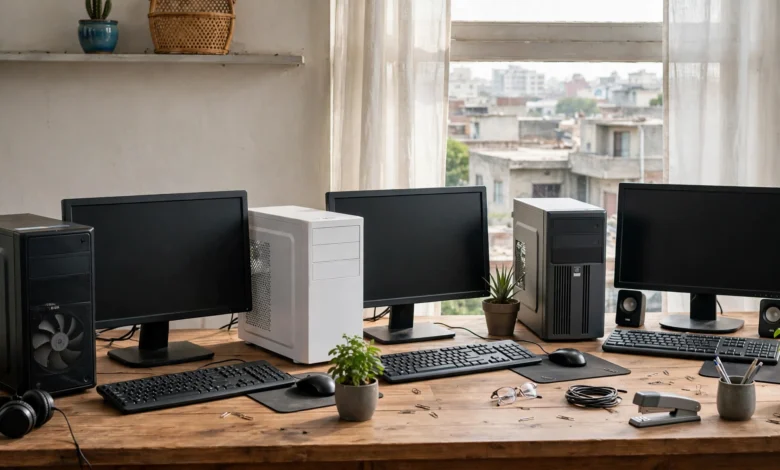
Budget Desktop PCs in Pakistan: 7 Best Picks for Home and Office
Introduction
Budget desktop PCs in Pakistan have become harder to judge than they should be. Prices move with the dollar rate, sometimes week to week. The same Core i5 tower can sell for very different amounts in Hafeez Centre, Saddar, and online. And a lot of the cheapest stock on the market is used, refurbished, or brought in without paying customs duty.
Yet a desktop is still the smartest buy for many homes and offices. It costs less than a laptop with the same power, lasts longer, and is cheap to repair or upgrade. Pair it with a small UPS and it handles load-shedding better than most people expect.
This guide looks at seven machines and setups that make sense right now, from a branded Core i3 under Rs. 110,000 to a custom Ryzen build and a well-chosen refurbished office PC. Each pick includes who it suits, what to upgrade, and what to watch out for.
We also cover the side of the market that most price lists ignore. Pakistan Customs has seized thousands of smuggled laptops and computers in recent years, and buyers of that stock can lose both their money and their warranty. Pirated Windows and “new” machines that turn out to be refurbished are common too.
By the end, you will know what specs matter for home and office work, which desktop computer price in Pakistan is fair, and how to buy without walking into a legal or financial trap.
What to Look for in Budget Desktop PCs in Pakistan
The right spec depends on the work, not the sticker. Most home and office users overspend on the processor and underspend on storage and memory, which is backwards.
Minimum Specs for Home and Office Work
For email, MS Office, web browsing, online classes, Zoom, and light photo editing, aim for:
- Processor: Intel Core i3 12th generation or newer, or AMD Ryzen 5 5600G. Both are far faster than older Core i5 and i7 chips from 2015 to 2017.
- Memory: 8GB minimum, 16GB if you keep many browser tabs open or run accounting software alongside Office.
- Storage: An SSD is non-negotiable. A 256GB or 512GB NVMe SSD makes a cheap PC feel quick. A machine with only a 1TB hard drive will feel slow from day one.
- Graphics: Integrated graphics are enough for office work, streaming, and casual games. Skip low-end cards like the GT 730 unless you need an extra monitor port.
- Ports: At least one HDMI or DisplayPort, several USB ports, and Ethernet. Wi-Fi is often missing on office desktops, so budget around a few thousand rupees for a USB adapter if needed.
Branded PC vs Custom Build vs Refurbished
You have three realistic routes, each with clear trade-offs.
| Route | Typical price range | Best for | Main risk |
|---|---|---|---|
| Branded PC (Dell, HP, Lenovo) | Rs. 110,000 to Rs. 200,000 | Offices that want warranty and invoices | Base models often ship with 4GB RAM and a hard drive |
| Custom build | Rs. 100,000 to Rs. 150,000 (approximate) | Home users who want the most power per rupee | Mixed warranties from different shops |
| Refurbished office PC | Rs. 45,000 to Rs. 85,000 (approximate) | Tight budgets, students, small shops | Unclear origin, short checking warranty |
Prices for branded PCs come from current retailer listings. Custom and refurbished ranges are approximate and move with the dollar rate, so check two or three shops before paying.
Why the Dollar Rate Matters
Almost every part in a Pakistani desktop is imported. When the rupee weakens, shops update prices quickly. Mega.pk, for example, notes on its listings that computer rates change daily because of dollar fluctuations. If you see a price that looks far below every other shop, ask why. The answer is often non-duty-paid stock or a used unit sold as new.
7 Best Budget Desktop PCs in Pakistan for Home and Office
These picks cover every budget from about Rs. 50,000 to Rs. 260,000. Sourced prices were taken from retailer listings dated mid-2026; ranges marked approximate are market estimates. Always confirm the final price and warranty before paying.
| # | Pick | Price | Best for |
|---|---|---|---|
| 1 | Dell Vostro 3910, Core i3 12th Gen | Rs. 109,999 (Mega.pk) | Cheapest branded office PC |
| 2 | Lenovo ThinkCentre Neo 50t G5, Core i3-13100 | Rs. 136,499 (TechGlobe) | Ready-to-use office PC with SSD |
| 3 | Custom Ryzen 5 5600G build | Rs. 110,000 to Rs. 140,000 (approximate) | Home use, students, light gaming |
| 4 | Refurbished Dell OptiPlex, HP EliteDesk, or Lenovo ThinkCentre | Rs. 45,000 to Rs. 85,000 (approximate) | Tight budgets |
| 5 | Intel N100 mini PC | Rs. 45,000 to Rs. 65,000 (approximate) | Low power use during load-shedding |
| 6 | Dell Vostro 3030, Core i7 12th Gen | Rs. 199,999 (Mega.pk) | Heavy office multitasking |
| 7 | Apple Mac Mini M4, 16GB, 256GB | Rs. 259,999 (Mega.pk) | Stretch pick for a long-life home office |
1. Dell Vostro 3910 Core i3 12th Gen: Cheapest Branded Option
At Rs. 109,999 on Mega.pk, this is the lowest-priced branded desktop listed there in mid-2026. You get a genuine Dell tower, a 12th generation Core i3 that handles Office and browsing easily, and a proper invoice for your accounts.
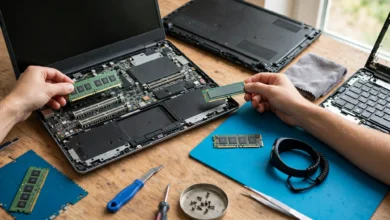
The catch is the base configuration: 4GB RAM, a 1TB hard drive, and DOS instead of Windows. Plan to add 8GB of RAM and a 512GB SSD right away. Even with those upgrades, it stays one of the most sensible budget desktop PCs in Pakistan for an office that needs paperwork and warranty.
2. Lenovo ThinkCentre Neo 50t G5: Best Ready-to-Use Office PC
TechGlobe lists this tower at Rs. 136,499 with a Core i3-13100, 8GB DDR5, a 256GB NVMe SSD, and a GT 730 card. It works well straight out of the box, which saves time for small offices without an IT person.
The ThinkCentre line is built for business, so parts and service are easier to find. The GT 730 adds little performance, but it gives you extra display outputs for a dual-monitor setup. Install a licensed copy of Windows, since it ships with DOS.
3. Custom Ryzen 5 5600G Build: Best Value for Home Users
The Ryzen 5 5600G is a six-core chip with surprisingly capable built-in graphics. Pakistani shops listed it between roughly Rs. 38,400 (tray) and Rs. 45,000 (boxed) in 2026. Add an A520 or B450 motherboard, 16GB of DDR4 RAM, a 512GB NVMe SSD, a decent 450W power supply, and a basic case.
The result outperforms most branded PCs in this price range and can run older or lighter games at 1080p. The trade-off is warranty: each part has its own terms from its own shop. Keep every invoice, and buy the power supply from a known brand, because cheap PSUs are the most common cause of failures in Pakistan’s unstable power conditions.
4. Refurbished Business Desktops: Best for Tight Budgets
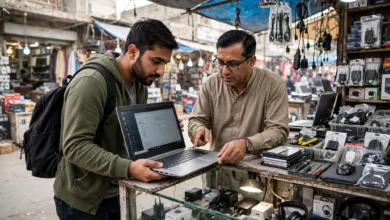
Off-lease office PCs such as the Dell OptiPlex, HP EliteDesk, and Lenovo ThinkCentre fill Pakistan’s used market. An 8th to 10th generation Core i5 model with 8GB RAM and an SSD often sells in the Rs. 45,000 to Rs. 85,000 range. These machines were built for years of daily office use and are easy to repair.
This is also the riskiest category, which we explain in the legal section below. Buy from a shop that gives a written invoice, a warranty of at least a few weeks, and a clear statement that the unit is used.
5. Intel N100 Mini PC: Best for Load-Shedding
Small mini PCs built on Intel’s N100 chip draw very little power, often under 25 watts in normal use. That matters when you rely on a UPS or a small solar setup. They handle Office, browsing, YouTube, and online classes comfortably.
Do not expect them to handle heavy spreadsheets, video editing, or games. Many are imported by small sellers, so check whether the warranty is local and whether the Windows key is genuine.
6. Dell Vostro 3030 Core i7 12th Gen: Best for Heavy Office Work
Mega.pk listed this at Rs. 199,999 with 8GB RAM and 512GB of storage. It suits accountants, designers working in 2D, and anyone who runs many apps at once. Upgrade to 16GB RAM for the best results.
7. Apple Mac Mini M4: The Stretch Pick
At Rs. 259,999 for 16GB RAM and 256GB storage, the Mac Mini M4 is not cheap. It is included because it is quiet, uses little electricity, and tends to stay fast for many years. For a home office that runs on a UPS, that low power draw is a real advantage. The main drawbacks are the small storage and the cost of Apple upgrades, so plan on an external SSD.
The Legal and Ethical Side of Buying a Cheap PC in Pakistan
A low price is not always a good deal. Some of the cheapest computers in Pakistan reach the market by breaking customs law, and some are sold with misleading claims. Knowing the real cases helps you spot the warning signs.
Smuggled and Non-Duty-Paid Computers
Pakistan Customs regularly seizes computers brought into the country without paying duty. In January 2023, the Directorate of Intelligence and Investigation (Customs) in Karachi intercepted trucks leaving a compound in Malir. According to the FBR’s official press release, officers recovered 3,600 laptops along with watches and other goods, with a total seizure value of about Rs. 38.9 crore.
The problem has not gone away. In 2026, Customs Enforcement Islamabad reported seizing luxury vehicles, heavy bikes, and a large quantity of laptops and other electronics worth Rs. 412.2 million, all found to be non-duty-paid. The goods were seized under the Customs Act, 1969, and legal proceedings began. In July 2026, officers at Sost Dry Port found 317 used, refurbished smartphones hidden in specially built compartments of a vehicle arriving from China, valued at about Rs. 77 million.
What this means for buyers:
- Non-duty-paid stock can be confiscated, and the buyer usually has no claim against the seller.
- Smuggled machines carry no official warranty. The brand’s local service centre can refuse them.
- Prices far below the market are a warning sign, not a bargain.
- Always ask for a proper sales invoice with the shop’s name and NTN. Registered sellers can provide one.
“Brand New” Machines That Are Actually Used
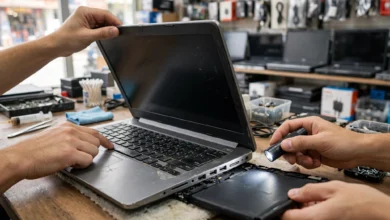
A common trick in the grey market is selling refurbished or used office PCs as new, or swapping in cheaper parts after the box is opened. Signs to watch for:
- Worn keyboard keys, scuffed cases, or a missing service tag sticker
- A Windows activation that is already linked to a company domain
- Hard drives or SSDs showing thousands of power-on hours in a free tool like CrystalDiskInfo
- Specs in Windows that do not match the invoice
If a seller misleads you, provincial consumer protection laws such as the Punjab Consumer Protection Act, 2005 and the Sindh Consumer Protection Act, 2014 allow you to file a complaint with a consumer court. Keep the invoice, photos, and chat records.
Pirated Windows and Software
Many budget PCs come with DOS, and shops sometimes offer to “install Windows” for free. That usually means an unlicensed copy. Pirated software breaks copyright law and carries real security risks, since cracked installers are a common way to spread malware and password stealers. For an office, it also exposes the business to legal claims.
The ethical choice is to pay for a genuine license or use a free, legal alternative. Linux distributions like Ubuntu and free office suites like LibreOffice run well on every PC in this list.
Responsible Disposal of Old Computers
When you replace an old PC, do not sell it to unknown scrap buyers without wiping the drive. Use a free tool to erase it, or remove the drive and keep it. Old hardware that ends up in informal burning and acid-stripping yards harms workers and nearby communities. Where possible, pass working machines to a school, a relative, or a recycler that can show where the parts go.
A Quick Ethical Buying Checklist
- Buy from registered sellers who issue a tax invoice.
- Confirm whether the warranty is official, shop-only, or international.
- Pay for software licenses or use legal free alternatives.
- Be honest when you resell a used machine.
- Wipe and recycle what you replace.
Smart Buying Tips for Budget Desktop PCs in Pakistan
A few simple habits save more money than any discount code.
Understand the Warranty Types
- Official warranty: Given by the brand’s authorized distributor. Service centres honour it across the country.
- Shop warranty: Covers only the shop you bought from. TechGlobe, for example, lists a one-year shop warranty on the ThinkCentre Neo 50t.
- Checking warranty: Common on used parts and PCs. It may last only a few days, which is enough to test for faults but not much more.
Read the terms. Some Pakistani PC shops state that their warranty is void if you open the case or change components without approval. Ask before you upgrade RAM or add an SSD.
Protect Your PC From Power Problems
Voltage swings and load-shedding kill more Pakistani desktops than old age does. Budget for:
- A quality power supply inside the PC, not a no-name unit.
- A UPS with automatic voltage regulation, sized for your PC and monitor.
- A surge-protected extension board for everything else.
If your area has long outages, a low-power choice like a mini PC or Mac Mini can run far longer on the same UPS.
Upgrade Smart Instead of Buying Big
Often the cheapest path is a modest PC plus targeted upgrades. Adding an SSD and 8GB more RAM usually costs much less than jumping to a higher processor tier, and it makes a bigger difference for office work.
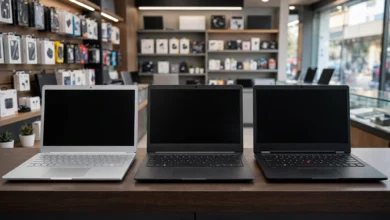
Compare Prices Across Cities and Shops
Check at least two online stores and one physical market before you buy. Price aggregators help, but always confirm stock and price over WhatsApp or phone, since many shops ask buyers to do exactly that.
Frequently Asked Questions
What is a good budget for a desktop PC in Pakistan in 2026?
For reliable home or office use, plan on about Rs. 100,000 to Rs. 140,000 for a new PC with an SSD. A good refurbished office PC can cost about half of that.
Is a refurbished PC a safe choice?
Yes, if you buy from a registered shop with an invoice and a warranty. Business models like the Dell OptiPlex are built to last. Avoid unknown sellers offering prices far below the market.
Which is the best PC for office use on a budget?
The Lenovo ThinkCentre Neo 50t G5 is the easiest ready-to-use choice. The Dell Vostro 3910 is cheaper but needs RAM and SSD upgrades.
Should I build my own PC or buy a branded one?
Build if you want the most performance per rupee and are comfortable managing several warranties. Buy branded if you need one invoice, one warranty, and less hassle.
How can I tell if a computer is smuggled?
You often cannot tell by looking. Ask for a tax invoice from a registered business, check whether the brand’s local service centre will accept the serial number, and be wary of prices far below other shops.
Conclusion
Choosing among budget desktop PCs in Pakistan comes down to matching the machine to the work, protecting it from power problems, and buying it the right way: a branded option like the Dell Vostro 3910 or Lenovo ThinkCentre Neo 50t gives you an invoice and warranty, a Ryzen 5 5600G build gives home users the most power per rupee, a refurbished Dell OptiPlex or N100 mini PC keeps costs low, and the Core i7 Vostro or Mac Mini M4 suits heavier or longer-term use, but whichever you pick, an SSD, enough RAM, and a good UPS matter more than a big processor name, while real customs seizures of thousands of smuggled laptops, used units sold as new, and pirated Windows installs show that the cheapest desktop computer price in Pakistan can carry hidden costs, so buy from registered sellers, insist on a tax invoice and a clear warranty, pay for legal software, and wipe and recycle your old machine responsibly.