How to Protect Your Laptop From Overheating in Pakistani Summers
Laptop overheating in Pakistan is common in summer. Simple fixes for heat, dust and power cuts, plus the fake chargers and unsafe repairs to avoid.
Laptop Overheating in Pakistan: 12 Proven Ways to Keep Your Machine Safe and Cool in Summer
Introduction
Laptop overheating in Pakistan is not a rare fault. It is a seasonal guarantee. When rooms sit at 40°C or more in May and June, the fan spins at full speed, the keyboard gets uncomfortably warm, and the laptop starts slowing down or shutting off in the middle of a class, a client call or an exam.
Laptops are designed and tested for room temperatures far milder than a Lahore afternoon or a Multan night without power. Add the fine dust that settles inside vents, the jolt of load-shedding and UPS switching several times a day, and voltage that swings with every neighborhood transformer, and you have conditions that push hardware to its limits.
There is also a part of this problem that is about honesty, not physics. Uncertified chargers and batteries are easy to find in local markets, some products carry fake certification marks, and illegal kunda connections in many areas worsen voltage swings that reach your home. Cheap shortcuts in repairs, like reused thermal paste or a counterfeit battery, can make overheating worse instead of fixing it.
This guide explains why laptops overheat in Pakistani conditions, how to recognize the warning signs, and twelve proven steps that actually help, from free Windows settings to cleaning, placement and safer power. We also cover what not to do, and when it is time to take your laptop to a trustworthy technician.
Why Laptop Overheating in Pakistan Gets Worse Every Summer
A laptop cools itself by pulling in room air, passing it over a heatsink and pushing hot air out. That system only works if the incoming air is cooler than the chips. In a Pakistani summer, it often is not by much.
Extreme room temperatures
Most laptop makers rate their machines to operate in room temperatures up to about 35°C. Many homes, hostels and offices in Sindh and Punjab run well above that during power cuts, and cities like Jacobabad and Sibi regularly cross 45°C to 50°C outdoors. When the air going in is already hot, the fan cannot remove heat fast enough. The processor then slows itself down, a safety feature called thermal throttling, which is why your laptop feels sluggish on hot afternoons.
Fine dust and clogged vents
Dust storms, construction and open roads fill homes with fine particles. Over months, a layer of dust builds up on the fan blades and the heatsink fins, blocking airflow like a blanket. Dust in laptop vents is one of the most common reasons a laptop that ran fine last winter overheats this summer.
Load-shedding, UPS switching and voltage swings
When power cuts out and the UPS takes over, and again when it switches back, your charger sees sudden changes. Low voltage in the evenings, high voltage late at night and spikes when transformers trip all stress the charger and battery. A stressed charger runs hot, and a battery charging in a hot room while also powering a busy laptop heats the whole machine.

Usage habits that trap heat
Using a laptop on a bed, charpai, sofa or lap blocks the bottom vents. Running games, video editing or many browser tabs on the highest performance setting adds more heat. Leaving the laptop in a car or near a window in direct sun can push the battery to dangerous temperatures before you even switch it on.
Warning Signs Your Laptop Is Overheating
Catch these early and you can usually fix the problem before it damages anything.
- The fan runs loudly all the time, even on light tasks.
- The keyboard, palm rest or underside feels hot to the touch.
- Performance drops suddenly, games stutter or videos lag.
- The laptop shuts down or restarts without warning.
- The battery drains quickly or the case bulges, which can mean a swollen battery and needs immediate attention.
- Monitoring tools show CPU temperature staying above 90°C under normal use.
The Illegal Side of Overheating: Fakes, Theft and Shortcuts
Heat is a natural problem. Some of what makes it dangerous is not. These cases explain why buying and repairing honestly matters as much as any cooling tip.
Counterfeit laptop batteries that lacked basic safeguards
A hot laptop with a fake battery is a fire risk. In the United States, federal prosecutors charged Zoulin Cai with running a scheme that sold counterfeit laptop batteries carrying fake Apple, Dell, HP and Toshiba trademarks, along with fake UL safety marks. The operation took in at least $23.8 million through eBay and Amazon, and prosecutors said the batteries often lacked required internal protections. One buyer’s laptop started smoking and nearly caught fire after installation. Cai pleaded guilty and was sentenced to five years in prison.
The same kind of batteries and chargers move through global supply chains and end up in markets everywhere, including Pakistan, often described as “original” or “A-grade copy.” In a 45°C room, a battery without proper protection circuits has much less margin for error.
Fake certification marks in Pakistani markets
Pakistan’s quality regulator, the PSQCA, is supposed to keep unsafe products off shelves. In 2024, ProPakistani reported that the authority had gone three years without a permanent Director General, and that substandard goods carrying counterfeit PSQCA logos were circulating in the market. The authority launched a fresh nationwide crackdown in December 2025, but buyers cannot rely on a printed logo alone.
For laptops, this means a cheap charger or power adapter with official-looking markings may still be unsafe. Uncertified chargers can deliver unstable voltage, run very hot themselves and push extra heat into the laptop.
Electricity theft and the voltage swings it causes
Illegal hook connections, known as kundas, are a criminal offense in Pakistan, and they affect everyone on the same line. K-Electric has said that theft and losses cause load-shedding, voltage fluctuation and transformer tripping for consumers in affected areas, and that overloaded illegal wiring is prone to short circuits and fires. The utility has warned that electricity theft can carry a fine of up to Rs. 10 million and up to three years in prison, and it has run thousands of kunda removal drives across Karachi.
You cannot fix your neighborhood’s wiring yourself, but you can protect your laptop from the swings it creates with a proper stabilizer or UPS, which we cover below.
Repair shop shortcuts
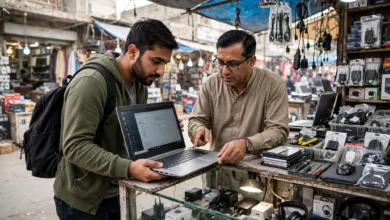
Many technicians in markets like Hafeez Centre and Saddar are skilled and honest. Still, common shortcuts include reusing old thermal paste, swapping an original fan or battery for a cheaper copy without telling the customer, or “cleaning” a laptop by blowing dust deeper inside. Ask to see the old parts, request a written receipt that lists what was replaced, and choose shops with a track record.
12 Proven Ways to Stop Laptop Overheating in Pakistan
Start with the free steps at the top. Most people solve their laptop heating problem within the first five.
Placement and Airflow
1. Use your laptop on a hard, flat surface
Beds, charpais, cushions and laps block the bottom intake vents. A table, a wooden board or even a large hardcover book lets air flow freely. This one change can drop temperatures noticeably.
2. Raise the back with a stand or cooling pad
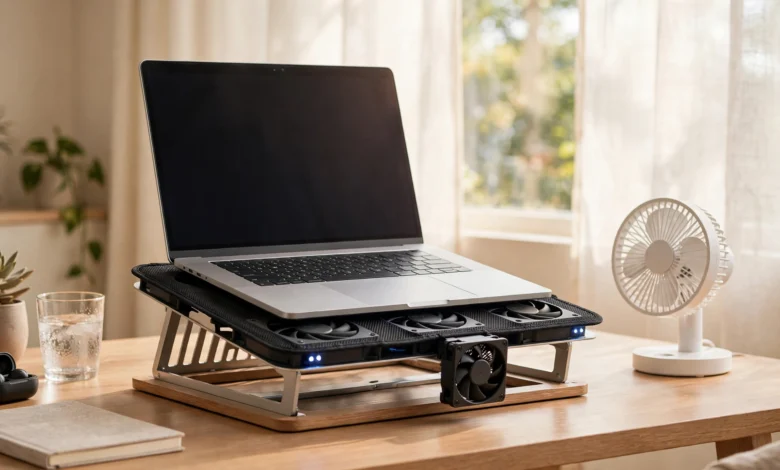
Lifting the rear of the laptop by a few centimeters gives the fan more room to breathe. A metal stand works well, and a laptop cooling pad with fans helps more in hot rooms, especially for gaming laptops. Choose a pad whose fans line up with your laptop’s intake vents.
3. Work in the coolest part of the house
During afternoon peaks and power cuts, move to the coolest room you have, away from windows facing the sun. Even a ceiling or pedestal fan blowing across the laptop lowers its intake temperature. Never leave a laptop in a parked car in summer.
Software Settings
4. Switch to an efficient power mode
On Windows 11, open Settings > System > Power & battery and choose Best power efficiency or Balanced instead of Best performance on hot days. On gaming laptops, use the maker’s app (such as Armoury Crate, Lenovo Vantage or Omen Gaming Hub) to select a quiet or silent mode. You will lose a little speed and gain a lot of comfort.
5. Close heavy apps and limit background processes
Open Task Manager (Ctrl + Shift + Esc) and sort by CPU usage. Close apps you are not using, and switch off unnecessary startup apps under Settings > Apps > Startup. Browsers with dozens of tabs are a common hidden source of heat.
6. Cap frame rates when gaming
If you game, limit frame rates to your screen’s refresh rate or lower, and reduce graphics settings like shadows and resolution scaling during the hottest months. The graphics chip produces a large share of the heat in gaming laptops.
7. Monitor temperatures
Free tools such as HWMonitor or Core Temp show your CPU temperature. Readings in the 40s to 60s °C at light load and up to the 80s under heavy load are normal for many laptops. Sustained readings above 90°C during everyday use mean something needs attention.
Cleaning and Maintenance
8. Clean the vents regularly
Once a month during summer, shut down and unplug the laptop, then use short bursts of compressed air or an electric air duster on the vents, holding the can upright. Hold the fan still with a toothpick through the vent so it does not over-spin. Do this outdoors or on a balcony so dust does not resettle.
9. Get a deep clean and fresh thermal paste every year or two
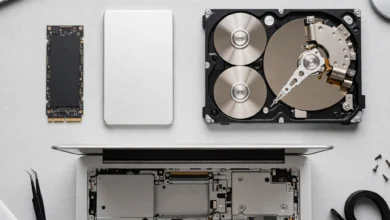
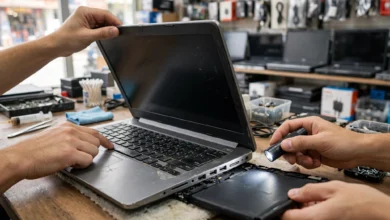
Inside, the thermal paste between the processor and heatsink dries out over time, especially in hot climates. A trusted technician can open the laptop, do a proper cleaning of the laptop fan and heatsink, and replace the paste. Ask for good-quality paste and to see the old paste before it is wiped. If your laptop is under warranty, use the authorized service center, since opening it yourself may void coverage.
Power and Charging
10. Use only the original or a certified charger
An original charger or a reputable USB-C charger with the correct wattage delivers stable power and runs cooler. Avoid unbranded chargers from roadside stalls or listings that look too cheap. Check the charger itself: if it becomes too hot to hold, replace it.
11. Protect against voltage swings with a stabilizer or good UPS
Use a quality voltage stabilizer, or a pure sine wave UPS or inverter, from an established brand, especially in areas with frequent fluctuation. Avoid cheap modified sine wave units for sensitive electronics if you can. A surge-protected extension board adds another layer of protection.
12. Charge smart in hot weather
Avoid charging and gaming at the same time in a hot room. If your laptop maker offers a charge limit (often 80%) in its app, turn it on, since a full battery sitting in heat ages faster. Unplug and let the laptop cool if the battery area becomes very hot.
Quick Fixes for Laptop Overheating in Pakistan
Match the symptom to the most likely cause before spending money.
| Symptom | Likely cause | First fix | If that fails |
|---|---|---|---|
| Hot only on bed or lap | Blocked vents | Hard surface or stand | Cooling pad |
| Loud fan on light tasks | Dust buildup or background apps | Clean vents, close apps | Professional deep clean |
| Slows down on hot afternoons | Thermal throttling | Efficient power mode, cooler room | Fresh thermal paste |
| Shuts down during games | Heat overload | Cap frame rate, cooling pad | Service visit |
| Charger too hot to hold | Faulty or fake charger | Replace with original | Check wall voltage, add stabilizer |
| Hot near battery or case bulging | Battery failure | Stop using and charging | Battery replacement at authorized center |
Common Mistakes to Avoid
Some popular “fixes” make laptop overheating in Pakistan worse or create new risks.
- Putting the laptop in a fridge or near an air cooler’s spray. Condensation and humidity can short circuit the board.
- Opening the laptop with a household vacuum. Static and suction can damage fans and components.
- Blocking the fan to “test” it or spinning it with a blower. Over-spinning can damage fan bearings.
- Removing the bottom panel to run it open. This often disrupts designed airflow and exposes parts to dust.
- Buying the cheapest replacement battery or charger. As the counterfeit battery case shows, missing protection circuits are a fire risk, especially in heat.
- Ignoring a swollen battery. Do not press it, puncture it or keep charging it.
When to See a Technician
Get professional help if temperatures stay above 90°C after cleaning and settings changes, the laptop keeps shutting down, the fan makes grinding or clicking noises, or the battery shows any swelling. Use the brand’s authorized service center if the laptop is under warranty. Otherwise, choose a well-reviewed technician, agree on the price first, ask for original or clearly labeled parts, keep the receipt, and if the laptop is a gaming or business model, ask whether they have repaired that specific model before. Whatever the repair, the safest rule remains genuine parts from known sources.
Conclusion
Laptop overheating in Pakistan is driven by a tough mix of 40°C-plus rooms, fine dust, load-shedding, UPS switching and voltage swings, but most of it can be controlled with simple habits and settings: use the laptop on a hard surface, raise it on a stand or cooling pad, work in the coolest room, switch to an efficient power mode, close heavy apps, cap game frame rates, watch temperatures, clean the vents monthly and get a deep clean with fresh thermal paste every year or two, while powering it through an original charger, a quality stabilizer or pure sine wave UPS, and smart charging habits; real cases, from a US counterfeit laptop battery scheme worth at least $23.8 million to fake PSQCA marks in local markets and illegal kunda connections that K-Electric links to fluctuations and fires, show that the biggest risks come from shortcuts, so avoid fridge tricks and cheap parts, never ignore a swollen battery, and choose authorized service centers or trusted technicians who use genuine components.