MacBook Accessories in Pakistan: 12 Essential Cases, Sleeves, USB-C Hubs and Brilliant Productivity Tools
Buy the right MacBook accessories in Pakistan with this guide to cases, sleeves, USB-C hubs and desk tools, plus real PKR prices and buying tips.
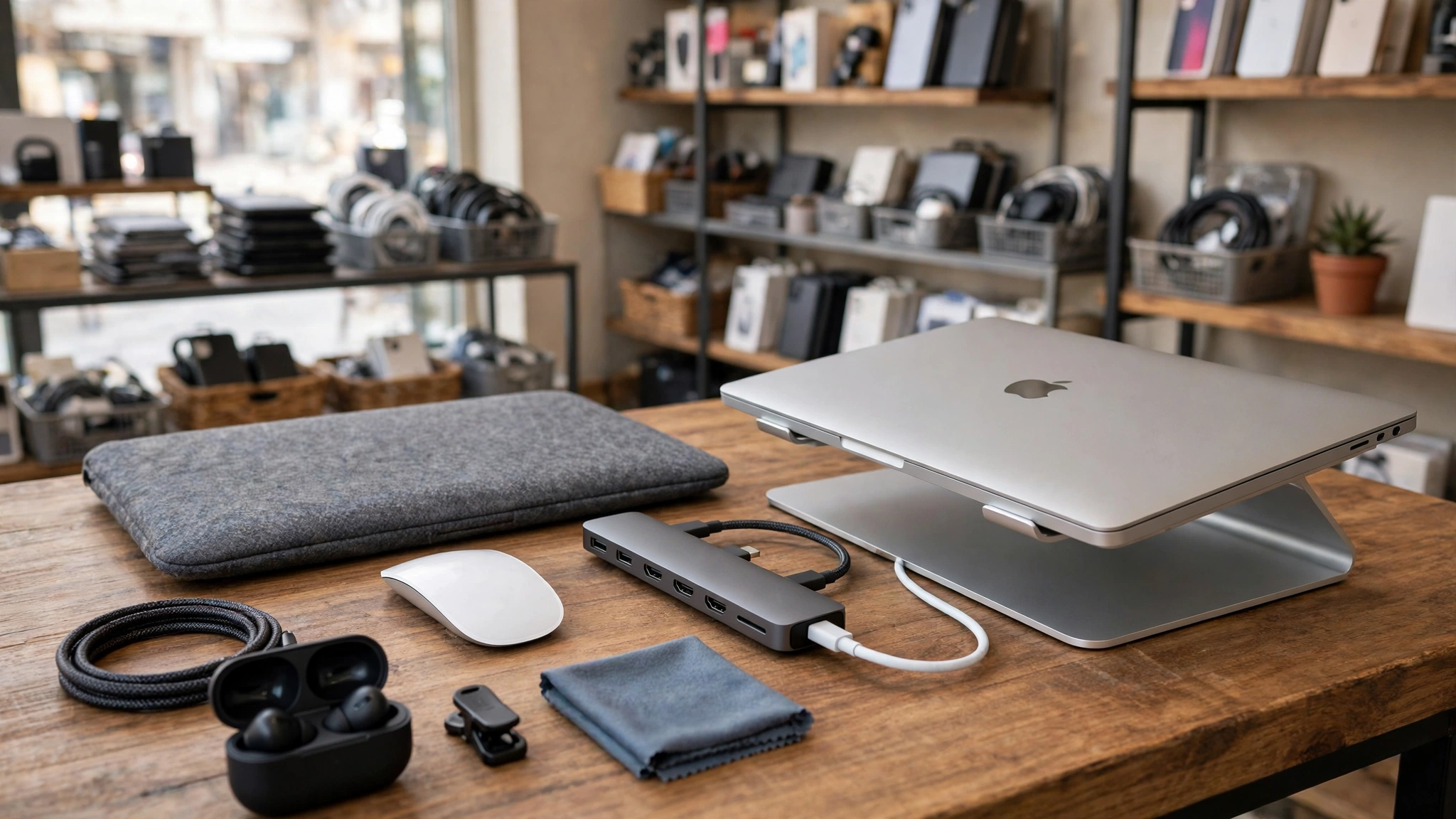
MacBook accessories can make a bigger difference to your daily work than most people expect. A MacBook is a beautifully built machine, but it ships with very few ports, no protection against scratches, and a screen that sits too low for long work sessions. If you are a student in Lahore, a freelancer in Karachi, or a designer in Islamabad, you have probably felt these limits already.
The good news is that MacBook accessories in Pakistan are easier to find than ever. Online stores like Tejar, Vmart, PakByte and W11stop stock genuine hubs and adapters, and markets such as Hafeez Centre and Saddar have plenty of cases and sleeves. The bad news is that the market is also full of copies, inflated prices and MacBook accessories that simply do not fit newer models.
This guide cuts through that noise. We studied what top-ranking buying guides recommend, then matched those picks with MacBook accessories you can actually buy here and what they cost in rupees. You will find advice on MacBook cases, MacBook sleeves, USB-C hubs, laptop stands, chargers, storage and other productivity tools.
We also cover the practical side: how to check if a product is original, which MacBook accessories are worth paying more for, and where you can save money without regret. Whether you own a MacBook Air, a MacBook Pro or the newer MacBook Neo, the goal is the same. Spend smart, protect your investment, and get more done every day.
Why MacBook Accessories Matter for Pakistani Users
Before getting into products, it helps to understand why MacBook accessories matter so much here in particular.
First, a MacBook is an expensive purchase in Pakistan. Between import costs, taxes and exchange rates, a new machine costs several hundred thousand rupees. Repairs are just as costly, and genuine parts can take weeks to arrive. Spending a few thousand rupees on protective MacBook accessories is simply good sense.
Second, our working conditions are tough on laptops. Dust, heat, monsoon humidity, crowded transport and load-shedding all take a toll. A good sleeve, a reliable charger and a power bank are not luxuries in that environment.
Third, Apple keeps ports to a minimum. Most models give you two or three USB-C or Thunderbolt ports, and the MacBook Air has no HDMI or SD card slot. If you connect a projector at university or a monitor at the office, you need connectivity MacBook accessories.
Best MacBook Cases in Pakistan
MacBook cases are the first of the MacBook accessories most people buy, and for good reason. A hard shell protects the aluminium body from scratches, small dents and daily wear.

Hard Shell Cases
Hard shell cases snap onto the top lid and bottom panel. They are thin, light and come in clear, frosted and coloured options.
- Price range: Rs 1,500 to Rs 5,000 for decent quality
- Best for: Students and anyone who carries the laptop daily
- Popular brands: Incase, MOSISO, Tomtoc and many unbranded options
Among budget MacBook accessories, a clear frosted case is the most popular choice because it shows off the design while hiding fingerprints.
What to Check Before Buying MacBook Accessories Like Cases
Not every case fits every model, and this is the most common mistake buyers make:
- Match the exact model number. Flip your MacBook over and look for the “A” number (for example, A3113). Cases are cut for specific models.
- Check the vents. MacBook Pro models need clear airflow. A badly cut case can block vents and raise temperatures.
- Look at the rubber feet. The bottom shell should have its own feet so the laptop does not slide.
- Remove it occasionally. Dust trapped between the case and body can cause light scratches.
One honest warning: thick cases can stop slim hubs from plugging in flush. If you plan to combine MacBook accessories like a case and a dual-plug hub, check compatibility first.
Best MacBook Sleeves for Daily Carry
If you carry your laptop in a backpack, a sleeve adds a second layer of protection. MacBook sleeves are padded MacBook accessories that absorb shocks and keep out dust.
Types of Sleeves Available
- Neoprene sleeves: Soft, cheap and flexible. Prices start around Rs 1,200.
- Padded nylon sleeves: Brands like Tomtoc offer corner protection that holds up well to drops. Expect Rs 4,000 to Rs 9,000 for originals.
- Leather and felt sleeves: A premium look for office use, usually Rs 5,000 and above.
- Sleeve-and-stand hybrids: The MOFT Carry Sleeve folds into a laptop stand, so two MacBook accessories fit in one.
Choosing the Right Sleeve Among MacBook Accessories
Pick a sleeve that matches your screen size exactly. A loose 13-inch sleeve lets the laptop shift around, which defeats the purpose. Look for a front pocket if you want to carry a charger and hub together. For bike and rickshaw commutes, water-resistant fabric is worth the extra money.
Best USB-C Hubs: The Most Useful MacBook Accessories
A USB-C hub is probably the most useful of all MacBook accessories. It turns one USB-C port into many, so you can connect monitors, USB drives, memory cards and Ethernet at the same time.
USB-C Hub Prices in Pakistan
Here is what genuine hubs cost at major Pakistani retailers right now:
- Ugreen 6-in-2 USB-C Hub (80856): Around Rs 5,490 at PakByte. It plugs into two ports and adds HDMI, USB-A, USB-C and card readers.
- Choetech HUB-M14 7-in-2: Around Rs 6,499 on sale at Fonepro.
- Ugreen 5-in-2 USB-C Hub: Around Rs 7,999 at Tejar.
- Anker PowerExpand 5-in-1: Around Rs 11,199 at Tejar, with a travel pouch.
- Apple USB-C Digital AV Multiport Adapter: Around Rs 11,615 at W11stop.
- Choetech HUB-M24 7-in-2 with Ethernet: Around Rs 13,490 at Vmart.
Prices of imported MacBook accessories move with the dollar rate, so compare a few stores before you order.
Single-Plug vs Dual-Plug Hub MacBook Accessories
Single-plug hubs connect through one cable. They work with any USB-C laptop, so they suit anyone who also uses a Windows machine or an iPad.
Dual-plug hubs sit flush against the MacBook and use two ports at once. They look neat and often run faster, but they only fit specific models and usually do not work with a case on.
Features That Matter in a USB-C Hub
When comparing USB-C hubs for MacBook, focus on these features:
- Power Delivery pass-through: At least 60W, or 100W for MacBook Pro, so you can charge while using the hub.
- HDMI 4K at 60Hz: Cheaper hubs often run 4K at only 30Hz, which feels laggy.
- USB 3.0 or faster ports: USB 2.0 makes file transfers painfully slow.
- Gigabit Ethernet: Very useful where Wi-Fi is unreliable.
- SD and microSD readers: Essential for photographers and videographers.
A quick technical note: base M-series MacBook Air models support only one external display natively. A hub with two HDMI ports will not change that without DisplayLink software. For more detail on docks and display-focused MacBook accessories, see Macworld’s guide to the best USB-C hubs and docking stations for Mac.
Charging and Power MacBook Accessories
Power is a real concern in Pakistan, so this category of MacBook accessories deserves attention.
GaN Chargers
Gallium nitride (GaN) chargers are smaller and cooler than older bricks. A 65W or 100W GaN charger from Anker, Ugreen or Baseus can charge your MacBook, phone and earbuds from one plug. Expect Rs 6,000 to Rs 15,000 for a genuine unit.
Laptop Power Banks
A power bank with 65W or higher USB-C output keeps your MacBook running through load-shedding or a long flight. Many power banks sold locally only push 18W or 20W, which is too slow to charge a laptop meaningfully.
Surge Protection
Voltage fluctuations damage chargers more often than people realise. A surge-protected extension board is a cheap way to protect expensive MacBook accessories like the original adapter.
Productivity MacBook Accessories That Change How You Work
The best MacBook productivity tools help your body as much as your workflow. These productivity MacBook accessories are especially useful for freelancers and remote workers who spend eight or more hours at a desk.
Laptop Stands
Among desk MacBook accessories, a laptop stand raises the screen closer to eye level and reduces neck strain. Aluminium stands from Ugreen, Baseus and Nillkin cost around Rs 2,500 to Rs 7,000. Foldable stands suit students who move between classes. Raising the laptop also improves airflow, which helps fanless MacBook Air models stay cool.
External Keyboard and Mouse
Keyboards and mice are core MacBook accessories for desk work. Once your screen is raised, you need a separate keyboard and mouse. Apple’s Magic Keyboard and Magic Mouse are excellent but expensive. The Logitech MX Keys, MX Master 3S and Signature M650 offer great Mac support and often cost less, and the Mac versions come with the correct command key layout.
External Monitor
A second screen noticeably improves productivity for coding, design and research. A 24-inch or 27-inch monitor with USB-C input is the cleanest setup, since one cable handles display, data and charging. Portable 15.6-inch monitors are popular MacBook accessories for freelancers who travel.
Webcam and Audio
Webcams and mics are optional MacBook accessories. The built-in webcam on newer MacBooks is fine for most calls. If you handle client meetings daily, a Logitech Brio webcam and a USB-C microphone will make you look and sound more professional. Earbuds with good noise reduction help in noisy shared spaces.
Storage MacBook Accessories
Apple charges a lot for extra internal storage, so many buyers choose the base model and expand later with storage MacBook accessories.
- Portable SSDs: Samsung T7, SanDisk Extreme and Crucial X9 drives are fast enough for video editing.
- External hard drives: Cheaper per gigabyte and ideal for Time Machine backups.
- USB-C flash drives: Handy for moving small files between devices.
A Time Machine backup on an external drive can save months of work if your laptop is stolen or damaged.
Screen Protectors and Keyboard Covers
These two MacBook accessories have pros and cons, so think before buying.
Screen protectors with anti-glare or privacy filters help in bright or public spaces. However, Apple advises against leaving anything between the screen and keyboard when the lid is closed, because it can press on the display.
Keyboard covers keep out dust and crumbs, but they can also touch the screen when closed and may trap heat. If you use one, remove it before closing the lid.
How to Buy Genuine MacBook Accessories in Pakistan
Fake MacBook accessories are a real problem locally. Follow these tips when shopping for MacBook accessories in Pakistan:
- Buy from established retailers like Tejar, Vmart, PakByte, W11stop or brand-authorised stores.
- Check the packaging. Genuine Anker, Ugreen and Apple MacBook accessories have clean printing, serial numbers and security seals.
- Compare prices. If a “genuine” Apple adapter costs half the usual price, it is almost certainly a copy.
- Ask about warranty. Reputable sellers offer at least a checking warranty.
- Read reviews. Check buyer reviews on the store page and in Pakistani tech Facebook groups.
- Use cash on delivery wisely. Always open and inspect the parcel before paying.
To see which MacBook accessories Apple officially lists for your model, check the official Apple Mac accessories store.
MacBook Accessories Bundles by Budget
Not everyone needs all these MacBook accessories. Here is a simple way to plan your MacBook accessories budget:
Starter Bundle (Under Rs 10,000)
- Neoprene or basic padded sleeve
- Budget USB-C hub with HDMI and USB-A
- Foldable laptop stand
Professional Bundle (Rs 25,000 to Rs 50,000)
- Hard shell case and padded sleeve
- Branded USB-C hub with 100W PD
- 65W GaN charger
- Aluminium laptop stand
- Wireless keyboard and mouse
Creator Bundle (Rs 75,000 and Above)
- Thunderbolt dock with Ethernet and multiple outputs
- Portable SSD (1TB or more)
- External USB-C monitor
- Webcam and microphone
- High-output laptop power bank
Conclusion
Choosing the right MacBook accessories in Pakistan comes down to understanding how you use your laptop and spending money where it counts. A good case and sleeve protect your investment from daily wear, a reliable USB-C hub solves Apple’s limited ports, and a stand, keyboard and mouse turn your MacBook into a comfortable workstation for long hours. Power MacBook accessories like GaN chargers and laptop power banks help you handle load-shedding, while external storage keeps your work safe and saves you from Apple’s high storage prices. Buy from trusted retailers, match every product to your exact model, compare prices before ordering, and build your setup one useful item at a time instead of buying everything at once.