How to Choose a Laptop Warranty That Actually Covers You
Laptop warranty fine print can leave you paying for repairs. Here's how to compare coverage, avoid extended warranty traps, and claim what you're owed.

How to Choose a Laptop Warranty That Actually Covers You
A laptop warranty looks reassuring on the box. “One year coverage” or “three years protection” sounds like your laptop is safe, so most people never read the details. Then something goes wrong. The charging port stops working, the screen develops lines, or coffee lands on the keyboard, and the service center explains that this particular problem isn’t covered.
That gap between what people expect and what warranties actually promise costs buyers a lot of money. Standard warranties usually cover manufacturing defects only. Accidental damage, liquid spills, power surge damage, and worn batteries are often excluded. Some warranties only work in the country where you bought the laptop. Others are offered by sellers who disappear when you need them.
There’s also a darker side. Companies have been warned and fined for telling customers that opening a laptop or upgrading RAM voids the warranty when the law says otherwise. Others have misled buyers about their legal rights, and warranty scam callers have been hit with some of the largest fines in regulatory history.
This guide explains how to choose a laptop warranty that actually protects you. You’ll learn the difference between manufacturer, extended, and accidental damage coverage, which exclusions to watch for, how to check whether a warranty is official, and how to make a claim that succeeds. You’ll also see real enforcement cases that show where buyers get misled, so you can spot the same tricks before you pay.
What Is a Laptop Warranty and What Does It Really Cover?
A laptop warranty is a promise from a manufacturer or seller to repair or replace your laptop if certain problems happen within a set time.
The Key Word Is “Defect”
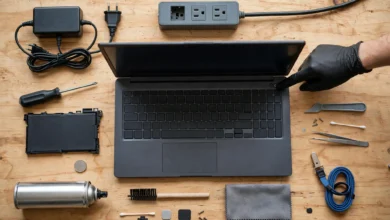
Most standard warranties are called limited warranties. They cover defects in materials and workmanship under normal use. In plain language, that means problems that weren’t your fault and come from how the laptop was made, such as:
- A motherboard that fails on its own
- A keyboard that stops working without any spill or impact
- Dead pixels or display failures not caused by pressure or drops
- Fans, ports, or hinges that fail during normal use
What Standard Warranties Usually Don’t Cover
This is where most surprises happen. Standard coverage typically excludes:
- Accidental damage like drops, cracked screens, and dents
- Liquid spills
- Power surges and lightning damage
- Normal wear, such as worn keys or scratched casing
- Software problems, viruses, and data loss
- Damage from unauthorized repairs (though the rules on this vary by country, as you’ll see later)
- Battery wear beyond a certain point
Reading the warranty exclusions list is just as important as reading what’s covered.
Types of Laptop Warranty Coverage
Not every laptop warranty is the same. Here are the main types you’ll come across.


Manufacturer Warranty
This is the standard manufacturer warranty that comes with a new laptop, usually lasting one year for consumer models and up to three years for some business models like Dell Latitude, Lenovo ThinkPad, and HP EliteBook.
Pros: backed by the brand, uses genuine parts, handled by authorized service centers
Cons: limited to defects, may only be valid in the country of purchase
Extended Warranty From the Manufacturer
Brands sell extensions like Dell Premium Support, HP Care Packs, Lenovo Premier Support, and AppleCare+. These lengthen coverage and sometimes add faster service.
Pros: same service network as the original warranty, often includes priority support
Cons: adds cost, and accidental damage may still be a separate option
Accidental Damage Protection
Accidental damage protection (ADP) covers drops, spills, and cracked screens. It’s usually sold as an add-on and often includes a service fee or deductible per claim.
Best for: students, travelers, families with kids, and anyone who carries their laptop daily
Third-Party Extended Warranty
Retailers and independent companies sell third-party warranty plans. Some are excellent. Others have long exclusion lists, slow claims, and limited repair networks.
Watch for: who actually pays for repairs, where repairs happen, and whether genuine parts are used.
Seller or Shop Warranty
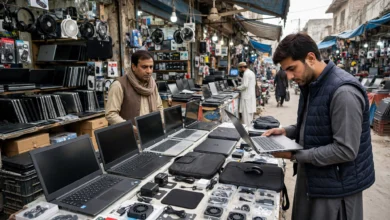
In many markets, including Pakistan, shops offer their own “checking warranty” or short-term shop warranty, sometimes just 7 to 30 days. This is not the same as an official manufacturer warranty. If the shop closes or refuses to help, you may have little recourse.
Credit Card Extended Warranty
Some credit cards automatically extend manufacturer warranties when you pay with them. Check your card’s benefits. This can add coverage at no extra cost.
Your Legal Rights (Statutory Warranty)
In many countries, the law gives buyers protection regardless of what the written warranty says.
- European Union: sellers must provide at least a two-year legal guarantee against faults present at delivery.
- United Kingdom: the Consumer Rights Act 2015 says goods must be of satisfactory quality and last a reasonable time.
- Australia: consumer guarantees under Australian Consumer Law apply for a reasonable period, which can exceed the written warranty.
- United States: the Magnuson-Moss Warranty Act sets rules for written warranties and limits certain unfair conditions.
- Pakistan: provincial consumer protection laws, such as the Punjab Consumer Protection Act 2005 and Sindh Consumer Protection Act 2014, give buyers rights against defective products and services, with consumer courts to hear complaints.
Knowing these rights helps you push back when a company refuses a valid claim.
9 Checks to Choose a Laptop Warranty That Actually Covers You
Use these checks before you buy a laptop or pay for extra coverage.
1. Confirm It’s an Official Warranty
An official warranty is registered with the manufacturer and honored by authorized service centers. A shop’s promise is not the same thing.
How to check:
- Find the serial number on the bottom of the laptop or in system settings.
- Enter it on the manufacturer’s warranty check page (Dell, HP, Lenovo, ASUS, Acer, and Apple all have one).
- Confirm the start date, end date, and region match what the seller promised.
If the warranty check shows a different country, an earlier start date, or no coverage, ask questions before paying.
2. Read the Exclusions, Not Just the Coverage
Ask for the full terms in writing. Look specifically for:
- Liquid and physical damage
- Power surge damage
- Battery coverage limits
- Software and data recovery
- Cosmetic damage
- Damage from “unauthorized” repairs or upgrades
A warranty that excludes the problems you’re most likely to face isn’t worth much to you.
3. Check the Battery Warranty Separately
Batteries are often treated as consumables. Many brands cover the battery warranty for only one year, even when the laptop has a longer warranty, or they only replace batteries that fall below a certain health level (often 80 percent) within the coverage period. If you depend on battery life, check this carefully.
4. Decide Whether You Need Accidental Damage Protection
Ask yourself honestly:
- Do you carry the laptop daily?
- Do you work near drinks or food?
- Do kids or pets share your space?
- Is the laptop expensive to repair, like a MacBook or premium ultrabook?
If you answered yes to two or more, accidental damage protection is often worth considering. Check the deductible per claim and the number of claims allowed per year.
5. Understand the Service Type
How repairs happen affects how long you’re without your laptop.
- Onsite service: a technician comes to your home or office. Fastest and most convenient.
- Carry-in service: you take the laptop to a service center.
- Mail-in or depot service: you ship it, and it may take one to three weeks.
For freelancers, remote workers, and students during exams, onsite service or next-business-day options can be worth the extra cost.
6. Check Whether It Works Internationally
An international warranty lets you get service in other countries. Many consumer laptop warranties are regional. If you buy a laptop abroad or from an importer, it may not be serviceable where you live.
This matters a lot in markets where many laptops are imported unofficially. A laptop with a US or UAE warranty may not be honored by authorized centers in Pakistan, for example.
7. Check Transferability
If you plan to sell the laptop later, a transferable laptop warranty adds resale value. Some manufacturer warranties transfer automatically with the device. Many third-party warranties don’t transfer at all.
8. Look at Claim Limits and Deductibles
Some plans:
- Cap the total amount they’ll pay
- Limit the number of claims
- Charge a service fee per claim
- Replace the laptop with a refurbished one instead of repairing it
Do the math. A plan with a high deductible might not save you much.
9. Ask About Data and Drive Policies
During repairs, technicians may wipe or replace your drive. Ask:
- Will my data be erased?
- Can I keep my old drive if it’s replaced? (Some business plans offer a “keep your hard drive” option.)
- Do they offer data recovery?
Always back up your files before sending your laptop for any warranty claim.
Is an Extended Laptop Warranty Worth It?
The honest answer: sometimes.
When It’s Usually Worth It
- Expensive laptops where a single repair (screen, motherboard) costs a large share of the price
- Laptops with known reliability issues for specific models
- Heavy daily use and frequent travel
- Business users who can’t afford long downtime
- Plans from the manufacturer that include accidental damage
When It’s Often Not Worth It
- Budget laptops where the warranty costs a big percentage of the laptop’s price
- Third-party plans with long exclusion lists and weak service networks
- When you already have coverage through a credit card or legal consumer rights
- When you’ll replace the laptop before the extended period starts
A Simple Rule of Thumb
If an extended laptop warranty costs more than about 15 to 20 percent of the laptop’s price and doesn’t include accidental damage, think carefully. Compare it with the cost of the repairs you’re actually likely to need.
Laptop Warranty in Pakistan: What Buyers Should Know
Pakistan’s laptop market includes official imports, gray-market imports, and refurbished units. That makes warranty checks especially important.
Official vs Non-Official Warranty
- Official warranty: sold through the brand’s authorized distributors, serviced by authorized centers in Pakistan.
- Non-official or “shop warranty”: provided by the seller only. Often short, sometimes just checking warranty.
- International warranty: some brands honor it, many don’t. Always confirm with the local service center.
Tips for Pakistani Buyers
- Ask directly: “Is this official warranty from the brand’s distributor in Pakistan?”
- Check the serial number on the manufacturer’s website before paying.
- Get a proper invoice with the serial number, seller’s name, address, and warranty terms.
- Keep the box and accessories, since some service centers require them.
- Know your rights. If a seller refuses a valid claim, you can file a complaint with the consumer court in your province.
Laptops sold far below official prices are often gray imports without local warranty. That may be fine if you accept the risk, but you should know it upfront.
The Reality Check: Real Cases of Warranty Abuse and Scams
Warranty problems aren’t just bad luck. Regulators have taken action against companies and scammers for misleading people about their coverage. These cases help you recognize the same tactics.
“Warranty Void if Removed” Stickers (FTC, 2018)
In 2018, the U.S. Federal Trade Commission sent warning letters to six major companies, including ASUS, HTC, Hyundai, Nintendo, Sony, and Microsoft. The FTC said that statements like “warranty void if seal is broken” or requiring customers to use only the company’s own parts and service can violate the Magnuson-Moss Warranty Act.
In the United States, a manufacturer generally can’t void your laptop warranty just because you opened the laptop or used third-party parts, unless they can show that your action caused the damage. Rules differ in other countries, so check local law, but many people believe these stickers have more power than they actually do.
Illegal Warranty Restrictions (FTC, 2022)
In 2022, the FTC took action against Harley-Davidson, Westinghouse, and grill maker Weber for warranty terms that allegedly voided coverage if customers used third-party parts or independent repair shops. The companies agreed to remove those restrictions. These cases weren’t about laptops, but the same law applies to electronics, and it shows regulators take repair restrictions seriously.
Apple Misleading Customers About Their Rights (Australia, 2018)
In Australia, the Federal Court ordered Apple to pay AUD 9 million after the Australian Competition and Consumer Commission (ACCC) found that Apple had told some customers with faulty devices that they weren’t entitled to a remedy because the devices had previously been repaired by third parties. Under Australian Consumer Law, consumer guarantees still applied. The case is a powerful reminder that a company’s statement about your warranty isn’t always the full legal picture.
Record Fine for Warranty Scam Robocalls (FCC, 2023)
Warranty scams are big business. In 2023, the U.S. Federal Communications Commission issued a fine of nearly $300 million against an operation responsible for billions of illegal robocalls pushing fake auto warranty offers. While these calls targeted car owners, similar fake “extended warranty” calls and messages target laptop and electronics buyers too.
Lesson: don’t buy warranty extensions from unsolicited calls, texts, or emails. Buy only directly from the manufacturer or a trusted retailer.
Fake Warranty Cards and Tampered Serial Numbers
In many markets, including Pakistan, buyers have reported laptops sold with fake warranty cards or “official warranty” claims that turn out to be false when checked with the manufacturer. Some units have tampered or mismatched serial numbers, which can also be a sign of stolen goods.
What to do:
- Always verify the serial number on the brand’s official website.
- Make sure the serial on the laptop matches the box and invoice.
- Avoid sellers who refuse to provide a proper invoice.
How to Make a Successful Laptop Warranty Claim
Even with good coverage, how you handle a claim matters.
Before You Contact Support
- Back up your data if the laptop still works.
- Note the problem in detail: when it started, what happens, any error messages.
- Take photos or videos of the issue.
- Find your proof of purchase and serial number.
- Check your coverage on the manufacturer’s site.
During the Claim
- Be clear and factual. Describe what happened without guessing at causes.
- Ask for a case or ticket number and write it down.
- Request written explanations if a claim is denied.
- Ask which parts will be replaced and whether they’re genuine.
If Your Claim Is Denied Unfairly
- Ask for the specific exclusion they’re using.
- Escalate to a supervisor or the brand’s customer relations team.
- Contact the seller, since in many countries the seller is also legally responsible.
- File a complaint with your local consumer protection agency or consumer court.
- Leave honest, factual reviews describing the experience.
In the U.S., the FTC’s guide to understanding warranties explains your rights and how to resolve disputes. In Australia, the ACCC’s consumer rights resources cover consumer guarantees in detail.
Common Laptop Warranty Myths
Myth 1: Upgrading RAM or SSD Always Voids the Warranty
Not necessarily. Many manufacturers allow user upgrades, and in the U.S. the Magnuson-Moss Warranty Act limits voiding warranties for using third-party parts. However, if your upgrade directly causes damage, that damage may not be covered. Check your brand’s policy and keep original parts.
Myth 2: Extended Warranties Cover Everything
Most extended plans still exclude accidental damage, liquid spills, and theft unless you buy specific add-ons.
Myth 3: The Warranty Card Is All You Need
The proof that matters is the manufacturer’s record linked to your serial number and your purchase invoice.
Myth 4: Once the Warranty Expires, You Have No Rights
In many countries, consumer laws still protect you if a product fails unreasonably early, even after the written warranty ends.
Quick Laptop Warranty Comparison
| Coverage Type | Covers Defects | Covers Accidents | Typical Length | Best For |
|---|---|---|---|---|
| Standard manufacturer | ✅ | ❌ | 1 year | Everyone |
| Manufacturer extended | ✅ | Sometimes | 2 to 5 years | Long-term owners |
| Accidental damage protection | ✅ | ✅ | 1 to 4 years | Students, travelers |
| Third-party plan | Varies | Varies | 1 to 4 years | Careful comparison buyers |
| Shop warranty | Limited | ❌ | Days to months | Short-term reassurance only |
Conclusion
A laptop warranty only helps if it covers the problems you’re actually likely to face, so look past the headline years and check who backs the warranty, what it excludes, how batteries are handled, whether accidental damage is included, what type of service you’ll get, whether it works in your country, and what deductibles or claim limits apply. Verify every warranty through the manufacturer’s serial number check, get a proper invoice, and be careful with shop warranties, gray imports, and third-party plans with long exclusion lists. Real cases, including the FTC’s warnings over “warranty void” stickers, its 2022 action against illegal repair restrictions, Apple’s AUD 9 million penalty in Australia for misleading customers about their rights, and the FCC’s record fine against warranty robocall scammers, show that buyers are often told less than the full story. Know your legal consumer rights, back up your data before any claim, document everything, and escalate politely but firmly when a valid claim is refused, and your warranty will work for you instead of against you.