Best Mini PCs and All-in-One Desktops for Small Spaces
Mini PC or all-in-one desktop? Compare 10 space-saving computers for small rooms, with honest pros, cons, buying tips, and safety advice before you buy.
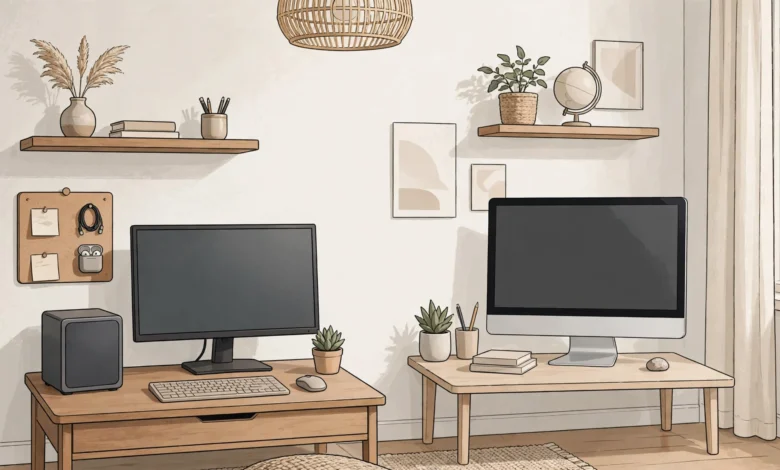
Best Mini PCs and All-in-One Desktops for Small Spaces
A mini PC can do things that would have sounded unlikely a few years ago. A box about the size of a sandwich now runs Windows 11 or macOS smoothly, drives multiple monitors, edits photos, and in some cases handles light gaming. If you live in a studio apartment, share a crowded home office, or just hate the idea of a big tower humming under your desk, that’s good news.
The other popular option is the all-in-one desktop, where the computer is built into the back of the screen. One cable for power, no separate tower, and a clean look that works well in kitchens, bedrooms, and reception desks.
Both choices save space, but they suit different people. A mini PC gives you flexibility: you pick the monitor, keyboard, and layout, and you can often upgrade memory and storage later. An all-in-one computer gives you simplicity: unbox it, plug it in, and you’re done, at the cost of almost no upgrade options.
This guide compares 10 strong picks across both categories, explains what actually matters when you’re shopping for computers for small spaces, and covers a side of the market that most buying guides skip. Some budget machines have shipped with malware, fake reviews have pushed weak products to the top of store listings, and old computers often end up in illegal e-waste streams. Knowing those realities helps you buy smarter and safer.
Mini PC vs All-in-One Desktop: Which Fits Your Space?
Before looking at specific models, it helps to know which category suits how you live and work.
What Is a Mini PC?
A mini PC is a full computer in a very small case, usually between 4 and 8 inches across. It has no screen, so you connect your own monitor, keyboard, and mouse. Many models can be mounted on the back of a monitor using a VESA mount, which makes the computer basically disappear.
Best for: people who already own a good monitor, want dual screens, or plan to upgrade RAM and storage over time.
What Is an All-in-One Desktop?
An all-in-one desktop combines the screen, speakers, webcam, microphone, and computer in one unit. Most come with a wireless keyboard and mouse.
Best for: people who want the fewest cables possible, a family computer in a shared room, or a tidy look with zero setup fuss.


Quick Comparison
| Factor | Mini PC | All-in-One Desktop |
|---|---|---|
| Desk footprint | Tiny, can hide behind monitor | Screen-sized, no extra box |
| Upgrades | Often easy (RAM, SSD) | Usually limited or none |
| Screen choice | Any monitor you want | Fixed built-in screen |
| Cables | More (monitor, peripherals) | Very few |
| Repair | Swap parts or replace box | Whole unit goes in for repair |
| Price | Lower entry point | Higher, but includes screen |
The big tradeoff: if the screen on an all-in-one computer fails, you lose the whole computer while it’s being repaired. With a mini PC, a broken monitor is just a broken monitor.
What to Look for in a Mini PC or Compact Desktop
Specs can be confusing, so here’s what actually matters for everyday use.
Processor
Most mini PC models use laptop-class chips from Intel (Core Ultra series) or AMD (Ryzen series). For browsing, office work, and streaming, a mid-range chip is plenty. For photo editing, coding, or light gaming, look at AMD Ryzen 7 or 9 chips with strong integrated graphics, or Apple’s M-series chips.
One thing worth knowing: slim all-in-ones commonly use a laptop processor rather than a desktop chip, so don’t expect tower-level performance from a thin AIO.
Memory (RAM)
Don’t go below 16GB. Reviewers covering home office machines this year consider 16 GB the comfortable minimum for Windows 11 Pro in 2026. If you run lots of browser tabs, virtual machines, or creative apps, 32GB is worth paying for.
Storage
Get at least 512GB of NVMe SSD storage. With a mini PC, check whether there’s a second M.2 slot so you can add storage later without replacing the original drive.
Ports and Display Support
Count what you’ll plug in. Look for:
- USB-C or Thunderbolt/USB4 for fast storage and single-cable monitor connections
- At least two video outputs if you want dual monitors
- Front-facing USB ports so you’re not reaching behind the device
- Ethernet if Wi-Fi is weak where your desk is
Noise and Heat
Small cases mean small fans. A cheap mini PC can whine under load. If you work in a quiet bedroom, read reviews that mention fan noise specifically, or consider a fanless model for light tasks.
Upgradeability and Warranty
Check whether RAM is soldered (common on Apple and some slim models) or socketed. Also look at warranty length and where repairs are handled. A two-year warranty from a brand with a real support presence in your country is worth more than a slightly faster chip.
Best Mini PCs for Small Spaces
Prices change constantly, so treat any figures here as rough guides and compare a few retailers before buying.
1. Apple Mac mini (M4): Best Overall Mini PC
The Mac mini is roughly 5 by 5 inches, quiet even under load, and fast enough for photo and video editing. It starts with 16GB of memory and has front-facing USB-C ports, which is a small thing that makes daily use easier.
Several current roundups rank the Mac mini M4 as the best overall mini PC for most people.
Pros:
- Excellent performance per watt
- Nearly silent
- Strong resale value
Cons:
- Memory and storage can’t be upgraded after purchase
- Apple’s storage upgrades are expensive (an external SSD is the cheaper route)
- macOS only, which matters if you rely on Windows-only software
Apple refreshes its chips regularly, so check whether a newer generation has launched before you buy.
2. Beelink SER8: Best All-Round Windows Mini PC
Beelink has built a solid reputation, and the SER8 is its most recommended model right now. One review site names the SER8 its best all-around pick among mini PCs under $500, though pricing varies by configuration and retailer.
It uses an AMD Ryzen 7 chip with Radeon graphics that handle 4K video and casual 1080p gaming. RAM and SSD are upgradeable.
Best for: home offices, students, and anyone who wants a capable Windows 11 mini PC without spending a fortune.
3. GEEKOM A9 Max: Best High-Performance Mini PC
If you want the most power in the smallest box, the A9 Max uses AMD’s Ryzen AI 9 HX 370 chip. Some buyer guides call the Geekom A9 Max the best powerhouse Windows mini PC.
Pros:
- Handles heavy multitasking, coding, and content creation
- Strong integrated graphics
- Good port selection
Cons:
- Costs more than many budget laptops
- Fans get audible under sustained load
4. ASUS NUC 14 Pro AI: Best for Business and Security
Intel handed its NUC line to ASUS, and the brand has kept it business-focused. Consumer Reports rates the NUC 14 Pro AI among the best AI-ready Windows desktops that take up minimal space.
Best for: small offices that want a trusted brand, decent support, and business-friendly features.
5. GMKtec G10: Best Budget Mini PC
Not everyone needs a powerhouse. For email, documents, streaming, and video calls, an entry-level mini PC like the GMKtec G10 does the job. TechRadar recently tracked it dropping from $399.99 to $319.99 on Amazon.
Keep in mind: budget machines cut corners somewhere, often in build quality, fan noise, or software cleanliness. Read the security section below before buying any very cheap mini PC, and reinstall Windows from Microsoft’s official media when it arrives.
Best All-in-One Desktops for Small Spaces
6. Apple iMac 24-inch (M4): Best Overall All-in-One Computer
The iMac is thin, quiet, comes in several colors, and has a sharp 4.5K display. TechRadar still picks the M4 iMac as the best all-in-one you can buy in 2026, even though the model isn’t brand new.
Pros:
- Beautiful screen and good speakers
- Very slim, works well in living spaces
- Includes keyboard and mouse
Cons:
- No upgrades after purchase
- Limited port count on base models
- Only 24 inches; no larger iMac option right now
7. Dell 24 All-in-One (EC24250): Best Budget All-in-One
For a family computer or a basic home office, this is a sensible pick. PCMag currently names the Dell 24 All-in-One (2026) its top pick for most users, and its 23.8-inch screen runs at 1920 by 1080 with touch support.
Best for: students, parents, and anyone who wants a reliable all-in-one desktop without paying for features they won’t use.
8. Lenovo Yoga AIO 27: Best Windows All-in-One
The Yoga AIO 27 offers a bigger screen and a more premium design. It’s PCMag’s current top Windows all-in-one for most users, and it suits anyone who wants more screen space for split-window work.
Best for: home office workers who spend long hours in spreadsheets, documents, and video calls.
9. HP OmniStudio X 31.5: Best for Creatives
If you edit photos or video and still want a single-unit setup, this one stands out. Its 31.5-inch IPS screen runs at 3840 by 2160 resolution, and it’s one of the few current all-in-ones that makes a believable case for creative work.
Keep in mind: a 31.5-inch screen is big. Measure your desk depth first. On a shallow desk, a screen this size can sit uncomfortably close to your eyes.
10. Lenovo ThinkCentre M90a Pro Gen 6: Best Business All-in-One
Business AIOs usually trade style for manageability and security, and the ThinkCentre does that well. Unusually, it has three M.2 SSD slots, giving more room for storage expansion than most systems in this category.
Best for: offices, clinics, and reception desks where IT teams need reliable, manageable machines.
How to Set Up a Mini PC in a Small Space
Buying a compact computer is only half the job. Setup decides whether your space actually feels tidier.
- Mount it behind the monitor. Most Windows mini PC models include a VESA mount bracket. This frees up all desk space.
- Use a single USB-C monitor if possible. Some monitors carry video, data, and power over one cable, cutting clutter dramatically.
- Leave airflow room. Don’t bury the device in a closed drawer or cabinet. Small cases depend on steady airflow, and overheating shortens component life.
- Go wireless for peripherals. A wireless keyboard and mouse remove two more cables.
- Add a cable tray under the desk. It hides the power brick and keeps cords off the floor.
- Use a monitor arm. Lifting the screen off the desk gives you more working surface, and a mini PC can sit on the arm’s bracket too.
The Reality Check: Real Cases Every Buyer Should Know
Most buying guides stop at specs. But the compact PC market has seen real problems, including malware, deceptive practices, and illegal disposal. These examples aren’t meant to scare you off. They’re here because understanding them helps you make better choices.
Malware Shipped on a Budget Mini PC (2024)
In early 2024, a tech YouTuber reported that a new AceMagic mini PC arrived with malware already on its drive. The company acknowledged the issue and attributed it to changes made to the Windows software image to speed up boot times. Whatever the reason, buyers received an infected computer straight out of the box.
What to do: with any budget mini PC, especially from lesser-known brands, consider doing a clean install of Windows using Microsoft’s official installation media. Then run a full scan with Windows Security.
Lenovo Superfish Preinstalled Software (2015)
Lenovo shipped certain laptops with preinstalled adware called Superfish, which injected ads into browsing and weakened HTTPS security. The U.S. Federal Trade Commission took action, and Lenovo agreed to a settlement in 2017 that required it to get consumers’ consent before installing similar software. It involved laptops, but the lesson applies to every prebuilt computer, including any all-in-one desktop: preinstalled software isn’t automatically trustworthy.
What to do: after setup, open your installed apps list and remove anything you don’t recognize or need.
Fake Reviews Pushing Weak Products
The compact PC category is full of brands you may not have heard of, and fake reviews have been a real issue across online marketplaces. In 2024, the FTC finalized a rule banning fake reviews and testimonials, including reviews written by people who never used the product. Sellers who break it can face civil penalties. The FTC’s consumer advice site explains how to spot misleading online ads and reviews.
What to do: cross-check any mini PC you’re considering against independent reviews from established tech publications, not just star ratings on a store page.
An Unauthorized Small Computer on a NASA Network (2018)
A NASA Office of Inspector General report revealed that an unauthorized Raspberry Pi, a credit-card-sized computer, had been connected to the network at the Jet Propulsion Laboratory. Attackers used it as a way in and accessed sensitive data. This is a reminder that small computers are still full computers, and they need the same security as a big one.
What to do: in an office, keep an inventory of every device on your network. At home, change your router’s default password and keep firmware updated.
Illegal E-Waste Exports
When you downsize from a big tower, the old machine has to go somewhere. In one well-known U.S. case, the head of Colorado-based Executive Recycling was sentenced to prison in 2013 for fraud tied to illegally exporting electronic waste overseas while telling customers it would be recycled domestically. Old electronics contain lead, mercury, and other hazardous materials, and improper disposal harms workers and communities.
What to do: wipe your drive first, then use a certified recycler or a manufacturer take-back program. The U.S. EPA has a guide on electronics donation and recycling that lists responsible options.
Physical Theft of Small Devices
A mini PC is easy to slip into a bag, which makes it an easy target in shared offices, schools, and co-working spaces.
What to do: use a security lock slot if the model has one, mount the device behind a monitor, and turn on full-disk encryption (BitLocker on Windows, FileVault on Mac) so stolen data stays unreadable.
Ethical Buying Tips for Compact Computers
A few habits make your purchase better for you and for others:
- Buy from authorized sellers. Gray-market listings may come without valid warranties or with questionable software.
- Avoid suspiciously cheap Windows license keys. Unauthorized keys can be revoked and often come from license abuse.
- Choose repairable designs when you can. A mini PC with socketed RAM and an M.2 slot lasts longer and creates less waste.
- Check power efficiency. Most compact computers use far less electricity than full towers, which lowers bills and environmental impact.
- Recycle responsibly. Never throw old electronics in household trash.
Which Compact Computer Should You Buy?
Here’s a simple way to decide:
- You already own a good monitor: get a mini PC. The Beelink SER8 or Mac mini are safe choices.
- You want the fewest cables: get an all-in-one computer like the iMac or Dell 24.
- You do creative work: the Mac mini paired with a quality monitor, or the HP OmniStudio X.
- You’re on a tight budget: a budget mini PC plus an affordable monitor often costs less than an equivalent AIO.
- You run a small office: the ASUS NUC 14 Pro AI or Lenovo ThinkCentre M90a Pro.
Conclusion
Choosing between a mini PC and an all-in-one desktop comes down to how you use your space: a mini PC gives you flexibility, upgrades, and the freedom to pick your own monitor, while an all-in-one computer gives you the cleanest setup with the fewest cables. Strong picks this year include the Mac mini, Beelink SER8, GEEKOM A9 Max, ASUS NUC 14 Pro AI, and GMKtec G10 on the mini side, and the iMac, Dell 24, Lenovo Yoga AIO 27, HP OmniStudio X, and ThinkCentre M90a Pro on the all-in-one side. Focus on at least 16GB of RAM, enough ports, low noise, and a solid warranty, and stay alert to the real risks shown by past cases like preinstalled malware, Superfish adware, fake reviews, unsecured small devices, and illegal e-waste exports. Do a clean software check, buy from authorized sellers, encrypt your drive, and recycle your old machine responsibly, and your compact computer will save space without costing you security.