Top Laptop Accessories Every Student Should Own
Laptop accessories for students that are worth the money: chargers, stands, storage and security picks, plus the counterfeit gear to avoid in 2026.
Laptop Accessories for Students: 12 Best Essentials You’ll Actually Use in 2026
Introduction
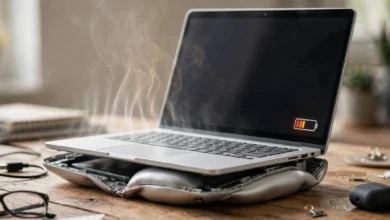
Laptop accessories for students can make a cheap laptop feel like a great one, or turn an expensive laptop into a fire hazard. That sounds dramatic, but it is exactly what safety testers keep finding when they buy cheap chargers and power banks from online marketplaces.
Most back-to-school lists treat accessories like a shopping spree: dozens of gadgets, lots of buy buttons, little explanation. Students do not have the budget or the desk space for that. What you actually need is a short set of things that protect your laptop, keep it charged through long days, save your neck and back during late-night study sessions, and keep your work safe if something goes wrong.
There is also a reality most lists skip. The accessories students buy most often, such as chargers, cables and power banks, are also the ones counterfeiters copy most. UK testing has found almost every fake Apple charger it examined could shock or start a fire, and even big brands have recalled hundreds of thousands of power banks for overheating.
In this guide we cover twelve essential laptop accessories, grouped by what they do, with honest notes on what to spend and what to skip. We also walk through real cases of counterfeit and recalled gear so you know the warning signs, and finish with a budget plan and a simple safe-buying checklist for your next term.
Before You Shop: The Dangerous Side of Cheap Student Laptop Gear
Students are prime targets for cheap accessories because budgets are tight and dorm rooms are full of shared outlets. Here is what testers and regulators have actually found.
Fake chargers that fail almost every safety test
The UK charity Electrical Safety First, working with Apple, tested 50 counterfeit and lookalike chargers bought from online marketplaces and discount stalls. 49 of the 50 failed basic safety checks, and most could deliver a dangerous shock or start a fire. Earlier, UL tested 400 counterfeit Apple chargers for UK Trading Standards and found that only three had enough insulation to protect against shock.
Counterfeiters have since gotten sneakier. In a later investigation, the charity found metal weights hidden inside 68% of fake Apple adapters it examined, added to make them feel heavy and genuine. Those weights broke the electrical separation that keeps mains voltage away from your fingers. Consumer group Which? later found fake chargers stuffed with modelling clay for the same reason, including a so-called Apple 35W USB-C adapter sold on eBay that arced during testing.
Selling counterfeit branded electricals is a crime in the UK, the US and most other countries. In one prosecution, Electrical Safety First gave expert evidence showing that the charger kits had never been tested and the safety certificates supplied with them were forged.
Even real brands recall power banks
Counterfeits are not the only risk. In September 2025, Anker recalled about 481,000 power banks across five models after the US Consumer Product Safety Commission received 33 reports of overheating, including some that exploded. They had been sold at Best Buy, Target, Amazon and other major stores for nearly two years. The lesson is not to avoid power banks, but to register your products, check recall lists and stop using any battery that swells, gets hot or smells odd.
Public charging and cheap cables
In 2023, the FBI publicly advised people to avoid free USB charging stations in airports and malls, warning that tampered ports and cables can be used to load malware onto devices. The risk to an individual student is low, but the fix is easy: carry your own charger and plug it into a wall socket instead of a random USB port.
What these cases mean for your shopping list
- Buy chargers, cables and power banks from the brand or a reputable retailer, never from the cheapest marketplace listing.
- Look for proper safety markings and a named importer or manufacturer.
- Treat a branded product at a fraction of the usual price as a fake until proven otherwise.
- Check recall pages for anything with a battery, such as the CPSC recall database in the US or your country’s equivalent.
12 Best Laptop Accessories for Students in 2026
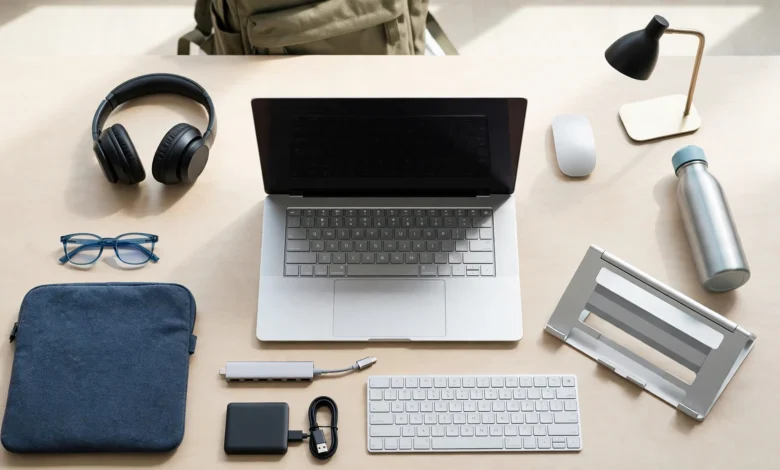
We chose these laptop accessories for students based on daily usefulness, safety and value. You do not need all twelve on day one; the budget section below shows what to buy first.
Protection: Keep Your Laptop Alive Until Graduation
1. A padded laptop sleeve or backpack compartment
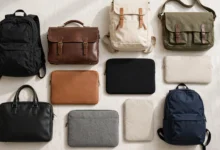
Most laptop damage happens in transit, not on a desk. A laptop sleeve with real padding, or a backpack with a separate padded laptop compartment, protects against bumps, spills and the classic “dropped my bag on the stairs” moment. Choose one that fits your exact screen size so the laptop cannot slide around.
- Spend: modest. A good sleeve is cheap compared with a screen repair.
- Skip: thin decorative sleeves with no padding.
2. A keyboard cover and screen cleaning kit
Crumbs and coffee are the enemies of student keyboards. A thin silicone cover helps in the cafeteria, and a microfiber cloth with screen-safe cleaner keeps the display clear. Never close a laptop with a thick cover on the keys if your maker warns against it, since it can press on the screen.
Power: Get Through Long Campus Days
3. A spare USB-C charger (GaN if possible)
Keep one charger in your room and one in your bag. A compact GaN charger from a known brand can often charge your laptop and phone together, and it is much smaller than the original brick. Check that its wattage matches or exceeds your laptop’s charger.
- Spend: buy from the brand or a reputable retailer. This is the single most counterfeited student accessory.
4. A quality power bank
Lecture halls rarely have enough outlets. A USB-C power bank that supports laptop charging (look for 60W or more output if your laptop needs it) can rescue an exam-week afternoon. Airlines limit power bank capacity in carry-on bags, so check the rules if you travel home by plane.
- Watch out for: recalls. Register the product and check the maker’s recall page once a term.
5. Good cables (and not too many)
One certified USB-C to USB-C cable rated for your laptop’s wattage and one phone cable cover most needs. Cheap uncertified cables can charge slowly or overheat.
Productivity: Work Faster and Smarter
6. A wireless mouse
Trackpads are fine for browsing, but a wireless mouse makes spreadsheets, coding, design and long essays much faster. A simple Bluetooth model avoids using up a USB port.
7. A USB-C hub or adapter
Many thin laptops have only two USB-C ports. A small USB-C hub adds HDMI for presentations, USB-A for flash drives and sometimes an SD card reader. Professors still ask students to plug into a projector more often than you would think.
8. An external SSD for backup and big files
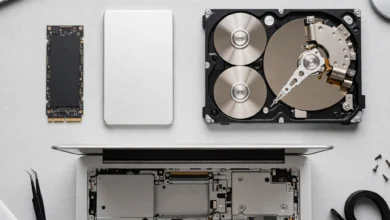
Losing a semester of work to a dead or stolen laptop is a nightmare that happens every year. A small external SSD gives you fast backups and room for videos, design files and course recordings. Pair it with your university’s cloud storage so your work exists in at least two places. Buy from authorized sellers, as fake-capacity drives are common online.
Health and Focus: Study Without the Neck Pain
9. A laptop stand plus a basic keyboard
Looking down at a laptop for hours strains your neck and shoulders. A folding laptop stand raises the screen to eye level, and a cheap external keyboard lets your arms rest at a comfortable height. Occupational health guidance, such as the UK Health and Safety Executive’s advice on display screen equipment, recommends exactly this kind of setup for long screen use.
10. Noise-cancelling headphones or earbuds
Shared rooms, busy libraries and noisy buses make focus hard. Noise-cancelling headphones help you concentrate and double as a headset for online classes. Mid-range models from known brands now perform well; you do not need the most expensive pair.
Security and Privacy: Protect Your Data and Your Device
11. A laptop lock or tracker
Laptop theft from libraries and cafés is common. If your laptop has a lock slot, a cable laptop lock deters grab-and-go thieves. Also turn on Find My (Mac) or Find My Device (Windows), and consider a small Bluetooth tracker in your bag.
12. A webcam cover
A simple sliding webcam cover costs almost nothing and gives peace of mind between video classes. Choose a very thin one, or a model designed for your laptop, since thick covers can crack screens when the lid closes.
Laptop Accessories for Students on a Budget: What to Buy First
Start with protection and power, then add comfort and productivity as money allows.
| Priority | Accessory | Why it comes here | Where not to cut corners |
|---|---|---|---|
| Buy now | Padded sleeve | Prevents the most common damage | Real padding, correct size |
| Buy now | Spare USB-C charger | Avoids dead laptops mid-day | Genuine brand, safety marks |
| Buy now | External SSD or cloud backup | Protects a semester of work | Authorized seller |
| First month | Wireless mouse | Faster work in every subject | Any reliable brand |
| First month | Laptop stand and keyboard | Prevents neck and back strain | Stable stand |
| First month | USB-C hub | Projectors, flash drives, SD cards | Known brand, good reviews |
| When affordable | Power bank | Long days without outlets | Known brand, check recalls |
| When affordable | Noise-cancelling headphones | Focus in shared spaces | Mid-range is enough |
| When affordable | Laptop lock or tracker | Theft deterrence | Fits your laptop |
| Anytime | Webcam cover, keyboard cover, cleaning kit | Cheap peace of mind | Thin covers only |
Safe-Buying Checklist for Student Laptop Gear
Use this list every time you buy student laptop gear, especially anything that plugs into a wall or holds a battery.
- Buy chargers and batteries from the brand or a major retailer. Marketplace listings from unknown sellers are where most fakes turn up.
- Be suspicious of big discounts on branded items. A “genuine” Apple or Samsung charger at a quarter of the price is almost certainly counterfeit.
- Check markings and labels. Look for proper safety marks for your country, a model number, and a named manufacturer or importer.
- Feel and inspect. Fake chargers often have glossy, uneven finishes, misspelled text, loose pins or ports in odd places.
- Register products and check recalls. Once a term, search the maker’s site and your national product safety database.
- Retire damaged gear. Stop using cables with exposed wire and any power bank that swells, overheats or smells of chemicals.
- Charge safely. Do not charge on beds or under pillows, and avoid leaving power banks charging overnight unattended.
- Keep receipts. You will need them for warranty claims, and they help if you need to report a counterfeit seller.
Conclusion
The best laptop accessories for students are not the flashiest gadgets but a short, well-chosen kit that protects the laptop, keeps it charged, saves your posture, safeguards your work and deters thieves: a padded sleeve, a spare genuine USB-C charger, a power bank, good cables, a wireless mouse, a USB-C hub, an external SSD, a laptop stand with a keyboard, noise-cancelling headphones, a laptop lock or tracker, a webcam cover and a simple cleaning kit; at the same time, real investigations show that nearly all counterfeit chargers tested in the UK failed safety checks, fakes are now weighted with metal and clay to feel genuine, and even trusted brands like Anker have recalled hundreds of thousands of power banks, so buy anything that plugs in or holds a battery from the brand or a reputable retailer, check markings and recall lists, retire damaged gear, and spend first on protection, power and backup before adding comfort upgrades as your budget allows.