How to Safely Dispose of or Sell an Old Laptop
Old laptop sitting in a drawer? Here's how to wipe your data, get a fair price, and recycle it responsibly without falling for scams or e-waste fraud.
How to Safely Dispose of or Sell an Old Laptop
An old laptop holds more of your life than you might think. Saved passwords, banking sessions, tax documents, family photos, work emails, WhatsApp backups, and browser history all sit quietly on that drive long after you’ve stopped using the machine. When you sell it, give it away, or drop it at a recycling point, all of that can travel with it unless you take the right steps first.
Most people assume that deleting files or emptying the recycle bin is enough. It isn’t. Deleted files can often be recovered with free software, and buyers of used laptops have found everything from medical records to company secrets on machines that were supposedly cleaned. Big companies have paid millions in fines for exactly this mistake.
There’s also the question of where your laptop ends up. Electronics contain lead, mercury, and other toxic materials. When old devices are dumped illegally or shipped to unregulated scrapyards, the people who handle them pay the price with their health.
This guide walks you through how to dispose of an old laptop or sell it the safe way. You’ll learn how to back up your files, wipe the drive properly, set a fair price, avoid common buyer scams, and choose recyclers who actually recycle. Along the way, you’ll see real cases of data leaks and e-waste fraud that show why these steps matter. None of it is complicated, but skipping even one step can cost you.
Why You Shouldn’t Just Throw Away an Old Laptop
It’s tempting to toss an old laptop in a drawer forever or put it out with the trash. Neither is a good idea.
Your Data Is Still There
A laptop drive keeps data until something overwrites it. A thief, a curious buyer, or a scrap dealer with basic recovery tools can pull out:
- Saved passwords in browsers
- Banking and payment details
- Personal photos and videos
- Scanned ID cards and documents
- Work files and client data
- Email and messaging backups
That information can be used for identity theft, fraud, blackmail, or account takeovers.
Laptops Contain Hazardous Materials
Laptops contain lithium-ion batteries, lead in circuit boards, mercury in older screens, and flame retardant chemicals. In a landfill, these can leak into soil and water. Lithium-ion batteries can also start fires in garbage trucks and waste facilities when crushed.
You’re Wasting Value
Even an old laptop that feels slow to you may be perfectly useful for a student, a small business, or a parts reseller. Selling or donating it keeps it working longer and puts money back in your pocket.

Before You Sell or Dispose of an Old Laptop: Back Up Everything
The first step is protecting what you want to keep.
What to Back Up
Go through your laptop and save:
- Documents, photos, and videos from your user folders
- Browser bookmarks and saved passwords (or make sure they sync to your account)
- Email files if you use a desktop email app
- Software license keys for paid programs
- Game saves and project files stored in unusual folders
- Two-factor authentication apps, if any are on the laptop
Where to Back Up
- An external hard drive or USB drive for a full local copy
- Cloud storage like OneDrive, Google Drive, or iCloud
- Both, if the files really matter
Once the backup is done, open a few files from the backup to confirm they actually work. A backup you never tested is just a hope.
How to Wipe an Old Laptop Before Selling
This is the most important part of the process. Simply deleting files does not remove them. You need a proper factory reset combined with real data wiping.
Step 1: Sign Out of Your Accounts
Before wiping, sign out of everything so the next owner isn’t locked out and your accounts stay protected.
- Windows: sign out of your Microsoft account, OneDrive, and Microsoft 365. Remove the device from your Microsoft account online.
- Mac: sign out of iCloud and turn off Find My Mac. This removes Activation Lock, which would otherwise block the buyer.
- Browsers: sign out of Chrome, Edge, or Firefox sync.
- Apps: deauthorize iTunes, Adobe, Steam, and any other licensed software.
- Messaging apps: log out of WhatsApp Web, Telegram Desktop, Slack, and Teams.
Step 2: Remove Your Device From Accounts Online
Go to your Google, Microsoft, and Apple account security pages and remove the old laptop from the list of trusted devices. This stops it from being used as a verified login point.
Step 3: Wipe a Windows Laptop
Windows 10 and 11 have a built-in option that does a reasonable job for most people:
- Open Settings > System > Recovery (Windows 11) or Update & Security > Recovery (Windows 10).
- Choose Reset this PC.
- Select Remove everything.
- When asked, choose the option to clean the drive (sometimes labeled “Clean data”). This takes longer but overwrites data instead of just deleting it.
If BitLocker encryption was turned on, wiping becomes much more secure, because the old data is encrypted and the reset destroys the keys.
Step 4: Wipe a Mac
On Macs with Apple silicon or the T2 security chip running macOS Monterey or later:
- Open System Settings > General > Transfer or Reset.
- Choose Erase All Content and Settings.
This erases your data and settings while keeping the operating system installed, so the buyer gets a clean, ready-to-use Mac. Because these Macs encrypt storage by default, the erase is fast and effective.
Step 5: SSD vs Hard Drive (HDD)
The type of drive matters.
- SSDs (most modern laptops): use the built-in reset or the manufacturer’s secure erase tool. Many laptop BIOS menus and drive makers (Samsung Magician, Crucial Storage Executive, and others) include one. Avoid old “overwrite seven times” tools designed for spinning drives.
- HDDs (older laptops): the Windows “clean the drive” option or a trusted wiping tool like DBAN works well.
For a detailed technical standard on wiping, the U.S. National Institute of Standards and Technology publishes NIST Special Publication 800-88 on media sanitization, which many businesses and recyclers follow.
Step 6: What If the Laptop Doesn’t Turn On?
A dead old laptop can still hold readable data. You have three choices:
- Remove the drive and wipe it using another computer with an adapter.
- Keep the drive and sell or recycle the laptop without it (mention this clearly to buyers).
- Physically destroy the drive if it’s broken. Drilling several holes through an HDD’s platters works. For SSDs, the memory chips need to be broken, not just the case. Many certified recyclers offer hard drive destruction with a certificate.
How to Sell an Old Laptop for the Best Price
Once your data is gone, it’s time to get some value back.
Figure Out What It’s Worth
Your laptop resale value depends on:
- Brand and model (Apple, Dell XPS, Lenovo ThinkPad, and business models hold value well)
- Processor generation and RAM
- Storage type and size (SSD adds value)
- Battery health
- Physical condition (scratches, dents, worn keys, screen marks)
- Included charger and box
Search completed sales of the same model on local marketplaces to see real prices, not just asking prices.
Clean It and Take Good Photos
A clean laptop sells faster and for more money.
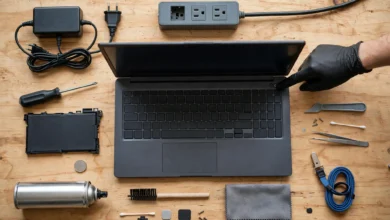
- Wipe the screen with a microfiber cloth.
- Clean the keyboard with compressed air.
- Wipe the body with a lightly dampened cloth and a bit of isopropyl alcohol.
- Take clear photos in daylight: front, back, keyboard, screen on, ports, and any damage.
Write an Honest Listing
Be upfront about problems. A dead pixel, weak battery, or loose hinge discovered after the sale creates disputes and damages your reputation. Include:
- Exact model and specs
- Battery health percentage or cycle count
- Known issues
- What’s included
- Confirmation that it has been factory reset
Honesty isn’t just ethical. In many countries, knowingly hiding defects can expose a seller to legal claims.
Where to Sell
- Local marketplaces like OLX, Facebook Marketplace, or Daraz in Pakistan, and eBay or Craigslist in other countries
- Trade-in programs from Apple, Samsung, Dell, Best Buy, and similar retailers
- Refurbishers and used laptop shops
- Friends, family, or colleagues
Trade-in programs pay less than private sales, but they’re quick, safe, and handle data wiping and recycling responsibly.
How to Avoid Scams When Selling an Old Laptop
Selling an old laptop online attracts scammers. These are the most common tricks.
Fake Payment Screenshots
The buyer sends a screenshot of a bank transfer or mobile wallet payment that never happened. Always check that money has actually arrived in your account before handing over the laptop.
Overpayment Scams
The buyer “accidentally” sends more than the price and asks you to refund the difference. The original payment later bounces or reverses, and you lose both the laptop and the refund.
Shipping Scams
A buyer insists on using their own courier, sends a fake tracking link, or asks you to ship before payment clears. For valuable items, local cash or verified transfers are safer.
Unsafe Meetups
Meet in a public place with cameras, like a bank lobby, a busy mall, or a police station’s designated area. Bring someone with you, and avoid sharing your home address.
Chargeback Fraud
Payments through some apps or cards can be reversed after the sale. Use payment methods that can’t easily be reversed, and keep records of the handover.
How to Recycle an Old Laptop Responsibly
If your laptop is too damaged or outdated to sell, e-waste recycling is the right path. But not all recyclers are honest.
Choose a Certified Recycler
Look for recyclers certified under recognized standards such as R2 (Responsible Recycling) or e-Stewards. These certifications require proper handling, data security, and tracking of where materials go. The U.S. Environmental Protection Agency has a helpful guide on electronics donation and recycling that explains how to find responsible options.
Use Manufacturer Take-Back Programs
Many brands, including Apple, Dell, HP, and Lenovo, run free take-back or mail-in recycling programs in several countries. These are usually safer than unknown local scrap dealers.
Handle the Battery Separately
Lithium-ion batteries need special handling.
- Remove the battery if your laptop allows it, and drop it at a battery recycling point.
- Never put batteries in household trash.
- If the battery is swollen, don’t press, puncture, or charge it. Store it in a cool, fireproof place and take it to a recycler quickly.
Ask the Right Questions
Before handing over your old laptop, ask the recycler:
- Do you wipe or destroy drives, and do you provide a certificate?
- Where do the materials go after collection?
- Are you certified, and can I see the certification?
A trustworthy recycler answers these easily.
Donating an Old Laptop: Doing Good the Right Way
If your laptop still works, donating it can change someone’s life. Students, schools, nonprofits, and low-income families often need basic computers.
Good Places to Donate
- Schools and universities with student support programs
- Charities and NGOs that refurbish computers
- Community centers and libraries
- Family members or neighbors who need one for study or work
Before You Donate
- Wipe the drive completely, exactly as you would before selling.
- Include the charger, since a laptop without one is much less useful.
- Be honest about any problems so the receiver isn’t left with a broken machine.
The Reality Check: Real Cases of Data Leaks and E-Waste Fraud
These real examples show what happens when old devices aren’t handled properly. They involve large organizations, but the same risks apply to individuals.
Morgan Stanley’s Unwiped Devices (2020 to 2022)
Morgan Stanley hired a moving and storage company to decommission old data center equipment. Some devices containing customer data weren’t properly wiped and ended up resold online. The fallout was severe: the U.S. Office of the Comptroller of the Currency fined the bank $60 million in 2020, and in 2022 the Securities and Exchange Commission added a $35 million penalty for failing to protect customer information. A class action settlement followed as well. If a global bank can make this mistake, an ordinary user selling an old laptop certainly can.
Hospital Hard Drives Sold Online (UK, 2012)
The UK’s Information Commissioner’s Office fined Brighton and Sussex University Hospitals NHS Trust £325,000 after hard drives containing highly sensitive patient data were sold on an online auction site. A contractor was supposed to destroy them but didn’t. The lesson: if someone else handles your disposal, get proof that drives were actually wiped or destroyed.
Executive Recycling’s Fake Domestic Recycling (US, 2012 to 2013)
Colorado-based Executive Recycling told customers their electronics would be recycled safely in the United States. Instead, the company exported e-waste overseas. Its owner, Brandon Richter, was convicted of fraud and smuggling-related charges and sentenced to prison. Customers who thought they were doing the right thing were unknowingly sending toxic waste abroad.
Total Reclaim’s Hidden Exports (US, 2016 to 2019)
Total Reclaim, once a respected Seattle-area recycler, secretly shipped thousands of tons of mercury-containing flat-panel screens to Hong Kong, where workers dismantled them in unsafe conditions. The scheme was exposed when the Basel Action Network placed GPS trackers inside discarded electronics and followed them overseas. The company’s owners pleaded guilty to federal fraud charges and were sentenced to prison. The case showed that even well-known recyclers need to be checked.
E-Waste Dumping in Developing Countries
Sites like Agbogbloshie in Ghana became known worldwide for the open burning of electronic waste to recover copper. Pakistan has also been reported as a destination for illegally imported e-waste, often handled in informal markets where workers have little protection. Toxic smoke, contaminated soil, and serious health risks follow.
What these cases teach:
- Never assume someone else will wipe your data.
- Ask for data destruction certificates when using a third party.
- Choose certified recyclers and manufacturer programs.
- Be skeptical of “free pickup” offers from unknown collectors.
Ethical Guidelines When Selling or Disposing of an Old Laptop
A few simple principles keep the process fair for everyone:
- Don’t sell stolen or company-owned laptops. If your employer gave you the device, return it through official channels.
- Disclose all known defects. Hiding problems is dishonest and can lead to legal disputes.
- Don’t sell laptops with pirated software installed. Wipe the drive and let the buyer install legitimate software.
- Check that buyers aren’t suspicious. Unusual urgency, refusal to meet, or strange payment requests are red flags.
- Recycle what can’t be reused. Throwing electronics in the trash harms the environment and, in many places, breaks local laws.
Quick Checklist: Old Laptop Disposal and Selling
| Step | What to Do |
|---|---|
| 1 | Back up all important files and test the backup |
| 2 | Sign out of Microsoft, Apple, Google, and app accounts |
| 3 | Turn off Find My Mac or remove the device from your Microsoft account |
| 4 | Deauthorize licensed software |
| 5 | Factory reset with drive cleaning or secure erase |
| 6 | Clean the laptop and take honest photos |
| 7 | Price it based on real completed sales |
| 8 | Meet safely and confirm payment before handover |
| 9 | Recycle the battery and damaged parts properly |
| 10 | Use certified recyclers and keep data destruction proof |
Conclusion
Getting rid of an old laptop safely comes down to protecting your data, being honest with buyers, and making sure the device ends up in the right place. Start by backing up your files and signing out of every account, then use a proper factory reset with drive cleaning or secure erase so your information can’t be recovered. If you sell, price the laptop fairly, describe it honestly, meet in safe public places, and confirm payment before handing it over to avoid fake screenshots, overpayment tricks, and chargebacks. If it can’t be sold, donate it to someone who needs it or use a certified recycler or manufacturer take-back program, and handle the battery separately. Real cases like Morgan Stanley’s $95 million in penalties, the NHS hard drives sold online, and the prison sentences behind Executive Recycling and Total Reclaim show that careless disposal can lead to data leaks, fraud, and environmental harm, so a little care now protects you, the next owner, and the people who deal with the world’s e-waste.