How to Choose a Laptop With Good Battery Backup for Load Shedding
Laptop battery dying during load shedding? Here's how to choose a long-lasting laptop, read battery specs correctly, and avoid fake batteries.
How to Choose a Laptop With Good Battery Backup for Load Shedding
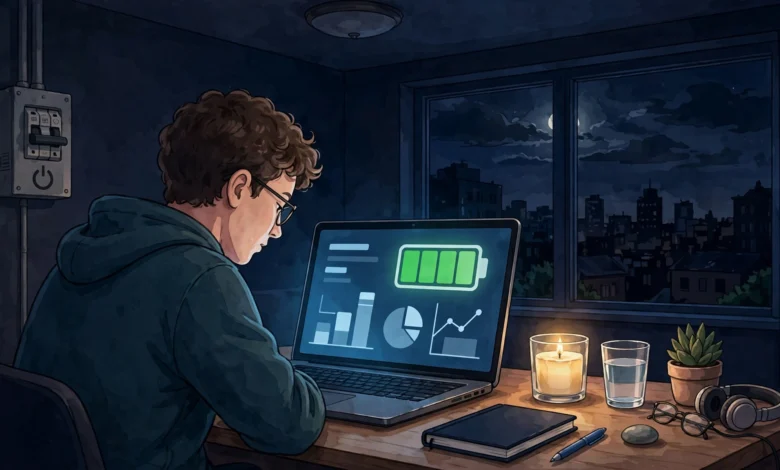
A laptop battery stops being a spec on a box the moment the lights go out. If you live somewhere with regular load shedding, you already know the routine: the fan stops, the Wi-Fi router dies, and you start watching that battery percentage like a fuel gauge on an empty highway. For students with deadlines, freelancers with clients abroad, and anyone working from home, a two-hour outage can mean lost income or a missed exam submission.
Here’s the encouraging part. Laptops have changed a lot in the past few years. Machines that once struggled to last five hours now run well past a full working day, and some last close to two days of light use on one charge. The bad news is that marketing claims, confusing specs, and a busy market for used and counterfeit parts make it easy to buy the wrong machine.
This guide explains how to choose a laptop with good battery backup for load shedding in plain terms. You’ll see which specs actually matter, why the processor counts more than the battery size, how to check battery health on a used laptop, and which current models hold up in real testing. There’s also a section on the darker realities: fake batteries, cloned chargers, deceptive battery practices by big brands, and the electricity theft and sabotage that make outages worse. Knowing those helps you spend your money carefully.
Why Laptop Battery Life Matters So Much During Load Shedding
During a normal day, a dying laptop battery is an annoyance. During load shedding, it’s a hard deadline. Outages often come in scheduled blocks of two to four hours, sometimes several times a day, and unscheduled breakdowns can stretch longer.
A laptop with weak battery backup creates a few real problems:
- Lost work when the laptop shuts down mid-task
- Missed online classes or meetings when you can’t stay connected
- Faster battery wear from constant deep discharges and rushed recharges
- Extra spending on UPS units, inverters, or replacement batteries
A strong laptop battery turns load shedding from a work stoppage into a minor inconvenience. That’s why battery life deserves to be at the top of your checklist, above things like screen size or a slightly faster processor.
Laptop Battery Specs Explained: What Actually Matters
Battery numbers on spec sheets can be misleading. Here’s how to read them properly.
Battery Capacity in Watt-Hours (Wh), Not mAh
Always look at battery capacity in Wh (watt-hours). This measures the total energy the battery holds. Sellers sometimes advertise mAh figures, which sound big but mean little unless you know the voltage.
As a rough guide:


- Under 45Wh: small, usually found on budget laptops; expect short runtimes
- 50Wh to 60Wh: decent for efficient laptops
- 70Wh and above: strong, especially when paired with an efficient chip
Why Bigger Isn’t Always Better
Capacity is only half the story. How much power the laptop uses matters just as much. Lab testing shows this clearly: a Dell Pro 5 14 with a 70Wh battery ran for 26 hours 48 minutes, while a ThinkPad P16 Gen 3 with a much larger 99.9Wh pack lasted only about 7 hours. The workstation’s powerful components simply drain energy faster.
So a mid-sized laptop battery in an efficient machine beats a huge battery in a power-hungry one.
Manufacturer Claims vs Real-World Testing
Brands usually test battery life under ideal conditions: low brightness, Wi-Fi off, simple video playback. Your real use will almost always be shorter. Always check independent review results before trusting the number on the box. Even reviewers caution that your own battery life may differ from their tested figures.
A practical rule: expect roughly 60 to 75 percent of the advertised figure during real work like browsing, documents, and video calls.
The Processor: The Biggest Factor in Laptop Battery Backup
If you remember only one thing from this guide, make it this: the processor decides your laptop battery life more than anything else.
ARM-Based Chips (Apple M-Series and Snapdragon X)
Apple’s M-series chips and Qualcomm’s Snapdragon X chips for Windows are built for efficiency. Mashable’s testing found that Snapdragon-based laptops had a median battery life of 19 hours and 55 minutes, and none lasted fewer than 16 hours. Their reviewer concluded that Snapdragon machines are the only Windows laptops that can keep pace with MacBooks.
One caution: some older Windows software, specialized engineering tools, and certain games don’t run as well on ARM chips. Check that your essential apps are compatible before you buy.
Newer Intel and AMD Chips
Intel and AMD have closed much of the gap. Intel rates its newer Core Ultra Series 3 (“Panther Lake”) chips at up to 27 hours of battery life, and AMD says its Ryzen AI 400 series offers multi-day battery life. Treat those as best-case claims, but they show the direction.
Chips to Be Careful With
- High-performance “HX” chips in gaming laptops drain batteries fast
- Older Intel H-series chips (common in used laptops) run hot and use more power
- Dedicated graphics cards add significant drain unless the laptop switches them off when idle
For load shedding, an efficient “U,” “V,” Snapdragon, or Apple chip is almost always the smarter choice.
Display Choices That Affect Laptop Battery Life
The screen is often the single biggest power user after the processor.
Screen Size and Resolution
Bigger and sharper screens use more power. A 14-inch laptop with a Full HD or 2K screen usually outlasts a 16-inch model with a 4K panel.
Refresh Rate
High refresh rates (120Hz or 144Hz) look smooth but cost battery. Many laptops let you drop to 60Hz on battery, which is worth doing during outages.
OLED vs LCD
OLED screens look fantastic and can be efficient with dark content, but they often use more power on bright, white-heavy screens like documents and web pages. If maximum long battery life laptop performance matters most, a good IPS LCD is often the safer pick.
Brightness
Turning brightness down from 100 to 50 percent can add hours. It’s the easiest saving you can make.
Charging Features That Help During Load Shedding
Battery life is one side of the problem. The other is how fast and flexibly you can recharge when power returns.
Fast Charging
Load shedding often leaves short windows of electricity between outages. A laptop that charges to 50 or 60 percent in 30 minutes makes those windows count. Look for fast-charging support in the spec sheet.
USB-C Charging and Power Banks
A laptop that charges over USB-C with Power Delivery (PD) can run from a power bank for laptop use. This is one of the most useful features for load shedding. Check:
- The laptop’s charging wattage (often 45W, 65W, or 100W)
- That the power bank supports USB-C PD at the same or higher wattage
- The power bank’s capacity in Wh (airline limits are usually 100Wh)
UPS and Inverter Compatibility
Many households use a UPS for laptop and router backup. A power-efficient laptop draws less from your UPS, so the UPS also lasts longer. A 30W-average laptop and a 100W gaming laptop place very different loads on the same backup system.
9 Steps to Choose a Laptop With Good Battery Backup
Here’s a simple process to follow when shopping.
- Decide what you’ll actually do on it. Office work, browsing, and online classes need far less power than video editing or gaming.
- Prioritize an efficient processor. Apple M-series, Snapdragon X, Intel Core Ultra (V-series or newer), or AMD Ryzen AI.
- Look for at least 50Wh of battery capacity, ideally 60Wh or more.
- Check independent test results, not just the manufacturer’s claim.
- Choose a sensible screen: 13 to 14 inches, Full HD or 2K, with adjustable refresh rate.
- Confirm USB-C charging with Power Delivery so you can use a power bank.
- Check fast-charging support for short power windows.
- Buy from an authorized seller with a valid local warranty.
- If buying used, check battery health first (steps below).
Best Laptops With Long Battery Life Right Now
Models and prices change fast, and availability varies by country, so use these as a shortlist to compare locally. For full test results, Tom’s Guide keeps an updated list of the best laptops for battery life, and StorageReview publishes a lab-tested laptop battery life leaderboard.
HP OmniBook 5 14 (Snapdragon): Best Windows Battery Champion
This model has been the surprise star of battery testing. In one roundup, PCMag recorded nearly 35 hours, while CNET measured just over 28 hours before it ran out. For load shedding, that’s close to two full working days of light use.
Apple MacBook Air (M4): Best Overall for Most People
The MacBook Air is silent, light, and very efficient. One South African retailer’s guide reports around 24 to 25 hours of real-world use from its 53Wh battery. Apple’s own rating is lower, so expect strong all-day results rather than miracles with heavy use.
Lenovo IdeaPad Slim 3x: Best Budget Option
If your budget is tight, this Snapdragon model punches above its price. Tom’s Guide found it offers great battery life of over 16 hours along with solid performance at a hard-to-beat price.
Dell XPS 14 (2026): Best Premium Windows Pick
For people who want a premium build with Windows on an x86 chip, Tom’s Guide measured 20 hours and 41 minutes of battery life on the 2026 XPS 14.
Dell Pro 5 14: Best Business Laptop for Battery
Business buyers should look at this one. It currently tops StorageReview’s leaderboard as the champion at 26 hours 48 minutes in their office benchmark.
ASUS Zenbook 14: Strong All-Rounder
India’s Digit lab reported that the ASUS Zenbook 14 lasted around 18.5 hours in the PCMark battery benchmark, making it a reliable middle-ground option.
A Note on Gaming Laptops
If you need a gaming laptop, accept that battery backup will be weak. Even good gaming laptops often last only a few hours away from the charger. Plan for a proper UPS or inverter, or consider a separate efficient laptop for work during outages.
How to Check Laptop Battery Health Before Buying Used
Used and refurbished laptops are popular in markets with frequent load shedding because new ones are expensive. But a worn laptop battery can turn a bargain into a headache.
On Windows
- Open Command Prompt.
- Type
powercfg /batteryreportand press Enter. - Open the HTML file it creates.
- Compare Design Capacity with Full Charge Capacity.
If full charge capacity is below about 80 percent of the design capacity, the battery is noticeably worn. Below 60 percent, budget for a replacement.
On a Mac
Hold the Option key, click the Apple menu, choose System Information, then Power. Check the battery cycle count and condition. Apple’s modern MacBook batteries are generally rated for around 1,000 cycles.
Physical Checks
- Look for swelling: an uneven bottom panel or a trackpad that clicks poorly can mean a swollen battery. Don’t buy it.
- Watch for excess heat during charging.
- Test unplugged for at least 15 to 20 minutes and watch how fast the percentage drops.
The Reality Check: Illegal Practices That Affect Laptop Battery Buyers
Most buying guides skip this section. But fake parts, deceptive practices, and electricity crime all affect people who depend on a laptop battery during outages. These real examples show what to watch for.
Counterfeit Chargers Sold as Genuine (2016)
In 2016, Apple sued a company called Mobile Star after test purchases on Amazon found that the vast majority of chargers and cables sold as genuine Apple products were actually counterfeit. Fake chargers can overheat, damage batteries, and cause fires. The lesson goes beyond Apple: a cheap charger with a famous logo can quietly ruin a good laptop battery.
What to do: buy chargers from the manufacturer or authorized dealers, and be suspicious of “original” chargers priced far below normal.
Apple’s Battery Throttling Settlements (2020)
Apple slowed down older iPhones with aging batteries without clearly telling users. The fallout was costly: Apple agreed to pay up to $500 million in a U.S. class action settlement, a further $113 million to U.S. states, and France fined the company €25 million for failing to inform consumers. These involved phones, not laptops, but they show why transparency about battery performance matters and why you should check battery health tools yourself.
Fake and Recycled Replacement Batteries
Markets for replacement laptop batteries are full of unbranded or relabeled cells, sometimes salvaged from old packs and sold as new. Customs agencies in several countries regularly seize counterfeit lithium-ion batteries because poorly made cells can catch fire. A fake laptop battery may show a high mAh figure on the label but deliver a fraction of that in reality.
What to do: buy replacements from the laptop maker or authorized service centers. Get a receipt and warranty.
Electricity Theft That Makes Outages Worse
Load shedding isn’t only about generation shortages. Illegal connections, known in Pakistan as “kunda” connections, push up line losses, and utilities have often scheduled longer outages for high-loss areas as a result. That means honest bill-payers in those areas suffer too. In 2023, Pakistan’s government launched a nationwide crackdown on power theft, with thousands of cases registered against offenders.
South Africa has faced a different kind of crime. Eskom has dealt with widespread copper cable theft and deliberate sabotage of power infrastructure, and its former CEO publicly alleged that criminal networks were profiting from the crisis. These crimes contribute directly to the outages people plan their laptops around.
What this means for you: never use an illegal connection to keep devices running. Beyond being illegal, unregulated connections cause voltage surges that damage chargers, laptops, and batteries.
Smuggled Laptops Without Warranty
Laptops imported outside official channels can be cheaper, but they often lack local warranty support. If the battery fails or swells, you may have no legal recourse.
What to do: check that the warranty is valid in your country and get it in writing.
How to Extend Laptop Battery Life During Load Shedding
Even a great laptop battery benefits from good habits.
Power Settings
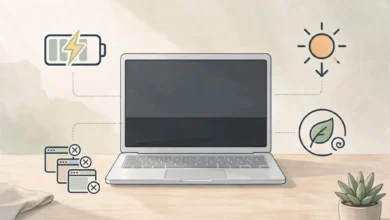
- On Windows, switch the power mode to Best Power Efficiency during outages. A South African retailer’s guide claims this can extend battery life by 10 to 15 percent with no noticeable slowdown during light office work.
- Turn on battery saver mode early, around 30 to 40 percent, not at 10 percent.
- On a Mac, enable Low Power Mode.
Everyday Habits
- Lower screen brightness
- Close unused browser tabs and background apps
- Disconnect unused USB devices
- Turn off keyboard backlighting
- Download videos and files before scheduled outages instead of streaming
Protect Battery Health Long-Term
- Avoid constant 0 to 100 percent cycles. Many laptops offer a charge limit setting (often 80 percent) that reduces wear when plugged in for long periods.
- Keep it cool. Heat is the main enemy of lithium-ion batteries. Don’t charge on beds or pillows.
- Use a surge protector or stabilizer. Voltage spikes when power returns can damage chargers.
Smart Backup Setup
- A quality USB-C power bank for short outages
- A small UPS for your router so you stay online
- A schedule app or utility alerts to charge before planned load shedding
Conclusion
Choosing a laptop with good battery backup for load shedding comes down to a few smart decisions: prioritize an efficient processor like Apple’s M-series, Snapdragon X, or the newest Intel and AMD chips, look for at least 50 to 60Wh of laptop battery capacity, pick a sensible screen, and make sure the laptop supports USB-C charging with power banks and fast charging for short power windows. Trust independent test results over brand claims, and models like the HP OmniBook 5, MacBook Air, Lenovo IdeaPad Slim 3x, Dell XPS 14, Dell Pro 5 14, and ASUS Zenbook 14 show how far battery life has come. If you buy used, check battery health and cycle count before paying, and stay away from counterfeit chargers, fake replacement batteries, smuggled units without warranty, and illegal electricity connections, all of which have caused real damage to buyers and power systems alike. With the right machine and a few good habits, your laptop battery can carry you through even long outages without losing work.