Laptop Buying Checklist: 15 Proven Checks to Avoid Costly Mistakes in Pakistan
A practical laptop buying checklist for students and freelancers in Pakistan covering budget, specs, battery life, warranty and used laptop tests.
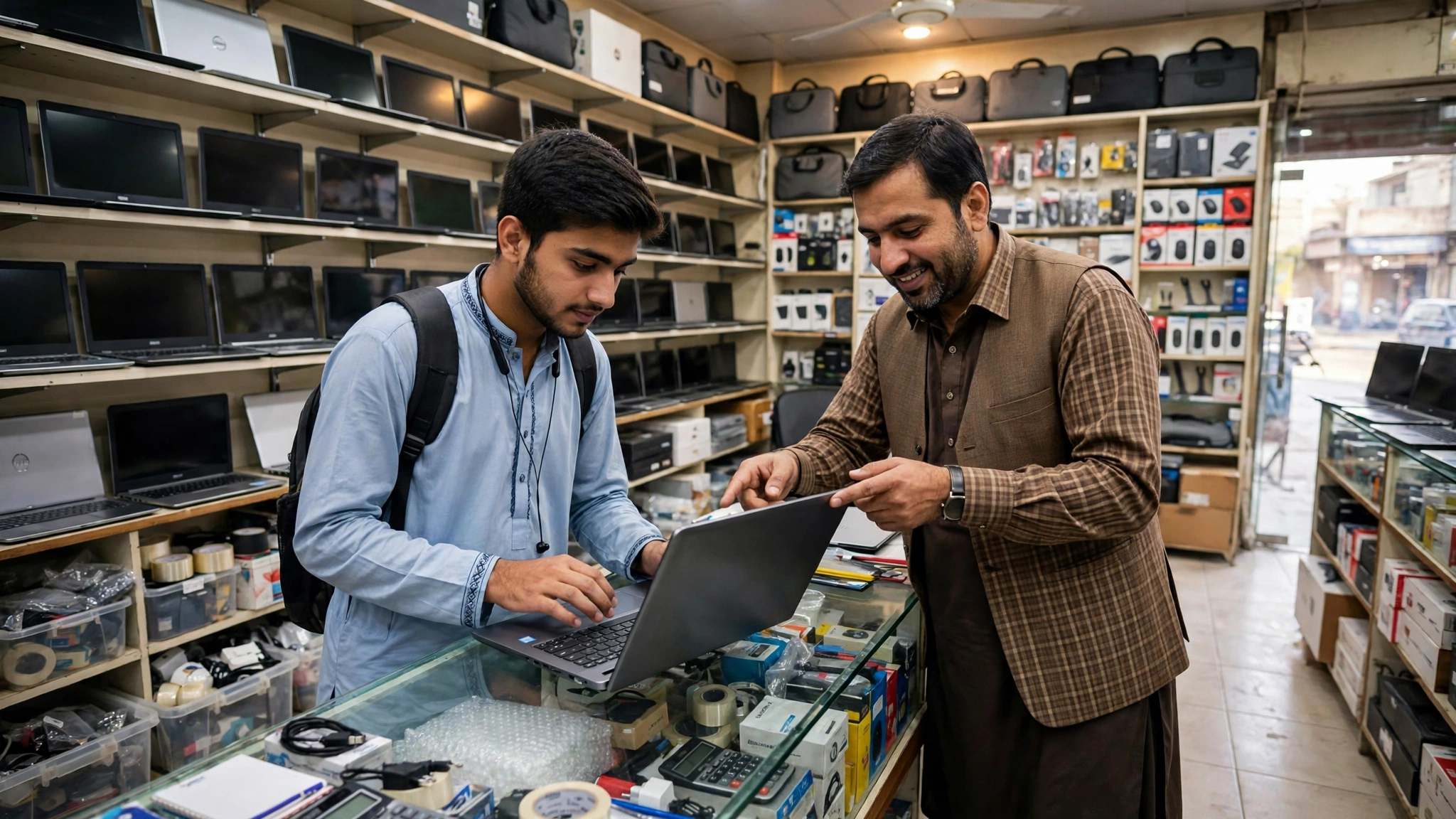
A good laptop buying checklist can save you from one of the most expensive mistakes a student or freelancer in Pakistan can make. A laptop is no longer a nice extra. It is where you attend online classes, submit assignments, run Zoom calls with clients, build websites, edit videos and get paid in dollars through Upwork or Fiverr. When the wrong machine slows you down, you lose more than money. You lose time, grades and sometimes clients.
The Pakistani market makes this decision harder than it should be. Prices move with the dollar, grey market stock is everywhere, and a shop in Hafeez Center or Saddar can sell you a “10th gen i7” that turns out to have a dying battery and a replaced screen. On top of that, load shedding means battery life is not a luxury feature here. It decides whether you finish your work or lose it.
This laptop buying checklist for students and freelancers in Pakistan walks you through every decision in order: setting a realistic budget, choosing between new and used, picking the right processor and RAM, testing a laptop in the shop, and checking warranty before you pay. We looked at the top-ranking buying guides, local market prices and the questions people actually ask, then turned it into a simple step-by-step list you can carry to the market. Whether you are a first-year CS student, a medical student, a content writer or a video editor, use this checklist before you spend a single rupee.
Why You Need a Laptop Buying Checklist in Pakistan
Most people walk into a computer market with one number in mind, their budget, and leave with whatever the shopkeeper recommends. Without a laptop buying checklist, that is how students end up with 4GB RAM machines that crawl through Google Classroom, and freelancers end up with laptops that overheat during a client call.
A written laptop buying checklist keeps you in control. It helps you:
- Compare laptops on the specs that matter, not on stickers and brand names
- Spot refurbished laptops that have been cosmetically cleaned but are internally worn out
- Avoid paying extra for features you will never use, like a gaming GPU for writing work
- Negotiate with confidence because you know what a fair price looks like
Think of a laptop buying checklist as a pre-flight checklist. Pilots use one even after thousands of flights, because skipping one step can be costly. The same logic applies to your next laptop.
Laptop Buying Checklist Step 1: Set a Realistic Budget
The first item on any laptop buying checklist is your budget, because it decides whether you shop new, used or refurbished. Here are the rough tiers you will find in the Pakistani market at the time of writing. Prices change often, so treat these numbers in your laptop buying checklist as a starting point.
Budget Tiers for Students and Freelancers
- Under Rs. 50,000: Mostly used business laptops with 8th gen Intel Core i5 chips. Good for documents, browsing and online classes.
- Rs. 50,000 to Rs. 100,000: The sweet spot. You can get a used ThinkPad, Dell Latitude or HP EliteBook with 16GB RAM, or an entry-level new laptop like the Lenovo IdeaPad Slim 3 with a Ryzen 5.
- Rs. 100,000 to Rs. 160,000: Used MacBook Air M1 or premium business laptops. Ideal for freelancers who need long battery life and a professional machine.
- Above Rs. 160,000: New mid-range and high-end laptops for video editing, 3D, engineering software and heavy coding.
Leave Room for Hidden Costs
Keep 5 to 10 percent of your budget aside for a laptop bag, a cooling pad, a mouse, a UPS or power bank, and possibly a RAM or SSD upgrade. Under-budgeting is one of the most common mistakes people make when they skip this part of a laptop buying checklist.
Laptop Buying Checklist Step 2: New, Used or Refurbished
This is the biggest decision on the laptop buying checklist for students in Pakistan and freelancers in Pakistan, and it is where most buying guides disagree.


When a New Laptop Makes Sense
Buy new if you want official warranty, a fresh battery and the latest Wi-Fi and processor generation. New laptops are also easier to resell. The downside, and the reason a laptop buying checklist matters here, is that at Rs. 80,000 you often get a plastic body, a dim screen and only 8GB RAM.
When a Used Business Laptop Is the Smarter Choice
Used laptops in Pakistan, especially business models like the ThinkPad T-series, Dell Latitude and HP EliteBook, were built for offices that run them for years. At the same price as a new budget laptop, a used business model usually gives you a better keyboard, stronger hinges, more RAM and easier repairs. Spare parts are also widely available in Hafeez Center, Hall Road and Saddar.
The catch is that used laptops need careful inspection. That is exactly why the testing section of this laptop buying checklist is the longest.
Laptop Buying Checklist Step 3: Match the Laptop to Your Work
A laptop for students studying commerce has very different needs from a laptop for freelancers editing YouTube videos. Before comparing models, add one line to your laptop buying checklist: what will you actually do on it?
Laptop Buying Checklist for Students
- Arts, commerce, medical and general studies: Core i5 or Ryzen 5, 8GB to 16GB RAM, 256GB SSD. Focus on battery and weight.
- Computer science and software engineering: Core i5 or Ryzen 5 (or better), 16GB RAM minimum for running IDEs, Android Studio and virtual machines.
- Engineering and architecture: 16GB RAM, a dedicated GPU, and a 512GB SSD for AutoCAD, SolidWorks or Revit.
Laptop Buying Checklist for Freelancers
- Content writers, virtual assistants and digital marketers: A lightweight machine with 8GB to 16GB RAM and great battery life is enough.
- Web developers and programmers: 16GB RAM, a fast SSD and a comfortable keyboard matter most.
- Graphic designers: A colour-accurate IPS display (ideally close to 100 percent sRGB) and 16GB RAM.
- Video editors and 3D artists: A dedicated GPU, 16GB to 32GB RAM and a strong cooling system. This is the only group that truly needs a gaming-class machine.
Laptop Buying Checklist Step 4: Core Specs
This part of the laptop buying checklist covers the specs that decide real-world speed. Ignore marketing terms like “AI-ready” or “ultra performance” and look at the actual numbers.
Processor (CPU)
For most users, an Intel Core i5 (8th gen or newer) or AMD Ryzen 5 is the safe minimum. Generation matters more than the i5 or i7 label. A 12th gen Core i5 will beat an old 7th gen Core i7 in most tasks. Before you tick the processor box on your laptop buying checklist, compare the exact model number on PassMark CPU benchmarks so you know what you are paying for.
RAM
16GB RAM is the comfortable standard in 2026. With memory prices climbing because of the global DRAM shortage, upgrading later costs more than it used to, so do not save a few thousand rupees on a 4GB machine. Also add one more item to your laptop buying checklist: is the RAM soldered or upgradeable?
Storage
Every laptop buying checklist should say SSD laptop, never a hard drive. 256GB is the minimum, and 512GB is better for designers, developers and anyone storing project files. NVMe SSDs are noticeably faster than older SATA SSDs.
Display
Your laptop buying checklist should require a Full HD (1920×1080) IPS display. Avoid 1366×768 TN panels, which look washed out and strain your eyes during long study sessions. Freelance designers should ask about colour coverage.
Graphics Card
On a laptop buying checklist, a dedicated GPU only pays off for video editing, 3D, engineering software and gaming. For everyone else, integrated graphics save battery and money.
Laptop Buying Checklist Step 5: Battery Life and Load Shedding
No laptop buying checklist in Pakistan is complete without battery life. With load shedding still common in many cities, your laptop’s battery is your backup power supply.
- Aim for at least 5 to 6 hours of real use for students and remote workers
- On used laptops, check battery health. Below 70 percent usually means a replacement soon
- Business laptops with swappable or large-capacity batteries are a big plus
- Apple M-series MacBooks are known for all-day battery life, which is why many freelancers pick them
Ask the seller how much a replacement battery costs for that model. A cheap laptop with a rare, expensive battery is not a bargain, so keep this question on your laptop buying checklist.
Laptop Buying Checklist Step 6: Build Quality, Keyboard and Ports
You will type thousands of words and carry this laptop to campus, coworking spaces and cafes, so build quality deserves a place on every laptop buying checklist.
Physical Checks
- Hinges should open smoothly without wobble or creaking
- The body should not flex much when you press the keyboard deck
- The keyboard should be comfortable, with a backlight if you work at night
Ports and Connectivity
Use your laptop buying checklist to confirm the ports you need: at least two USB-A ports, a USB-C port (ideally with charging support), HDMI for projectors and external monitors, and a headphone jack. Wi-Fi 6 is a nice bonus for freelancers who rely on stable internet for client calls.
Laptop Buying Checklist Step 7: In-Shop Tests for Used Laptops
This is the most important section of the laptop buying checklist for used laptops. Never pay before running these tests. Most of the tests on this laptop buying checklist take five to ten minutes.
- Check the screen for dead pixels, yellow patches and backlight bleed using a full white and full black image.
- Test every key using an online keyboard tester.
- Check battery health in Windows by running
powercfg /batteryreportin Command Prompt. - Check SSD health with a free tool like CrystalDiskInfo. It should show “Good”.
- Confirm the specs in System Information so the RAM, processor and storage match what was promised.
- Test all ports with a USB drive, charger and HDMI cable if possible.
- Run the webcam and microphone, since freelancers depend on them for client calls.
- Test Wi-Fi and Bluetooth by connecting to the shop’s network.
- Check the speakers at full volume for crackling.
- Look under the laptop for missing screws or signs that it has been opened many times.
- Use the charger that comes with it and confirm it is original or a quality replacement.
- Check the BIOS for a password lock, which can be a sign of a stolen or company-locked device.
If a seller refuses to let you go through your laptop buying checklist, walk away. A trustworthy shop will happily let you check.
Laptop Buying Checklist Step 8: Warranty and Seller Reputation
Your laptop buying checklist should end with paperwork, not just hardware.
- New laptops: Ask whether the warranty is official (from the brand in Pakistan) or a shop warranty. Official warranty is far more valuable.
- Used laptops: Insist on at least a 7 to 15 day checking warranty, and ask what it covers. Many shops exclude batteries and screens.
- Get a written receipt with the model, serial number, specs and warranty period.
- Read reviews of the shop on Google Maps and Facebook groups before visiting.
If you are buying online, the same laptop buying checklist applies: use platforms with clear return policies, and pay through methods that give you some protection.
Laptop Buying Checklist Step 9: Extra Tips for Freelancers
Freelancers need a slightly longer laptop buying checklist than students. Your laptop is a business tool, so treat it like one.
Think About Professional Image
A clean, reliable laptop with a good webcam makes a strong impression on client calls. A crashing machine during a live meeting does the opposite.
Plan for Growth
Choose a laptop that can handle the next level of your work. If you are a writer moving into web design, write that goal into your laptop buying checklist and buy for the future, not just today.
Register and Protect Your Income
Many Pakistani freelancers register with the Pakistan Software Export Board (PSEB) to access tax benefits and official recognition. Keeping your laptop invoice and your laptop buying checklist notes organized also helps if you later claim it as a business expense.
Laptop Buying Checklist Mistakes to Avoid
Even with a laptop buying checklist, it is easy to fall into these traps:
- Buying based on the “i7” label without checking the generation
- Choosing a gaming laptop for writing or office work and losing battery life and portability
- Skipping battery health checks on used laptops
- Paying full price without comparing at least three shops
- Ignoring the weight if you commute daily by bus, rickshaw or bike
- Not asking whether Windows is genuine and activated
- Forgetting to check that the operating system still gets security updates, which matters a lot if you keep client files, bank apps or university work on the same machine
Quick Printable Laptop Buying Checklist
Save this short laptop buying checklist on your phone before heading to the market:
- [ ] Budget fixed, with 5 to 10 percent extra for accessories
- [ ] New or used decided
- [ ] Core i5 / Ryzen 5 or better, recent generation
- [ ] 16GB RAM (8GB minimum for light use)
- [ ] 256GB SSD or larger
- [ ] Full HD IPS display
- [ ] Battery health above 70 percent (used) or 5+ hours (new)
- [ ] Keyboard, ports, webcam and speakers tested
- [ ] Original charger included
- [ ] Written warranty and receipt
Conclusion
Buying the right laptop in Pakistan comes down to preparation rather than luck, and this laptop buying checklist for students and freelancers in Pakistan gives you a clear order to follow: fix a realistic budget, decide between new and used, match the specs to your actual work, prioritize a modern processor, 16GB RAM, an SSD and a Full HD screen, treat battery life as essential because of load shedding, test every part of a used laptop in the shop, and never leave without a written warranty and receipt. Students get a machine that lasts through their degree, freelancers get a dependable tool that protects their income and reputation, and both avoid the costly mistake of buying twice.