How to Choose Between Wired and Wireless Charging
Wired vs wireless charging compared on speed, heat, battery health, cost and safety, with Qi2 25W facts and real cases of fake and recalled chargers
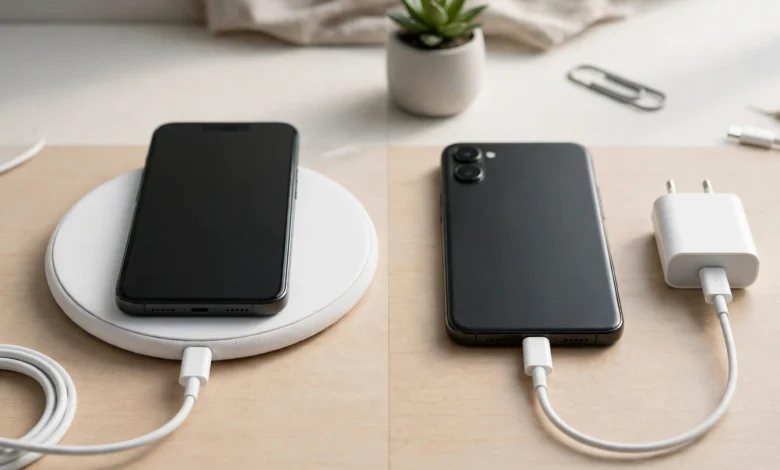
Wired vs Wireless Charging: 9 Proven Facts to Pick the Best Option (2026 Guide)
.Introduction
Wired vs wireless charging used to be an easy call: cables were fast, pads were slow and a bit of a novelty. That gap has narrowed. The Wireless Power Consortium’s Qi2 25W standard, launched in 2025, delivers nearly 70% more power than the original Qi2, and magnetic chargers now snap into place on both iPhones and a growing list of Android phones. Meanwhile, wired chargers have jumped ahead again, with some Android phones accepting well over 60 watts through a USB-C cable.
So which one should you actually use? The honest answer is that most people benefit from both, used in the right places. A cable is still the fastest and most efficient way to top up before you rush out the door. A wireless pad on your desk or bedside table is hard to beat for everyday convenience and less wear on the charging port.
There is also a safety side that many comparisons skip. Apple once found that nearly 90% of “genuine” chargers it bought on Amazon were counterfeit. In January 2026, more than 13,000 magnetic wireless chargers sold at T.J. Maxx and Marshalls were recalled because they could explode while in use. And US authorities have warned travellers about juice jacking at public USB ports.
This guide walks through how each method works, how they compare on speed, heat, battery health and cost, and how to buy and use chargers safely, so you can make a clear choice for your own habits.
Wired vs Wireless Charging: How Each One Works
Understanding the basics makes every other comparison easier.
How Wired Charging Works
With a cable, electricity flows directly from the power adapter through copper wires into your phone’s charging circuit. Modern phones use USB-C, and the European Union made USB-C the common charging port for phones and many other devices from late 2024.
Fast wired charging depends on the adapter and phone agreeing on how much power to send. The main standards are:
- USB Power Delivery (USB-C PD): The universal fast-charging standard used by iPhones, Pixels, Samsung phones, laptops and tablets.
- PPS (Programmable Power Supply): An extension of USB PD that adjusts voltage in small steps. Samsung’s fastest charging modes rely on it.
- Proprietary systems: Some brands use their own technology to reach very high speeds, but usually only with their own adapter and cable.
How Wireless Charging Works
A wireless charger has a copper coil that creates a changing magnetic field. A matching coil inside your phone picks up that field and turns it back into electricity. No metal contacts touch, which is why you can just set the phone down.


The key standards are:
- Qi: The original open standard from the Wireless Power Consortium (WPC), used by most phones with wireless charging. Basic Qi pads usually run at 5W to 15W.
- Qi2: Introduced in 2023, it added a magnetic alignment ring so the coils line up perfectly, up to 15W.
- Qi2 25W: Launched by the WPC in 2025 (based on the Qi v2.2.1 specification), raising the ceiling to 25W while keeping magnetic alignment.
- MagSafe: Apple’s magnetic system for iPhones. Recent MagSafe chargers can deliver up to 25W to compatible iPhones with the right power adapter.
Why Alignment Matters
Older flat pads charge poorly or not at all if the phone sits slightly off-centre, which wastes energy as heat. Magnetic systems like Qi2 and MagSafe fixed most of that problem, which is a big reason wireless charging feels much better today than it did a few years ago.
Speed and Efficiency in Wired vs Wireless Charging
This is where the two methods differ most, and where marketing numbers can mislead.
Fact 1: Wired Is Still Faster
For most phones, a good USB-C cable and adapter will charge faster than any wireless pad. Many iPhones and Samsung flagships accept roughly 20W to 45W over a cable, and some Android brands go far higher with their own chargers. Wireless tops out lower: 15W for original Qi2 and 25W for Qi2 25W and the latest MagSafe.
Fact 2: The Gap Has Narrowed
The Wireless Power Consortium says a Qi2 25W charger can take a compatible phone from 0 to 50% in about 30 minutes, which it describes as close to what many wired chargers do. For a quick morning top-up on a supported phone, that is now genuinely useful.
Fact 3: Wireless Wastes More Energy
Every wireless charger loses some energy as heat between the two coils, especially when they are slightly misaligned or a thick case sits in between. A cable delivers power far more directly. The difference on one charge is small, but if efficiency or your electricity bill matters to you, wired is the greener choice.
Real-World Speed Comparison
| Method | Typical maximum for phones | Best for |
|---|---|---|
| Basic Qi pad | 5W to 15W | Overnight charging, earbuds |
| Qi2 (original) | Up to 15W | Desk and bedside top-ups |
| Qi2 25W or latest MagSafe | Up to 25W | Faster magnetic charging on supported phones |
| Wired USB-C PD (iPhone, Samsung) | Roughly 20W to 45W | Quick top-ups before leaving |
| Proprietary wired fast charging | 60W and above on some Android phones | Fastest possible charge |
What Slows Charging Down
- A weak power adapter. A 25W wireless charger needs a strong USB-C adapter behind it, often 30W or more.
- Thick or metal cases, card wallets and pop sockets on wireless chargers.
- Heat. Phones slow charging automatically when they get warm, which affects wireless more often.
- Using the phone heavily while charging.
- Low-quality or uncertified cables that cannot carry higher power.
Battery Health: Is Wireless Charging Bad for Your Battery?
This is the most common question in the wired vs wireless charging debate, and the honest answer is “not much, if you use a good charger.”
Fact 4: Heat Matters More Than the Method
Lithium-ion batteries wear faster when they are hot and when they sit at very high or very low charge for long periods. Wireless charging tends to produce a bit more heat, so it can add slightly more wear over time, particularly with cheap pads, poor alignment or thick cases. A quality magnetic charger that keeps the phone cool will have a small effect compared with everyday habits like gaming while charging or leaving the phone in a hot car.
Fact 5: Fast Wired Charging Is Not Automatically Harmful
Modern phones control how much power they accept. They charge quickly when the battery is low and slow down as it fills, which protects the cells. Very high-wattage wired charging does produce heat, but phone makers design batteries and cooling around it. What really hurts is cheap, uncertified chargers that do not regulate power properly.
Practical Tips to Protect Battery Health
- Turn on built-in features like Optimized Battery Charging on iPhone, Adaptive Charging on Pixel, or battery protection on Samsung, which limit time spent at 100%.
- Remove thick or metal cases when charging wirelessly if the phone gets warm.
- Use a fan-cooled or well-ventilated wireless stand for overnight charging if your room is hot.
- Avoid heavy gaming or video streaming while charging by either method.
- Keep phones out of direct sunlight and off soft surfaces like pillows while charging.
The Bottom Line on Battery Wear
For most people, the difference in battery wear between wired and wireless is small enough that convenience should guide the choice. Heat, charge habits and charger quality matter far more than whether a cable is involved.
Convenience and Cost in Wired vs Wireless Charging
Speed and battery health are only part of the decision. How you live with your phone matters just as much.
Fact 6: Wireless Wins on Everyday Convenience
- You just set the phone down. No fumbling for a cable in the dark.
- Less wear on the USB-C port, which is a common failure point on older phones.
- Magnetic stands let you use the phone for video calls or as a bedside clock while it charges.
- One pad can often charge earbuds, smartwatches (with the right charger) and phones from different brands.
Fact 7: Wired Wins on Cost, Flexibility and Travel
- A good USB-C cable and adapter usually cost less than a quality magnetic wireless charger, which also needs its own adapter.
- You can use the phone comfortably in your hand while it charges.
- Cables work anywhere there is a socket, power bank or laptop. Wireless pads need their own power supply.
- Laptops, tablets, cameras and most accessories charge only by cable.
Which Fits Your Lifestyle?
| Situation | Better choice | Why |
|---|---|---|
| Bedside overnight charging | Wireless | Convenient, speed does not matter |
| Office desk | Wireless stand | Quick top-ups, phone visible for calls |
| Rushing out the door at 15% | Wired | Fastest charge in limited time |
| Travel and long journeys | Wired plus power bank | Works anywhere, fewer items |
| Car | Either | Wired for speed; magnetic mount for navigation |
| Gaming or heavy use while charging | Wired | Less heat, phone free to hold |
| Older phone with a loose port | Wireless | Saves the worn port |
A Note on Load Shedding and Power Banks
In places with frequent power cuts, a power bank is essential. Many now include both a USB-C port and magnetic wireless charging. Use the cable when you need speed and the magnetic pad when convenience matters more, and buy only from trusted brands, because power banks are where cheap batteries cause the most trouble.
Safety Standards for Wired vs Wireless Charging
Whichever method you choose, the quality of the charger matters more than the method itself.
Fact 8: Certification Is Your Best Protection
Certified chargers have been tested for safe voltage regulation, heat control and compatibility. Look for:
- Qi or Qi2 Certified marks on wireless chargers. The WPC states that products must pass testing in authorised labs to carry the Qi2 logo, and Qi2 25W products must be certified to run at full power.
- USB-IF certification for USB-C cables and chargers, especially high-wattage cables.
- Apple MFi or MagSafe labelling for iPhone accessories, bought from genuine sellers.
- Recognised electrical safety marks such as UL, CE or your country’s national standard.
Be aware that counterfeiters copy these logos too, so the seller matters as much as the label.
Warning Signs of an Unsafe Charger
- Much lighter than an official charger of the same rating.
- Price far below known brands, especially for “original” Apple or Samsung chargers.
- Gets hot to the touch, buzzes, or smells of burning plastic.
- Phone shows “accessory not supported” or charges erratically.
- Wireless pad heats up even with nothing on it.
- Loose USB-C plug or cable that feels thin and flimsy.
Using Wireless Chargers Safely
- Remove metal objects such as coins, keys and card wallets from between the phone and pad. Metal can heat up in the magnetic field.
- Do not charge on beds, sofas or under pillows.
- Keep pads away from water and direct sunlight.
- Unplug pads that are damaged, swollen or discoloured.
Using Wired Chargers Safely
- Replace frayed or kinked cables immediately.
- Do not use phone chargers in wet bathrooms or near sinks.
- Avoid cheap multi-port “fast charging” hubs with no brand or safety marks.
- Pull the plug, not the cord.
Real Cases That Shape the Wired vs Wireless Charging Choice
Fact 9: Most Charging Dangers Come From Bad Products and Bad Actors
These documented cases show that the biggest risks are counterfeit or poorly made chargers and criminal misuse, not wired or wireless charging as such.
Case 1: “Genuine” Apple Chargers That Were Almost All Fake (2016)
In a 2016 federal lawsuit against Mobile Star LLC, a supplier to Amazon, Apple said it had bought Apple-branded chargers and cables labelled as genuine on Amazon and found nearly 90% were counterfeit. Apple said the fakes posed a significant risk of overheating, fire and electric shock (AP report on Apple’s counterfeit charger lawsuit).
Lesson: “Original” in a product title proves nothing. Buy wired chargers and cables from official stores or reputable brands, and be suspicious of prices far below normal.
Case 2: Magnetic Wireless Chargers Recalled for Explosion Risk (2026)
In January 2026, the US Consumer Product Safety Commission announced a recall of Isla Rae magnetic wireless chargers sold at T.J. Maxx and Marshalls stores, warning that the chargers could explode while in use, posing fire and burn hazards (CPSC recall notice). Reports put the number of units at about 13,200. Earlier, in 2019, Kikkerland recalled wireless charger bedside pockets after three reports of smoke coming from the units.
Lesson: Cheap, unbranded magnetic chargers and power banks sold as gift items are a real fire risk. Choose Qi-certified products from known brands, and check recall databases if a charger runs hot.
Case 3: Juice Jacking Warnings at Public USB Ports (2023)
In April 2023, the FBI’s Denver office warned travellers to avoid free charging stations in airports, hotels and shopping centres, saying bad actors had found ways to use public USB ports to load malware and monitoring software onto devices. The FCC issued a similar warning and recommended carrying your own charger, using wall outlets, or using a charge-only cable (CBS News report on the FBI warning). To keep this in perspective, the FBI said no specific incident prompted the alert, and fact-checkers have noted there is little public evidence that juice jacking is widespread.
Lesson: This is one area where wireless charging and your own adapter have a clear edge. A wireless pad or your own wall charger cannot pass data the way a compromised USB data port can. When travelling, carry your own adapter, a power bank, or a charge-only cable.
The Ethical Side
Buying counterfeit or uncertified chargers does more than risk your own phone. Fakes undercut honest sellers, dodge safety testing and can cause fires that harm other people in a home, hostel or office. Choosing certified products and reporting dangerous sellers to the platform or local consumer authority helps everyone.
Wired vs Wireless Charging: Your Decision Guide
Most people do best with a simple combination: a fast wired charger for speed and travel, plus a certified wireless charger where convenience matters. Use the questions below to decide what to buy first.
Choose Wired First If You…
- Often need a big charge in a short time.
- Use your phone heavily while charging, for example gaming or navigation.
- Travel a lot and want one charger for phone, tablet and laptop.
- Have a phone without wireless charging (many budget phones lack it).
- Want the cheapest, most efficient setup.
Choose Wireless First If You…
- Mostly charge overnight or at a desk.
- Have a phone with a worn or loose charging port.
- Like using your phone as a bedside clock or video-call screen while it charges.
- Own a Qi2, Qi2 25W or MagSafe phone and want magnetic convenience.
- Charge several devices like earbuds and a watch in one spot.
Buying Checklist
- My phone supports the standard I am buying (Qi, Qi2, Qi2 25W or MagSafe)
- Wireless charger is Qi or Qi2 certified, from a known brand
- Power adapter is strong enough for the charger (often 30W or more for 25W wireless)
- USB-C cable is certified and rated for the wattage I need
- Bought from an official store or authorised seller, with a receipt
- Price is in line with other reputable sellers
- I have checked for recalls on the model if it is a lesser-known brand
Daily Habits for Either Method
- Enable optimised or adaptive charging on your phone.
- Keep the phone cool while charging.
- Remove thick or metal cases on wireless pads if heat builds up.
- Use your own charger and cable instead of public USB ports.
- Replace damaged chargers and cables straight away.
Conclusion: Settling the Wired vs Wireless Charging Question
The wired vs wireless charging decision is less about picking a winner and more about matching each method to the moment: wired USB-C charging is still faster, cheaper and more efficient, making it the right choice for quick top-ups, travel and heavy use, while wireless charging, now much better thanks to magnetic Qi2 and the 25W Qi2 standard, is ideal for bedside, desk and overnight charging and saves wear on your charging port. Battery health depends far more on heat, charge habits and charger quality than on whether you use a cable, so enable optimised charging and keep your phone cool either way. The real dangers come from bad products and bad actors, as shown by Apple’s finding that nearly 90% of “genuine” chargers it bought on Amazon were fake, the 2026 recall of magnetic wireless chargers that could explode, and official warnings about juice jacking at public USB ports. Buy certified chargers from trusted sellers, use your own adapter or power bank when travelling, and you can enjoy the speed of wired and the convenience of wireless without putting your phone, your data or your home at risk.