Top Smart Doorbell and Security Camera Options in Pakistan
Smart doorbell and security camera options in Pakistan compared by price, power backup, storage and privacy, with real hacking cases and legal limits.
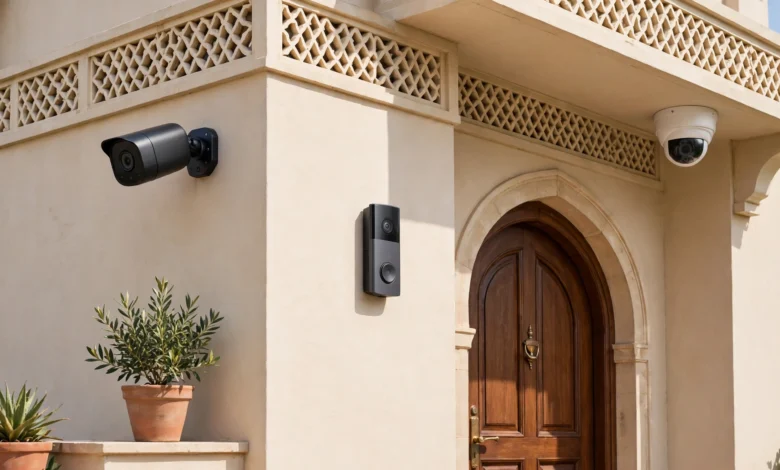
Smart Doorbell and Security Camera Options in Pakistan: 9 Best Picks (Ultimate 2026 Guide)
Introduction
Smart doorbell sales in Pakistan have picked up for a simple reason: people want to know who is at the gate before they open it. In Karachi alone, police recorded more than 64,000 street crime incidents in 2025, and that number only counts the cases people bothered to report. In Lahore, Islamabad and Peshawar the worries are similar, from motorcycle theft outside the house to strangers posing as delivery riders.
A smart doorbell or a basic security camera will not stop a determined criminal on its own. What it does is give you a clear look at the gate from your phone, a recording you can hand to the police, and a reason for an opportunist to try another street. That is real value, as long as you buy the right device for local conditions.
And local conditions matter. Load shedding can switch off your Wi-Fi router just when you need it. Some areas have weak broadband. Many imported products are grey-market units with no warranty. On top of that, a camera connected to the internet can be watched by people you never invited, a risk proven by real hacking cases and leaks in Pakistan and abroad.
This guide covers the best smart doorbell in Pakistan and the most practical security camera options, with current price examples, the features that actually matter here, what went wrong in past cases of illegal access and misuse, and how to use these devices legally and ethically.
Why Smart Doorbell and Camera Demand Is Rising in Pakistan
The interest in a smart doorbell is not about gadgets. It comes from everyday experiences that most urban families in Pakistan know well.
Street Crime Is a Daily Reality
According to police figures reported by Dawn, Karachi saw 64,323 street crime incidents in 2025, down from 71,105 in 2024, with 70 people killed by street criminals by early December 2025 (Dawn report on Karachi street crime in 2025). The decline is welcome, but experts quoted in the same report believe many cases go unreported. In the first five months of 2026, the Citizens-Police Liaison Committee (CPLC) still recorded 7,427 mobile phones snatched in the city (Express Tribune on CPLC data).
Much of this crime happens at or near the front gate: bikes taken from outside the house, people robbed while parking, and fake visitors who push in once the door opens. A video doorbell helps at exactly that point.
Common Situations a Smart Doorbell Helps With
- Unknown visitors: You can see and talk to someone through two-way audio without opening the gate.
- Deliveries: Courier and food riders come at all hours. You can confirm the order before stepping outside.
- Elderly parents at home: Children working in another city, or abroad, can check who is visiting their parents.
- Domestic staff and drivers: Arrival and departure times are logged without anyone having to keep a register.
- Evidence: If something does happen, a clear clip of a face or a number plate is far more useful to police than a description.
Realistic Expectations
A camera records crime, it does not prevent all of it. Armed robbers are often unbothered by cameras, and footage only helps if it is clear, stored safely, and actually handed to the right people. The goal is better awareness and better evidence, not a false sense of total safety.
Smart Doorbell Features That Matter in Pakistan
Most product pages list the same specs. Here is what actually decides whether a smart doorbell or camera works well in a Pakistani home.


Power: Battery, Wired and Load Shedding
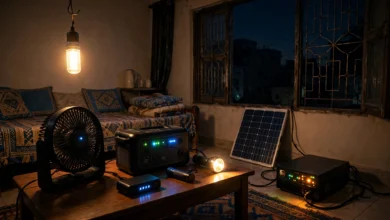
This is the first question to answer. A battery smart doorbell keeps working when the electricity goes, but it needs recharging every few weeks or months, and heat can shorten battery life. A wired doorbell never needs charging but stops during outages unless it is on a UPS or inverter circuit.
The weak link is often not the doorbell at all. It is the Wi-Fi router. If your router goes off during load shedding, even a battery doorbell cannot send alerts. A small DC UPS for the router (often sold for a few thousand rupees) is one of the best upgrades you can make for any Wi-Fi camera setup.
Internet: Wi-Fi, 4G and Bandwidth
- Wi-Fi models need a decent signal at the gate. In big houses with thick walls, the gate is often the weakest spot. A Wi-Fi extender or mesh point near the front may be needed.
- 4G cameras take a SIM card and work where there is no broadband, such as farmhouses, plots under construction, or shops. The SIM must be registered in your name, and you will pay for a data package.
- Upload speed matters for remote viewing. Many home connections in Pakistan have slow upload, so choose cameras that let you lower stream quality in the app.
Storage: microSD, Cloud, or NVR
- microSD card storage is free after purchase and keeps footage at home, but a thief can pull the card out of an exposed camera.
- Cloud storage keeps clips safe even if the camera is stolen, but it costs a monthly fee, usually charged in foreign currency, and your footage sits on a company server.
- NVR or DVR recorders, common with wired CCTV systems, store everything on a hard drive inside the house. Put the recorder somewhere hidden.
Video and Night Vision
At the gate, 2MP (1080p) is the minimum that can show a face clearly. 3MP to 5MP helps with number plates. Night vision matters more than daytime resolution, because most incidents happen after dark. Colour night vision with a small spotlight also works as a deterrent.
Weather Resistance
Outdoor units face 45°C summers, dust storms and monsoon rain. Look for at least IP65 weather rating, and avoid mounting cameras in direct afternoon sun if you can.
Warranty and Where You Buy
Many doorbells sold online are grey imports with no local warranty. Prefer authorized dealers or stores that clearly state warranty terms, keep the invoice, and check that the companion app works in Pakistan before buying.
Top 4 Smart Doorbell Options in Pakistan
These picks are based on what is actually sold through Pakistani retailers, not just what is popular in the US or UK. Prices change often with the rupee and import duties, so treat the figures below as a snapshot from October 2026 and check before you buy.
| Smart doorbell | Power | Storage | Example price in Pakistan | Best for |
|---|---|---|---|---|
| Anker Eufy Battery Video Doorbell (1080p) | Battery | Local, on the indoor chime | Rs 46,200 (W11stop) | No monthly fees, long battery life |
| Ezviz DB1C (wired) / DB2 (battery) | Wired or battery | microSD or cloud | Varies by seller | Value and wide availability |
| Imou 2S Doorbell Kit | Battery kit | microSD or cloud | Varies by seller | Imou camera owners |
| Mux Smart Video Doorbell | Battery | microSD or cloud | Rs 19,220 (W11stop) | Budget buyers |
1. Anker Eufy Battery Video Doorbell
Eufy’s selling point is local storage. Clips are saved on the indoor chime base, with no subscription needed. The retailer lists up to 120 days on a single charge and a tall 4:3 view that shows visitors head to toe. It is the most expensive option here, but over three or four years the lack of cloud fees narrows the gap. Since the chime base holds the footage, an intruder cannot simply pull a card out of the unit at the gate.
2. Ezviz DB1C and DB2
Ezviz, a sister brand of Hikvision, is one of the most widely stocked names in Pakistani electronics shops. The DB1C is a wired video doorbell with 1080p video, a tall 170-degree vertical view, IP65 weather protection, H.265 compression to save bandwidth, and microSD support up to 128GB. It supports both 2.4GHz and 5GHz Wi-Fi. Because it is wired, put its transformer on a UPS-backed circuit. The DB2 is the battery version for homes where running wires to the gate is hard. One review noted the DB1C lacked two-factor login at the time, so set a strong, unique account password.
3. Imou 2S Doorbell Kit
Imou, the consumer arm of Dahua, sells its doorbell kits through several Pakistani retailers. It offers HD video, night vision, two-way audio and cloud or card storage. The main reason to choose it is if you already use Imou cameras, since everything sits in one app.
4. Mux Smart Video Doorbell
For a lower budget, the Mux doorbell offers a PIR motion sensor that sends snapshots before a visitor even presses the button, two-way audio, day and night vision, low-battery alerts, and microSD or cloud recording. Lesser-known brands can vary more in app quality and long-term updates, so buy from a store that offers a clear return policy.
What About Ring and Google Nest?
You will find Ring and Nest doorbells on some import sites and social media shops. They are not officially sold in Pakistan, so warranty claims are difficult and some features depend on paid plans billed in dollars. They can work, but most buyers are better served by brands with a local presence.
Top 5 Security Camera Options in Pakistan
A smart doorbell covers the gate. For the boundary wall, car porch, rooftop or shop counter, you need a proper security camera in Pakistan that suits your power and internet situation.
| Camera | Type | Example price in Pakistan | Best for |
|---|---|---|---|
| TP-Link Tapo C200 | Indoor pan/tilt, 1080p | Rs 5,999 to Rs 9,900 across stores | Lounge, shop counter, baby or elder monitoring |
| TP-Link Tapo C520WS | Outdoor pan/tilt, 3K | About Rs 16,699 | Porch and gate area |
| Imou Cruiser Dual 2 | Outdoor, dual lens | Varies by seller | Wide driveways and corner plots |
| Imou Cruiser SC 4G | Outdoor, SIM-based | Varies by seller | Farmhouses, construction sites, no broadband |
| Hikvision or Dahua wired kit | DVR/NVR with 4 to 8 cameras | Depends on camera count and installer | Full-house coverage on UPS |
5. TP-Link Tapo C200 (Indoor)
This is the most common entry-level Wi-Fi camera in Pakistan for good reason. It pans 360 degrees, records to a microSD card, and the Tapo app is simple. Price comparison data shows it at around Rs 5,999 on Daraz and up to Rs 9,900 at other stores, which shows why it pays to compare. Use it indoors only, and think carefully about where you point it (more on that in the ethics section).
6. TP-Link Tapo C520WS (Outdoor)
The outdoor sibling adds a 3K sensor, weather resistance and pan and tilt, so one camera can cover both the gate and the car porch. At around Rs 16,699 it is a sensible middle ground between budget indoor cameras and a full CCTV system. If you want a cheaper indoor 3K option, the Tapo C230 was listed at about Rs 12,499.
7. Imou Cruiser Dual 2 (Outdoor)
Dual-lens cameras show a wide view and a zoomed view at the same time. That helps on wide driveways and corner houses, where a single lens either sees everything blurry or one spot sharply.
8. Imou Cruiser SC 4G (No Wi-Fi Needed)
For sites without broadband, a 4G camera is the practical answer. Pair it with a small solar panel or a battery backup, and remember that the SIM must be registered to your own CNIC. Never use a SIM issued in someone else’s name, which is both risky and illegal.
9. Hikvision or Dahua Wired CCTV Kit (DVR/NVR)
For full-house coverage, a wired CCTV camera system with a DVR or NVR is still the most reliable choice. Cameras get power over the cable, the recorder sits on your UPS, and footage stays on a hard drive at home. Hire an installer who will change default passwords and update firmware. Older Hikvision firmware had a serious remote-access flaw (CVE-2021-36260) that was patched in 2021, which is a good reminder that cheap installs left on old firmware are a real risk. Note too that the US banned new approvals for Hikvision and Dahua equipment in 2022 on national security grounds. That rule does not apply in Pakistan, but it is worth knowing if you handle sensitive business data.
Real Cases: When Smart Doorbell and Camera Footage Was Misused
Any camera connected to the internet is also a window that someone else might look through. These real cases show how that happens, and what each one teaches a buyer in Pakistan.
Case 1: Ring Staff and Hackers Accessed Private Videos (USA)
In a 2023 complaint, the US Federal Trade Commission accused Ring, the Amazon-owned smart doorbell maker, of letting employees and contractors view customers’ private videos, and of weak security that let hackers take over accounts and cameras. The settlement forced Ring to delete unlawfully obtained data and strengthen security, and in 2024 the FTC sent more than $5.6 million in refunds to affected customers (AP report on the FTC Ring refunds).
Lesson: Even big brands can fail. Turn on two-factor login, use a unique password, and prefer devices that let you keep footage locally.
Case 2: The Verkada Breach, 150,000 Cameras Exposed (USA, 2021)
In March 2021, hackers got admin-level access to camera company Verkada’s systems and could see live feeds from about 150,000 cameras, including inside psychiatric hospitals, women’s health clinics and jails. The FTC later required Verkada to build a full security program and pay a $2.95 million penalty (Infosecurity Magazine on the Verkada penalty).
Lesson: A cloud platform is a single point of failure. Cameras should never point at bedrooms, bathrooms or changing areas, because one breach can expose the most private parts of a life.
Case 3: Leaked Surveillance Images in Pakistan (2016 and 2019)
In January 2019, images of couples in vehicles, said to come from Safe City cameras, went viral on social media. Islamabad police said their investigation found the images were not from Islamabad’s cameras. However, a senior officer told Dawn that images had leaked from the Islamabad system a few years earlier, including photos of girls in 2016, and that four people had been dismissed over leaks (Dawn report on the Safe City leaks). In late 2025, a viral clip from an e-challan traffic camera showing a couple’s private moment caused a fresh outcry in Karachi.
Lesson: Insider misuse is a real threat. If government systems with written procedures can leak, a home DVR shared with a careless installer or relative certainly can. Limit who has the app login.
Case 4: Default Passwords and Old Firmware
Around the world, unsecured cameras left on factory passwords have been scanned, hijacked and even listed on websites that stream them publicly. In Pakistan, many CCTV systems are installed with the installer’s default login and never updated. Accessing someone’s camera without permission is a crime under Pakistan’s Prevention of Electronic Crimes Act (PECA) 2016, but the law only helps after the damage is done.
Lesson: Change every default password on day one, keep firmware updated, and do not open recorder ports to the internet unless you understand how to secure them.
Using a Smart Doorbell Legally and Ethically in Pakistan
Pakistan does not yet have a dedicated home CCTV law, and its data protection bill has been under discussion for years. That does not mean anything goes. Several existing laws apply, and basic decency applies everywhere.
What the Law Covers
- Unauthorized access: Getting into someone else’s camera, app or recorder without permission is an offence under the Prevention of Electronic Crimes Act (PECA) 2016.
- Sharing private images: PECA also covers distributing photos or videos of a person in ways that harm their dignity or privacy without consent, and cyberstalking. Penalties include prison terms and fines.
- SIM and device registration: SIM cards in 4G cameras must be registered in your own name, and imported devices are subject to PTA and customs rules.
This is a general overview, not legal advice. If footage becomes part of a dispute or criminal case, speak to a lawyer.
Respect Your Neighbours
- Point the smart doorbell and outdoor cameras at your own gate, wall and driveway, not into a neighbour’s windows, courtyard or rooftop.
- Many apps let you mask privacy zones. Use them to black out parts of the frame you do not need.
- In Pakistani neighbourhoods where women often use rooftops and courtyards, a camera that overlooks someone else’s home can cause serious distress and conflict.
Respect People Inside Your Home
- Tell domestic staff, drivers and guards that cameras are in use. Hidden recording of employees damages trust and can create legal problems.
- Never place cameras in bathrooms, bedrooms or areas where staff change or rest.
- Be careful with audio recording, which captures private conversations. Turn it off where it is not needed.
Handle Footage Responsibly
- If you capture a crime, give the clip to the police, the CPLC, or your lawyer. Do not post a suspect’s face on social media and invite a mob. People have been wrongly accused this way.
- Do not share embarrassing or private clips of visitors, couples, staff or neighbours for laughs. Beyond being cruel, it can fall under PECA.
- Set automatic deletion after a reasonable period, such as 15 to 30 days, unless a clip is needed as evidence.
Smart Doorbell Installation and Security Checklist
A good device installed badly is still a weak system. Follow these steps when you set up a smart doorbell or home security camera.
Before You Buy
- Test the Wi-Fi at the gate with your phone. If the signal is weak there, plan for an extender or choose a 4G or wired system.
- Decide on power. Battery for simplicity, wired on a UPS circuit for reliability, and a UPS for the router either way.
- Pick your storage based on risk: local for privacy and no fees, cloud if theft of the device is your main worry.
- Buy from a seller with a clear warranty and keep the invoice.
During Setup
- Mount the doorbell around 1.2 to 1.5 metres high so it captures faces, not just the tops of heads.
- Angle outdoor cameras away from neighbours’ windows and use privacy masking.
- Change the default password and create a long, unique one for the app account.
- Turn on two-factor authentication if the app offers it.
- Update the firmware before you rely on the device.
- If an installer sets up a DVR or NVR, make sure the admin account is in your name and that you receive the password. Ask them to remove their own access afterwards.
Ongoing Habits
- Check for firmware and app updates every few months.
- Review who has shared access to the app, and remove ex-staff, relatives who moved out, or old phones.
- Put the router and recorder on a separate guest network from family laptops if your router allows it.
- Clean the lens after dust storms and monsoon rain. A dirty lens wrecks night vision.
- Test playback once a month. Many people discover a dead memory card only after something has gone wrong.
Quick Buyer’s Checklist
- Works during load shedding (battery, UPS, or both)
- Clear face at the gate in day and night tests
- Storage chosen (microSD, cloud or NVR) with auto-delete set
- Default password changed and two-factor on
- Firmware updated
- Cameras aimed only at my own property
- Staff informed about cameras
Conclusion: Choosing the Right Smart Doorbell in Pakistan
The right smart doorbell in Pakistan is the one that keeps working through load shedding, shows a clear face at night, stores footage where a thief cannot easily take it, and stays secure against people who should not be watching. Eufy, Ezviz, Imou and Mux cover the doorbell side from premium to budget, while Tapo, Imou 4G models and wired Hikvision or Dahua kits cover the rest of the house depending on your power and internet. Real cases, from Ring staff viewing customer videos and the Verkada breach to leaked surveillance images in Pakistan, show that the biggest risks often come from weak passwords, careless installers and insiders rather than the hardware itself. Buy from sellers with a real warranty, put your router on a UPS, change default passwords, aim cameras only at your own property, tell staff they are being recorded, and hand footage to the police instead of social media. Do that, and a modest investment will give your family better awareness and better evidence without turning your home into a source of someone else’s harm.