How to Extend the Life of Your Gadgets and Accessories
Gadget lifespan tips that work: battery care, safe charging, cleaning and repair habits, plus real cases of fake chargers and e-waste fraud to avoid.
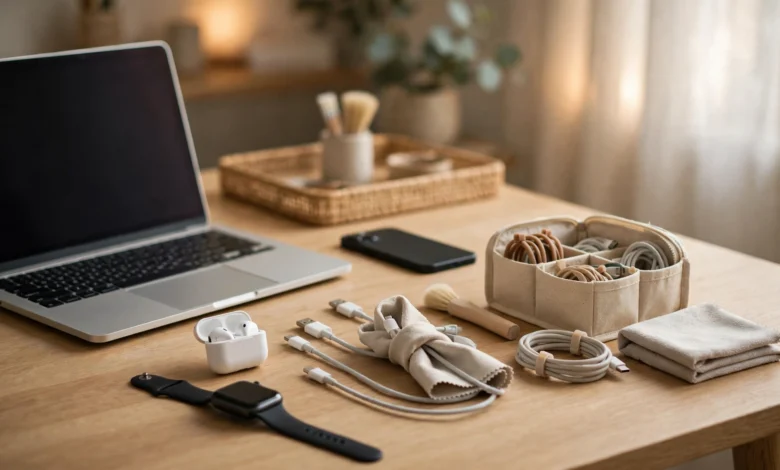
Gadget Lifespan: 11 Proven Tips to Avoid Costly Damage and Make Devices Last Longer
Introduction
Gadget lifespan has become a money question for almost everyone. Phones, laptops, earbuds and smartwatches cost more than ever, yet many of them get replaced after two or three years, often because of a tired battery, a cracked screen or a frayed cable rather than a real hardware failure. With a few simple habits, most devices can comfortably last twice as long.
This matters beyond your wallet. According to the UN’s Global E-waste Monitor, the world produced a record 62 million tonnes of electronic waste in 2022, and less than a quarter of it was documented as properly recycled. Every extra year you get out of a device means less mining, less pollution and less pressure on communities that end up handling the world’s discarded electronics.
There is also a reality check worth having. Some of the forces that shorten a gadget lifespan are not your fault. Apple paid hundreds of millions of dollars in settlements over throttling older iPhones without being clear about it. Counterfeit chargers sold as “genuine” have damaged devices and put users at risk. And some recyclers who promised to handle old electronics responsibly secretly shipped them overseas instead.
This guide covers 11 practical ways to extend the life of your gadgets and accessories, from battery care and cleaning to safe charging and repair. It also walks through real legal cases so you know what to watch out for and how to make ethical choices when a device finally reaches the end of the road.
What Shortens Gadget Lifespan in the First Place
Before the tips, it helps to know what actually kills devices. Most gadgets do not die suddenly. They wear down in a few predictable ways.
Battery Wear
Almost every portable device runs on a lithium-ion battery. These batteries lose capacity every time they go through charge cycles, and they wear faster when they are kept at very high or very low charge, or when they get hot. After a few hundred full cycles, a phone battery that once lasted all day may struggle to reach the evening. This is the single most common reason people replace phones, earbuds and laptops.
Heat
Heat speeds up battery ageing and stresses solder joints, screens and adhesives. Leaving a phone on a car dashboard, gaming while charging, or using a laptop on a soft bed that blocks the vents all add up over time.
Physical Damage, Dust and Moisture
Drops crack screens and loosen internal connectors. Dust and lint clog charging ports, speaker grilles and laptop fans. Moisture from rain, steamy bathrooms or sweaty gym sessions can slowly corrode contacts, even on devices rated as water-resistant.
Software Bloat and Missing Updates
As apps grow heavier and storage fills up, devices feel slower. Skipping updates can leave security holes and bugs unfixed. Many people replace a device because it “feels old” when the real issue is a full storage drive.

Poor Accessories
Cheap or fake chargers can deliver unstable power, overheat and damage charging circuits. Frayed cables cause loose connections that can stress ports.
Design and Business Decisions
Some limits come from manufacturers: glued-in batteries, expensive parts, short software support windows, or, in one well-known case, performance throttling that customers were not told about. You cannot control these, but you can buy with them in mind and support stronger right to repair rules.
Battery Care: The Biggest Lever for Gadget Lifespan
If you only change one habit, change how you charge. The battery is usually the first part to wear out, so protecting it does more for gadget lifespan than anything else.
Tip 1: Keep the Charge Roughly Between 20% and 80%
Lithium-ion batteries are most comfortable in the middle of their range. Sitting at 100% for hours, or regularly draining to 0%, adds stress.
- Turn on built-in features such as Optimized Battery Charging on iPhone, Adaptive Charging on Pixel, or battery protection modes on Samsung, which hold the charge near 80% and finish just before you usually unplug.
- On laptops, many brands offer a “conservation” or “battery health” mode that caps charging at 60% to 80% when the laptop lives on a desk.
- Small top-ups through the day are better than full drains followed by full charges.
- Do not worry about the occasional full charge before a long day. Habits matter more than single events.
Tip 2: Avoid Heat While Charging and Using
Heat is the battery’s worst enemy, and charging naturally creates heat.
- Remove thick cases while fast charging if the phone feels hot.
- Do not charge under pillows, blankets or in direct sun.
- Avoid heavy gaming or video editing while charging.
- Never leave devices in a parked car in summer. Interior temperatures can climb far above what batteries are designed for.
- In cold weather, let a device warm up to room temperature before charging it.
Check Battery Health Regularly
Most phones and laptops show battery health as a percentage of original capacity in settings. When it drops to around 80% or below and you notice short battery life or random shutdowns, a battery replacement is usually far cheaper than a new device, and it can make an older phone feel new again.
Storing Gadgets You Are Not Using
For tablets, old phones, cameras or power banks you will not use for months, store them at around 50% charge in a cool, dry place. Top them up every few months. Storing a battery completely empty can push it into a deep discharge it may not recover from.
Physical Protection to Extend Gadget Lifespan
The second biggest killer of devices is everyday wear and accidents. A little protection goes a long way.
Tip 3: Use a Good Case and Screen Protector
A phone case with raised edges around the screen and camera, plus a tempered glass screen protector, absorbs most of the damage from everyday drops. Replacing a $10 protector is far cheaper than a $200 screen. For laptops, a padded sleeve inside your bag prevents pressure cracks and dents. Tablets and e-readers benefit from folio cases that cover the screen.
A quick note: very thick, insulated cases can trap heat. If your phone runs hot when charging or gaming, choose a slimmer case or remove it during those times.
Tip 4: Clean Ports, Vents and Screens Gently
Dust and lint cause more “broken” charging ports than actual hardware faults.
- Power the device off before cleaning.
- Use a soft, dry toothbrush or a wooden toothpick to gently remove lint from charging ports. Never use metal pins.
- Use short bursts of compressed air on keyboards and laptop vents, holding fans still so they do not over-spin.
- Wipe screens with a microfibre cloth. If needed, lightly dampen it with water or a cleaner approved by the maker. Avoid spraying liquid directly onto the device.
- Clean earbud mesh and charging case contacts with a dry brush or cotton swab.
For laptops and gaming consoles, clean vents every few months. Clogged fans make the device run hotter, which hurts both the battery and the processor.
Tip 5: Keep Water and Humidity Away
Water-resistance ratings (like IP67 or IP68) are tested in lab conditions with new seals. Seals weaken with age, drops and heat, and most warranties do not cover water damage.
- Avoid using phones in steamy bathrooms, saunas or the pool unless you have a proper waterproof pouch.
- Wipe off sweat from earbuds and smartwatches after workouts.
- If a device does get wet, power it off, dry the outside, and let it air dry. Do not charge it until it is fully dry. The old trick of putting a phone in rice is not recommended by manufacturers and can leave starch dust in ports.
Software Habits That Protect Gadget Lifespan
A device can be physically perfect and still feel unusable if its software is neglected. These habits keep older gadgets fast and safe.
Tip 6: Install Software Updates, With a Little Caution
Software updates patch security holes, fix bugs and often improve battery management. Running an outdated operating system leaves you exposed to malware and scams, and many apps eventually stop working on old versions.
- Turn on automatic security updates.
- For major version upgrades on older devices, wait a week or two and read early user feedback. Occasionally a big update runs poorly on old hardware.
- Back up before every major update.
- Check how long your device will receive updates before you buy. Some phone makers now promise six or seven years of support, while budget models may get only two or three. That support window is part of a device’s real gadget lifespan.
Tip 7: Keep Storage Below About 80% Full
Phones and laptops slow down noticeably when storage is almost full, because the system has no room for temporary files and updates.
- Delete apps you have not used in months.
- Move photos and videos to cloud storage or an external drive.
- Clear large downloads, old podcasts and offline maps you no longer need.
- On laptops, uninstall programs that launch at startup and slow boot times.
- Restart devices once a week or so to clear memory leaks.
Avoid “Booster” and “Cleaner” Apps
Many apps that promise to speed up your phone or save battery do the opposite, running constantly in the background and showing ads. Some have been caught collecting user data. Your operating system already manages memory well, so these apps are rarely worth installing.
Chargers, Cables and Accessories: The Hidden Side of Gadget Lifespan
Accessories are easy to overlook, but they directly affect how long your main devices last, and they wear out too.
Tip 8: Use Genuine or Certified Chargers
A charger controls the power flowing into your battery. A well-made one regulates voltage and shuts off safely. A counterfeit charger often skips the protective components to cut costs.
- Buy chargers from the device maker or reputable accessory brands.
- Look for genuine safety marks such as UL, CE or the relevant mark in your country, and certification programmes such as Apple’s MFi or USB-IF for USB-C. Be aware that fakes sometimes print these marks too.
- Match the charger to the device. Modern USB-C Power Delivery chargers negotiate safe power levels, but very cheap no-name bricks may not.
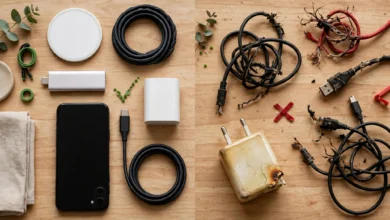
- Warning signs of a bad charger include a very light weight, a loose fit, buzzing, a burning smell, or getting much hotter than usual. Stop using it.
Tip 9: Treat Cables and Accessories Gently
Most cable care comes down to avoiding strain where the cable meets the plug.
- Pull from the plug, not the cord.
- Coil cables loosely instead of wrapping them tightly around a charger.
- Do not use the phone while it hangs off the edge of a bed by its cable.
- Replace cables as soon as you see fraying or exposed wires.
- Keep earbuds in their charging case, and clean the contacts so they charge properly.
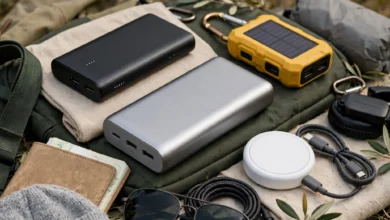
- For power banks, avoid drops and heat, and do not use one that has swollen.
Smart Accessory Choices
- A good surge protector protects laptops, monitors and consoles from power spikes, which are common in areas with unstable electricity.
- A laptop stand improves airflow and keeps temperatures down.
- A small hard case for earbuds, chargers and drives stops them getting crushed in bags.
The next section shows why the charger advice is not just theory.
Real Cases That Show What Threatens Gadget Lifespan
These documented cases show that a short gadget lifespan is sometimes caused by companies or criminals, not just by user habits. Each one carries a practical lesson.
Case 1: Apple’s “Batterygate” Settlements and Fines
In 2017 it emerged that Apple had used software updates to slow down some older iPhones with worn batteries, to prevent unexpected shutdowns, without clearly telling users. The fallout was expensive. In early 2020, French regulators fined Apple about €25 million. In March 2020, Apple agreed to pay up to $500 million to settle a US class action, and in November 2020 it agreed to pay $113 million to 34 states and Washington, D.C., which also required it to explain battery health and power management more clearly (Philadelphia Inquirer on the $113 million settlement). Apple did not admit wrongdoing. Separately, Italy’s competition authority fined Apple €10 million and Samsung €5 million in 2018 over software updates that it said hurt the performance of older phones.
Lesson: Learn to check your battery health screen. If an older phone suddenly feels slow, a worn battery may be the cause, and a battery replacement can restore performance for a fraction of the cost of a new phone.
Case 2: “Genuine” Apple Chargers That Were Almost All Fake
In 2016, Apple sued Mobile Star LLC, a supplier to Amazon, after buying Apple-branded chargers and cables sold on Amazon and finding that nearly 90% were counterfeit. Apple’s lawsuit said the fakes carried Apple logos and even fake safety certification, and posed a significant risk of overheating, fire and electric shock (AP report on Apple’s counterfeit charger lawsuit).
Lesson: “Genuine” in a listing title means nothing. Buy chargers from official stores or trusted brands, and be suspicious of prices far below normal. A fake charger can shorten a device’s life or destroy it in one bad moment.
Case 3: Recycler Owners Jailed for Secretly Exporting E-Waste
Total Reclaim, once the largest electronics recycler in the US Northwest, promised customers, including the City of Seattle, that it would not export hazardous e-waste to developing countries. Instead, from 2008 to 2015 its owners secretly shipped at least 8.3 million pounds of flat-screen monitors to Hong Kong to save money. The Basel Action Network caught them by hiding GPS trackers inside monitors dropped off for recycling. In 2019 both owners were sentenced to 28 months in prison for wire fraud conspiracy (US Department of Justice press release on Total Reclaim).
Lesson: “Recycling” is not always what it claims. Use certified recyclers or official manufacturer take-back programmes, and remember that keeping a device longer is the best way to reduce e-waste in the first place.
The Bigger Picture
The UN’s Global E-waste Monitor 2024 found that e-waste is growing about five times faster than documented recycling. Each phone or laptop you keep running for an extra year or two is a small but real contribution to slowing that trend.
Repair, Resale and Disposal: The Last Stage of Gadget Lifespan
Every device eventually needs a fix or reaches the end of its useful life. How you handle that stage decides both your costs and your environmental footprint.
Tip 10: Repair Before You Replace
A lot of “dead” gadgets only need one part.
| Problem | Usual fix | Typical value |
|---|---|---|
| Battery drains fast, random shutdowns | Battery replacement | Often adds two or more years of use |
| Cracked screen | Screen replacement | Far cheaper than a new phone on most models |
| Phone will not charge | Clean or replace the charging port | Often just lint in the port |
| Slow laptop | Add RAM or swap to an SSD (if upgradable), clean install of the OS | Can feel like a new machine |
| Earbuds with one side dead | Replace a single bud through the maker | Cheaper than a full set |
Use the manufacturer, an authorised repair centre, or a reputable independent shop that uses quality parts and offers a warranty on its work. Repair guides from sites such as iFixit can help you judge how hard a job is.
Know Your Repair Rights
The right to repair movement has pushed governments to act. Several US states, including New York, Minnesota and California, have passed laws requiring makers to provide parts, tools or manuals to consumers and independent shops. The European Union adopted a right to repair directive in 2024 that requires manufacturers to offer repair for certain products, with rules coming into force across member states from 2026. Check what applies where you live before accepting “it cannot be repaired” as an answer.
Tip 11: Resell, Donate or Recycle Responsibly
When a device truly reaches the end of its life with you, it can still have a second life with someone else.
- Back up your data to the cloud or a computer.
- Sign out of accounts and remove the device from services like Find My or Google’s Find My Device, so the next owner is not locked out.
- Perform a full data wipe using the factory reset option. For laptops, use the built-in secure erase or reset tools.
- Remove SIM and memory cards.
- Sell, trade in or donate if the device still works. Schools, charities and refurbishers can often use older devices.
- Recycle the rest through certified e-waste recyclers or manufacturer take-back programmes, not general rubbish bins. Lithium-ion batteries in household waste are a known cause of fires in bin lorries and recycling plants.
Buying With Lifespan in Mind
The next time you shop, look past the specs at how long the device is designed to last: years of guaranteed software updates, availability of spare parts, a replaceable battery, and repairability scores where they exist. A slightly more expensive device that lasts six years often costs less per year than a cheap one replaced every two.
Conclusion: Small Habits, Longer Gadget Lifespan
Extending gadget lifespan does not take special skills, just a set of steady habits: keep batteries roughly between 20% and 80% and away from heat, protect devices with a decent case and screen protector, clean ports and vents gently, keep water out, install updates and leave free storage, use genuine chargers and treat cables kindly, repair before you replace, and wipe, resell or recycle devices responsibly when you are done. Real cases make the stakes clear: Apple paid out hundreds of millions of dollars and faced fines in France and Italy over performance slowdowns linked to batteries, Apple found that almost 90% of “genuine” chargers it bought on Amazon were dangerous fakes, and the owners of a major US recycler went to prison for secretly shipping e-waste overseas. Knowing these patterns helps you avoid fake accessories, check your battery health before blaming the hardware, and choose honest recyclers. Follow these 11 tips and most of your gadgets and accessories can last years longer, saving you money while cutting the growing pile of global e-waste.