How to Set Up a Smart Home on a Small Budget in Pakistan
Smart home on a small budget in Pakistan: real PKR prices, devices that work through load shedding, PTA rules and the legal mistakes to avoid in 2026.
How to Set Up a Smart Home on a Small Budget in Pakistan
Introduction:
A Smart Home in Pakistan Is Cheaper Than You Think
A smart home in Pakistan does not need a villa in DHA or a contractor with a six-figure quote. With a decent Wi-Fi connection and around Rs 15,000, you can control your fans, lights and geyser from your phone, check who is at the gate while you are at work, and stop paying for appliances left running all day.
The tricky part is that most guides are written for American homes. They assume steady electricity, fast internet and Amazon delivery. Pakistani homes deal with load shedding, voltage swings, UPS changeovers and patchy fibre. A smart home setup that ignores those realities ends up as a box of devices that reset every time the power drops.
There is also a side of home tech nobody likes to talk about. Pakistan’s power companies have caught people using remote-controlled chips inside meters to steal electricity, and some of those setups even used CCTV cameras to watch for meter readers. Smart technology is a tool, and tools can be misused.
This guide walks you through building a budget smart home the honest way. You will get a step-by-step plan, real price ranges in rupees, advice on surviving load shedding, and a clear look at what is legal and what can land you an FIR. Start small, grow at your own pace, and you will have a home that works for you without draining your savings.
Planning Your Smart Home Budget in Pakistan
The biggest mistake people make is buying random gadgets on sale and hoping they work together. A little planning saves money and frustration. The first three steps below cost nothing but an hour of thought.
Step 1: Decide What Problem Your Smart Home Should Solve
Write down the three things that annoy you most at home. For most Pakistani families, the list looks something like this:
- Fans and lights left on in empty rooms, pushing the bill into a higher slab.
- Getting up at night to switch off the geyser or the motor.
- Not knowing who is at the gate or whether the house is safe while travelling.
Each item points to a specific device. Wasted electricity points to smart plugs and smart switches. Gate worries point to a Wi-Fi camera or video doorbell. Solving real problems first is how a smart home on a budget stays on budget.
Step 2: Set a Realistic Budget in Rupees
You do not need to do everything at once. Think in three tiers and stop at whichever one suits you.
| Tier | Approx. budget | What you get |
|---|---|---|
| Starter | Rs 12,000 to 20,000 | Two smart plugs, two smart bulbs, one indoor Wi-Fi camera |
| Mid-range | Rs 35,000 to 60,000 | Starter kit plus smart switches for main rooms, an IR remote hub for the AC and TV, a smart speaker |
| Full home | Rs 80,000 to 150,000 | Switches in every room, outdoor cameras, door sensors, a video doorbell, smart geyser control |
Prices are approximate ranges seen at Pakistani retailers in 2026 and change with the dollar rate, so check before buying. As a reference, retailer listings show smart LED bulbs starting around Rs 2,500, while a Mux smart dimmer is listed at about Rs 5,000.


Step 3: Fix Your Wi-Fi Before Anything Else
Every smart home device in this guide depends on your router. If your Wi-Fi drops in the back bedroom, your smart switch there will be useless.
- Check coverage: Walk around with your phone and run a speed test in each room.
- Add a mesh or extender: A basic mesh system or a single extender usually fixes dead zones in a 5 or 10 marla house.
- Use 2.4 GHz: Most budget smart devices only connect on the 2.4 GHz band. If your router merges both bands under one name, you may need to separate them during setup.
- Put the router on the UPS: This matters more in Pakistan than anywhere else. We cover it properly in the power section.
Choosing Your Smart Home Ecosystem
An ecosystem is the app or platform that ties your devices together. Pick one early so everything talks to everything else.
- Tuya / Smart Life: Most affordable Chinese devices sold in Pakistan run on this platform. It is cheap and flexible, and it works with Alexa and Google Home.
- Local brands like Mux: Built with Pakistani wiring and switch boards in mind, with local support and cash on delivery. Usually a bit pricier than imported Tuya devices.
- Google Home or Amazon Alexa: Useful for voice control on top of the above. Neither company officially sells its speakers in Pakistan, so they come through importers at a markup.
- Apple Home: Polished but expensive and has limited budget device support locally. Skip it for a budget build.
For most families, a Tuya-based smart home with optional Alexa or Google voice control gives the best value.
Step 4: Buy the Right Smart Home Devices, Room by Room
Once the plan and Wi-Fi are ready, start buying. Going room by room keeps spending under control and lets you test each device before adding more.
Living Room: Smart Plugs, Bulbs and an IR Hub
The living room is where a smart home starts to feel real.
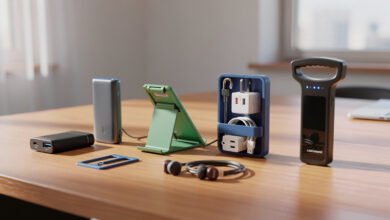
- Smart plug: Plug in a lamp, router or water dispenser and control it from your phone. Many models also show live power use, which helps you spot energy hogs. This is the cheapest way to start.
- Smart bulb: Set warm light in the evening and bright light for guests. Choose a bulb that holds its last setting after a power cut, otherwise every load shedding cycle will switch it back to full white.
- IR remote hub: This small device learns the signals of your AC, TV and other infrared remotes. You can switch on the AC from your car 10 minutes before reaching home. For split AC owners, this is one of the most useful smart home devices you can buy for under Rs 6,000.
Bedrooms: Smart Switches for Fans and Lights
In Pakistan, the fan is the most used appliance in the house. A smart switch that replaces your existing wall switch lets you run fans and lights on a schedule or by voice.
A few things to know before buying:
- Many budget switches need a neutral wire in the switchboard. Older houses often do not have one, so check with an electrician first.
- For fans, buy a switch rated for fan speed control. A plain on/off relay will not control speed.
- Make sure the switch fits the standard Pakistani switchboard size, or you will need new plates.
Hire a licensed electrician for installation. Smart switches sit on live mains wiring, and a wrong connection is a fire risk, not just a setup issue.
Kitchen and Utility: Geyser, Motor and Water Tank
This is where a smart home in Pakistan can actually pay for itself.
- Geyser timer or smart switch: Gas and electric geysers left on all day waste a lot of energy. A heavy-duty smart switch (rated at least 20A for electric geysers) can heat water only in the morning and evening.
- Water tank level sensor: Wi-Fi tank sensors tell you when the overhead tank is low or full. Paired with a motor controller, they stop the tank overflowing and the motor running dry.
- Gas leak detector: A Wi-Fi gas detector that sends phone alerts is a small cost for a serious safety benefit.
Gate and Entrance: Cameras and Doorbells
Security is the top reason Pakistani families build a smart home.
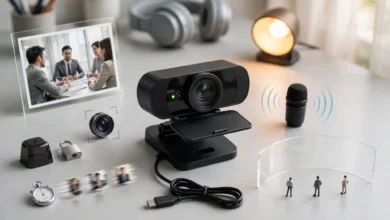
- Indoor Wi-Fi camera: Pan-and-tilt models are affordable and good for keeping an eye on elderly parents, kids or a new domestic worker (with their knowledge, which we discuss later).
- Outdoor camera: Choose a weatherproof rating of IP66 or higher to survive dust storms and monsoon rain.
- Video doorbell: Lets you see and talk to whoever is at the gate from anywhere. Useful for courier deliveries when nobody is home.
- Door and window sensors: Cheap contact sensors send alerts when a door opens. They are a good extra layer for houses left empty during travel.
Use a microSD card plus cloud backup if your budget allows. Thieves who spot a camera often take it with them, and the footage goes too.
Step 5: Make Your Smart Home Survive Load Shedding
This is the section foreign guides never write. A smart home in Pakistan has to cope with scheduled outages, sudden trips, UPS switchovers and voltage drops. If you plan for this, your devices will keep working. If you do not, you will spend every evening reconnecting them.
Keep the Brain of Your Smart Home on Backup
The router is the brain of a Wi-Fi smart home. When it goes off, every device goes offline, even ones that still have power.
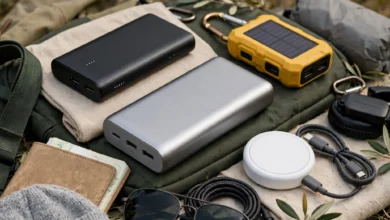
- Router UPS: A small DC mini UPS made for routers costs a few thousand rupees and keeps your internet alive for several hours. It is the single best upgrade for any smart home setup in Pakistan.
- Fibre ONT on backup too: If your internet comes through a fibre box, power that box from the mini UPS as well.
- Cameras on the UPS circuit: Ask your electrician to put cameras and the router on the inverter or UPS line. Outages are exactly when burglars try their luck.
Pick Devices That Remember Their State
When power returns, cheap devices may all switch on at full power at once, or stay off. Look for settings called “power-on behavior” or “relay status” in the app. Set fans and geysers to stay off after an outage, and set security lights to come back on.
Protect Against Voltage Swings
Low and high voltage damage cheap electronics fast. A stabilizer or a good surge-protected extension for your AC and fridge protects both the appliance and the smart plug it sits on. Do not plug an AC into a standard smart plug. ACs need a heavy-duty rated switch or an IR hub instead.
Pairing Your Smart Home With Solar
Many Pakistani households have added solar panels to cut bills. Smart plugs with energy monitoring help you see what each appliance uses, so you can run heavy loads like the washing machine or iron during sunny hours. Most hybrid inverters also have their own Wi-Fi app, which fits neatly into your smart home routine.
One rule here is not negotiable: any solar or net metering connection must go through your electricity company’s approved process. Wiring panels or inverters to the grid outside that process is not a shortcut. It is a legal problem and a safety hazard for line workers.
Step 6: Keep Your Smart Home Legal and Ethical
Smart technology makes it easy to do clever things. Some of those clever things are crimes. Here is what real cases in Pakistan teach us.
The Remote-Controlled Meter: When “Smart” Becomes Theft
The most common illegal “hack” sold to Pakistani homeowners is a remote-controlled chip that slows or stops the electricity meter. Sellers market it as a way to cut bills. Courts call it electricity theft.
One case reported by The Express Tribune shows how organised this can get. Police in Sialkot traced a gang after finding a remote control chip in a meter. The raid seized around 130 remote controls, 50 electronic chips and seal guns used to reseal meters so they looked untouched. At one factory, a CCTV camera had been placed over the meter so staff could see meter readers coming and pull the device out in time. The factory manager was arrested.
It is a perfect example of smart tools used the wrong way: a camera and a remote control, the same kind of tech you would put in a smart home, turned into a theft system.
The crackdown has only grown since. According to the Associated Press of Pakistan, power companies registered 309,757 FIRs and arrested 129,117 people for electricity theft between January 2022 and December 2024. Electricity theft is now a cognisable offence, and meter tampering by domestic consumers is covered under the Pakistan Penal Code.
The lesson: If anyone offers a “smart” device that reduces your meter reading, walk away. Your bill can only come down legally through lower usage, better appliances or approved solar.
Buy PTA-Approved Wireless Devices
Almost every smart home device uses Wi-Fi, Bluetooth or Zigbee radio. Under the Pakistan Telecommunication Authority’s framework for short range and IoT devices, this kind of equipment needs PTA type approval before it is imported, marketed or sold. A legal overview by the International Bar Association explains how SRD and IoT devices fall under PTA’s type approval rules and must operate without causing interference.
In practice, buy from established retailers and brands that can show type approval, and be careful with smuggled or grey-market devices. Unapproved radios can interfere with other services, carry no local warranty and may be seized.
Cameras and Privacy: Watch Your House, Not Your Neighbours
Cameras are where most ethical mistakes happen.
- Point outdoor cameras at your own property. Aiming a camera into a neighbour’s courtyard, windows or roof creates real conflict and can cross legal lines.
- Tell household staff about indoor cameras. Recording domestic workers is common, but doing it secretly, especially in their rooms or washrooms, is a serious violation of dignity and privacy.
- Never share footage to shame someone. Pakistan’s Prevention of Electronic Crimes Act 2016 (PECA) covers offences such as cyberstalking and harming someone’s dignity through images or video shared without consent. Posting a clip of a worker or neighbour on social media can turn you from victim into accused.
- Skip audio recording unless you genuinely need it. It adds risk without much benefit.
Don’t Let Your Smart Home Spy on You
A hacked camera is worse than no camera. Around the world, websites have streamed live feeds from thousands of private cameras that still used factory default passwords. Protect your smart home with these basics:
- Change every default password, and use a different one for each app.
- Turn on two-factor authentication for your Smart Life, Mux, Google or Amazon account.
- Update firmware when the app asks.
- Put smart devices on a separate guest Wi-Fi network if your router supports it.
- Remove access for old phones and ex-employees from the app.
Step 7: Grow Your Smart Home Slowly and Buy Smart
The best smart home is built over months, not in one shopping spree. Add one device, live with it for a few weeks, then decide what comes next.
Smart Shopping Tips for Pakistan
- Compare local and imported: A local brand with a one-year warranty and a Karachi or Lahore service centre often beats a cheaper import with no support.
- Read reviews from Pakistani buyers: Look for comments about load shedding, voltage and Wi-Fi stability, not just looks.
- Prefer cash on delivery from known sellers for your first purchase, and test the device right away.
- Buy during sale seasons: Online stores in Pakistan run big discounts around 11.11 and Black Friday, which is a good time to stock up on smart plugs and bulbs.
- Avoid “too good to be true” listings: Fake brand devices often run unsafe firmware and may stop working when the cloud server behind them shuts down.
Simple Automations Worth Setting Up
Once a few devices are in place, a smart home gets better with routines:
- Good morning: Geyser on at 6:00 am, off at 7:30 am.
- Leaving home: One tap switches off every fan and light and turns on the gate camera alerts.
- Coming home: AC turns on through the IR hub when you are 10 minutes away.
- Night mode: Outdoor lights on at sunset, bedroom fans on a sleep timer.
- Away for Eid travel: Lights switch on and off at random times so the house looks occupied.
Smart Home in Pakistan: Frequently Asked Questions
Is a smart home worth it in Pakistan with load shedding?
Yes, if you put the router and cameras on backup power and choose devices that remember their state. Without backup, a smart home loses most of its value during outages.
What is the cheapest way to start a smart home?
A single smart plug and one smart bulb, together usually under Rs 6,000, are the cheapest entry point. They need no wiring and teach you how the app works.
Do I need Alexa or Google Home for a smart home?
No. Every device in this guide works from a phone app. Voice assistants are a nice extra, not a requirement.
Can a smart home reduce my electricity bill?
It can, through schedules, timers and energy monitoring that stop waste. It cannot change how your meter measures electricity, and any device claiming to do that is illegal.
Is it legal to install a camera outside my house?
Generally yes, as long as it covers your own property and entrance and does not intrude into neighbours’ private spaces. Avoid sharing footage of identifiable people online without good reason.
Conclusion
Setting up a smart home on a small budget in Pakistan comes down to a few honest steps: decide which everyday problems you want to solve, set a rupee budget in tiers, fix your Wi-Fi, choose one ecosystem, buy devices room by room, protect everything from load shedding with a router UPS and sensible settings, and grow slowly with useful automations, all while staying on the right side of the law by buying PTA-approved devices, respecting the privacy of workers and neighbours, and refusing any “smart” meter trick, because cases like the Sialkot remote-chip gang and the hundreds of thousands of electricity theft FIRs show that shortcuts end in arrests, not savings.