Top Gadgets Every Content Creator Needs to Start Out
Gadgets every content creator needs to start: mics, lights, tripods, storage and more, plus real FTC cases on fake followers and hidden sponsorships.
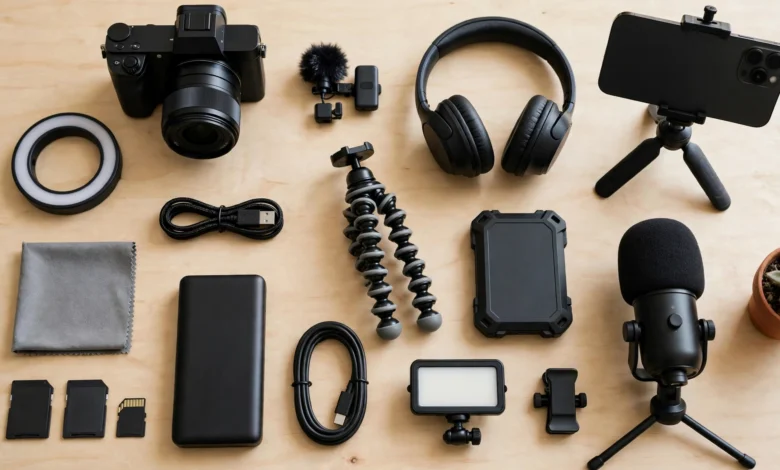
Top Gadgets Every Content Creator Needs to Start Out
Introduction
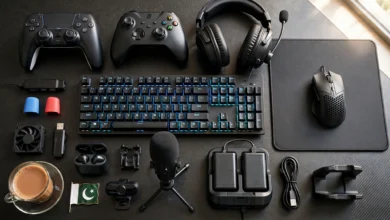
The gadgets every content creator needs to start out are fewer and cheaper than most YouTube gear videos suggest. You do not need a cinema camera, a studio full of lights, or a desk covered in RGB to make content people watch. Most successful creators started with a phone, a decent microphone, and a window for light, then upgraded once they knew what their audience wanted.
That matters because new creators often spend their whole budget on a camera and then wonder why their videos still feel amateur. The usual culprits are bad audio, harsh lighting, shaky footage, and running out of storage halfway through a shoot. Fixing those four things does more for your channel than any camera upgrade.
There is another side of starting out that gear lists ignore: doing it honestly. Creators are now a real advertising industry, and regulators have noticed. The U.S. Federal Trade Commission settled with Warner Bros. after it paid YouTubers to post positive game videos without clear disclosure, and it took action against Devumi for selling fake followers and views. In 2024, the FTC finalized a rule that bans knowingly buying fake followers for commercial purposes.
This guide covers both. You will get 10 essential gadgets in a sensible buying order, honest advice on what to skip, and the real cases that show why disclosure, originality, and genuine growth matter as much as your equipment.
Before Buying the Gadgets Every Content Creator Needs: Start With Your Phone
The smartest first move is to use what you already own. Most mid-range and flagship phones from the last few years shoot sharp 1080p or 4K video, have decent stabilization, and edit footage right on the device. For short-form platforms like TikTok, Instagram Reels, and YouTube Shorts, a phone is not a compromise. It is the standard tool.
Spend in the Right Order
Viewers forgive average video far more easily than bad sound. Upgrade in this order:
- Audio: a clear voice keeps people watching.
- Lighting: good light makes even a cheap camera look sharp.
- Stability: a tripod or gimbal removes the shaky, amateur feel.
- Storage and power: so you never lose a take or stop mid-shoot.
- Camera: only once the first four are sorted and you know your style.
Match Your Gear to Your Format
- Short-form vertical video: phone, clip-on mic, small LED light, phone tripod.
- Talking-head YouTube videos: phone or webcam, USB or wireless mic, key light, sturdy tripod.
- Podcasts and voiceovers: a good USB or XLR microphone matters more than any camera.
- Travel and vlogging: phone or compact camera, wireless mic, gimbal, spare power bank.
Budget Tiers at a Glance
| Tier | What to buy | Who it suits |
|---|---|---|
| Starter | Clip-on mic, phone tripod, small LED or ring light, extra storage | Testing ideas, short-form content |
| Growing | Wireless mic kit, softbox or LED panel, gimbal, fast SSD | Regular uploads, talking-head channels |
| Serious | Mirrorless camera, XLR mic setup, editing laptop upgrade | Creators with a clear niche and steady output |
Stay at each tier until your content, not your gear, is the bottleneck. Many creators never need the serious tier at all.
10 Essential Gadgets Every Content Creator Needs
These are the gadgets that make the biggest difference for new creators, roughly in the order most people should buy them. Example products are widely available and well reviewed, but there are good alternatives at every price, so treat names as starting points, not orders.
| # | Gadget | Why it matters | Example options |
|---|---|---|---|
| 1 | Wireless or clip-on mic | Clear voice on the go | DJI Mic Mini, RØDE Wireless GO, BOYA wired lav |
| 2 | USB desk microphone | Rich sound for talking heads and podcasts | Samson Q2U, RØDE NT-USB Mini, FIFINE models |
| 3 | Key light | Sharp, flattering video | LED panel, softbox, or ring light |
| 4 | Tripod with phone mount | Steady, repeatable framing | Compact tabletop or full-height tripod |
| 5 | Smartphone gimbal | Smooth walking and B-roll shots | DJI Osmo Mobile series |
| 6 | Reliable storage | Never run out of space or lose footage | Branded microSD cards, portable SSD |
| 7 | Power bank and spare power | Long shoots, travel, and outages | 10,000 to 20,000 mAh USB-C PD power bank |
| 8 | Editing computer or app | Turning footage into finished content | 16 GB RAM laptop, or phone editing apps |
| 9 | Webcam or camera upgrade | Better image for streams and long-form | Logitech C920x, entry mirrorless later |
| 10 | Closed-back headphones | Hear problems before you publish | Audio-Technica ATH-M20x, Sony MDR-7506 |
1. A Wireless or Clip-On Microphone
This is the single most important upgrade. A lavalier mic clipped near your mouth captures clean voice even in noisy rooms. Wireless mic kits such as the DJI Mic Mini or RØDE Wireless GO plug into phones or cameras and give you freedom to move. On a tight budget, a wired lav from BOYA or similar works fine for sit-down videos.
2. A USB Desk Microphone
If you record at a desk, such as podcasts, tutorials, gaming, or voiceovers, a USB microphone gives a fuller sound than a lav. Dynamic mics like the Samson Q2U reject room noise well, which helps in untreated rooms with fans running. Place it close to your mouth. Distance matters more than price.
3. A Key Light
Good light makes a cheap camera look expensive. A ring light is fine for beauty and close-up content, but an LED panel or softbox placed slightly to one side gives more natural, flattering light for most talking-head videos. Daylight from a window is free and excellent. Just face it rather than sitting with it behind you.
4. A Tripod With a Phone Mount
Hand-held talking-head footage looks shaky and is tiring to shoot. A sturdy tripod keeps framing consistent across videos, which makes editing easier and your channel look professional. Get one that reaches eye level and has a phone clamp.
5. A Smartphone Gimbal
For vlogs, cooking, travel, and product B-roll, a smartphone gimbal like the DJI Osmo Mobile smooths out walking footage far better than built-in stabilization. Many models also track your face automatically. Skip it if you mostly sit at a desk.
6. Reliable Storage
4K video fills phones fast. Use branded, high-speed microSD cards for cameras and a portable SSD to offload and back up footage. Buy storage only from authorized sellers. Fake memory cards that report false capacity are common and silently corrupt footage once their real limit is reached. Test new cards with a tool like H2testw before trusting them.
7. A Power Bank and Spare Power
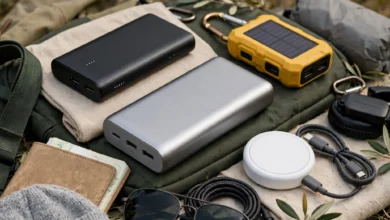
Shoots run longer than you expect, and in places with frequent power cuts, a dead phone can end a session. A 10,000 to 20,000 mAh power bank with USB-C fast charging keeps phones, lights, and wireless mics alive. If you edit on a desktop, a small UPS protects your work from sudden outages.
8. An Editing Setup
You can start editing on your phone with free or low-cost apps. When you move to a laptop, aim for at least 16 GB of RAM, an SSD, and a screen with decent color. Editing 4K on an underpowered machine wastes hours.
9. A Webcam or Camera Upgrade
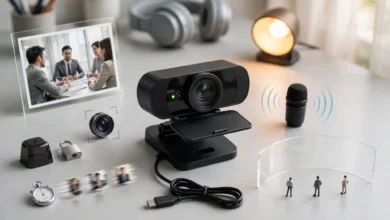
For live streams and desk videos, a solid 1080p webcam like the Logitech C920x is a sensible step. Move to an entry-level mirrorless camera only when you need features a phone cannot give you, such as interchangeable lenses, background blur, or long recording without overheating.
10. Closed-Back Headphones
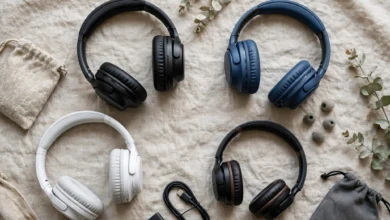
Monitoring headphones let you hear hum, echo, clipping, and background noise before your audience does. Closed-back studio models like the Audio-Technica ATH-M20x or Sony MDR-7506 are affordable, durable, and accurate enough for editing.
What to Skip at First
- Expensive cinema cameras and lenses
- Multiple lights before you have mastered one
- Green screens, unless your format truly needs one
- Fancy RGB décor. Good light on your face matters more than colorful light behind you
The Reality Check: Fake Followers, Hidden Sponsorships, and Counterfeit Gear
Gear gets you started, but trust keeps an audience. As creator marketing has grown into a major industry, regulators have stepped in against the shortcuts some creators and brands take. These cases come mostly from the U.S., where enforcement is best documented, but platforms apply similar rules worldwide.
| When | Case | What happened |
|---|---|---|
| August 2024 | FTC rule on reviews and testimonials | The FTC finalized a rule banning fake reviews and the buying or selling of fake social media indicators such as bot followers or views, when the buyer knew or should have known they were fake and used them for a commercial purpose. Penalties can reach about $51,744 per violation. |
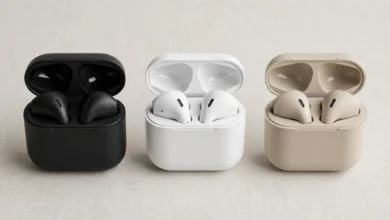
| May 2021 | Counterfeit audio gear | U.S. customs in Cincinnati seized 36,000 earbuds copying the AirPods design. They were declared at $5,280 but would have been worth $7.16 million if genuine. |
| October 2019 | FTC v. Devumi | In the FTC’s first case against selling fake social media influence, Devumi was found to have filled more than 58,000 orders for fake Twitter followers and over 32,000 sales of YouTube views. It agreed to a $2.5 million judgment and a ban on selling such services (FTC press release). |
| July to November 2016 | FTC v. Warner Bros. | Warner Bros. paid YouTubers, including PewDiePie, to post positive gameplay videos for Shadow of Mordor without clear disclosure. The videos drew more than 5.5 million views (FTC final order). |
| July 2016 | CS:GO gambling site controversy | Two popular YouTubers were revealed to own a Counter-Strike gambling site they had promoted to their audiences. |
Lesson 1: Buying Followers Can Be Illegal, Not Just Pointless
Devumi’s customers were actors, athletes, musicians, and marketers trying to look more influential. The FTC treated those fake numbers as a tool for deceiving brands and clients. Since the 2024 rule, knowingly buying fake followers or views for business purposes can bring civil penalties in the U.S. Platforms also routinely purge fake accounts and can suspend channels that use them. Fake numbers also wreck your real engagement rate, which is what brands now check.
Lesson 2: Always Disclose Sponsorships Clearly
In the Warner Bros. case, some disclosures existed but were hidden in video descriptions behind “show more.” The FTC said that was not enough. Influencers were also told to stay positive and not mention bugs. If you are paid, given free products, or have any business connection to what you promote, say so clearly in the video and the caption, in plain words like “sponsored” or “paid partnership.” Use the platform’s built-in paid promotion label too.
Lesson 3: Disclose Your Own Business Interests
The CS:GO case showed that promoting a business you secretly own is as misleading as hiding a sponsor. Audiences felt betrayed, and the creators faced lasting damage to their reputations.
Lesson 4: Counterfeit Gear Is Everywhere
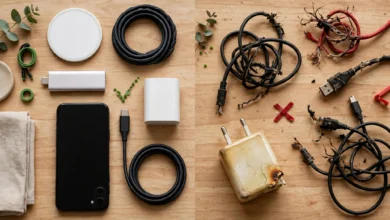
Creators buy lots of mics, earbuds, memory cards, and accessories, which makes them prime targets for fakes. Counterfeit earbuds and storage often perform badly and can fail at the worst moment. Fake memory cards can silently lose footage. Buy from authorized sellers and test new gear before an important shoot.
Lesson 5: Respect Copyright and Privacy
Using music, clips, or images you do not have rights to leads to copyright claims, demonetization, or channel strikes. Use royalty-free libraries or licensed music. Filming people in private settings, or publishing their faces without consent, can break privacy laws in many countries. Pakistan’s cybercrime law also covers sharing images of people without permission in certain cases. When in doubt, ask, blur, or leave it out.
Buying Smart and Creating Honestly: A Starter Checklist
A good start is equal parts sensible spending and good habits. Use these checklists before you buy and before you publish.
Before You Buy Gear
- Make three to five videos with your phone first to learn what you actually need
- Upgrade audio first, then lighting, then stability
- Buy from authorized dealers or the brand’s official store, with a proper invoice and warranty
- Be suspicious of big-brand mics, earbuds, or memory cards at far-below-normal prices
- Test memory cards and SSDs for real capacity before important shoots
- Check compatibility: phone connector (USB-C or Lightning), camera inputs, and software support
- Consider good second-hand gear from trusted sellers, and test it before paying
Before You Publish
- Listen to the full audio with headphones
- Use only music, footage, and images you have rights to
- Get consent from people who appear on camera, especially in private settings and especially children
- Clearly disclose sponsorships, free products, affiliate links, and any business you own
- Turn on the platform’s paid partnership or sponsored label where it applies
Growing the Right Way
- Post consistently and study your analytics instead of buying followers or views.
- Collaborate with creators in your niche to reach real audiences.
- Reply to comments and build community. Brands value engagement over raw follower counts.
- Keep honest reviews honest. Mention flaws even in sponsored content, and turn down deals that require you not to.
Conclusion
The gadgets every content creator needs to start out are simpler than gear videos suggest: begin with the phone you already own, then add a wireless or clip-on mic, a USB desk microphone if you record seated, a key light, a sturdy tripod, a smartphone gimbal for movement, reliable storage, a power bank, a capable editing setup, a webcam or camera upgrade when you outgrow your phone, and closed-back headphones to catch problems before your audience does. Spend in the order of audio, lighting, stability, storage, and only then camera, and buy from authorized sellers to avoid the counterfeit earbuds and fake memory cards that flood the market. Just as important, grow honestly. The FTC’s cases against Devumi for selling fake followers and against Warner Bros. for hidden YouTuber payments, its 2024 rule banning bought followers for commercial use, and the backlash over creators secretly promoting their own gambling site all show that disclosure, originality, and real engagement are what build a lasting audience.