Top Budgeting Apps to Manage Your Money in Pakistan
Budgeting apps that work for Pakistani households, with honest reviews, privacy checks and lessons from illegal loan app cases to protect your money.
Top Budgeting Apps to Manage Your Money in Pakistan
Introduction
Budgeting apps won’t fix rising electricity bills or school fees, but they can show you exactly where your salary disappears each month. For many Pakistani households, that alone is a turning point. Money leaks through small things: daily chai and snacks, mobile packages, rickshaw fares, online orders and the “just this once” purchases that add up by the 20th of the month.
The trouble is that most lists of the best budgeting apps are written for the US or India. They recommend tools that sync with American banks, charge in dollars, or assume everyone pays by card. In Pakistan, a large share of spending is still in cash, family obligations shape the budget, and many people save through committees rather than bank accounts.
This guide focuses on apps that actually work here, along with a simple method you can use with any of them. It also covers the dark side of finance apps in Pakistan. In 2023, a Rawalpindi man died by suicide after harassment from illegal loan app agents, prompting FIA raids, arrests and the blocking of more than 100 lending apps. Many of those apps sat right next to genuine money management apps on the Play Store.
By the end, you’ll know which expense tracker to install, which permissions to refuse, and how to tell a helpful finance app from a predatory one.
Why Budgeting Apps Need to Fit Pakistani Realities
A good personal finance app should match how money actually moves in your home. In Pakistan, that means planning for a few things global budgeting apps rarely consider.
Cash is still everywhere
Vegetables, rickshaws, the doodh wala, domestic help and many small shops still run on cash. If an app only tracks card or bank transactions, it will miss a big part of your spending. Manual entry, or at least a quick daily note, is unavoidable for most families.
Inflation changes the numbers fast
When prices of flour, fuel and electricity move sharply within months, a budget set in January can be wrong by April. The best budgeting apps for Pakistan let you edit categories and limits easily, and show month-to-month comparisons so you can see where costs jumped.
Family and social spending is a real category
Shadi gifts, Eid expenses, contributions to parents, helping a relative with fees and Ramadan spending aren’t “extras.” They’re predictable costs that need their own categories and savings plan, or they’ll wreck your budget every time.
Committees and informal savings
Many households save through a committee (BC), where a group pays a fixed amount monthly and each member takes the pot in turn. Your app should let you track committee payments as a savings category and record the payout when it arrives.
Bank sync rarely works here
Most international apps can’t connect directly to Pakistani banks. Instead, you’ll rely on manual entry, importing statements, or apps that read transaction SMS alerts. That last option is convenient but carries privacy trade-offs covered later in this guide.
When Finance Apps Turned Predatory: Lessons From Pakistan
Before you install any money app, it’s worth knowing what has already gone wrong. Pakistan has seen serious abuse by apps that looked like ordinary finance tools.
The illegal loan app crackdown of 2023
In July 2023, 42-year-old Muhammad Masood of Rawalpindi died by suicide after harassment from online lending apps. He had borrowed small amounts for rent and his children’s school fees, and the debt ballooned to hundreds of thousands of rupees. His family said agents called daily, threatening police action. The FIA raided offices in Islamabad and Rawalpindi and arrested nine call centre staff, including team leads and operations managers (Dawn). Reports said staff were given targets of 100 to 150 calls a day and pressured borrowers by calling their friends and relatives.
The government blocked 43 apps within days, and the FIA opened dozens of inquiries. In August 2023, the SECP said it had worked with Google and the PTA to remove 120 illegal lending apps, and Google moved to allow only SECP-approved lending apps on the Play Store in Pakistan.
How these apps got their power
The pressure on relatives was possible because many lending apps asked for access to phone data such as contacts and SMS during installation. That’s why permissions matter so much, even for a simple budgeting app.
Fake investment apps sold as “online earning”
In 2022, the FIA’s Cyber Crime Wing in Sindh investigated 11 investment apps accused of taking about $100 million from Pakistani users through Ponzi-style schemes (Dawn). Investors were promised high returns for bringing in new members, a classic warning sign.
When good apps disappear
Not every risk is criminal. Intuit shut down Mint, once one of the world’s most popular budgeting apps, in 2024, and users had to move their data elsewhere. Any app can close, so export your data regularly.
What these cases teach
- A budgeting app should never need your contacts, photos or call logs.
- An app that offers loans alongside “budget tracking” deserves extra caution. Check it’s SECP-licensed.
- If you’re being harassed by a lender, report it to the FIA’s cybercrime wing and the SECP, and talk to someone you trust rather than facing it alone.
8 Best Budgeting Apps for Pakistan in 2026
These budgeting apps were picked because they handle Pakistani rupees, work without bank sync, respect your privacy reasonably well, and are practical for families who spend partly in cash. Features and pricing change, so check each app’s store listing before relying on a paid feature.
1. Money Manager (Realbyte): best all-rounder for daily tracking
Money Manager is one of the most popular expense tracker apps worldwide, and it suits Pakistani users well. You can set PKR as your currency, track cash, bank and wallet accounts separately, set monthly budgets per category, and see clear charts.
- Best for: salaried individuals and families who want detailed tracking.
- Strengths: works offline, fast entry, good reports, backup to Google Drive.
- Watch out for: the free version shows ads. Back up regularly.
2. Wallet by BudgetBakers: best for multiple accounts and currencies
Wallet handles several accounts and currencies at once, which helps freelancers earning in dollars and spending in rupees. You can share accounts with a spouse and set budgets and goals.
- Best for: freelancers and couples managing money together.
- Strengths: multi-currency, shared budgets, detailed analytics.
- Watch out for: automatic bank sync generally doesn’t cover Pakistani banks, so expect manual entry or statement imports.
3. Spendee: best for shared household budgets
Spendee is clean, colourful and built around shared “wallets,” so a family can track one household budget together.
- Best for: families splitting grocery, utility and school costs.
- Strengths: easy shared tracking and simple visuals.
- Watch out for: many sharing features sit behind a paid plan.
4. Monefy: best for people who hate data entry
Monefy is about as quick as an expense tracker gets. Tap a category, type the amount, done. It’s ideal if you’ve abandoned more complex apps before.
- Best for: students and beginners.
- Strengths: speed, simplicity, offline use.
- Watch out for: limited reports and planning tools.
5. Goodbudget: best for the envelope method
Goodbudget digitises the old habit of keeping cash in separate envelopes for rent, groceries and school fees. You assign every rupee a job at the start of the month and spend only from that envelope.
- Best for: families who overspend and want firm limits.
- Strengths: strong discipline, syncs between partners.
- Watch out for: the free plan limits how many envelopes you get.
6. Google Sheets or Excel: best for full control and privacy
A simple spreadsheet is still one of the most powerful budgeting tools. You decide the categories, your data stays with you, and there are no ads or upsells.
- Best for: people comfortable with basic formulas and anyone wary of finance apps.
- Strengths: free, flexible, easy to share with a spouse.
- Watch out for: it takes discipline to update without reminders.
7. Your bank app and Raast: best for tracking digital spending
Most Pakistani bank apps now show transaction history, e-statements and sometimes spending summaries. Raast, the State Bank of Pakistan’s instant payment system, makes transfers easy to trace, since every payment appears in your history (SBP’s Raast page).
- Best for: anyone whose income and bills go through a bank.
- Strengths: accurate records with no extra app.
- Watch out for: it won’t capture cash spending, so pair it with a tracker.
8. JazzCash, Easypaisa, NayaPay and SadaPay: best for controlling small daily spends
Paying small bills and online purchases through a licensed digital wallet creates an automatic record. Some people load a fixed weekly amount into a wallet as their “spending money” and stop when it runs out.
- Best for: controlling daily and online spending.
- Strengths: instant records, bill payments, easy limits.
- Watch out for: don’t keep large savings in a wallet. Users of some wallets have reported frozen accounts and delayed refunds, so keep your main savings in a bank.
A note on SMS-reading apps
Some local apps read your bank and wallet SMS alerts to log expenses automatically. This can save time, but SMS access is powerful. Only use such apps if they process data on your device, have a clear privacy policy and come from a developer you can verify.
Budgeting Apps Comparison Table
Use this quick view to match the budgeting apps above to your situation.
| App | Best for | Works offline | Shared with family | Cost to start | Tracks cash |
|---|---|---|---|---|---|
| Money Manager (Realbyte) | Detailed daily tracking | Yes | No | Free with ads | Yes |
| Wallet by BudgetBakers | Multi-currency freelancers | Partly | Yes | Free tier | Yes, manually |
| Spendee | Household budgets | Partly | Yes (paid) | Free tier | Yes, manually |
| Monefy | Fast, simple entry | Yes | Limited | Free tier | Yes |
| Goodbudget | Envelope budgeting | Partly | Yes | Free tier | Yes, manually |
| Google Sheets / Excel | Full control and privacy | Excel yes, Sheets partly | Yes | Free | Yes |
| Bank app + Raast | Digital spending records | No | No | Free | No |
| Digital wallets | Small daily spending limits | No | No | Free | No |
How to Choose Safe Budgeting Apps
The loan app scandal showed how much damage a finance app can do with the wrong permissions. Use this checklist before installing any of the budgeting apps above, or any new one you find.
1. Check the permissions
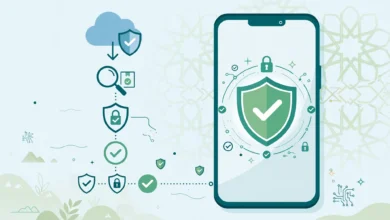
A budgeting app needs very little: storage for backups and perhaps notifications. Refuse or uninstall any app that asks for:
- your contacts list
- your photos and gallery
- call logs or microphone
- precise location
SMS access is only reasonable for apps whose main feature is reading transaction alerts, and only from a developer you trust.
2. Look for a real developer
Check the developer name, website and contact address on the Play Store or App Store. Established apps have years of updates and thousands of reviews. Be wary of brand-new apps with copied screenshots and generic names.
3. Separate budgeting from borrowing
If an app offers instant loans, it is a lending app, not a budgeting app, and it must be licensed. Verify any lender on the SECP website before sharing information or borrowing.
4. Read the privacy policy, briefly
You don’t need to read every word. Search for “sell,” “third parties” and “advertising.” If the app says it shares your financial data with partners for marketing, choose another.
5. Protect access
Turn on the app lock, PIN or fingerprint option if one exists, enable two-factor authentication on the Google or Apple account linked to backups, and never share screenshots of your full budget in public groups.
6. Export your data regularly
Mint’s 2024 shutdown proved even big apps can disappear. Export to CSV or Excel every few months so your history is never trapped.
A Simple Budgeting Method That Works With Any App
The app matters less than the habit. This method works with any of the budgeting apps above, or with a notebook if you prefer.
Step 1: Write down all income
Include salary, freelance payments, rental income, remittances from family abroad and any side business. If income varies, budget using your lowest month from the past six months.
Step 2: List fixed costs first
Rent, electricity, gas, water, internet, school fees, loan repayments, transport passes and committee instalments. These are paid before anything else.
Step 3: Split the rest using a Pakistani-friendly rule
The popular 50/30/20 rule rarely fits here, because essentials often take far more than half. A more realistic starting point:
| Category | Share of income | Examples |
|---|---|---|
| Essentials | 55 to 65% | Rent, bills, groceries, fees, transport |
| Family and social | 5 to 10% | Parents, shadi gifts, Eid, help to relatives |
| Savings and emergencies | 10 to 20% | Emergency fund, committee, savings account |
| Personal spending | 10 to 15% | Eating out, clothes, entertainment |
Adjust the shares to your reality. The point is to decide in advance, not at the end of the month.
Step 4: Create sinking funds for predictable “surprises”
Eid, Ramadan, wedding season, school admissions and summer electricity bills arrive every year. Divide each expected cost by the months remaining and save that amount monthly in its own category.
Step 5: Log spending daily, review weekly
Take two minutes each night to enter cash spending. Once a week, compare actual spending with your plan and adjust before the month is over.
Step 6: Build an emergency fund
Aim for three months of essential expenses in a separate bank or savings account. It’s the best protection against ever needing a high-cost loan app.
Frequently Asked Questions
Which budgeting apps work best in Pakistan?
Money Manager by Realbyte is the best all-rounder for most people. Wallet by BudgetBakers suits freelancers with dollar income, Goodbudget suits families who need firm limits, and a Google Sheet works well if you want complete privacy.
Are budgeting apps safe to use?
Reputable ones are, as long as you check permissions. A budgeting app should never need your contacts, photos or call logs. Download only from the official Play Store or App Store.
Can budgeting apps connect to Pakistani banks?
Most international apps can’t sync directly with Pakistani banks. You’ll usually enter transactions manually, import statements or use apps that read SMS alerts.
How do I track cash spending?
Keep a cash account in your app and log purchases each evening. Withdrawing a fixed weekly cash amount makes this much easier.
Should I use a loan app if my budget falls short?
Only as a last resort, and only from an SECP-licensed lender after checking total costs. Talk to family, your employer or your bank first. Illegal loan apps have charged ballooning fees and harassed borrowers’ contacts.
Conclusion
The best budgeting apps for Pakistan are the ones that fit how money actually moves here: Money Manager for detailed daily tracking, Wallet for multi-currency freelancers, Spendee and Goodbudget for shared family budgets, Monefy for quick entry, a Google Sheet for full privacy, and your bank app, Raast and licensed digital wallets for accurate records of digital spending. Whichever you choose, pair it with a realistic plan that accounts for cash, inflation, family obligations, committees and annual costs like Eid and school admissions. The 2023 illegal loan app crackdown, which followed a Rawalpindi man’s death and led to FIA arrests and the removal of more than 100 apps, is a stark reminder that finance apps can also be predatory. Choose budgeting apps that ask for minimal permissions, keep borrowing and budgeting separate, verify any lender with the SECP, export your data regularly and build an emergency fund so a high-cost loan never becomes your only option.