How to Use AI Writing Apps Without Losing Your Own Voice
AI writing apps can speed up drafting without erasing who you are. Practical ways to keep your voice, plus the fake citation and fake review cases.
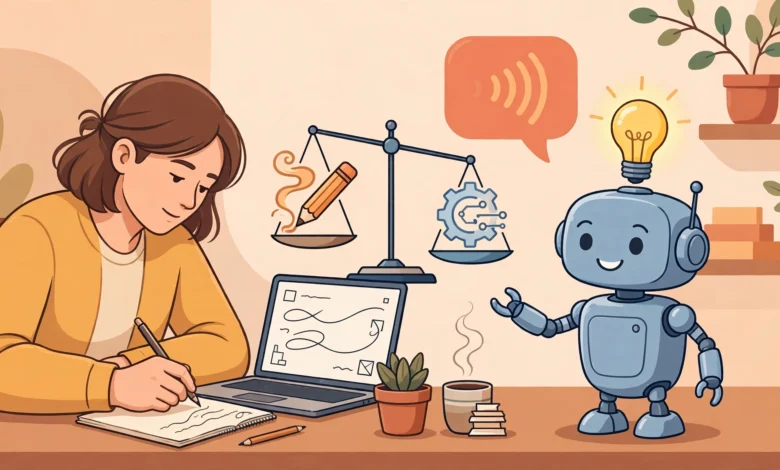
AI Writing Apps: 8 Proven Ways to Use Them Without Losing Your Own Voice in 2026
Introduction
AI writing apps can turn a blank page into a rough draft in seconds. They help non-native English speakers polish emails, help students organize messy notes, and help busy professionals summarize long documents. Used well, they save hours every week.
But there is a quiet cost many people only notice later. Read enough AI-assisted posts, reports, and cover letters, and they start to sound the same: polished, balanced, a little generic, and oddly empty. Readers notice. Clients notice. Teachers and hiring managers definitely notice. When everything sounds like the same helpful assistant, the person behind the words disappears.
There is also a practical risk. AI tools can invent facts, quotes, and sources that sound completely real. Lawyers in New York were fined after filing a brief with court cases that did not exist. A major magazine faced a public backlash over articles credited to authors who turned out not to exist. US regulators also took action against an AI writing service over a tool that generated detailed product reviews from almost no input, a case that shows how quickly the rules around AI content are still shifting.
None of this means you should avoid AI. It means you should stay in charge of it. This guide explains what “voice” actually is, eight practical ways to use AI writing tools while keeping your own style and judgment, which popular apps suit which jobs, and the legal and ethical lines that matter most. The goal is simple: let the software help with the work, while the thinking, the stories, and the final say stay yours.
What “Your Voice” Means and Why AI Writing Apps Can Flatten It
Your writing voice is the mix of choices that makes your writing recognizably yours. It is not just tone. It includes:
- Word choice: the plain, specific, or colorful words you naturally reach for.
- Sentence rhythm: short and punchy, long and flowing, or a mix.
- Opinions and judgment: what you choose to emphasize, criticize, or leave out.
- Personal experience: the examples, stories, mistakes, and details only you know.
- Humor and attitude: how you joke, how direct you are, and how you treat the reader.
- Cultural and local context: references, phrases, and examples from your own world.
Why AI Text Tends to Sound Generic
AI language models predict likely words based on huge amounts of existing text. That makes them good at producing clear, average, safe writing. But “likely” also means “common.” Without strong direction, AI output drifts toward:
- Predictable openings like “In today’s fast-paced world.”
- Balanced lists of three, even when two points or one strong point would be better.
- Hedged conclusions that avoid a clear opinion.
- Vague praise words and buzzwords.
- Smooth sentences with little texture, risk, or personality.
The more you accept the first draft as-is, the more your writing starts to sound like everyone else’s.
Why Keeping Your Voice Matters
- Trust: readers connect with a real person, not a template.
- Credibility: specific experience and opinions show genuine expertise.
- Differentiation: in a world full of AI-generated content, a recognizable voice stands out.
- Search visibility: Google’s guidance emphasizes helpful content that shows experience and expertise, regardless of how it is produced.
- Skill: relying fully on AI can weaken your own writing and thinking over time.
8 Proven Ways to Use AI Writing Apps Without Losing Your Voice
1. Think First, Then Prompt
Before opening any AI tool, spend five minutes writing your own rough notes: what you want to say, your main opinion, and two or three personal examples. This keeps the ideas yours. AI can then help organize and polish them, instead of deciding what you think.


Try this: write a messy paragraph in your own words, then ask the app to “tidy this up without changing my opinions or examples.”
2. Give the App Samples of Your Writing
Most AI writing assistants do better when they see how you actually write. Paste two or three paragraphs you have written yourself and ask the tool to match the tone, sentence length, and word choice. Many apps also let you save a style guide or custom instructions.
Add simple rules, such as:
- “Use short sentences and plain words.”
- “No buzzwords or clichés.”
- “Be direct and give a clear opinion.”
- “Keep my local examples and phrases.”
3. Use AI for Specific Jobs, Not the Whole Piece
AI is strongest at narrow tasks. Use it to:
- Brainstorm headlines or angles.
- Turn notes into an outline.
- Summarize research you will verify.
- Suggest shorter ways to say a long sentence.
- Check grammar and clarity.
- Translate or adapt text for non-native readers.
Keep the opening, the core argument, personal stories, and the conclusion mostly in your own words.
4. Add What Only You Know
The fastest way to bring your voice back is to add specifics AI cannot invent honestly: a client conversation, a mistake you made, a number from your own work, a place you have been, or a strong opinion you are willing to defend. These details make writing believable and memorable.
5. Rewrite the Draft Out Loud
Read the AI-assisted draft aloud. Anywhere it sounds like something you would never say, rewrite it. Cut filler phrases, replace vague words with concrete ones, and break up long, smooth sentences that lack character.
6. Remove the Usual AI Patterns
Watch for common signs of AI-generated text and edit them out:
- Overused openers and closers like “In conclusion” or “In today’s digital age.”
- Repetitive lists of three.
- Hedging such as “It is important to note that.”
- Generic praise and buzzwords.
- Paragraphs that all have the same length and structure.
7. Fact-Check Every Claim, Quote, and Source
AI tools can produce false information confidently, including invented statistics, quotes, and references. Verify every fact against the original source, and never cite a book, article, case, or study you have not checked yourself.
8. Keep the Final Decision Human
You are the author. Decide what stays, what goes, and what you are willing to put your name on. If you would feel uncomfortable explaining any sentence in person, rewrite it or remove it.
Popular AI Writing Apps and What They Are Good For
Different AI writing apps suit different jobs. Free plans and features change often, so check current terms, privacy settings, and usage limits before relying on any tool.
General AI Assistants
ChatGPT, Claude, Gemini, and Microsoft Copilot are general-purpose AI assistants. They can brainstorm, outline, draft, summarize, rewrite, and answer questions. Most offer free tiers with limits, plus paid plans with more capacity.
Best for: outlines, first drafts from your own notes, summarizing long documents you provide, and rewriting for clarity.
Voice tip: give them samples of your writing and clear style rules, and ask for suggestions rather than finished pieces.
Grammar and Clarity Tools
Grammarly and similar tools check grammar, spelling, clarity, and tone, and many now include AI rewriting features.
Best for: polishing your own drafts while keeping your words.
Voice tip: accept corrections selectively. Not every suggested “improvement” sounds like you.
Paraphrasing Tools
QuillBot and similar apps rephrase sentences and offer different modes, from formal to simple.
Best for: finding a clearer way to say a sentence you already wrote.
Voice tip: do not use paraphrasers to disguise someone else’s work. That is still plagiarism.
AI Inside Writing and Workspace Apps
Notion AI, Google Docs with Gemini, and Microsoft Word with Copilot bring AI into the places where people already write.
Best for: summarizing meeting notes, drafting routine documents, and organizing ideas inside a document.
Voice tip: keep company style guides and your own examples in the same workspace so the AI has something real to follow.
Quick Comparison
| Type of app | Examples | Strengths | Biggest voice risk |
|---|---|---|---|
| General AI assistants | ChatGPT, Claude, Gemini, Copilot | Drafting, outlining, summarizing | Generic full drafts |
| Grammar and clarity tools | Grammarly | Polishing your own text | Over-smoothing personality |
| Paraphrasers | QuillBot | Rewording sentences | Disguised plagiarism |
| Workspace AI | Notion AI, Docs, Word | Notes and routine documents | Company-wide sameness |
Privacy Before You Paste
Before pasting anything into an AI app, check its data settings. Avoid entering confidential client information, passwords, medical details, or unpublished business data unless your organization has approved the tool and its privacy terms.
Reality Check: When AI Writing Apps Were Misused
The biggest risks with AI writing tools are not about style. They are about truth, honesty, and ownership. These cases show what happens when people let AI do the thinking or use it to deceive.
Lawyers Fined for Fake AI Citations
In 2023, in the case Mata v. Avianca in New York, two lawyers submitted a court filing that cited several judicial decisions generated by ChatGPT. The cases did not exist. When the judge asked for copies, the lawyers initially stood by the citations. The court later sanctioned the lawyers and their firm and ordered them to pay a $5,000 fine, and the episode became a global warning about relying on AI for research without checking it.
Similar incidents have since been reported in other courts and countries, with judges issuing warnings and sanctions for AI-invented citations in filings.
The lesson: AI can produce false information confidently. Every fact, quote, and source must be checked against the original.
Fake Reviews and the Rytr Case
In September 2024, as part of a sweep called Operation AI Comply, the US Federal Trade Commission took action against Rytr, a company selling an AI writing assistant. The FTC alleged that its “Testimonial & Review” feature let subscribers generate unlimited, detailed consumer reviews from very little input, details that would almost certainly be false for anyone who posted them. A final order in December 2024 barred Rytr from selling review-generation services.
The story did not end there. In December 2025, the FTC set aside that order, saying the original complaint did not meet the legal standard and unduly burdened AI innovation, as Covington’s Inside Privacy explained. On the same day, the agency sent warning letters to companies about possible violations of its rule against fake consumer reviews.
The lesson: the legal treatment of AI tools can change, but posting fake reviews or testimonials, whether written by a person or an AI, is still deceptive and can break consumer protection laws.
Fake Authors in Published Journalism
In late 2023, Sports Illustrated faced a public backlash after reporting by Futurism found product review articles credited to authors who did not appear to exist, with profile photos that looked AI-generated. The publisher said the content came from a third-party vendor and removed it. Other outlets, including CNET, faced criticism around the same time after AI-assisted articles were found to contain errors.
The lesson: readers care who wrote something. Inventing authors or hiding heavy AI involvement damages trust quickly.
Who Owns AI-Written Text?
Copyright law generally protects human authorship. In March 2025, a US federal appeals court in Thaler v. Perlmutter upheld the US Copyright Office’s position that a work created entirely by AI, without human authorship, cannot be registered for copyright. The Copyright Office has said that works combining human creativity with AI assistance can be protected for the human contributions.
The lesson: the more of your own thinking, writing, and editing a piece contains, the stronger your claim to it, and the more it actually sounds like you.
Academic Misconduct
Schools and universities increasingly treat submitting undisclosed AI-generated work as academic dishonesty. Penalties range from failing an assignment to suspension. AI detectors are also unreliable and have wrongly flagged genuine student writing, which is another reason to keep drafts and notes that show your own process.
What These Cases Teach
- Never trust AI facts, quotes, or citations without checking them.
- Never use AI to create fake reviews, testimonials, or identities.
- Be honest about who wrote something and how AI was used.
- Keep enough human authorship to own and stand behind your work.
- Save your notes and drafts as proof of your own process.
Using AI Writing Apps Honestly at School, Work, and Online
When to Disclose AI Use
There is no single global rule, but these principles work in most settings:
- Follow the policy first. Many universities, publishers, and employers now have written AI policies. Read them and follow them.
- Disclose substantial AI help in academic work, journalism, research, and anything where readers assume the words are entirely yours.
- Light editing usually needs no disclosure, such as grammar checks or spelling fixes, unless a policy says otherwise.
- Never hide AI behind a fake human identity, such as an invented author, reviewer, or customer.
For Students
- Use AI to understand topics, quiz yourself, and get feedback on drafts if your instructor allows it.
- Write your arguments and conclusions yourself.
- Keep notes, outlines, and version history to show your process.
- Cite AI use where your institution requires it.
For Professionals and Freelancers
- Check client contracts for AI clauses before using AI on client work.
- Never paste confidential or personal data into unapproved tools.
- Review every AI-assisted sentence that goes out under your name or your company’s name.
- Keep a simple brand voice guide so AI drafts can be edited back into a consistent tone.
For Bloggers and Content Creators
Search engines focus on content quality rather than how it was made. Google Search Central’s guidance on AI-generated content says it rewards helpful, original content and treats content made primarily to manipulate rankings as spam, whether written by people or AI. Adding real experience, original examples, and expert insight is both the ethical choice and the better SEO strategy.
Quick Checklist: Does This Still Sound Like Me?
Before publishing or submitting anything written with AI help, run through these questions:
- Did I decide the main point, or did the AI?
- Is there at least one example, story, or detail only I could add?
- Would I say these sentences out loud to a friend or colleague?
- Have I removed clichés, buzzwords, and filler phrases?
- Did I check every fact, number, quote, and source?
- Is my opinion clear, rather than hidden behind balanced hedging?
- Does it follow the rules of my school, employer, client, or platform?
- Am I comfortable putting my name on it?
If you can answer yes to all eight, AI has helped you without replacing you.
FAQs About AI Writing Apps and Your Voice
Can AI writing apps copy my writing style?
They can imitate it reasonably well if you give them samples and clear style rules. They cannot add your real experiences, opinions, and judgment, so you still need to edit and add those yourself.
How do I make AI-generated text sound more human?
Start from your own notes, add personal examples, cut clichés and filler, vary sentence length, give a clear opinion, and read the draft aloud. Editing is what turns an AI draft into your writing.
Is it cheating to use AI writing tools?
It depends on the rules where you are writing. Light help like grammar checks is usually fine. Submitting AI-written work as entirely your own can break school, employer, or publisher policies.
Does Google penalize AI-written content?
Google says it focuses on whether content is helpful and original, not on how it was produced. Content created mainly to manipulate search rankings can be treated as spam regardless of who or what wrote it.
Can I copyright text written with AI?
In the US, work created entirely by AI without human authorship cannot be registered. Your own human contributions, such as writing, selection, and meaningful editing, can be protected. Rules differ by country.
Conclusion
AI writing apps like ChatGPT, Claude, Gemini, Copilot, Grammarly, QuillBot, and workspace tools such as Notion AI can make writing faster and clearer, but only you can make it sound like you. The eight habits in this guide, thinking before prompting, sharing your own samples, using AI for specific tasks, adding what only you know, rewriting out loud, removing AI patterns, fact-checking everything, and keeping the final decision human, protect both your voice and your credibility. The cases covered here, from lawyers fined over ChatGPT-invented court citations and the FTC’s shifting action on an AI review generator to publishers criticized for fake AI authors and courts confirming that purely AI-made work cannot be copyrighted, all point to the same rule: AI can assist, but it cannot take responsibility. Use it as a capable helper, stay honest about how you use it, check every claim, and make sure every piece still carries your ideas, your stories, and your name with confidence.