Top Laptop Cooling Pads Worth Buying in Pakistan
Laptop cooling pad prices in Pakistan compared. See 9 reliable picks, what specs matter in hot summers, and how to avoid fake or unsafe cooling pads.
Top Laptop Cooling Pads Worth Buying in Pakistan
A laptop cooling pad sounds like a small accessory until you’ve tried using a laptop in a Pakistani summer. When the room is already sitting at 38 or 40 degrees, the ceiling fan stops during load shedding, and your laptop’s own fans are screaming, things slow down fast. Games stutter, video exports drag, Zoom calls lag, and the bottom of the laptop gets too hot to rest on your legs.
Heat is one of the main reasons laptops in Pakistan age early. Dust from the streets, high room temperatures, and long hours of use all push internal parts harder than they were designed for. A good cooling pad won’t fix a clogged fan or dried-out thermal paste, but it can bring temperatures down, reduce thermal throttling, and make long work or gaming sessions more comfortable.
The tricky part is choosing one. The market is full of options, from Rs. 2,000 generic pads to branded models above Rs. 10,000, and plenty of listings use big numbers and RGB lights to hide weak fans. Some “branded” pads sold in local markets aren’t genuine at all.
This guide compares 9 cooling pads that are actually worth your money, explains which specs matter, and gives you realistic expectations about how much cooling you’ll get. It also covers the less comfortable side of buying electronics: counterfeit goods, fake reviews, and unsafe USB-powered products that have caused real harm elsewhere. Knowing these helps you spend wisely.
Why You Need a Laptop Cooling Pad in Pakistan
Pakistan’s climate is hard on laptops. Most laptops are designed and tested for typical room temperatures in cooler countries. When the air entering the laptop is already hot, the internal fans can’t cool the processor as effectively.
Here’s what a laptop cooling pad helps with:
- Lower temperatures under heavy load, especially on gaming laptops
- Less thermal throttling, which is when the processor slows itself to avoid overheating
- Better comfort if you use the laptop on your lap or a bed
- Better posture, since most pads raise the screen to a healthier angle
- Longer component life, because heat speeds up wear on batteries and chips
Signs Your Laptop Is Overheating
You probably need a cooling pad if you notice:
- Fans running loudly even during light tasks
- The bottom panel feels very hot to touch
- Sudden slowdowns during games or video editing
- Random shutdowns during heavy work
- Battery draining faster than it used to
What a Cooling Pad Can’t Do
Being honest here saves you money. A laptop cooling pad usually lowers temperatures by a few degrees, sometimes more on laptops with large intake vents on the bottom. It won’t fix:
- Dust-clogged internal fans
- Dried thermal paste on the processor
- A failing internal fan
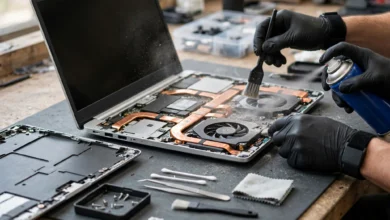
If your laptop is several years old and overheating badly, a cleaning and thermal paste replacement from a reputable technician will often help more than any pad. The best results come from doing both.

How to Choose the Best Laptop Cooling Pad
Specs on cooling pad boxes can be confusing. Here’s what actually matters.
Match the Size to Your Laptop
Cooling pads are rated for screen sizes like 15.6 inches or 17.3 inches. Pick one that matches or slightly exceeds your laptop size. A pad that’s too small leaves the laptop hanging off the edge and may miss its intake vents.
Check Where Your Laptop Pulls in Air
Turn your laptop over. Look for the vents on the bottom panel. A laptop cooling pad works best when its fans sit directly under those vents.
- Single large fan pads work well when vents are in the center.
- Multi-fan pads cover more area, which helps larger gaming laptops.
- Adjustable fan positions, found on some models, let you move the fan to line up with your vents.
Airflow (CFM) and Fan Speed (RPM)
CFM airflow (cubic feet per minute) tells you how much air the fans move. RPM tells you how fast they spin. Higher CFM usually means better cooling, but be careful with generic pads that print huge numbers without any testing behind them. Branded pads from companies like Cooler Master publish more reliable figures.
Fan Noise (dBA)
If you work in a quiet room, take online classes, or record audio, check the fan noise dBA rating. Anything around 20 dBA is near silent. Above 30 dBA, you’ll hear it clearly.
Adjustable Height and Ergonomics
Most pads double as a laptop stand. Multiple height settings let you raise the screen closer to eye level, which helps with neck strain during long sessions.
Build Quality: Metal Mesh vs Plastic
A metal mesh surface allows better airflow and lasts longer. Cheap plastic surfaces can block airflow and crack over time.
USB Power and Pass-Through Ports
Almost every pad is USB powered. Many include a pass-through USB port so you don’t lose a port on your laptop. Check that the cable is detachable, because fixed cables are a common failure point.
Laptop Cooling Pad Price in Pakistan: What to Expect
Prices change with the dollar rate and import costs, so treat these figures as rough guides and compare a few sellers before buying. Generally:
- Rs. 2,000 to 3,500: basic single-fan pads, fine for students and office laptops
- Rs. 3,500 to 6,000: branded pads with better airflow, adjustable height, or multiple fans
- Rs. 6,000 and above: premium and gaming pads with RGB, multiple fans, and USB hubs
At the very bottom end, one Pakistani retailer lists a generic slim aluminium single-fan 15.6-inch cooling pad for Rs. 2,099, while premium options like a Razer Chroma RGB 15.6-inch dual-fan pad sit around Rs. 10,099.
9 Best Laptop Cooling Pads Worth Buying in Pakistan
1. Cooler Master Notepal L2: Best Budget Laptop Cooling Pad
If you want a reliable, no-fuss cooling pad from a known brand, start here. W11stop lists it at Rs. 3,080, with support for laptops up to 17 inches and a 160mm silent fan with blue LED.
Key specs: 56 CFM airflow, a maximum of 31 dBA noise, and about 1W power draw.
Best for: students, office users, and anyone on a tight budget who still wants a branded product.
Keep in mind: one large fan in the center means it suits laptops with central bottom vents best.
2. Cooler Master Notepal X150R: Best for Large Laptops on a Budget
This is a popular pick among Pakistani buyers with 17-inch laptops. One seller describes it as having a 160mm slim quiet fan and 7-step tilt adjustment, designed for 12 to 17.3-inch laptops with a mesh airflow surface. It’s listed at around Rs. 3,199.
Best for: people with larger laptops who want solid cooling and multiple tilt angles without spending much.
3. Cooler Master ErgoStand (Notepal ErgoStand Lite): Best Ergonomic Pick
This one doubles as a proper ergonomic stand. It offers 5 height settings, a movable 160mm fan with 3 positions, a fan speed controller, and a metal mesh surface. Its noise rating is just 16 to 21 dBA, which is close to silent.
Prices vary between listings. W11stop shows the ErgoStand Lite at Rs. 5,500, while another ErgoStand listing appears at Rs. 4,180 for laptops up to 15.6 inches.
Best for: freelancers and remote workers who spend long hours at a desk and want better posture along with cooling.
Why it stands out: the movable fan is genuinely useful. You can slide it under your laptop’s actual intake vents instead of hoping the center lines up.
4. Cooler Master Notepal X2: Best Quiet Mid-Range Option
Mega.pk lists the X2 at Rs. 3,950, and Cooler Master built it around a focus on efficient, silent operation and comfort.
Best for: users who take online classes, video calls, or record voice notes and need a pad that doesn’t add noise.
5. DeepCool Wind Pal: Best Value Branded Alternative
DeepCool is a well-known cooling brand, and the Wind Pal is a reliable everyday notebook cooler. It’s listed at around Rs. 3,699 and runs off USB power.
Best for: anyone who wants a name brand alternative to Cooler Master at a similar price.
6. Klim Wind: Best Gaming Laptop Cooling Pad Under Rs. 6,000
Klim’s Wind pad is a favorite among budget gamers. One Pakistani listing shows the Klim Wind 17-inch RGB dual-fan pad with two USB pass-through ports at Rs. 5,799.
Best for: gamers with mid-range gaming laptops who want decent cooling and RGB style without paying premium prices.
Keep in mind: RGB lights look nice but don’t cool anything. Focus on airflow first.
7. Rivacase 5556: Best Value for 17-Inch Laptops
Rivacase is a European accessories brand that’s available through Pakistani retailers. W11stop lists the 5556 at Rs. 4,480 for laptops up to 17.3 inches, with 2 height settings, two anti-skid arms, and non-slip feet.
Best for: users with large laptops who want a sturdy, clean-looking pad.
8. Rivacase 5557: Best for Lap and Desk Use
This model is built to work on both your lap and your desk, which is handy if you move around the house during load shedding hours. It offers two silent fans, a built-in USB hub, and support for laptops up to 17.3 inches, listed at Rs. 8,340.
Best for: people who often work from the bed or sofa and want stable, comfortable cooling.
9. Razer Laptop Cooling Pad: Best Premium Option
If you own a high-end gaming laptop and want a premium build, Razer’s pad is a strong choice. It’s listed in Pakistan at about Rs. 10,099 for the Chroma RGB 15.6-inch dual-fan version.
Best for: serious gamers who want premium materials and matching RGB with other Razer gear.
Keep in mind: you’re paying a lot for the brand. A cheaper Cooler Master model can cool nearly as well.
Quick Comparison Table
| Model | Approx. Price (PKR) | Max Laptop Size | Best For |
|---|---|---|---|
| Cooler Master Notepal L2 | 3,080 | 17″ | Budget users |
| Cooler Master Notepal X150R | 3,199 | 17.3″ | Large laptops on budget |
| Cooler Master ErgoStand | 4,180 to 5,500 | 15.6″ | Ergonomics, quiet work |
| Cooler Master Notepal X2 | 3,950 | 15.6″ | Quiet mid-range use |
| DeepCool Wind Pal | 3,699 | 15.6″ | Branded value |
| Klim Wind | 5,799 | 17″ | Budget gaming |
| Rivacase 5556 | 4,480 | 17.3″ | Large laptops |
| Rivacase 5557 | 8,340 | 17.3″ | Lap and desk use |
| Razer Cooling Pad | 10,099 | 15.6″ | Premium gaming |
Prices are taken from Pakistani retailer listings and can change quickly. Always confirm before ordering.
Gaming Laptop Cooling Pad vs Regular Cooling Pad
A gaming laptop cooling pad is not automatically better. Here’s the real difference.
Gaming Pads
- Often have 4 to 6 fans or one very large fan
- Usually include RGB lighting
- May have fan speed controls
- Tend to be louder at full speed
Regular Pads
- One or two fans
- Quieter and lighter
- Cheaper
- Fine for office laptops, ultrabooks, and students
If your laptop has a dedicated graphics card and you game for hours, a gaming pad with strong airflow makes sense. For office work and browsing, a simple branded pad does the job.
The Reality Check: Illegal and Unsafe Practices to Watch For
Most buying guides skip this part, but it matters. Pakistan’s electronics market includes counterfeit goods, misleading listings, and smuggled products. Real cases from around the world show why being careful pays off.
Counterfeit Branded Accessories
Fake versions of popular brands are common in electronics markets everywhere, and cooling pads are easy to copy because they’re simple products. A counterfeit “Cooler Master” pad may look identical but use weaker fans, thinner wires, and no real quality control. Some honest Pakistani retailers now verify serial numbers and holograms on branded pads for exactly this reason. One seller notes that it checks the Cooler Master serial and hologram on every unit before dispatch.
What to do: buy from authorized dealers or well-reviewed shops, ask about warranty, and be suspicious of “branded” pads priced far below the market rate.
The Hoverboard Fire Recall (2016)
Cheap, uncertified electronics can be dangerous. In 2016, the U.S. Consumer Product Safety Commission announced a recall of more than 500,000 hoverboards after reports of battery packs overheating, catching fire, and exploding. Many came from manufacturers who skipped safety standards. A cooling pad doesn’t have a large battery, but the same lesson applies to any cheap, USB-powered device with poor wiring: if it gets hot, smells like burning plastic, or sparks, stop using it.
What to do: check that the USB cable and fan housing stay cool during use, and never leave cheap electronics running unattended on a bed or carpet.
Malicious USB Devices Sent by Criminals (2022)
In 2022, the FBI warned that a cybercrime group known as FIN7 had mailed malicious USB devices to U.S. businesses, disguised as packages from trusted organizations. When plugged in, these devices acted like keyboards and ran commands to install malware. It’s a reminder that anything plugged into your laptop’s USB port deserves some trust. A normal laptop cooler only draws power, but unknown freebies and suspicious “gifts” are a different story.
What to do: only plug in USB devices you bought from known sellers. Never use unknown USB gadgets received unexpectedly.
Fake Reviews and Inflated Ratings
Online marketplaces, including local ones, suffer from fake reviews that push weak products to the top. In 2024, the U.S. Federal Trade Commission finalized a rule banning fake reviews and testimonials, including reviews from people who never used a product. The FTC’s consumer advice website explains how to spot misleading online reviews and ads.
What to do: read the lowest-rated reviews first. Look for photos from real buyers and mentions of noise, fan failure, and durability.
Smuggled and Grey-Market Electronics
Pakistan Customs regularly reports seizures of smuggled electronics. Smuggled goods may be cheaper, but they come with no official warranty and no accountability if they fail.
What to do: keep your receipt, buy from registered businesses, and choose sellers who offer a written warranty.
Illegal E-Waste Dumping
Pakistan has been reported as a destination for illegally imported electronic waste, much of it processed in unsafe conditions that expose workers to toxic materials. When your old cooling pad or laptop dies, don’t just throw it out.
What to do: give old electronics to a proper recycler or a repair shop that reuses parts.
How to Use a Laptop Cooling Pad Properly
Buying the pad is only half the job. Using it properly makes a real difference.
- Line up the fans with your laptop’s intake vents. If your pad has a movable fan, slide it under the vents.
- Use a flat, hard surface whenever possible. Soft surfaces like beds block airflow.
- Raise the back slightly. A small tilt improves airflow and posture.
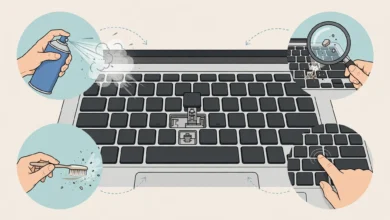
- Keep the pad clean. Dust builds up fast in Pakistani homes. Wipe the mesh weekly and blow out the fans monthly.
- Don’t block your laptop’s exhaust vents on the sides or back.
- Use a power-efficient mode during light tasks to reduce heat in the first place.
- Monitor temperatures with free tools like HWMonitor to see if the pad is actually helping.
Other Ways to Prevent Laptop Overheating
A laptop cooling pad works best alongside a few other habits:
- Get the laptop cleaned once a year by a trusted technician, especially if it’s older.
- Replace thermal paste on laptops older than two or three years.
- Avoid using the laptop in direct sunlight or near windows during summer afternoons.
- Lower graphics settings in games to reduce heat.
- Update BIOS and drivers, as manufacturers sometimes improve fan control.
- Use manufacturer tools (like Lenovo Vantage, ASUS Armoury Crate, or HP Omen Gaming Hub) to set better fan profiles.
For official product specs and support, check the manufacturer’s website directly, such as Cooler Master’s official site, rather than relying only on marketplace listings.
Where to Buy a Laptop Cooling Pad in Pakistan
You’ve got several options:
- Authorized online retailers that list official prices and warranty terms
- Major marketplaces like Daraz, but stick to official brand stores and highly rated sellers
- Computer markets like Hafeez Centre in Lahore and similar markets in Karachi and Islamabad, where you can check the product in person
- Brand distributors, which offer the most reliable warranty support
Tip: whenever possible, test the pad before paying. Some sellers will power it on so you can check fan noise and wobble.
Conclusion
A laptop cooling pad is one of the cheapest ways to protect your laptop from Pakistan’s heat, reduce thermal throttling, and make long hours of work or gaming more comfortable, as long as you keep expectations realistic and pair it with regular cleaning and good habits. Budget buyers will do well with the Cooler Master Notepal L2, Notepal X150R, or DeepCool Wind Pal; ergonomic and quiet users should look at the Cooler Master ErgoStand or Notepal X2; gamers can consider the Klim Wind or Razer pad; and owners of large laptops have solid options from Rivacase. Match the pad size and fan position to your laptop’s vents, check airflow and noise ratings, and buy from authorized sellers with a written warranty. Real cases like counterfeit accessories, the hoverboard fire recall, malicious USB devices, fake reviews, smuggled goods, and illegal e-waste dumping show why it’s worth spending a little extra care, so your new cooling pad keeps your laptop safe instead of creating new problems.