How to Protect Your Laptop From Voltage Fluctuations in Pakistan
Voltage fluctuations in Pakistan can quietly kill a laptop. Here's how stabilizers, surge protectors, UPS units, and smart habits keep it safe.
How to Protect Your Laptop From Voltage Fluctuations in Pakistan
Voltage fluctuations are a daily reality in many Pakistani homes, and most people only notice them when something breaks. The lights dim for a second, the fan slows down, then everything jumps back with a flicker when the power returns after load shedding. Your laptop charger takes that hit every time. Sometimes the damage is instant, like a charger that suddenly stops working or a laptop that won’t turn on. More often it’s slow, wearing down the charger, the charging circuit, and the battery over months.
A laptop is often the most valuable device in the house. For students, freelancers, and remote workers, it’s also how they earn and learn. Replacing a motherboard or charging circuit can cost a large share of the laptop’s value, and many warranties won’t cover damage caused by power surges.
The good news is that protection doesn’t have to be expensive or complicated. Most laptop chargers already handle a wide range of voltages. What they can’t handle well are sudden spikes, very high voltage from wiring faults, and dirty power from cheap inverters and generators.
This guide explains what causes voltage fluctuations in Pakistan, how they damage laptops, and which devices actually help: surge protectors, stabilizers, UPS units, and voltage protectors. It also looks at a reality many guides avoid. Electricity theft, illegal hook connections, and counterfeit electrical products all make the problem worse, and real crackdown figures show just how big that problem is.
What Are Voltage Fluctuations?
In simple terms, voltage fluctuations are changes in the electrical supply that move away from the normal level. In Pakistan, household supply is designed to be around 220 to 230 volts at 50Hz. In practice, the actual voltage can swing well above or below that.
Types of Voltage Problems
- Low voltage (brownouts): voltage drops to 180V or lower. Fans slow, lights dim, and appliances struggle.
- High voltage (overvoltage): voltage rises well above normal, sometimes past 260V. This is more dangerous for electronics.
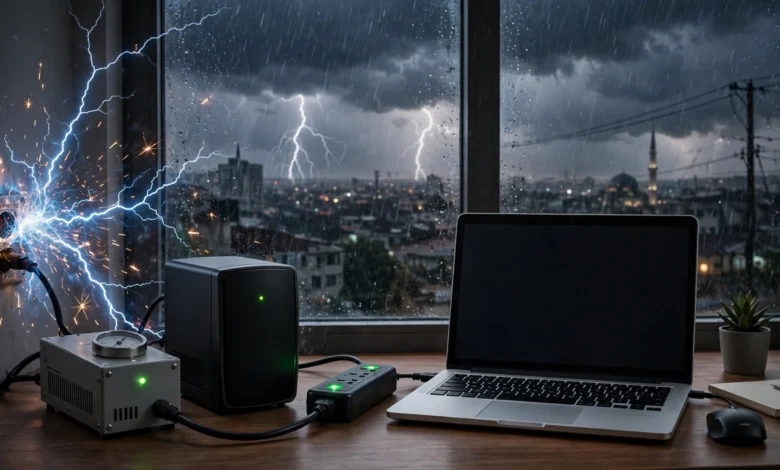
- Power surges and spikes: short, sharp jumps in voltage lasting milliseconds, often when power returns after an outage or during lightning.
- Neutral faults: a loose or broken neutral wire can push very high voltage into a home, sometimes damaging many appliances at once.
- Dirty power: distorted electricity from generators or cheap inverters that doesn’t follow a clean wave pattern.
Why Pakistan Sees So Many Voltage Fluctuations
Several factors combine:
- Overloaded transformers, especially in summer when air conditioners run nonstop
- Aging distribution infrastructure
- Frequent load shedding, which causes surges each time power switches back on
- Illegal hook connections that overload lines (more on this below)
- Poor internal wiring and missing earthing in many homes
- Monsoon storms and lightning
How Voltage Fluctuations Damage Your Laptop
Knowing how damage happens helps you choose the right protection.
Your Charger Takes the First Hit
Most laptop chargers are rated for 100 to 240 volts. That means they handle low voltage reasonably well. A laptop charger often keeps working even at 180V, which is why laptops seem tougher than refrigerators or air conditioners.
The weakness is on the high side. When voltage spikes beyond the charger’s limit, or a surge hits during power restoration, components inside the charger can fail. A good charger may sacrifice itself to protect the laptop. A cheap or counterfeit one may pass the damage straight through.


Damage to the Charging Circuit and Motherboard
If a surge gets past the charger, it can damage:
- The charging port and DC input circuit
- The motherboard’s power management chips
- The battery’s protection circuit
These repairs are expensive and sometimes not worth doing on older laptops.
Slow Damage You Don’t Notice
Repeated small voltage fluctuations stress components over time. Signs include:
- The charger gets unusually hot
- The laptop charges slowly or stops and starts
- A buzzing or whining sound from the charger
- Battery health dropping faster than normal
- Random restarts while plugged in
Data Loss
Sudden shutdowns from power cuts or surges can corrupt files and, in rare cases, the operating system. This matters most when you’re working on assignments, client projects, or video edits.
How to Protect Your Laptop From Voltage Fluctuations: 9 Proven Ways
Here are the most effective steps, starting with the most important.
1. Use a Good Surge Protector
A surge protector is the most basic and essential protection. It absorbs sudden spikes before they reach your charger.
What to look for:
- A joule rating of at least 1,000 joules (higher is better). This measures how much energy it can absorb.
- A clamping voltage close to normal supply levels
- A protection indicator light that shows whether surge protection is still working
- A recognized brand with a warranty
Important warning: many cheap “extension boards” sold in markets are just multi-plugs with a switch. They offer no real surge protection, even if the packaging says they do. Surge protectors also wear out over time, and after absorbing big surges they may stop protecting without any sign. Replace them every few years or after a major lightning event.
2. Install a Voltage Protector With Time Delay
A voltage protector (also called an over and under voltage protector) cuts power when voltage goes too high or too low, then restores it only after the supply stabilizes. Many include a time delay of 30 seconds to a few minutes.
This is especially useful in Pakistan because the most dangerous moment is often when power returns after load shedding. The delay keeps your laptop disconnected during that first unstable burst.
These are available as plug-in units for single devices or as wall-mounted units that protect a whole room or house.
3. Use a Voltage Stabilizer Where It Makes Sense
A voltage stabilizer raises low voltage and lowers high voltage to keep output steady.
Types available in Pakistan:
- Relay-type stabilizers: cheaper and common, but they switch in steps and can click audibly
- Servo-type stabilizers: smoother and more precise, but more expensive
- Static or digital stabilizers: faster response, often found in higher-end models
Honest advice: because laptop chargers handle a wide voltage range, a stabilizer alone is less critical for laptops than for refrigerators or ACs. Where it helps most is in areas with very high or very unstable voltage. If you already have a home stabilizer for other appliances, plugging your laptop’s surge protector into the stabilized line adds another layer.
4. Get a UPS for Your Laptop and Router
A UPS for laptop use gives you two benefits: clean, stable power and backup during outages.
UPS types:
- Offline (standby) UPS: cheapest, switches to battery when power fails. Fine for basic use.
- Line-interactive UPS: corrects minor voltage fluctuations without switching to battery. A good middle choice for most homes.
- Online (double conversion) UPS: provides the cleanest power at all times. Best protection, but more expensive and mostly used in offices.
A small UPS also keeps your Wi-Fi router running during short outages, so your work doesn’t stop.
5. Choose a Pure Sine Wave Inverter or Solar System
Many Pakistani homes use inverters or solar systems for backup. Cheaper modified sine wave inverters produce rough, choppy electricity. Laptop chargers usually tolerate it, but they may run hotter, buzz, and wear faster.
A pure sine wave inverter produces clean electricity similar to the grid. If you’re buying a new inverter or solar setup, this is worth the extra cost for electronics.
6. Check Your Home’s Earthing
Proper earthing (grounding) gives excess electricity a safe path to the ground. Many homes in Pakistan have weak, broken, or missing earthing, which reduces the effectiveness of surge protectors and increases shock risk.
Signs of poor earthing:
- A slight tingle when touching your laptop’s metal body while it’s charging
- Surge protector indicator showing a wiring fault
- Electrical shocks from appliances like washing machines
Have a licensed electrician test and repair your earthing. It protects both your devices and your family.
7. Unplug During Load Shedding Switchovers and Storms
This is free and highly effective.
- Unplug the charger shortly before scheduled load shedding ends, and wait a minute or two after power returns before plugging back in.
- Unplug completely during thunderstorms. No consumer surge protector can stop a nearby lightning strike.
- Run on battery during periods of obvious instability, such as flickering lights or rapid on-off cycles.
Your laptop’s battery acts as a natural buffer. When the charger is unplugged, grid problems can’t reach the laptop.
8. Use the Original or a Certified Charger
Your charger is your laptop’s first line of defense. Genuine chargers include protection circuits that many counterfeits skip.
- Buy replacement chargers from the laptop maker or authorized dealers.
- Avoid “original” chargers sold at a fraction of the normal price in local markets.
- Check for proper weight (fakes are often lighter), clean printing, and safety markings.
- If using a USB-C charger, make sure it supports the right wattage and comes from a trusted brand.
9. Maintain Your Home Wiring and Sockets
Loose sockets, burnt plugs, and old wiring create sparks and small voltage drops that stress chargers.
- Replace loose or blackened sockets.
- Avoid overloading one socket with many high-power appliances.
- Don’t run your laptop from the same extension board as an iron, heater, or kettle.
- Have an electrician inspect old wiring, especially in older buildings.
Voltage Fluctuations Protection Devices Compared
| Device | Protects Against | Best For | Cost Level |
|---|---|---|---|
| Surge protector | Spikes and surges | Every laptop user | Low |
| Voltage protector with delay | High and low voltage, restoration surges | Areas with frequent load shedding | Low to mid |
| Voltage stabilizer | Long-term high or low voltage | Very unstable areas, whole-home use | Mid |
| Line-interactive UPS | Minor fluctuations plus outages | Home offices, freelancers | Mid |
| Online UPS | Almost all power problems | Offices, critical work | High |
| Pure sine wave inverter | Dirty backup power | Homes using inverters or solar | Mid to high |
For most home users, a combination of a quality surge protector, a voltage protector with time delay, and a small line-interactive UPS covers nearly everything.
The Reality Check: How Illegal Activities Make Voltage Fluctuations Worse
Voltage fluctuations in Pakistan aren’t only a technical problem. Electricity theft, illegal connections, and counterfeit electrical goods play a big role. These real figures show the scale.
Illegal Hook Connections (Kundas) Overload the System
Illegal “kunda” connections tap directly into power lines without meters. They overload transformers and lines, causing low voltage, breakdowns, and dangerous surges for paying customers in the same area.
The scale is huge. During a nationwide drive in FY 2024-25, authorities arrested over 44,000 people and registered 184,911 FIRs, while detection teams identified 271 million stolen units and issued bills worth Rs. 11.4 billion. Officials listed illegal connections, meter tampering, high tariffs, law and order issues, and aging infrastructure as key reasons for line losses.
Earlier, in 2023, around 10,000 people were arrested and 23,152 FIRs were registered in the crackdown against electricity thieves across the country.
How Theft Directly Hurts Your Area
The link between theft and unstable supply has been documented for years. In one Karachi campaign, the utility said rampant theft on certain feeders was also causing regular breakdowns that disturbed bill-paying consumers.
In Karachi, K-Electric reported that 13,416 kunda removal drives had been conducted and 171,298 kg of kundas discovered since the start of 2025. The same update mentioned an illegal PMT (transformer) removed in Baldia. Unauthorized transformers and wiring are often poorly installed, creating serious fire risks and unstable voltage for nearby homes.
There’s also a positive side. The utility stated that timely bill payments and anti-theft efforts had helped several Karachi areas gain load-shed exempt status. Less theft means less load shedding, which means fewer dangerous switchovers for your laptop.
The crackdown continues in other regions too. IESCO reported that since September 2023, 6,837 electricity thieves had been fined Rs. 589.3 million and 3,254 had been arrested in its region, and it encouraged the public to report electricity theft on the helpline 118.
Meter Tampering and Insider Corruption
Theft isn’t only done by consumers. When the government announced its 2023 crackdown, officials said they had compiled a list of power distribution company officers involved in power theft and promised action against them. Meter tampering and insider collusion add to losses that ultimately raise tariffs and weaken infrastructure for honest users.
Counterfeit Chargers and Fake Surge Protectors
Fake electrical products are a global problem. In a well-known 2016 case, Apple sued a supplier after test purchases on Amazon found that most chargers and cables sold as genuine Apple products were counterfeit. Fake chargers often lack basic protection components, making them far more vulnerable to voltage fluctuations and more likely to overheat or catch fire.
In Pakistan’s markets, counterfeit “original” laptop chargers and fake surge protectors with no real protection inside are common. Buying them saves a little money and risks the whole laptop.
Why This Matters for You
- Never use or tolerate illegal connections. They endanger your neighborhood’s supply, and in many cases cause electrocution deaths and fires.
- Report theft through your utility’s official channels.
- Buy electrical products from trusted sellers, not just the cheapest stall.
- File complaints about persistent voltage problems with your distribution company. If they aren’t resolved, you can approach NEPRA through the NEPRA official website, which handles consumer complaints against power companies.
How to Report Voltage Problems to Your Electricity Company
If your area suffers constant voltage fluctuations, don’t just accept it. Utilities are responsible for maintaining supply quality.
- Note the details: dates, times, approximate voltage (a cheap plug-in voltmeter helps), and any damaged appliances.
- Call your utility’s helpline (118 for most distribution companies, or K-Electric’s helpline in Karachi) and get a complaint number.
- Ask neighbors to report too. Multiple complaints from the same area get more attention.
- Follow up if the problem continues. K-Electric customers can also use the K-Electric official website for complaints and service updates.
- Escalate to NEPRA if your complaint isn’t resolved in a reasonable time.
Warning Signs Your Laptop Has Voltage Damage
Act early if you notice:
- The laptop doesn’t charge, or charging shows “plugged in, not charging”
- The charger’s light flickers or stays off
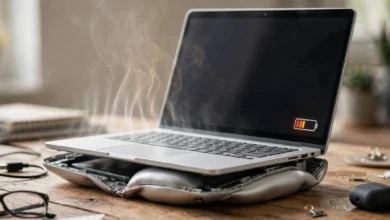
- A burning smell from the charger or laptop
- The laptop only works on battery or only works when plugged in
- Sudden shutdowns when the charger is connected
- Visible burn marks on the charging port
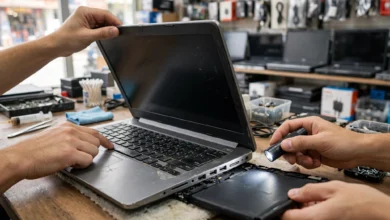
What to do: stop using the charger immediately, unplug everything, and have the laptop checked by a reputable technician. Using a damaged charger can spread the damage to the motherboard.
Does Your Laptop Warranty Cover Surge Damage?
Many laptop warranties exclude damage caused by power surges, lightning, or unstable electricity, calling it external or accidental damage. Some brands offer accidental damage protection plans that may cover it.
Tips:
- Read your warranty terms carefully.
- Consider accidental damage protection for expensive laptops.
- Some quality surge protector brands offer connected equipment warranties. Check whether these apply in Pakistan.
- Keep receipts for your laptop, charger, and protection devices.
Quick Daily Checklist
- Plug the laptop into a surge protector, never directly into the wall.
- Use a voltage protector with time delay in areas with frequent load shedding.
- Unplug during thunderstorms and power restoration.
- Use the original charger or a certified replacement.
- Keep your UPS or inverter in good condition.
- Check earthing and sockets once a year.
- Back up important work regularly.
Conclusion
Voltage fluctuations in Pakistan come from overloaded transformers, aging infrastructure, load shedding switchovers, storms, poor home wiring, and widespread electricity theft, and they can quietly damage laptop chargers, charging circuits, and motherboards over time. The most effective protection is a layered setup: a genuine surge protector, a voltage protector with time delay, a line-interactive UPS for outages, a pure sine wave inverter if you use backup power, proper earthing, and the original charger, combined with simple habits like unplugging during storms and waiting a minute after power returns. Real crackdown figures, including more than 44,000 arrests and 184,911 FIRs in FY 2024-25 and thousands of kunda removal drives in Karachi, show how illegal connections and meter tampering weaken the grid for everyone, while counterfeit chargers and fake surge protectors leave laptops exposed. Buy protection from trusted sellers, report persistent voltage problems to your utility and NEPRA, and never tolerate illegal connections, and your laptop will be far better protected against the power problems Pakistani households deal with every day.