How to Protect Your Gadgets From Pakistan’s Dust and Heat
Gadget protection in Pakistan made practical: simple ways to shield phones, laptops and electronics from dust, extreme heat and power surges.
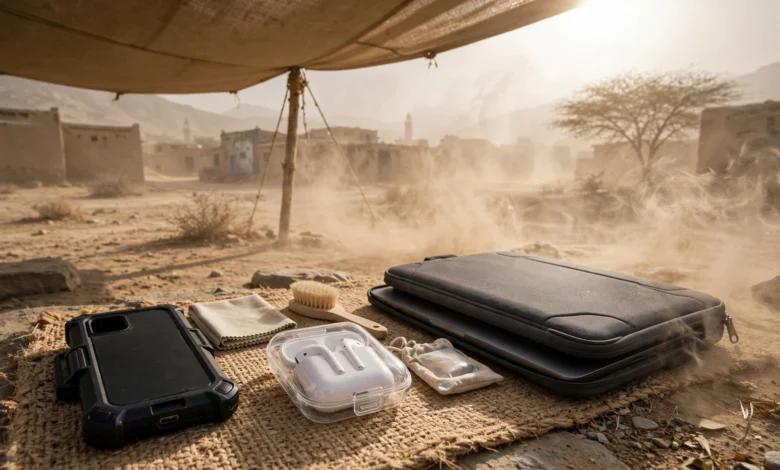
Gadget Protection in Pakistan: 11 Proven Ways to Beat Dust and Brutal Heat
Gadget protection in Pakistan is not a luxury topic. It is a survival skill for anyone who owns a phone, laptop or router and lives through our summers. In June 2026, the Pakistan Meteorological Department recorded 51°C in Dadu and 48°C in Jacobabad. Karachi had its own run of sticky, sweltering days, and Lahore, Multan and Bahawalpur regularly cross 45°C. Add dust storms, salty coastal air and load shedding, and you have one of the toughest environments in the world for electronics.
Most of us learn this the hard way. A phone shuts down with a temperature warning in the middle of a call. A laptop fan starts screaming because its vents are packed with fine dust. A UPS battery swells after one summer. A router dies after a voltage spike when the electricity comes back.
The good news is that most of this damage is avoidable, and you do not need expensive gear to prevent it. This guide covers practical, affordable habits that protect your gadgets from dust and heat, explains why our climate is so hard on electronics, and looks honestly at the illegal and unsafe practices that make things worse. That includes fake chargers, smuggled phones, illegal electricity connections and the open burning of e-waste. Real cases are included so you can see why these shortcuts cost more than they save.
If you want your devices to last longer and stay safe through Pakistan’s hottest months, start here.
Why Gadget Protection Matters So Much in Pakistan’s Climate
Good gadget protection starts with understanding what you are fighting. Pakistan throws three problems at electronics at once: extreme heat, fine dust and unstable power. Each one is bad on its own, and each needs its own kind of gadget protection. Together, they shorten the life of almost every device you own.
Heat Pushes Devices Past Their Design Limits
Most phones are not built for a Pakistani June. According to Apple’s official guidance on iPhone and iPad operating temperatures, these devices are designed for use where the surrounding temperature is between 0°C and 35°C, and they should be stored between -20°C and 45°C. Samsung and most Android makers publish similar limits.
Now compare that with reality. Large parts of Sindh and southern Punjab regularly pass 45°C in May and June, and Dadu touched 51°C during the June 2026 heatwave. Even in milder cities, the inside of a parked car or a tin-roofed shop can get far hotter than the air outside.
When a device overheats, it protects itself. Charging slows or stops, the screen dims and the processor slows down. That is annoying, but the bigger problem is long-term damage. Heat speeds up the chemical wear inside lithium-ion batteries, which is why batteries in hot cities lose capacity faster and sometimes swell.
Dust Clogs, Scratches and Traps Heat
Dust is the quiet partner of heat, and the most overlooked part of gadget protection. Fine particles from dust storms, construction and unpaved roads get into charging ports, speaker grilles, keyboard gaps and laptop vents. Inside a laptop or desktop, dust builds a felt-like layer on fans and heat sinks. That layer works like a blanket, trapping heat right where it needs to escape.
The result is a cycle that feeds itself. More dust means more heat, more heat means louder fans pulling in even more dust, and eventually a component fails. Dust in charging ports also causes loose connections and slow charging, which many people mistake for a broken cable or battery.
Humidity and Salt Air in Coastal Areas
Karachi, Gwadar and other coastal cities add another layer. Humid, salty air speeds up corrosion on metal contacts, especially in ports and on circuit boards. When a cold device moves from an air-conditioned room into humid outdoor air, condensation can form inside it. Over time, that moisture and salt combination damages connectors and solder joints.
Power Problems Make Everything Worse
Load shedding is not only an inconvenience. Every time electricity cuts out and comes back, appliances can face voltage spikes and drops. Routers, desktop PCs, LED TVs and chargers are all vulnerable. In summer, when demand peaks and the grid is under the most pressure, these fluctuations get worse at exactly the time your devices are already running hot.
11 Proven Gadget Protection Tips for Dust and Heat
These gadget protection habits cost little or nothing, and together they make a real difference. You do not need to do all of them at once. Start with the ones that match the devices you use most.
1. Keep Phones Out of Direct Sunlight and Parked Cars
The first rule of gadget protection in summer is simple: the single biggest heat risk for a phone is not the weather. It is where you leave it. A phone on a car dashboard, on a motorcycle mount in afternoon sun or on a shop counter facing the window can heat up far beyond the air temperature.
- Never leave a phone, power bank or laptop in a parked car during summer
- Use a phone mount with shade, or keep the phone in a pocket or bag when you are not navigating
- Turn the screen brightness down when you use maps outdoors
2. Do Not Charge While the Device Is Hot
Charging produces heat on its own. Charging a phone that is already hot, or using it for gaming or video calls while it charges, puts double stress on the battery. This is one of the most common reasons batteries swell in Pakistani summers. A good rule for gadget protection is to let the device cool down for 10 to 15 minutes before plugging it in, and to charge in the coolest room you have.
3. Take Off Thick Cases in Peak Heat
Rugged and leather cases trap heat, especially during gaming or fast charging. If your phone keeps showing temperature warnings, remove the case while charging or during heavy use. Thin, well-fitted cases are fine for daily carry, but they still help protect your gadgets from dust and heat better when the phone has room to breathe.
4. Clean Charging Ports and Grilles Gently
Dust and lint in charging ports cause loose connections and slow charging. Clean them carefully:
- Switch the device off
- Use a soft, dry toothbrush or a wooden toothpick to loosen debris
- Use a few short puffs of air from a blower bulb
- Never use metal pins, sewing needles or water
Do this every few weeks in dusty months, and after any dust storm. It is the cheapest gadget protection step on this list.
5. Clean Laptop and Desktop Vents Every Few Months
Laptop overheating in Pakistan is usually a dust problem dressed up as a heat problem. If your fan is loud and the bottom of the laptop is hot, the vents are probably clogged. Use a can of compressed air or an electric blower on the vents, holding the fan still with a toothpick so it does not over-spin. For a deeper clean, get the laptop opened by a trustworthy technician once a year, ideally before summer, and ask for fresh thermal paste if the machine is more than two or three years old.
6. Lift Laptops Off Beds, Sofas and Laps
Most laptops pull cool air from underneath. Placing one on a bed, cushion or blanket blocks that airflow completely. Use a hard surface, a cheap laptop stand or a cooling pad. Even raising the back edge by a couple of centimetres improves airflow, which makes this one of the easiest gadget protection fixes for students and office workers.
7. Use Dust Covers for Gadgets You Do Not Use Daily
Keyboards, printers, game consoles, speakers and desktop PCs collect dust quickly when they sit idle. A simple cloth or plastic cover, or even a clean pillowcase, keeps most of it out and is basic gadget protection for anything you use only now and then. Remove the cover before switching the device on, so it does not block ventilation.
8. Give Routers, Consoles and TVs Breathing Room
Wi-Fi routers, UPS units, set-top boxes and game consoles are often pushed into closed cabinets or behind the TV. In summer, that becomes an oven, and gadget protection for home networks gets ignored until the internet starts dropping. Leave at least a few inches of open space around them, keep them off the floor where dust settles most, and never stack devices on top of each other.
9. Watch Out for Condensation in Humid Cities
In Karachi and other coastal areas, moving a device straight from a cold, air-conditioned room into hot, humid air can cause moisture to form inside it. When you step out, keep the phone in your pocket or bag for a few minutes so it warms up slowly. Do the same for cameras and laptops. In coastal cities, this small habit is an important part of gadget protection.
10. Pick Accessories Built for Heat
Not all accessories are equal. For better electronics care in summer, choose:
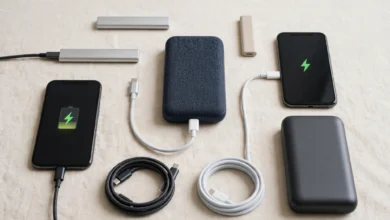
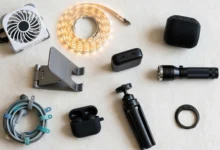
- Branded chargers and cables with proper certification
- Power banks from known brands with temperature protection
- Laptop cooling pads with large, quiet fans
- Screen protectors that do not trap dust under the edges
11. Store Spare Gadgets and Batteries Properly
Old phones, spare laptops, power banks and camera batteries should be stored in a cool, dry, shaded place. If you will not use a device for weeks, charge its battery to around half before storing it. A fully charged battery sitting in a hot room ages much faster than one stored at partial charge, so good storage is gadget protection too.
Gadget Protection Against Load Shedding and Voltage Spikes
Heat and dust get most of the attention, but power problems kill plenty of gadgets in Pakistan too. Smart gadget protection means guarding against the electricity itself, not just the weather.
Use Surge Protectors, Not Cheap Extension Boards
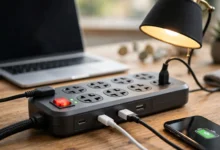
A basic extension board only splits power. A proper surge protector absorbs sudden spikes before they reach your devices. Plug your router, desktop PC, TV and phone chargers into one with a known brand name and a stated surge rating. Replace it if it has taken a big hit, such as during a thunderstorm, because surge protection wears out over time.
Get a Stabilizer for Sensitive Electronics
In areas where voltage drops badly in the evening or jumps when supply returns, a voltage stabilizer protects TVs, refrigerators and air conditioners. Many modern inverter ACs have a built-in wide voltage range, so check the manual before buying an extra stabilizer.
Keep Your UPS Healthy
A UPS keeps the Wi-Fi running during load shedding, but its battery suffers in the heat like any other. To keep a UPS for home in good shape:
- Place the UPS and its battery in a ventilated, shaded spot, never in a closed cupboard
- Check battery water levels regularly if you use a tubular or lead-acid battery
- Keep the area around the battery free of dust and clutter
- Replace swollen, leaking or very old batteries rather than trying to stretch them
Unplug During Storms and Before Power Returns
When a storm hits or a long outage ends, the first few seconds of returning power are often the most unstable. If you are at home, switch off or unplug expensive devices during a long outage and plug them back in a minute after the supply settles.
Keep Wiring Safe
Loose sockets, overloaded boards and old wiring create heat and sparks. If a plug feels warm, a socket smells of burning or a board has scorch marks, stop using it and get a licensed electrician to check it. Safe wiring is the foundation of gadget protection, because no surge protector can make up for a socket that is overheating behind the wall.
The Reality Check: Illegal Shortcuts That Undermine Gadget Protection
No amount of careful cleaning or gadget protection helps if the device or accessory was unsafe from the start. A lot of electronics damage in Pakistan traces back to shortcuts that are illegal, unsafe or both. Here is what that looks like in real life.
Smuggled and Non-PTA Phones
Smuggled phones are tempting because they skip taxes and look cheaper. But they move through hidden compartments, unventilated containers and long road journeys, often sitting in extreme heat for days. Their batteries and internals may already be stressed before you open the box.
The enforcement record shows how big this trade is:
- Sost Dry Port, Gilgit-Baltistan (November 2025): Pakistan Customs recovered 59,000 Nokia 105 phones with batteries, along with medicines and weapon parts, in a single operation valued at about Rs157.7 million. You can read the FBR press release on the Sost Dry Port seizure.
- Karachi (December 2025): The Anti-Smuggling Organization seized 803 phones, including iPhone, Vivo, Google Pixel and Infinix models worth around Rs62 million, hidden in a specially built cavity inside a truck.
- Karachi–Hyderabad Toll Plaza: Customs enforcement found 564 high-end phones, worth about Rs64 million, hidden inside a tampered Land Cruiser Prado that was itself non-duty-paid.
Beyond the legal risk, smuggled phones that are not registered with the Pakistan Telecommunication Authority can be blocked from local networks through its DIRBS system. They also usually come without a valid local warranty, so if heat damages the battery, you pay the full repair cost yourself.
Fake Chargers, Cables and Power Banks
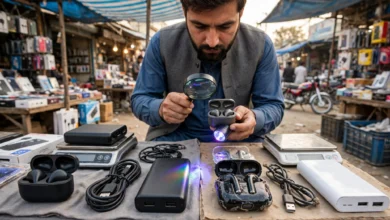
Counterfeit chargers are sold openly in many electronics markets. They look identical to branded ones but often skip the safety components that control voltage and temperature. In a hot room, a fake charger can overheat, damage the phone’s battery or start a fire. Cheap unbranded power banks carry similar risks, since some use recycled or low-grade cells with no protection circuit.
This is one area where gadget protection and personal safety overlap completely. Saving a few hundred rupees on a charger is not worth risking a phone that costs tens of thousands, or a fire in your home.
Illegal Kunda Connections
Electricity theft through illegal hook connections, widely known as kunda, remains a serious problem in parts of the country. These connections are not only illegal. They overload transformers, cause sharp voltage swings and lead to frequent breakdowns that affect whole neighbourhoods, including people who pay their bills. Those swings are a common reason routers, TVs and chargers fail early in affected areas.
Open Burning of E-Waste
What happens to your old gadgets matters too. Karachi’s Shershah market has long been one of the country’s major hubs for informal e-waste handling. A World Health Organization report listed Pakistan among countries with large informal e-waste dismantling sites, and noted that Pakistan produced 433 kilotonnes of e-waste in 2019. Reports have also documented children working at these sites, cleaning, dismantling and burning electronic items.
Burning circuit boards and wires to recover copper releases toxic fumes, including lead and dioxins, into the air that nearby families breathe. Pakistan is a party to the Basel Convention, which controls cross-border movement of hazardous waste, yet informal handling continues on a large scale.
What You Can Do Instead
Responsible gadget protection choices are usually simple:
- Buy PTA-approved phones from authorized dealers or official brand stores
- Check a phone’s IMEI status through PTA before buying second-hand
- Use original or certified chargers, cables and power banks
- Report illegal connections to your electricity distribution company instead of tapping into them
- Give old gadgets to brand take-back programs or reputable repair shops that reuse parts, and never burn electronics or batteries
Common Gadget Protection Mistakes to Avoid
Even careful people make these gadget protection errors. Most of them come from good intentions or old habits.
- Putting a hot phone in the fridge or freezer. Sudden cooling causes condensation inside the device. Let it cool naturally in the shade or in front of a fan.
- Blowing into ports with your mouth. Your breath carries moisture, which mixes with dust and causes corrosion.
- Using thick blankets or cushions as laptop stands. They block airflow and trap heat.
- Ignoring a swollen battery. If a phone screen lifts, a laptop trackpad bulges or a power bank looks puffy, stop using it and get it replaced. A swollen battery can catch fire.
- Wrapping devices in plastic while they run. Covers are for idle devices only.
- Buying the cheapest charger in the market. This is the most common gadget protection mistake, and often the most expensive one.
A Simple Seasonal Gadget Protection Checklist
A quick gadget protection routine before and during summer covers most risks. Use this as a reminder each year.
Before summer (March to April):
- Get laptop and desktop fans cleaned and thermal paste checked
- Test your UPS battery and check water levels
- Replace damaged chargers, cables and extension boards
- Buy a laptop stand or cooling pad if you do not have one
During summer (May to September):
- Clean phone ports and laptop vents every few weeks
- Keep devices out of cars and direct sunlight
- Charge in the coolest room and avoid gaming while charging
- Unplug sensitive electronics during storms and long outages
After dust storms:
- Wipe screens and keyboards with a dry microfibre cloth
- Clean ports, grilles and vents gently
- Check that fans are spinning freely
Frequently Asked Questions About Gadget Protection
What temperature is too hot for my phone?
Most phone makers, including Apple and Samsung, design phones for use in surrounding temperatures up to about 35°C. Many Pakistani cities go well beyond that in summer, which is why shade, airflow and careful charging matter so much.
Is it safe to use a laptop cooling pad?
Yes. A cooling pad from a known brand is one of the cheapest and most effective forms of laptop gadget protection. Choose one with fans that match the position of your laptop’s air intake. Pair it with regular vent cleaning for the best gadget protection results.
How often should I clean my laptop fan in Pakistan?
Clean the vents every one to two months with compressed air, and get a full internal cleaning done once a year, preferably before summer. In very dusty areas, you may need it twice a year.
Can dust really damage a phone?
Yes. Dust in charging ports causes loose connections and slow charging, and dust in speaker grilles muffles sound. Phones with water and dust resistance ratings handle it better, but those seals weaken with age and after drops or repairs.
Are non-PTA phones a good way to save money?
They usually are not. Unregistered phones can be blocked from local networks, often come without a valid warranty, and smuggling itself is illegal. Any savings can disappear with a single repair.
Conclusion
Gadget protection in Pakistan comes down to respecting a climate that pushes electronics far beyond their design limits, with summer temperatures that reached 51°C in Dadu in June 2026, fine dust that clogs vents and ports, humid salty air along the coast and power fluctuations from load shedding, and the most effective defences are simple habits rather than expensive products: keep devices out of direct sun and parked cars, let them cool before charging, clean ports and vents regularly, give laptops and routers room to breathe, and use proper surge protectors and a well-maintained UPS. Just as important, avoid the illegal shortcuts that quietly undo all that care, because smuggled phones, fake chargers, kunda connections and the open burning of e-waste put your devices, your safety and your neighbours’ health at risk, as customs seizures and e-waste reports from places like Shershah clearly show, so buying legal, certified products and disposing of old gadgets responsibly is the most honest and practical form of gadget protection you can practise.