Best AI Image Generators You Can Use for Free in 2026
Free AI image generators compared for 2026: real free limits, image quality, commercial rights, plus the deepfake and copyright cases every user should know.
ree AI Image Generators: 9 Best Tools That Actually Work in 2026, Tested and Trusted
Free AI image generators have become good enough that many people no longer see a reason to pay for stock photos, basic thumbnails, or simple social media graphics. Type a sentence, wait a few seconds, and you get an image that would have needed a designer a few years ago. For students, bloggers, small businesses, and freelancers, especially in countries like Pakistan where international subscriptions are expensive and card payments can be a hassle, that’s a big deal.
But 2026 has also been a messy year for this space. Free tiers keep changing. Some tools that were free last year now require payment. Older models have been retired and replaced. And many “best of” lists are written by the companies selling the tools, which means the top spot often goes to whoever wrote the article.
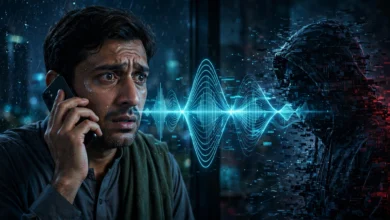
There’s also a more serious side. AI images have been used to create non-consensual explicit deepfakes of real people, fake news photos that briefly moved stock markets, and video impersonations that tricked a company into sending millions of dollars to fraudsters. Courts and lawmakers around the world are now catching up.
This guide covers nine free AI image generators that are genuinely useful right now, what each one is best for, and what their free plans actually give you. It also explains the copyright rules, privacy settings, and legal risks you need to know before you publish anything. The goal is simple: help you make good images without getting into trouble.
How We Picked These Free AI Image Generators
Rankings in this space change every few months, so it helps to be clear about what we looked at. We compared free AI image generators based on:
- Real free access: Can you use it meaningfully without paying?
- Image quality: Do results look natural and detailed?
- Prompt accuracy: Does the tool follow what you asked for?
- Text rendering: Can it write readable words on posters and graphics?
- Commercial use clarity: Are the rules for business use clear?
- Privacy and safety: Are images public by default? Are there safeguards against misuse?
A quick warning: free limits change often. Always check the tool’s current terms before relying on it for client work.
What Changed for Free AI Image Generators in 2026
Before the list, here’s a quick summary of the biggest shifts this year, because they affect which tools are worth your time.
- Google Gemini released Nano Banana 2, officially called Gemini 3.1 Flash Image, on February 26, 2026, and it quickly became one of the strongest free options.
- OpenAI launched ChatGPT Images 2.0 in April 2026 and retired DALL-E 3 in May. It then released ChatGPT Images 2.5 on September 8, 2026, rolling it out to all ChatGPT users.
- Grok’s image generation is no longer free, after xAI removed free access in March 2026.
- Adobe changed its Firefly free tier during 2026.
So if you’re reading an older guide that recommends DALL-E 3 or free Grok images, it’s out of date.
The 9 Best Free AI Image Generators in 2026
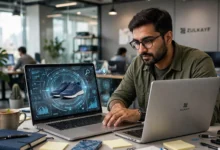
1. Google Gemini (Nano Banana 2): Best Overall Free Option
For most people, Gemini is the easiest place to start. Several independent reviewers this year named Gemini the best free AI image generator for most users, pointing to its generous free allowance, low setup effort, and browser-based access.

What it’s good at:
- Realistic photos and product-style shots
- Editing an image through conversation (“make the background blue,” “remove the person on the left”)
- Fast results inside an app many people already use
Free limits: Google doesn’t publish an exact daily number. As of September 2026, Google describes free-plan limits as compute-based, meaning heavier prompts and edits use up your allowance faster.
Watch out for: Google adds invisible SynthID watermarks to AI images. That’s a good thing for transparency, but it means the image can be identified as AI-generated. Don’t try to present it as a real photograph.
2. ChatGPT Images: Best for Conversational Editing
ChatGPT has become one of the most popular text to image AI tools because you can describe what you want, look at the result, and keep refining it in plain language.
What it’s good at:
- Explaining and revising images step by step
- Illustrations, diagrams, and infographics
- Following detailed instructions about layout and style
Free limits: The free tier is modest. Recent testing puts it at only a few images per day, so it’s better for careful, high-quality requests than bulk generation.
Watch out for: Free users are often the first to hit limits during busy periods. If you need volume, pair it with another tool on this list.
3. Ideogram: Best for Text in Images
Most AI art generator tools still struggle to spell words correctly on posters or banners. Ideogram is the exception.
Reviewers consistently rank Ideogram 3.0 as the most accurate at rendering text of any image generator, free or paid, which makes it ideal for posters, social cards, and product mockups with labels.
Good uses:
- Event posters and flyers
- YouTube thumbnails with titles
- Quote graphics for social media
- Logo concepts (as drafts, not final brand assets)
Watch out for: Free-plan images may be public. Check the privacy settings before generating anything related to a client or unreleased product.
4. Leonardo AI: Best for Style Variety and Consistent Characters
Leonardo is popular with creators who want more control. It gives free users 150 tokens per day, which works out to roughly 30 to 50 images depending on the model and settings.
What it’s good at:
- Trying many different art styles
- Keeping a character consistent across several images
- Editing tools like inpainting (changing part of an image) and outpainting (extending an image)
Watch out for: Token costs vary by model, so premium models drain your daily allowance quickly.
5. Adobe Firefly: Best for Commercial Safety
Adobe trained Firefly mainly on licensed content, including Adobe Stock, and openly licensed material. That makes it a safer choice for business use than tools trained on scraped internet images.
What it’s good at:
- Marketing graphics where legal safety matters
- Working inside Photoshop, Express, and other Adobe tools
- Generative fill for editing existing photos
Free limits: Adobe changed its free tier in 2026, and free credits are limited. Check your current allowance in your Adobe account.
Why it matters: If you’re making images for a paying client, the origin of the training data is a legitimate concern. Firefly addresses that better than most.
6. Microsoft Designer: Best for Everyday Personal Graphics
Microsoft Designer is a simple option for birthday cards, invitations, and quick social media posts. Some comparison guides highlight it as best for personal graphics and invitations.
What it’s good at:
- Ready-made layouts combined with AI images
- Easy use for non-designers
- Integration with Microsoft accounts many people already have
Watch out for: It’s less flexible for professional design work, and free boosts or credits can be limited.
7. Meta AI: Best for Quick, Casual Variety
Meta AI is built into WhatsApp, Instagram, and Facebook in many regions, which makes it one of the most accessible free image generation tools for everyday users.
One reviewer noted that Meta AI can generate five completely different images from five separate prompts at once, which is handy for brainstorming. The downside is that downloads come as small WebP files, so they may need upscaling for professional use.
Watch out for: Be thoughtful about what you type in, since it’s connected to your social media accounts.
8. Canva AI: Best for Turning Images into Finished Designs
Canva isn’t only an image generator. Its real strength is taking an AI image and turning it into a complete design with text, layout, and branding. Reviewers point out that Canva isn’t just an AI image generator, which is exactly why it’s useful.
What it’s good at:
- Social media posts, presentations, and flyers
- Team collaboration
- Quick edits after generation
Watch out for: Free AI generations are limited, and some templates and elements are Pro-only.
9. Stable Diffusion and FLUX (Run Locally): Best for Unlimited Use
If you have a decent computer with a good graphics card, you can run open models like Stable Diffusion or FLUX on your own machine. Stable Diffusion gives you unlimited generation locally if you have a GPU.
What it’s good at:
- No daily limits
- Full control over models, styles, and settings
- Privacy, since images stay on your computer
Watch out for:
- Setup requires technical knowledge
- A weak laptop won’t run modern models well
- Open models have fewer built-in safety filters, which puts full responsibility on the user. This is exactly why some of the misuse cases below involved open tools.
Quick Comparison of Free AI Image Generators
| Tool | Best For | Free Access | Ease of Use |
|---|---|---|---|
| Google Gemini | Overall quality and editing | Generous, compute-based | Very easy |
| ChatGPT Images | Conversational refinement | A few images daily | Very easy |
| Ideogram | Text in images | Limited daily | Easy |
| Leonardo AI | Styles, consistent characters | 150 tokens daily | Moderate |
| Adobe Firefly | Commercial safety | Limited credits | Easy |
| Microsoft Designer | Personal graphics | Limited | Very easy |
| Meta AI | Casual brainstorming | Limited | Very easy |
| Canva AI | Finished designs | Limited | Very easy |
| Stable Diffusion / FLUX | Unlimited local use | Unlimited with GPU | Hard |
For most people, a smart combination is Gemini for general images, Ideogram for anything with text, and Canva for turning images into finished designs.
Learning from the Past: How AI Images Have Been Misused
This section matters more than any tool ranking. Free AI image generators are powerful, and that power has already been abused in ways that led to public harm, lawsuits, and new criminal laws.
Non-Consensual Deepfakes of Real People
In January 2024, sexually explicit AI-generated images of singer Taylor Swift spread widely on X before being taken down. The incident pushed lawmakers to act. In May 2025, the United States passed the TAKE IT DOWN Act, which makes it a federal crime to publish non-consensual intimate images, including AI-generated ones, and requires platforms to remove them quickly.
South Korea faced a wave of deepfake sexual abuse cases in 2024, many targeting students and teachers, and responded by criminalizing not only creating such images but also possessing and viewing them.
Pakistan has seen its own cases. Female politicians and journalists have been targeted with fabricated videos and images, and victims have filed complaints with the FIA’s cybercrime wing. Under Pakistan’s Prevention of Electronic Crimes Act (PECA), creating or sharing sexually explicit or defamatory fake content of a real person is a serious offence.
AI tools that let users edit photos of real people into sexualized images have also faced regulatory investigations in several countries in 2026. The lesson is clear: generating intimate or degrading images of any real person without consent isn’t a gray area. It’s abuse, and it’s increasingly prosecuted.
Fake News Images That Moved Markets
In May 2023, an AI-generated image showing an explosion near the Pentagon spread on social media and was shared by some verified accounts. US stock markets briefly dipped before officials confirmed it was fake. It showed how a single convincing image can cause real financial damage within minutes.
Pakistan has seen repeated waves of fake images during elections, floods, and political crises. Sharing fabricated images as real news can violate PECA’s provisions on false information, which were tightened in 2025.
Deepfake Fraud and Impersonation
In 2024, a finance employee at the Hong Kong office of engineering firm Arup was tricked into transferring around 25 million US dollars after a video call in which the “senior executives” were deepfakes. Image and video generation tools are now part of the fraud toolkit, used for fake identity documents, fake profile photos for romance scams, and fake product images for online shops that never deliver.
Copyright Lawsuits Against AI Companies
Artists and photo agencies have taken AI companies to court. Getty Images sued Stability AI, the company behind Stable Diffusion, over the use of its photos in training, and a group of artists filed a class action against several AI image companies. Some of these cases are still working their way through the courts, and the results so far have been mixed.
For users, the takeaway is practical: imitating a living artist’s distinctive style, copying famous characters, or recreating copyrighted photos can expose you to takedowns and legal risk even if a tool technically allows it.
Who Owns an AI-Generated Image?
This question comes up constantly, and the answer surprises many people.
In the United States, the Copyright Office has taken the position that images generated entirely by AI, without meaningful human creative input, can’t be protected by copyright. A federal appeals court upheld this principle in March 2025 in the Thaler case. You can read the official position on the U.S. Copyright Office’s artificial intelligence page.
What this means for you:
- You may not own exclusive rights to a pure AI image, so others might be able to use it too.
- Human editing helps. If you significantly modify, combine, or arrange AI images, those human contributions may be protectable.
- Tool terms still apply. Each platform’s terms decide what you’re allowed to do with outputs, including commercial use.
- Laws differ by country. Pakistan hasn’t yet settled clear rules on AI-generated works, so be cautious with high-value commercial projects.
How to Use Free AI Image Generators Ethically and Safely
Here’s a practical checklist before you publish any AI image.
Do
- Label AI images when they could be mistaken for real photos, especially in news, education, or health content
- Use tools with clear commercial terms for client work, such as Adobe Firefly
- Check privacy settings, since some platforms make images public by default
- Keep content credentials and watermarks intact. Initiatives like the Content Authenticity Initiative help people verify where images came from
- Save your prompts and edits as a record of your creative process
Don’t
- Create images of real people in sexual, violent, or humiliating situations
- Make fake news photos, fake documents, or fake evidence
- Copy famous characters, brand logos, or a living artist’s signature style for commercial work
- Use AI images of real people in ads without their permission
- Remove watermarks or AI labels to pass images off as real photos
- Upload other people’s private photos to AI editing tools without consent
Tips for Better Results from Free AI Image Generators
A few simple habits can dramatically improve your images:
- Be specific. Instead of “a shop,” try “a small grocery shop in an old Lahore street at sunset, warm light, realistic photo.”
- Describe the style. Say “flat vector illustration,” “watercolor,” or “studio product photo.”
- Mention composition. Include angle, background, and framing (“close-up, plain white background”).
- Say what you don’t want. “No text, no people” helps avoid unwanted elements.
- Test the same prompt in two tools. Quality varies a lot between models.
- Edit afterward. A quick crop, color fix, or text overlay in Canva often turns a decent image into a great one.
- Save your free credits. Draft ideas in a tool with generous limits, then use limited tools for final versions.
Which Free AI Image Generator Should You Choose?
The right tool depends on what you’re making:
- Blog images and general visuals: Google Gemini
- Step-by-step refinement: ChatGPT Images
- Posters, thumbnails, and anything with text: Ideogram
- Characters and artistic styles: Leonardo AI
- Client and commercial work: Adobe Firefly
- Invitations and simple graphics: Microsoft Designer or Canva
- Unlimited volume and full control: Stable Diffusion or FLUX, if you have the hardware
Most regular users will do well with two or three of these rather than trying every tool.
Conclusion
Free AI image generators in 2026 are more capable than ever, with Google Gemini’s Nano Banana 2 leading for most users, ChatGPT Images excelling at conversational editing, Ideogram handling text better than anyone, Leonardo offering style variety, Adobe Firefly providing safer commercial use, and Microsoft Designer, Meta AI, Canva, and local models like Stable Diffusion and FLUX covering everyday and advanced needs. At the same time, free limits keep shifting, older tools like DALL-E 3 have been retired, and the history of non-consensual deepfakes, fake news images, deepfake fraud, and copyright lawsuits shows that misuse carries real legal and personal consequences, including under Pakistan’s PECA law and new laws abroad. The best approach is to pick the right tool for each task, check commercial terms and privacy settings, label AI images honestly, and never use these tools to deceive, impersonate, or harm real people, so that you get the creative benefits without the risks.
Keywords: