How to Check If a Used Phone Is PTA Approved
PTA approved status check for used phones in Pakistan, with step-by-step IMEI methods, cloned phone warning signs and real cases to avoid scams.
PTA Approved or Not? 7 Proven Ways to Check a Used Phone and Avoid Costly Scams
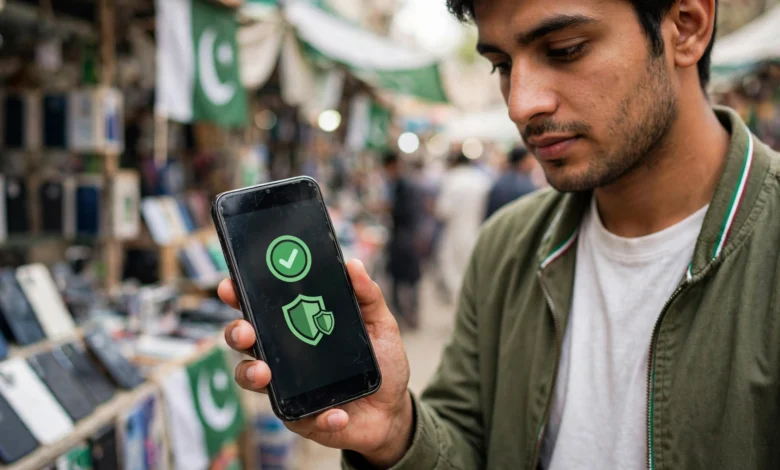
PTA approved is the first thing most Pakistanis ask about when buying a used phone, and for good reason. A phone that is not registered with the Pakistan Telecommunication Authority can lose network service, sell for far less later and, in the worst cases, turn out to be stolen. Yet many buyers still hand over cash after a seller simply says “PTA hai, check kar lein.”
Checking is easy and free. A 15-digit IMEI number, an SMS to 8484 or a quick visit to PTA’s verification website is usually enough to see the official status. The harder part is knowing what the result really means. Over the years, police in Karachi, Lahore and Peshawar have arrested gangs that change the IMEI numbers of snatched phones so they look legitimate. In one reported case, a single registered IMEI could be copied onto five different phones. That means a phone can show “compliant” and still be a cloned, stolen device.
This guide walks through seven practical ways to check whether a used phone is PTA approved, explains what each DIRBS status means, and shows how to spot cloned and patched devices that pass a basic check. It also covers real enforcement cases, the legal risks of buying tampered phones, and what to do if you have already bought a non-PTA set.
If you are about to buy a second-hand phone from a shop, OLX, Facebook Marketplace or a friend, spend ten minutes on these checks first. It can save you thousands of rupees and a lot of trouble.
What PTA Approved Really Means
Before checking whether a phone is PTA approved, it helps to understand the system behind it. A PTA approved phone is one that is recorded as legally imported or properly registered in Pakistan, so it can work on local mobile networks.
The DIRBS System
Pakistan’s Device Identification, Registration and Blocking System (DIRBS) was rolled out in 2018. It records the IMEI number of every phone used on local networks. Phones that are not registered or that carry invalid IMEIs can be blocked from mobile service. Since then, buying a used phone without checking its status has become a real gamble.
What Is an IMEI?
The IMEI (International Mobile Equipment Identity) is a 15-digit number that identifies a phone on mobile networks. Single-SIM phones usually have one IMEI. Dual-SIM phones usually have two, and each one needs to be checked. You can find it by dialling *#06#, in the phone’s settings, or on the original box.
The Status Results Explained
According to PTA’s own explanation of DIRBS, a device can show one of several statuses:
- Compliant (PTA approved): The device is PTA type-approved and legally imported or registered in Pakistan. This is the status you want.
- Valid: The IMEI is a genuine GSMA-approved number, but the device is not PTA approved. It usually needs registration and tax payment to work on local SIMs.
- Non-compliant: The IMEI is non-standard or duplicated. These devices are not allowed service on Pakistani networks.
- Blocked: The IMEI has been reported stolen or lost. Never buy a phone with this status.
You can read PTA’s official description of these categories in the PTA press release on verifying IMEI status via 8484.

Why It Matters More for Used Phones
New phones from official stores are almost always PTA approved, with a warranty to match. The risk is much higher in the used market, where phones pass through several hands, sellers may not know the full history, and some deliberately hide problems. A used phone can be non-PTA, temporarily registered on a passport, reported stolen or cloned. Each of these can leave you with a phone that stops working or that you cannot legally resell.
PTA Approval vs Temporary Registration
Overseas Pakistanis and visitors can register phones temporarily for a limited period. A phone registered this way may work for some time and then stop when the registration period ends. If a seller says the phone is “registered,” ask whether it is permanently PTA approved or only on a temporary registration.
7 Proven Ways to Check If a Used Phone Is PTA Approved
The first four methods check whether the phone is officially PTA approved. The last three help you catch cloned, patched or stolen phones that may still pass a basic check. Use several of them together for the best protection.
1. Send the IMEI by SMS to 8484
This is the simplest way to confirm a phone is PTA approved, and it works from any phone.
- Dial *#06# on the phone you want to buy and note the IMEI.
- Open the messaging app on your own phone.
- Type the 15-digit IMEI and send it to 8484.
- Read the reply, which shows the status along with the device make and model.
For dual-SIM phones, send both IMEIs separately. A phone is only fully PTA approved if every IMEI shows as compliant.
2. Use PTA’s Device Verification Website
PTA’s Device Verification System (DVS) website lets you enter an IMEI and see the status online. This is useful if you want to confirm a phone listed online is PTA approved before meeting the seller. PTA’s official DIRBS FAQ page lists the website, the 8484 SMS service and the Android app as the official ways to check a device before buying.
3. Dial *8484# for a Quick USSD Check
On many networks, dialling *8484# opens a menu with an option to check device status. Enter the IMEI and the result appears on screen. This method is handy in areas with weak mobile data.
4. Use the Official DVS Android App
PTA offers an Android app for device verification. Download it only from the Google Play Store, using the developer listed as PTA, to avoid fake apps that collect personal data. Enter the IMEI and the app shows whether the device is PTA approved, valid, non-compliant or blocked.
5. Match the IMEI in Three Places
A genuine phone shows the same IMEI everywhere. Compare:
- The number shown after dialling *#06#
- The IMEI in the phone’s settings (About phone on Android, or Settings, General, About on iPhone)
- The IMEI printed on the original box
If the numbers do not match, walk away. A mismatch can mean the box belongs to a different phone, the phone was repaired with a different board, or the IMEI has been tampered with.
6. Check That the Make and Model Match
This is the step most buyers skip, and it is the most important for spotting cloned phones. When you check an IMEI through 8484 or DVS, the response includes the make and model registered to that IMEI. If an iPhone returns a result for a cheap Android model, or a Samsung returns a different brand, the IMEI has almost certainly been copied from another device.
Criminals often copy a PTA approved IMEI from a cheap or broken phone onto an expensive stolen one. The status says “compliant,” but the model gives the game away.
7. Test With Your Own SIM and Check the Paperwork
Before paying:
- Insert your own SIM card and make a call, send an SMS and use mobile data
- Check that the phone is not locked to someone else’s Google account or Apple ID
- Ask for the original box, purchase receipt or warranty card
- For high-value phones, ask to see the seller’s CNIC and note their details
- Prefer meeting at a shop or public place with CCTV
A genuine seller with a PTA approved phone will usually have no problem with these checks.
Quick Checklist Before Paying
- Every IMEI shows “compliant” via 8484 or DVS
- The make and model in the PTA result match the phone
- IMEI matches on *#06#, settings and box
- Your SIM works for calls, SMS and data
- No Google or Apple account lock
- Box, receipt or warranty card available
- Seller details noted for expensive phones
The Reality Check: Stolen, Cloned and Patched Phones That Look PTA Approved
Most people selling a PTA approved used phone are honest, but Pakistan’s used phone market is also where stolen and tampered phones end up. These real cases show why a quick “PTA approved” claim is not enough.
Snatched Phones With Changed IMEIs
Street crime and the used phone market are closely linked in big cities. Police in Karachi have repeatedly arrested people who buy snatched phones, change their IMEI numbers and resell them:
- Karachi, IMEI for Rs. 500: ARY News reported the arrest of a man who altered IMEI numbers of stolen phones for shopkeepers at about Rs. 500 per phone. He told investigators that a single IMEI number could be implanted into five phones. In the same crackdown, Sindh police arrested 67 people in District West for buying robbed phones.
- Bilal Colony, Karachi (2022): Police arrested four suspects, including a software engineer, who were linked to more than 100 street crimes. They recovered 15 snatched phones and an IMEI-changing system, and one suspect confessed to buying phones from robbers, changing the IMEIs and selling them at higher prices, according to The Express Tribune’s report on the gang.
- Peshawar: Police arrested three men accused of changing IMEIs of stolen phones and recovered 66 expensive phones. Officers said the phones were being smuggled to Afghanistan.
Karachi police have also said they would act against markets and shopkeepers selling snatched phones with changed IMEIs, after citizens were killed during snatching incidents.
PTA and NCCIA Raids on Tampering Shops
The regulator has also stepped up action. In June 2025, PTA and the National Cyber Crime Investigation Agency raided shops in Gujranwala, seizing 19 tampered or cloned phones and arresting a shop owner. One seized device carried an IMEI linked to a brand that is not even sold officially in Pakistan. In Mansehra, a raid on repair shops led to the confiscation of computers and software used for IMEI tampering, and six people were arrested.
Tampering with an IMEI is an offence under the Prevention of Electronic Crimes Act 2016, punishable by up to three years in prison and a fine of up to Rs. 1 million, according to PTA warnings reported in the media. PTA has also warned that patched, cloned and unregistered phones will be blocked.
Why a Compliant Status Can Still Fool You
These cases explain the biggest weakness of a basic check. If criminals copy the IMEI of a genuinely PTA approved phone onto a stolen one, the stolen phone can show a compliant status. That is why matching the make and model, checking the IMEI in several places and verifying the seller are just as important as the 8484 SMS.
The Risk for Buyers
Buying a stolen or tampered phone is not just a financial risk:
- The phone can be blocked at any time once the duplicate IMEI is detected
- Police can recover it from you as stolen property, leaving you with nothing
- Knowingly buying stolen goods is a crime, and buyers of robbed phones have been arrested
- Patched phones may bypass security protections, putting your data and bank apps at risk
The safest approach is simple: if anything about the phone or the seller feels wrong, do not buy it.
Red Flags When Buying a Used PTA Approved Phone
Even if a seller insists the phone is PTA approved, watch for these warning signs:
- The price is far below similar listings for the same model and condition
- The seller refuses to let you check the IMEI before payment
- The IMEI on the box does not match the phone
- The PTA result shows a different make or model
- Only one IMEI checks out on a dual-SIM phone
- The phone is locked to someone else’s Google account or Apple ID
- The seller wants to meet in a hurry, at night or in an isolated place
- There is no box, receipt or reasonable explanation of where the phone came from
- The seller describes it as “patched,” “JV” or “works on one SIM only”
Any one of these is a reason to slow down, even if the phone looks PTA approved on paper. Two or more is a reason to walk away.
What to Do If You Bought a Phone That Is Not PTA Approved
If you have already bought a used phone and later find it is not PTA approved, your next step depends on its status.
If the Status Is “Valid” or Non-Registered
The phone may be a genuine imported device that was never made PTA approved through registration. In that case, it can usually be registered by paying the applicable tax through PTA’s official registration process using your CNIC. Check the current tax amount before deciding, because for expensive phones it can be very high.
If the Status Is “Blocked”
The phone has been reported stolen or lost. Do not try to unblock it through a shop. Contact the seller, and if you believe you bought stolen property, report it to the police. Trying to change the IMEI makes the situation much worse legally.
If the Phone Appears Cloned or Patched
If the make and model do not match, or the phone loses service after a short time, it may be cloned. Stop using it for banking or sensitive apps, keep any messages and payment records with the seller, and consider reporting the case to PTA or the cybercrime authorities.
Keep Records
For any used phone purchase, keep screenshots of the online listing, chat messages, payment receipts and the seller’s contact details. These help if you need to make a complaint later.
Frequently Asked Questions About PTA Approved Phones
How do I check if a phone is PTA approved?
Dial *#06# to get the IMEI, then send it by SMS to 8484, enter it on PTA’s Device Verification System website, dial *8484#, or use PTA’s official Android app. Check every IMEI on dual-SIM phones.
Is a “compliant” status enough to trust a used phone?
Not always. A cloned phone can show a compliant status if its IMEI was copied from a registered device. Always confirm that the make and model in the PTA result match the phone and that the IMEI matches on the box and in settings.
Can a PTA approved phone be blocked later?
Yes, if it is reported stolen, if its IMEI is found to be duplicated, or if it was only temporarily registered and the registration expired.
Can I register a non-PTA used phone myself?
If the phone has a genuine, valid IMEI and is not blocked, it can usually be registered by paying the applicable tax through PTA’s official process. Patched or blocked phones cannot be legally registered.
Is it illegal to buy a patched phone?
IMEI tampering is an offence under PECA 2016, and PTA has warned that patched phones will be blocked. Buyers of stolen phones have also been arrested, so it is safest to avoid patched and suspicious phones completely.
Conclusion
Checking whether a used phone is PTA approved takes only a few minutes: dial *#06# to get every IMEI, check each one through an SMS to 8484, PTA’s Device Verification System website, the *8484# USSD menu or the official app, then go further by confirming that the make and model in the result match the phone, that the IMEI is the same on the box and in settings, that your own SIM works and that the phone is free of account locks. Those extra steps matter because police and PTA cases across Karachi, Peshawar, Gujranwala and Mansehra show that stolen phones are regularly given cloned IMEIs copied from genuinely PTA approved devices, sometimes for as little as Rs. 500, and that buyers, not just sellers, can end up losing the phone or facing legal trouble, so buy from sellers you can verify, keep records of every purchase, avoid patched and “JV” deals, and walk away whenever the checks or the seller’s story do not add up.