Best Accounting Software for Small Businesses in Pakistan
Best accounting software for small businesses in Pakistan: compare top tools for invoicing, FBR compliance, and easy bookkeeping in 2026.
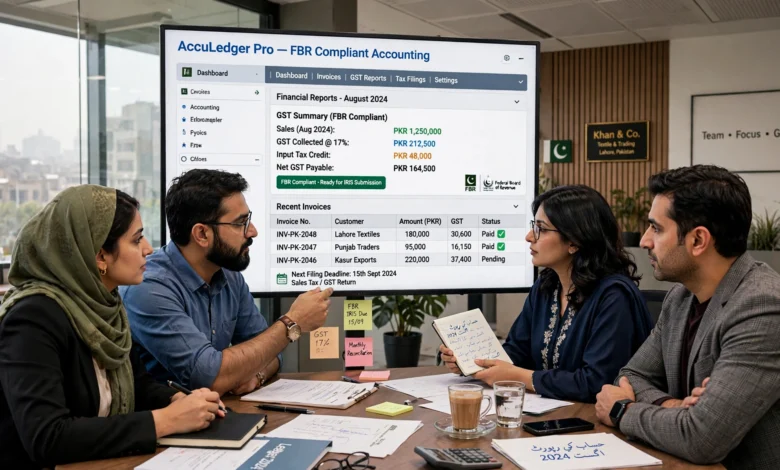
Finding the best accounting software for small businesses in Pakistan has become one of the most searched topics among shopkeepers, freelancers, and SME owners over the past couple of years, and for good reason. Manual ledgers and Excel sheets simply can’t keep up with today’s pace of business, and FBR’s growing push toward digital tax records means messy bookkeeping isn’t just inconvenient anymore, it’s risky. Whether you run a small retail shop in Lahore, a wholesale business in Karachi, or a freelance consultancy in Islamabad, the right software can save you hours every week and keep your finances audit-ready.
The good news is that Pakistani business owners now have more options than ever. There are free tools built for solo entrepreneurs, local platforms designed specifically around FBR requirements, and international giants like QuickBooks and Zoho Books that bring years of refinement to the table. But with so many choices, picking the right one can feel overwhelming.
In this guide, we’ll walk through the top accounting software options available in Pakistan right now, what features actually matter for local businesses, and how to decide which tool fits your specific situation, your budget, and how much your business is expected to grow over the next few years.
What Is Accounting Software and Why Does Your Small Business Need It?
Accounting software is a digital tool that helps you record income and expenses, generate invoices, track inventory, and prepare financial reports without doing the math by hand. For small businesses in Pakistan, this isn’t just about convenience. It directly affects how well you understand your cash flow and how prepared you are come tax season.
Here’s why small business owners across Pakistan are switching to dedicated accounting tools:
- Time savings: Automated invoicing and expense tracking cut down hours of manual data entry every month.
- Fewer errors: Software calculates totals, taxes, and balances automatically, reducing the human mistakes that come with spreadsheets.
- FBR compliance: With Pakistan’s move toward mandatory digital invoicing for registered businesses, software that handles this correctly is no longer optional for many SMEs.
- Better decision-making: Real-time profit and loss reports let you see exactly where your money is going, instead of waiting until year-end to find out.
- Easier scaling: As your business grows, good accounting software grows with you, adding payroll, multi-branch tracking, or inventory management as needed.
Key Features to Look For in Accounting Software for Small Businesses in Pakistan
Before comparing specific tools, it helps to know what actually matters. Not every business needs the same features, but a few basics apply almost universally.
1. FBR-Compliant Invoicing
If your business is registered, your invoicing needs to align with FBR’s digital invoicing requirements. This is arguably the single biggest factor separating local software from many international tools, since platforms like Xero or older versions of QuickBooks weren’t built with Pakistani tax law in mind.
2. Ease of Use
You shouldn’t need an accounting degree or an IT team to run your books. Look for a clean dashboard, straightforward invoice creation, and reports that make sense at a glance.
3. Local Currency and Pricing in PKR
Software priced and billed in PKR avoids the headache of currency conversion and the unpredictability of exchange rate fluctuations affecting your monthly software costs.

4. Inventory and Stock Management
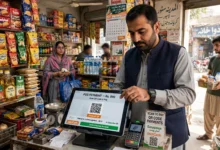
For retail and wholesale businesses, built-in inventory tracking means you always know what’s in stock, what’s selling, and what needs reordering, all tied directly to your financial records.
5. Offline Access or Low-Bandwidth Support
Internet connectivity isn’t uniform across Pakistan, especially outside major cities. Tools that work offline or sync data once you’re back online give small businesses more flexibility.
6. Multi-User and Multi-Branch Support
If you have more than one location or need your accountant and staff working in the system simultaneously, this becomes essential fairly quickly.
7. Customer Support in Your Time Zone
Local vendors typically offer support in Urdu or English during Pakistani business hours, which matters a lot when you’re stuck mid-invoice and need help fast.
Top 10 Best Accounting Software for Small Businesses in Pakistan
Below is a rundown of the accounting tools most commonly recommended for small and medium businesses operating in Pakistan today, covering both local and international options.
1. QuickBooks Online
QuickBooks remains one of the most recognized names in accounting software worldwide, and it’s a solid pick for Pakistani businesses that deal with international clients or need advanced reporting. It offers automated bookkeeping, cash flow tracking, and integrates with hundreds of third-party apps for time tracking, payroll, and e-commerce.
Best for: Businesses needing feature-rich, internationally recognized software with strong reporting.
Consider this: Some advanced features like multi-currency transactions and inventory tools are locked behind higher-tier plans, and pricing is in USD, which can fluctuate with exchange rates.
2. Zoho Books
Zoho Books has built a strong reputation among Pakistani SMEs for balancing affordability with solid features. It handles invoicing, expense tracking, and basic tax calculations well, and its free tier makes it accessible for very small operations or businesses just starting to formalize their books.
Best for: Small businesses wanting a dependable, affordable cloud tool with room to grow into paid tiers.
Consider this: It doesn’t come with dedicated FBR e-invoicing integration out of the box, so businesses with strict local tax filing needs may need to pair it with manual FBR submission or a local add-on.
3. Moneypex
Moneypex is a Pakistani-built platform that combines accounting, billing, inventory, and HR features in a single dashboard. Being fully FBR-compliant is one of its biggest selling points, along with PKR-based pricing that avoids currency conversion issues altogether.
Best for: Retail shops and service businesses in Pakistan wanting an all-in-one local solution.
4. Byopar
Byopar is designed for businesses running multiple branches or handling wholesale distribution. It supports GST billing, inventory tracking across locations, and even WhatsApp payment reminders, which is a genuinely useful touch for businesses chasing overdue customer payments.
Best for: Multi-branch retailers and wholesalers who need a real-time view across locations.
5. BizSuiteX
BizSuiteX stands out for offering both a free Windows desktop app and cloud access, which makes it one of the more flexible local options. It covers invoicing, inventory, bookkeeping, GST reporting, and FBR integration, with the option to upgrade only once your business actually needs more capacity.
Best for: Businesses wanting to start free and scale up gradually without switching platforms later.
6. Logic Layer ERP
Logic Layer ERP goes beyond basic bookkeeping software and functions as a full ERP system with proper double-entry accounting at its core. It’s built specifically around Pakistani tax law, with features like auto-journaling and built-in FBR digital invoicing baked in from the ground up rather than added on.
Best for: Growing businesses that need proper double-entry accounting alongside strict FBR compliance.
7. Vyapar
Vyapar is a simple, all-in-one business management app that works both online and offline, on Windows, Android, and iOS. It’s particularly popular with small shop owners who need basic invoicing and GST billing without a steep learning curve.
Best for: Very small businesses and shop owners who want something quick to set up and easy to use on mobile.
8. Udhaar Book
Udhaar Book has carved out a niche among Pakistani entrepreneurs specifically because it’s free, works offline, and has a genuinely simple interface. For shopkeepers and freelancers who mainly need to track credit (udhaar), sales, and expenses without complicated setup, it’s a practical starting point.
Best for: Freelancers and small shop owners looking for free, no-frills bookkeeping.
9. Wave Accounting
Wave is a completely free accounting platform that’s popular with freelancers and very early-stage startups worldwide, including in Pakistan. It covers invoicing, income and expense tracking, and basic reporting without any subscription cost.
Best for: Freelancers and solopreneurs who need free accounting software for small business use with no local tax filing complexity.
Consider this: It lacks localized FBR features, so it works best for businesses that aren’t yet dealing with formal tax registration requirements.
10. Tally
Tally has been a staple in the subcontinent for decades and remains a familiar name to many Pakistani accountants, largely thanks to its affordable one-time licensing. That said, it’s a desktop-only application without cloud access or a mobile app, and it was originally built around Indian GST rather than Pakistani sales tax rules, so newer local alternatives often serve Pakistani SMEs better today.
Best for: Businesses that already use Tally and prefer a familiar, low-cost desktop tool over cloud-based alternatives.
Free vs. Paid Accounting Software: Which One Should You Choose?
This is one of the most common questions small business owners ask, and the honest answer is: it depends on where your business is right now.
Choose free accounting software for small business use if:
- You’re a freelancer or solo entrepreneur with a low transaction volume.
- You’re not yet formally registered with FBR or dealing with sales tax filing.
- You want to test whether digital bookkeeping fits your workflow before committing to a paid plan.
Choose paid accounting software if:
- Your business is FBR-registered and needs compliant digital invoicing.
- You manage inventory across multiple products or locations.
- You need multiple staff members or an accountant working in the system simultaneously.
- You’re scaling and need payroll, advanced reporting, or third-party app integrations.
Many businesses start with a free tool and migrate to a paid platform once transaction volume or compliance requirements grow. This is a completely normal path, so there’s no need to overcommit to an expensive plan before you actually need it.
FBR Compliance: Why It Matters More Than Ever
Pakistan’s Federal Board of Revenue has been steadily digitizing tax enforcement, and financial records are increasingly subject to automated cross-checking. This shift means businesses maintaining manual records or using non-compliant software are more likely to face delays, errors, and queries during tax season.
When evaluating the best accounting software for small businesses in Pakistan, FBR compliance should sit near the top of your checklist if your business is registered or planning to register soon. Look specifically for:
- Support for FBR’s digital invoicing requirements.
- Automatic sales tax calculation on invoices.
- Exportable reports formatted for tax filing purposes.
- Regular software updates that keep pace with changing FBR regulations.
For businesses that want to understand FBR’s digital invoicing requirements directly from the source, the Federal Board of Revenue’s official website publishes updated guidance on e-invoicing and registration requirements. It’s worth a periodic check, since these rules have been evolving.
Local Software vs. International Platforms: What’s Right for You?
There’s a genuine trade-off between choosing a locally built platform and going with an internationally established one, and it comes down to a few practical considerations.
Local software (Moneypex, Byopar, BizSuiteX, Logic Layer ERP, Udhaar Book) tends to offer:
- Built-in FBR compliance from day one.
- PKR pricing with no currency conversion surprises.
- Local customer support during Pakistani business hours.
- Features tailored to how Pakistani SMEs actually operate, like credit tracking and WhatsApp reminders.
International platforms (QuickBooks, Zoho Books, Xero, Wave) tend to offer:
- More mature, polished user interfaces refined over many years.
- Larger ecosystems of third-party app integrations.
- Better fit for businesses dealing with international clients or multi-currency transactions.
- Stronger brand recognition if you’re working with foreign investors or partners.
Neither category is universally “better.” A local shop selling exclusively within Pakistan will likely get more day-to-day value from FBR-ready local software, while an export-focused business or agency billing overseas clients may lean toward an international platform with strong multi-currency support.
How to Choose the Right Accounting Software for Your Business
Rather than picking based on brand recognition alone, walk through these questions first:
- What’s your budget? Free tools work for very early-stage businesses, but factor in what you’ll need as you grow.
- Are you FBR-registered? If yes, prioritize software with built-in compliant invoicing.
- Do you manage inventory? Retail and wholesale businesses need stock tracking tied directly to their books.
- How many people need access? Multi-user support matters if your accountant, staff, or business partner also needs to log in.
- Do you need offline access? If your area has unreliable internet, offline-capable software avoids workflow interruptions.
- Will you need payroll or multi-branch features soon? It’s usually cheaper to choose software that can grow with you than to migrate everything later.
If you’re still unsure where to start, resources like Investopedia’s guide to small business accounting basics offer a useful, vendor-neutral breakdown of what any accounting software should handle well, regardless of which country you’re operating in.
Conclusion
Choosing the best accounting software for small businesses in Pakistan ultimately comes down to matching a tool to where your business actually is today, not where you hope it will be in five years. Free options like Wave and Udhaar Book work well for freelancers and very early-stage shops, while FBR-compliant local platforms such as Moneypex, BizSuiteX, and Logic Layer ERP make more sense for registered businesses that need proper tax-ready invoicing and reporting.
International tools like QuickBooks and Zoho Books remain strong choices for businesses dealing with global clients or needing more advanced reporting. Whatever you pick, the goal is the same: spend less time wrestling with spreadsheets and more time actually running your business.